Breaking Changes
Configuration Migration from ApplicationSettings.json to Settings.json
Settings have been moved from ApplicationSettings.json back to Settings.json. In shared multi-node environments, upgrading one node modifies the shared configuration file during migration, which can prevent subsequent nodes from accessing the original settings. Back up configuration files before upgrading to avoid losing node-specific values.
Take the following precautions after upgrading and starting node 01:
Settings have been moved from ApplicationSettings.json back to Settings.json. In shared multi-node environments, upgrading one node modifies the shared configuration file during migration, which can prevent subsequent nodes from accessing the original settings. Back up configuration files before upgrading to avoid losing node-specific values.
Take the following precautions after upgrading and starting node 01:
- Users can copy the complete Settings.json and update items that are node-specific
- Open the Settings.json and manually copy the listed values into the Settings.json of every other node in the cluster before starting them.
10.1 New Features (8/13/2026)
| Feature | Link | Description | Product Category | Screenshot |
|---|---|---|---|---|
| [DT-047916] Statement Rule Designer Upgrade | Creating Statement Rules | The Statement Rule Designer has received several usability improvements to make it faster and more intuitive to build and maintain complex rules.
| Rules | 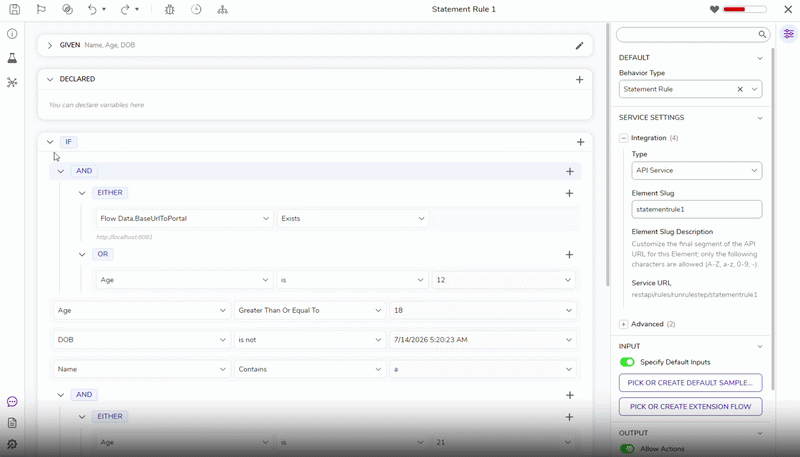 |
| [DT-046788] Introduce Project Categorization via Folders | Creating a Project | User can now categorize projects. A new field has been added to the project creation dialog that enables Users to define which category the new project will fall under. Users can create a project regardless of providing a category since it is not a mandatory field. The Category name will also be shown next to the Project name in the top-right corner of the All Projects page. | Projects | 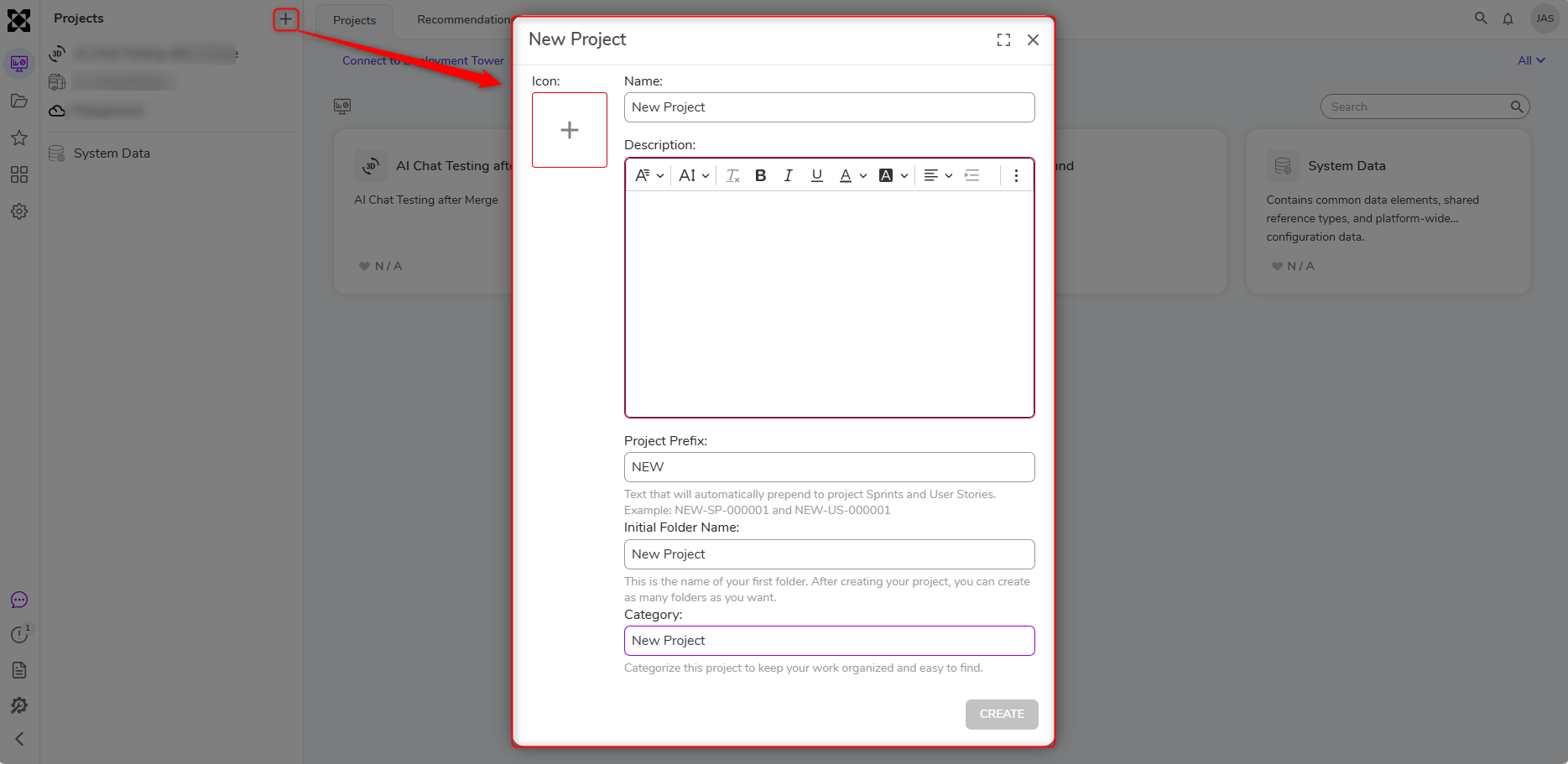 |
| [DT-047149] Add Embedding Step to AI Modules | Create Embeddings | Added a Create Embeddings step for Ollama, Azure Foundry, and Google Gemini modules. This update also includes AI Common support for Bedrock and Google Vertex, and string array support for the OpenAI Embedding step. | Integrations | 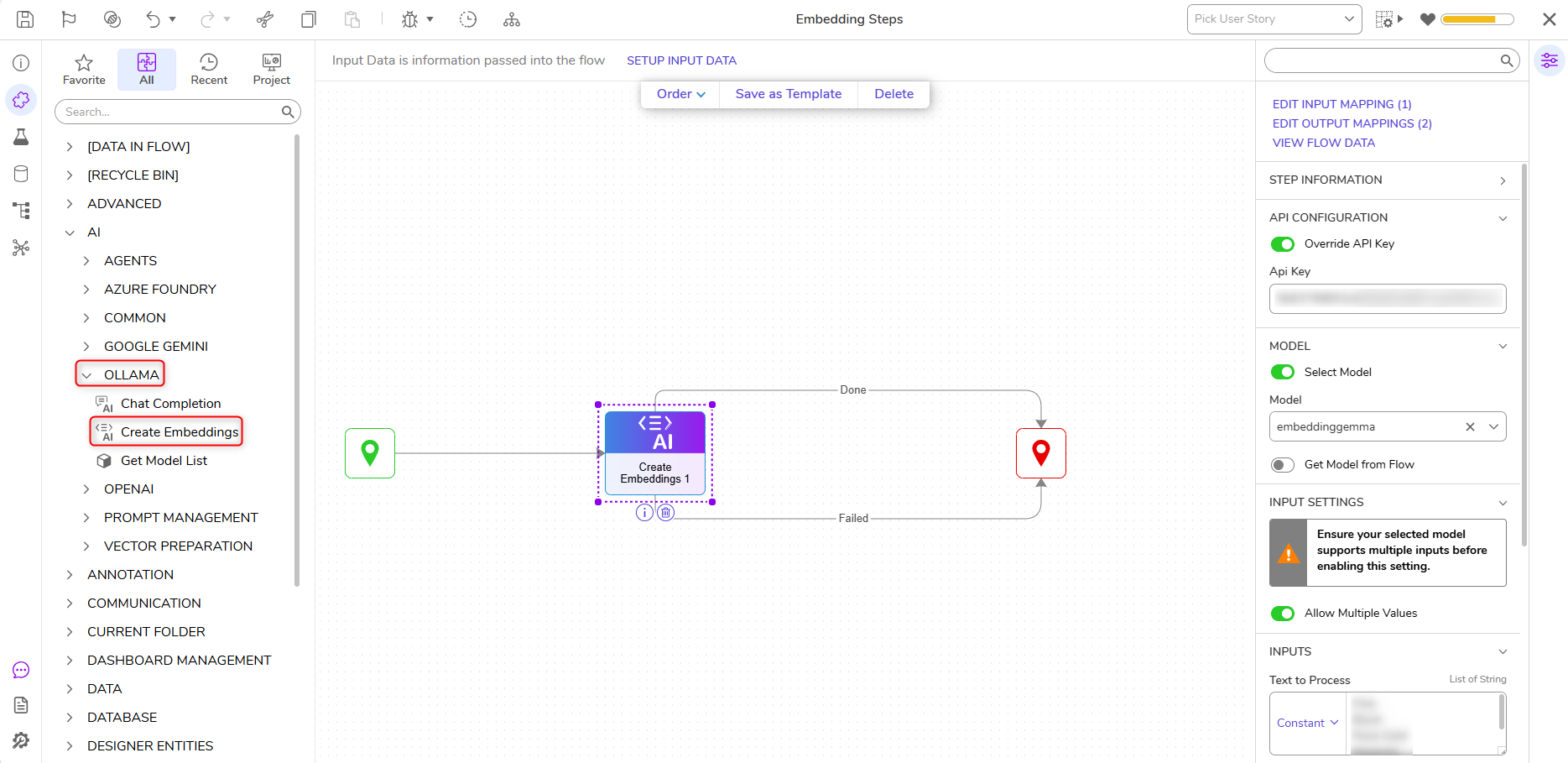 |
| [DT-047183] Form/Page AI Chat Component | Utilizing the AI Chat Component in a Form/Page | A Form/Page AI Component has been added that allows Users to drag an AI chat interface onto a Form or Page. This control can be displayed as an embedded panel or a pop-up button. | Forms/Pages | .gif) |
| [DT-047522] Requesting Built-In Feature to Disable/Remove Refresh Icon for Advanced Data Grid Control | Advanced Data Grids | Three new properties have been added to the Behavior category of the Advanced Data Grid control:
| Forms | 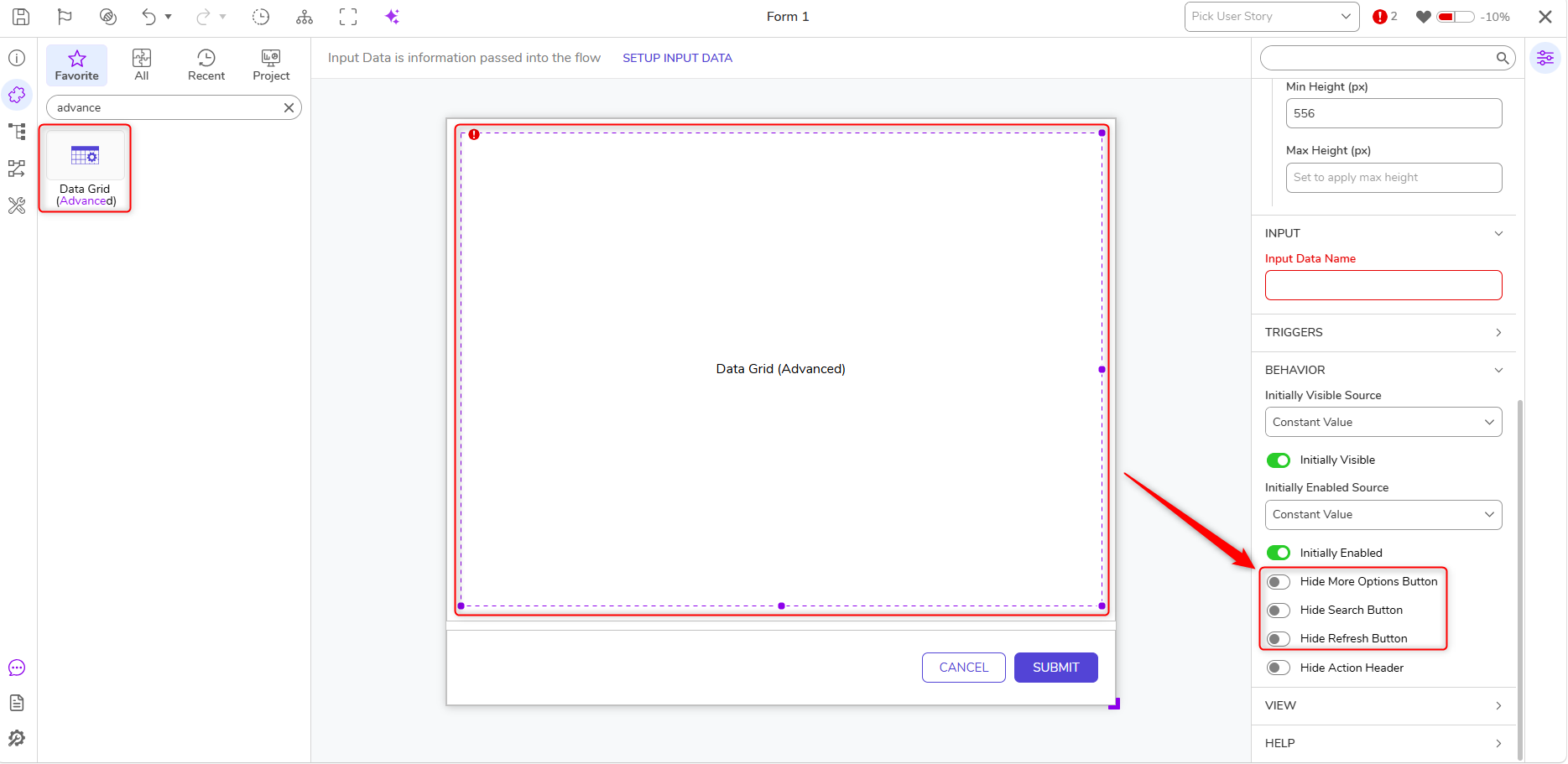 |
| [DT-048122] Platform RedactionService for AI.Common | Platform Redaction for AI Common | A new Redaction Folder has been added under System > Security. This new feature includes the following updates:
| Integrations | 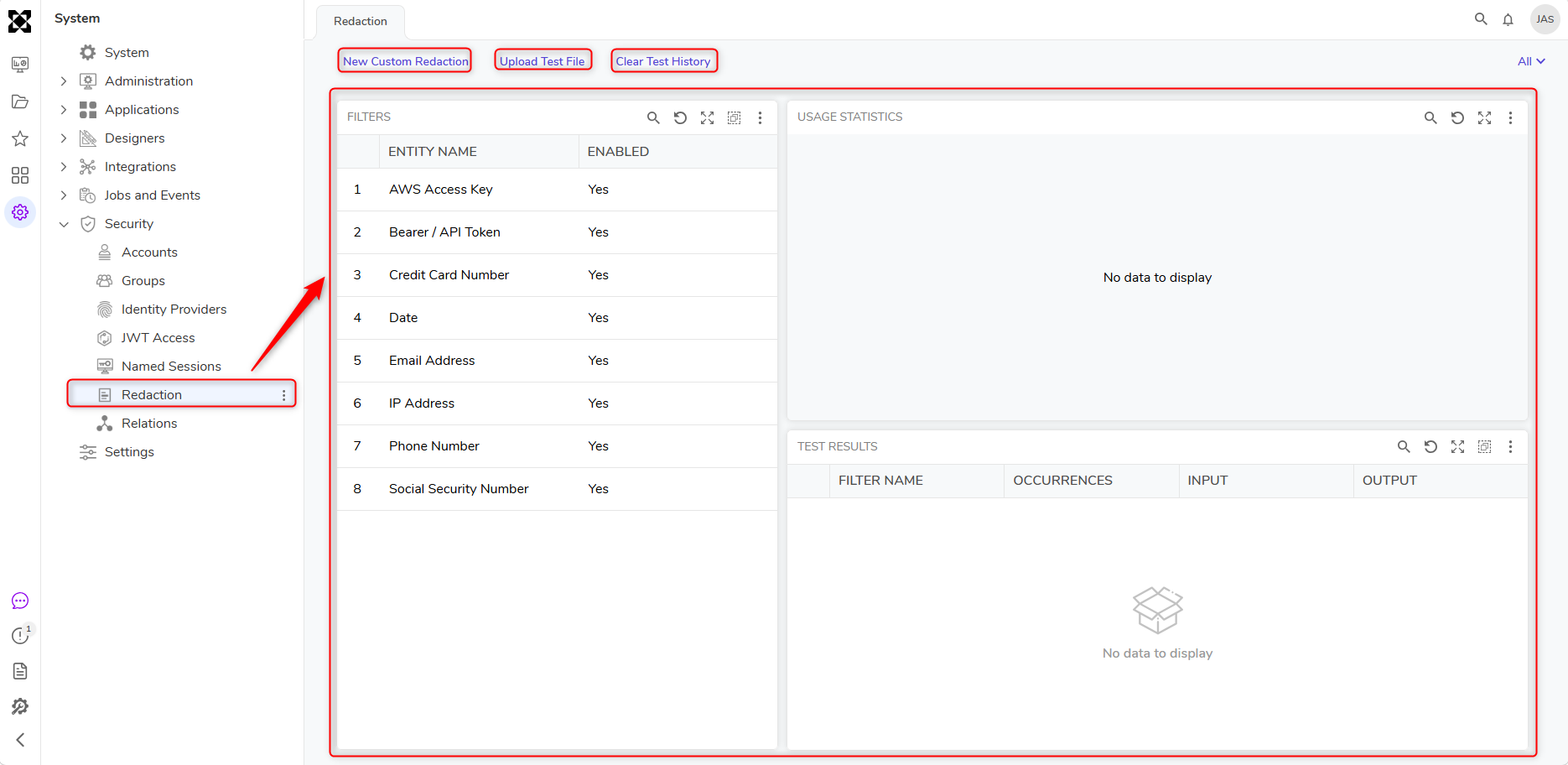 |
| [DT-048178] Flow Designer - Wait On External System: Unable to specify a dedicated queue for 'Auto Complete' escalation jobs | Wait On External System | Two new properties are added for "Wait On External System": Specify Queue Name and Specify Queue Count. | Flows | .png) |
| [DT-048282] Integrations: Redesign 'View Integrations Details' page | View Integration Details | The View Integration Details page has been redesigned. | Flows | .png) |
Enhancements
| Feature | Link | Description | Product Category | Screenshot |
|---|---|---|---|---|
| [DT-046959] v10 Statement Rule: Anchor Value Search | Creating Statement Rules | The anchor picker now supports searching Inputs, Flow Data, and System Constants, making it easier to locate references in large configurations. | Rules | 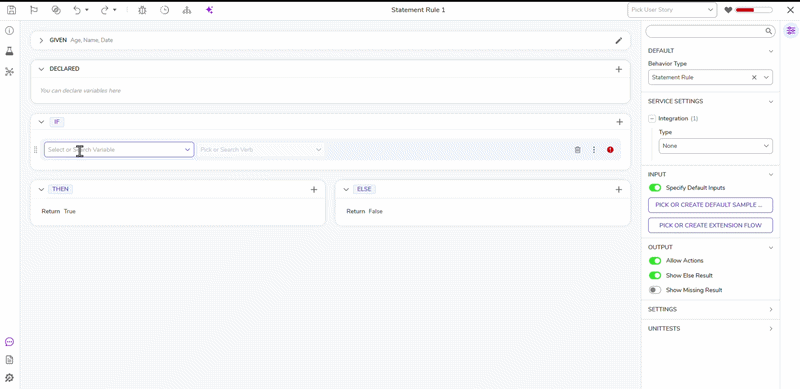 |
| [DT-048064] Statement Rule: show names for inputs and variables when panel collapsed | Creating Statement Rules | Names of inputs and variables will be displayed instead of numbers when panels are collapsed. This ensures that Users will see the names without expanding the section. | Rules | 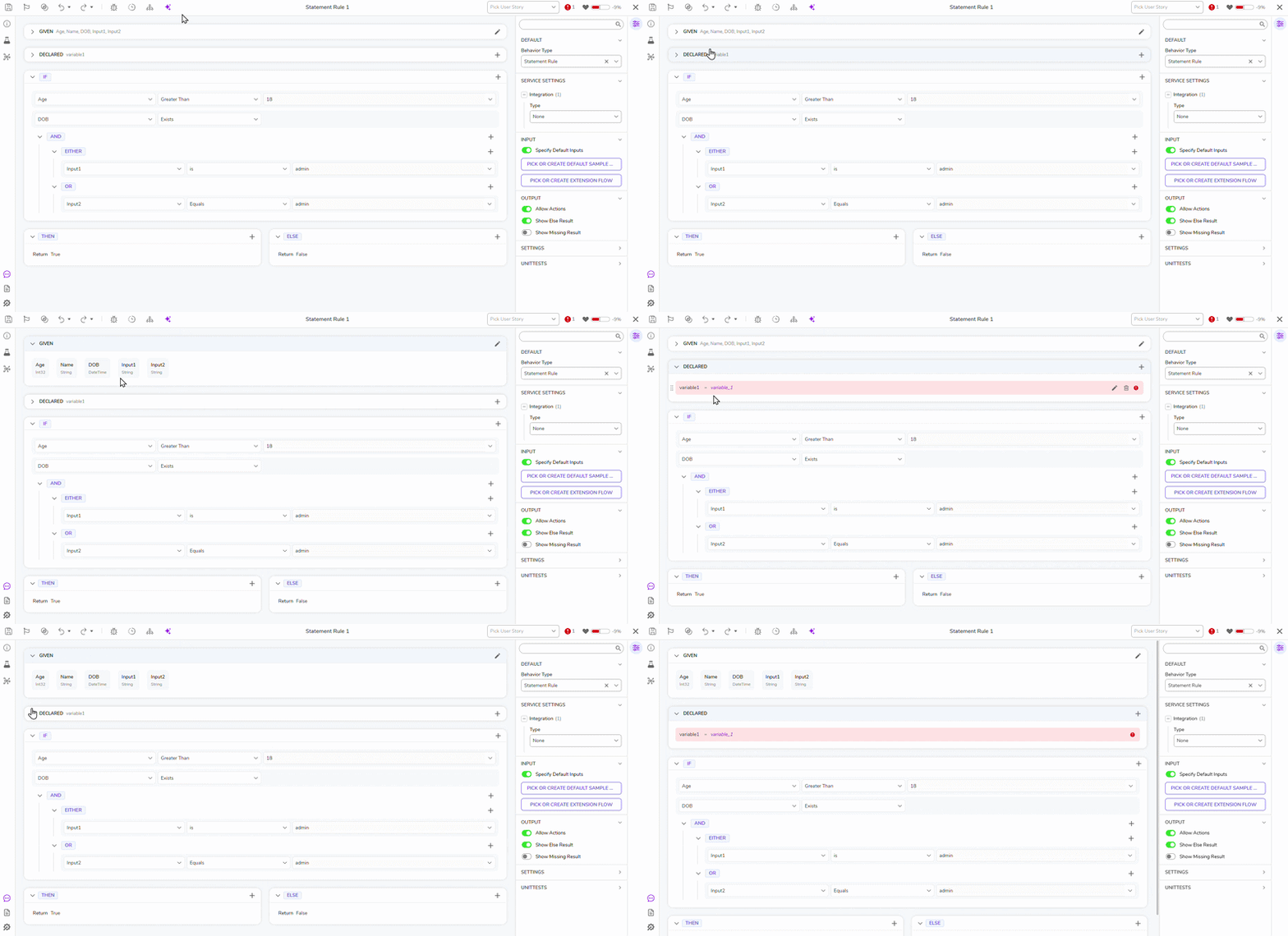 |
| [DT-044149] Update Run Rule Set Tests in Flow Toolbox | Run Rule Set | Removed the Run Flow/Rule Set step to reduce confusion with the existing Run Rule Set step. | Rules | 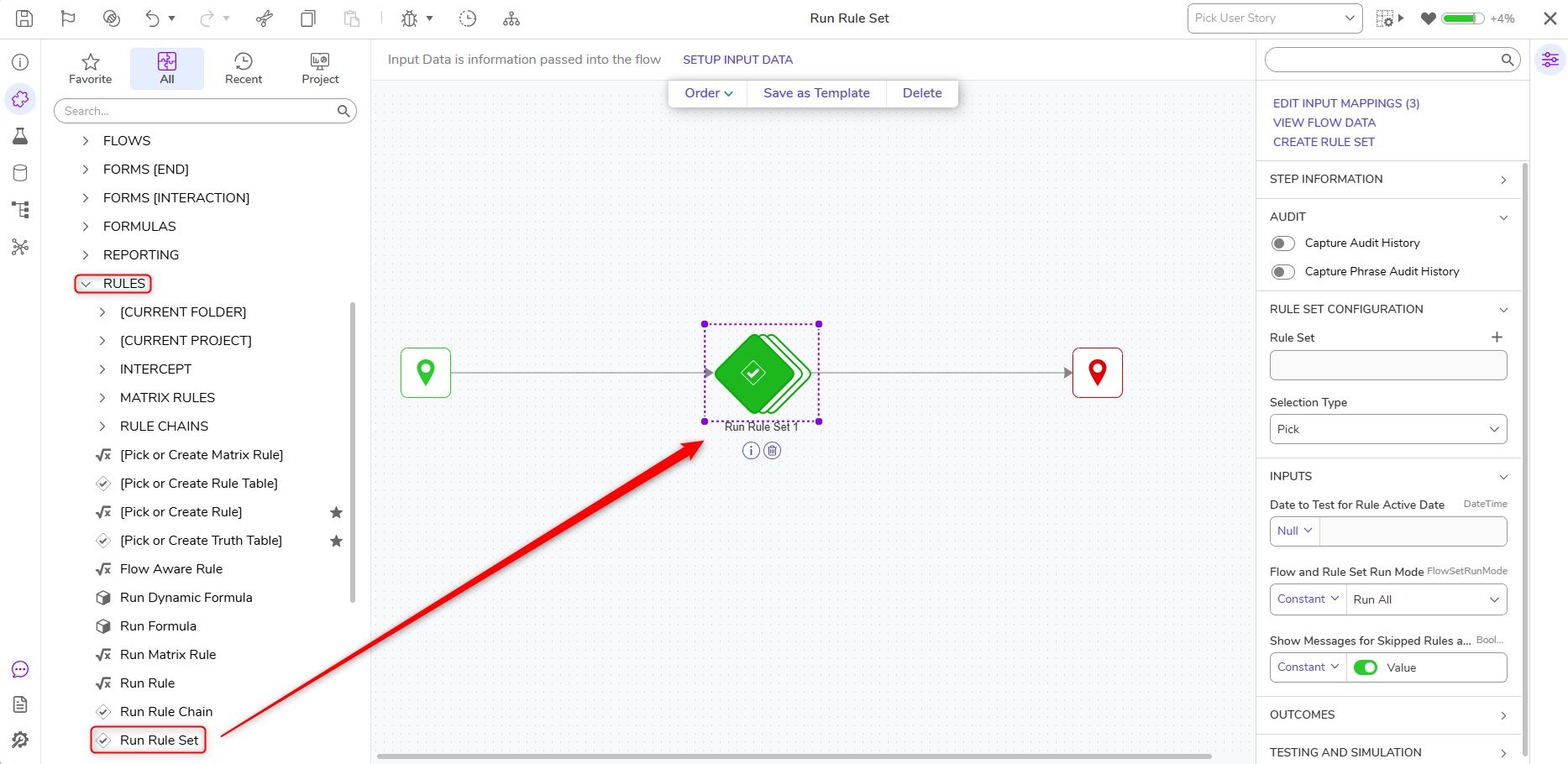 |
| [DT-046806] Portal Redesign: Display Create actions as Icons | Creating a Project | Creation actions have been updated with icons. This update is only applicable where the Create is present at the start of the action name and when primary actions are changed. Other actions are unchanged. | System/Portal Administration | 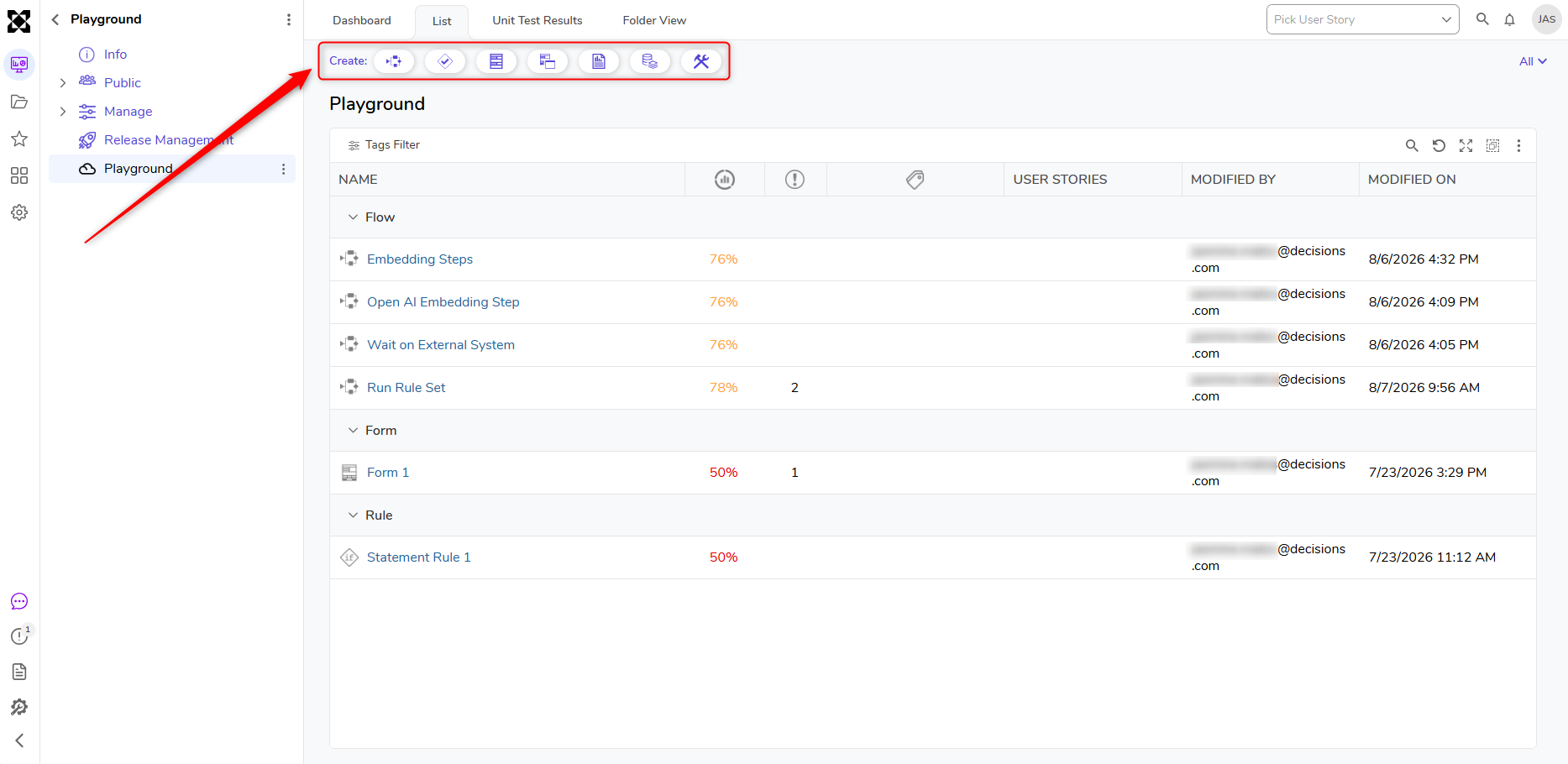 |
| [DT-046807] Portal Redesign: Update breadcrumbs behavior | Navigating the Platform | The breadcrumb behavior has been updated. Collapsed folders are now represented by an '...' (ellipsis), and clicking the ellipsis opens a context menu displaying the nested folders. | System/Portal Administration | .png) |
| [DT-046859] Process Page Redesign | Customized Process View Page | The Process View Page now has updated UI styling. | System/Portal Administration | .png) |
| [DT-047484] Case Page Redesign | Creating Case Entities | The Case View Page has been redesigned. | Pages | 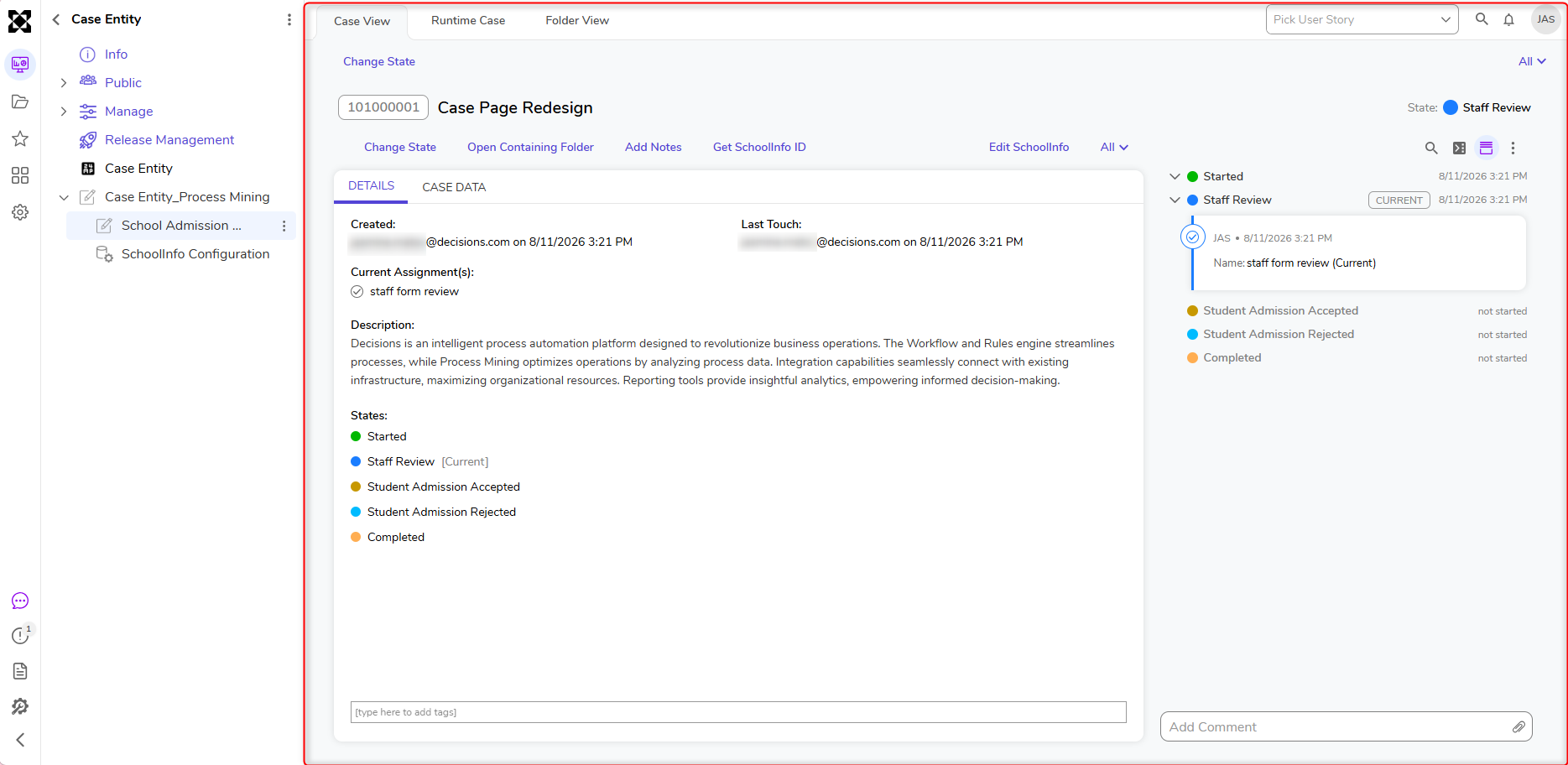 |
| [DT-046863] History Page Redesign | History and Backup | The History Page has been redesigned. | System/Portal Administration | 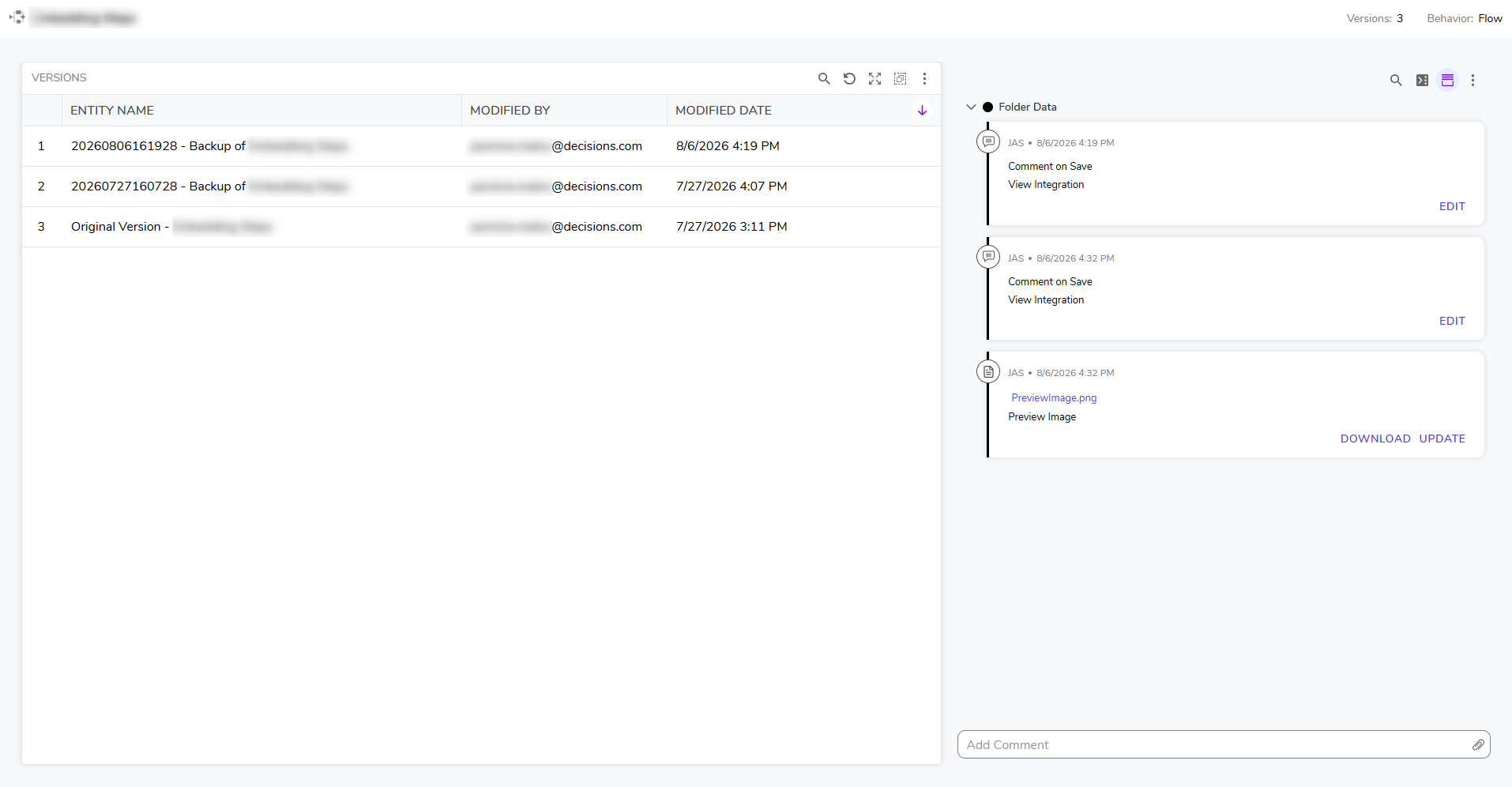 |
| [DT-047743] Simplify Default Page Template | Create Page / Dashboard | Updated the default Page Template to use a 200px first row and a four-column layout. | Pages | .png) |
| [DT-047859] Formula Builder reskin | Building Formulas | The Formula Designer has received an updated UI that reflects the platform redesign when hovered over. | Formulas | 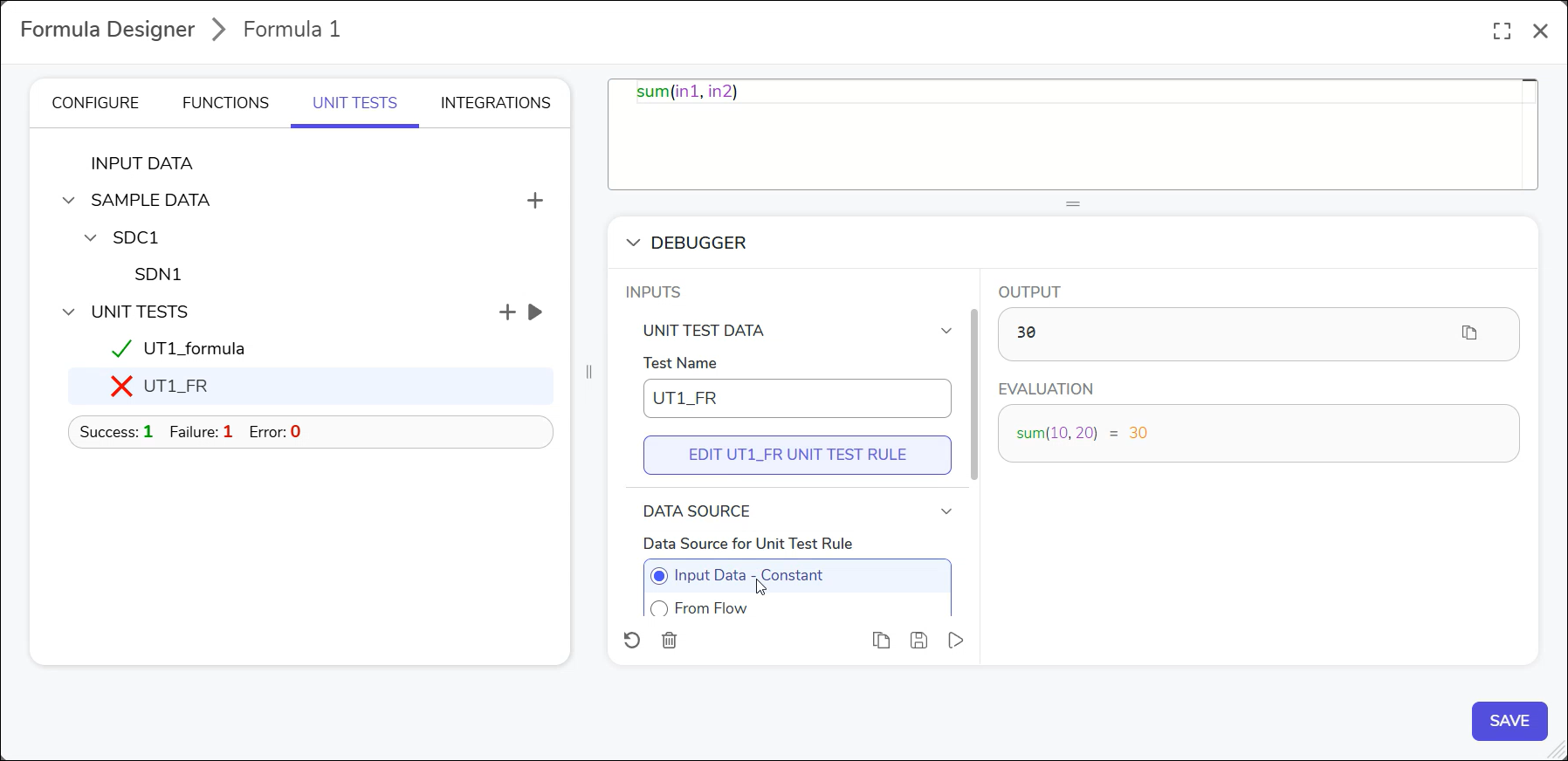 |
| [DT-047969] Matrix Rule Sample Panel Update | Creating a Matrix Rule | The Matrix Rule Designer has received a UI update for the Sample Data panel. | Rules | 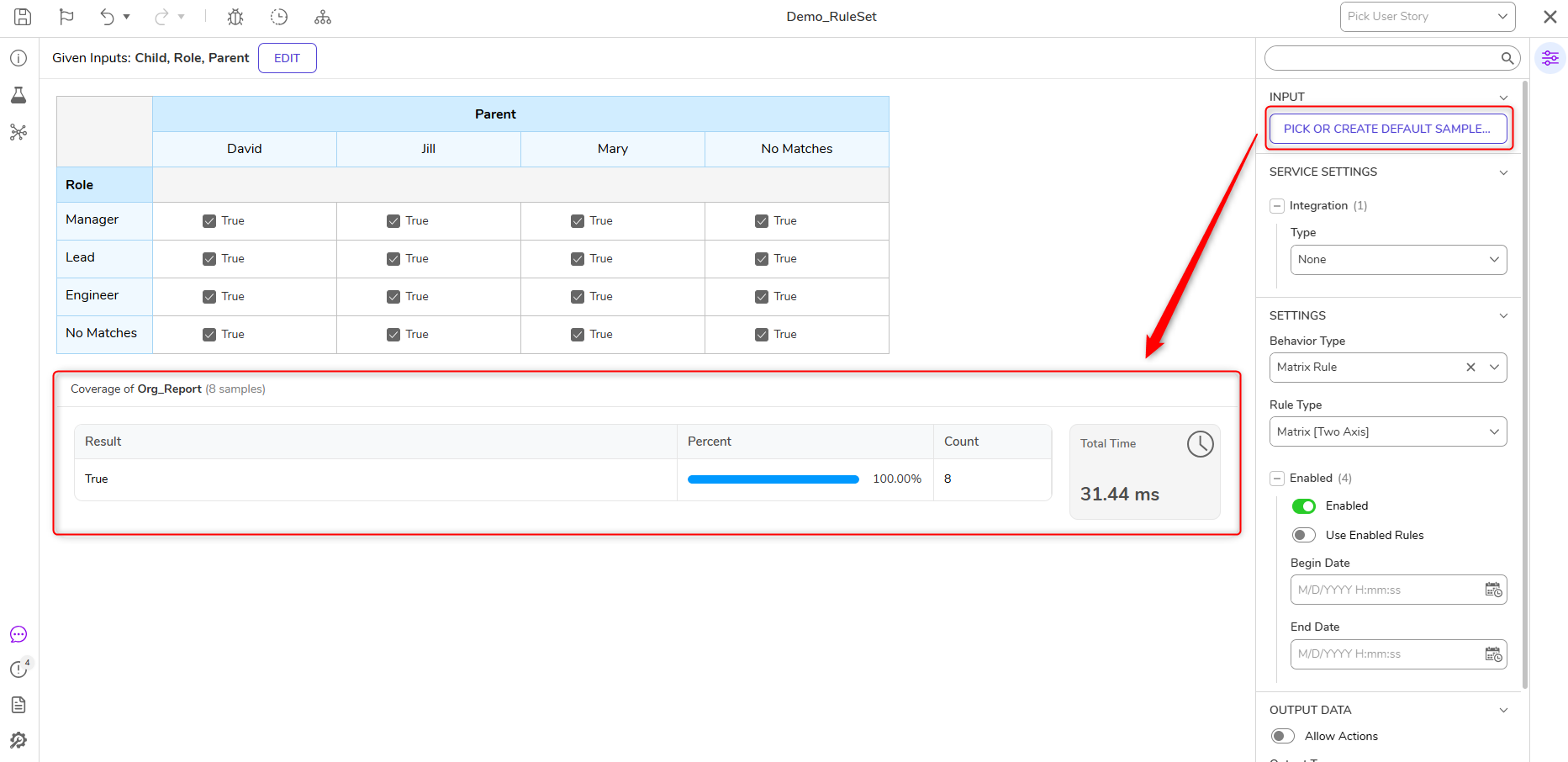 |
| [DT-047993] Redesign report Cell View (Layout Based View) | Configuring Report View Modes | The Layout Based View in Reports has been redesigned to use a modern layout. | Reports | 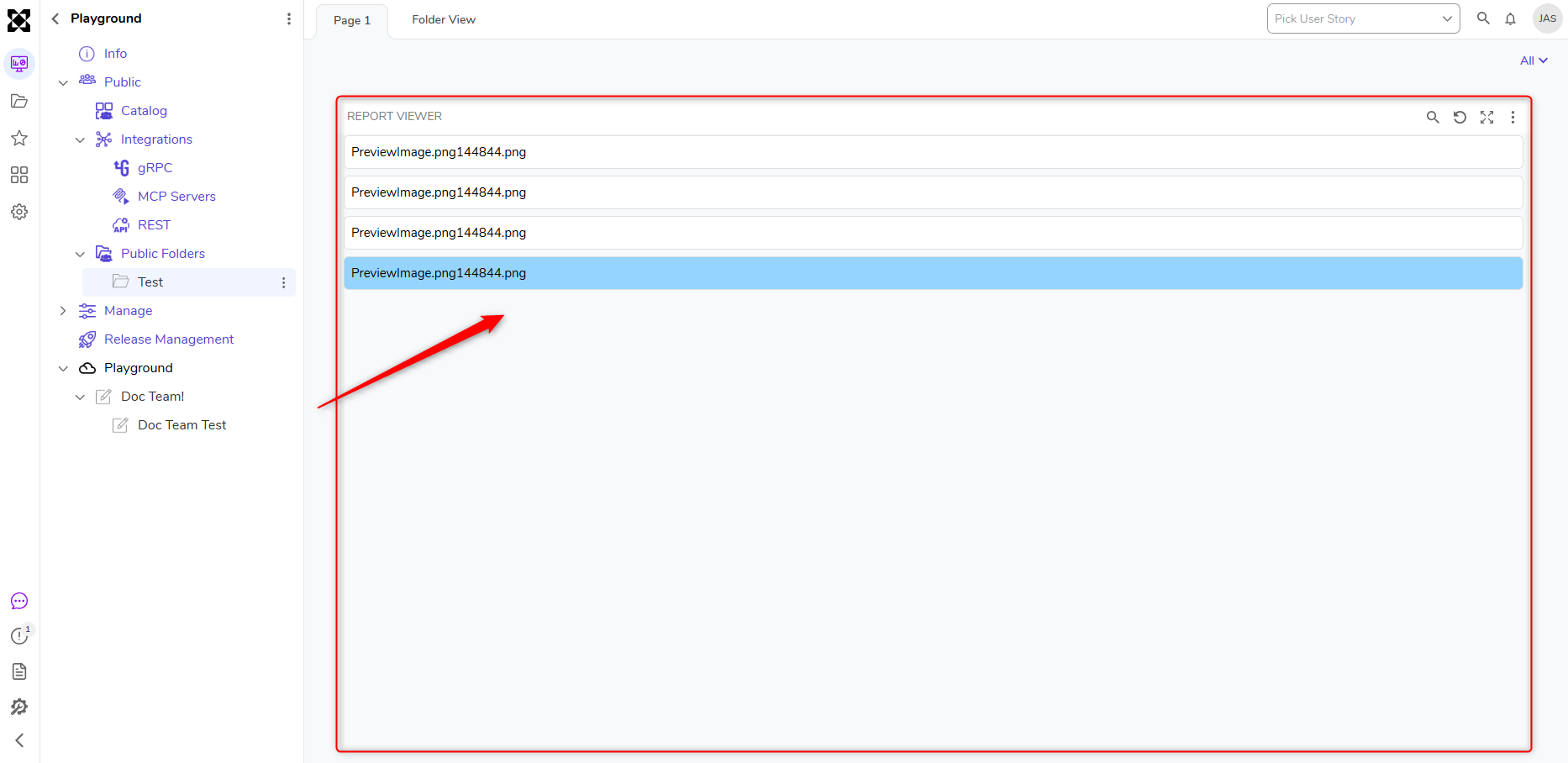 |
| [DT-048075] Default Form Updates | Create Forms | The Default Form has received the following updates:
| Forms | .png) |
| [DT-048157] Agent Message History Storage/Output | Prompt Execution History Dashboard | The following Agent Message History updates have been made:
| Integrations | 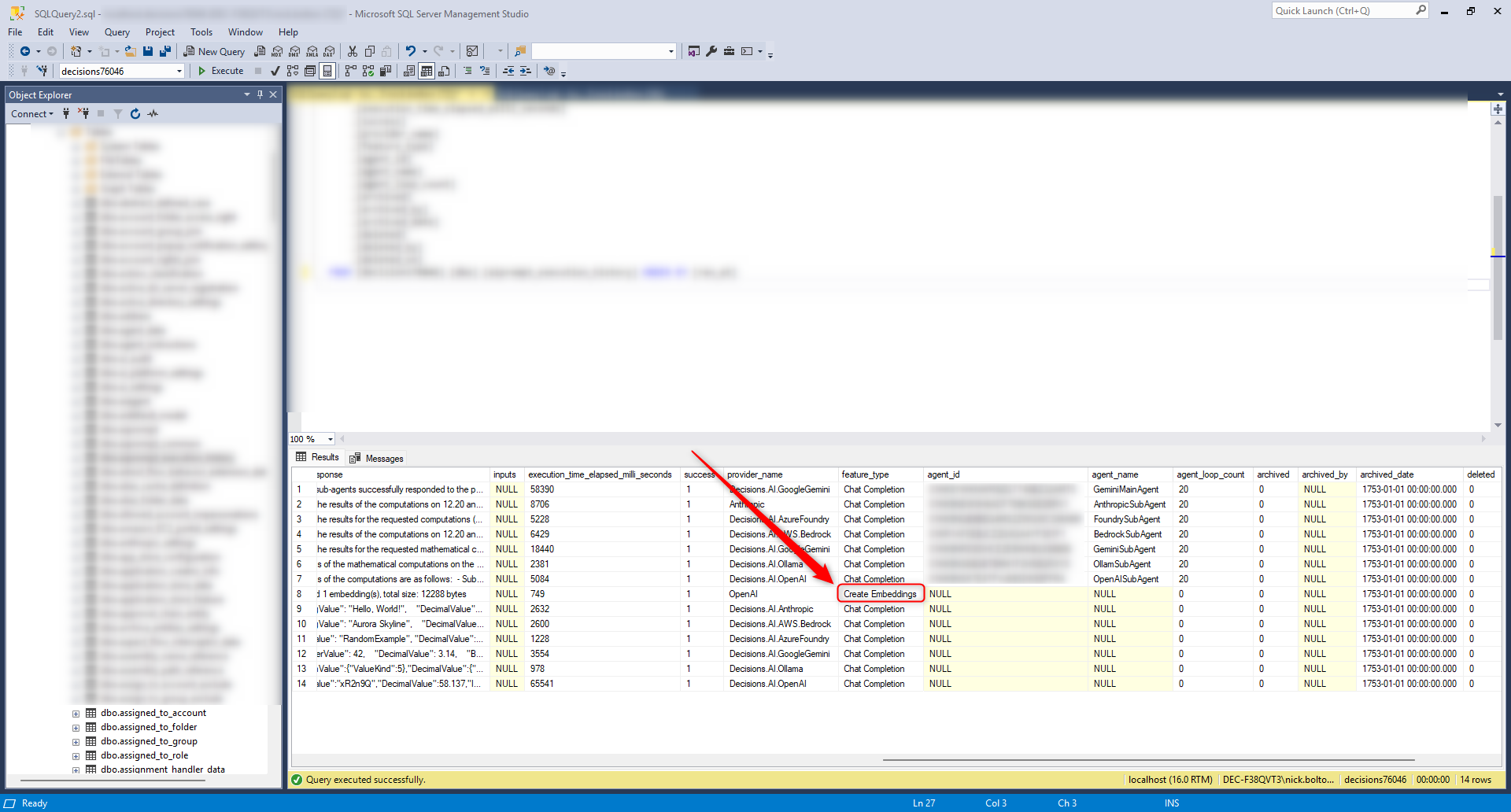 |
| [DT-048158] Debugger Tiles | Using the Flow Debugger | The Debugger Summary Tiles have been updated to align with the platform re-design. This update includes:
| Flows | 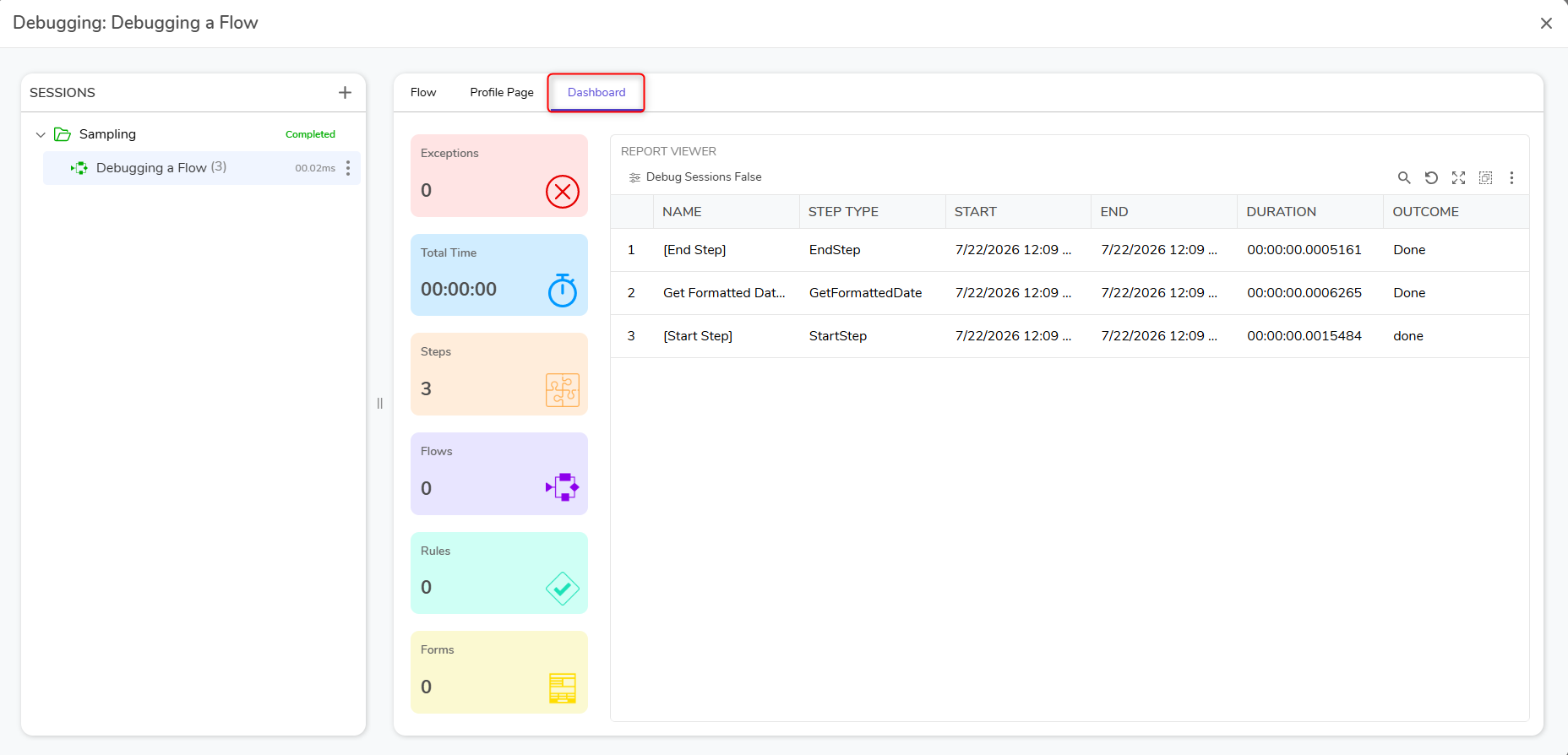 |
| [DT-048199] AWS S3 Module - Add Support for Certificate-Based Authentication (CBA) as Alternative to Access Key/Secret Key Credentials | S3 | Users can now authenticate AWS for S3 steps via certificate authentication. | Modules | 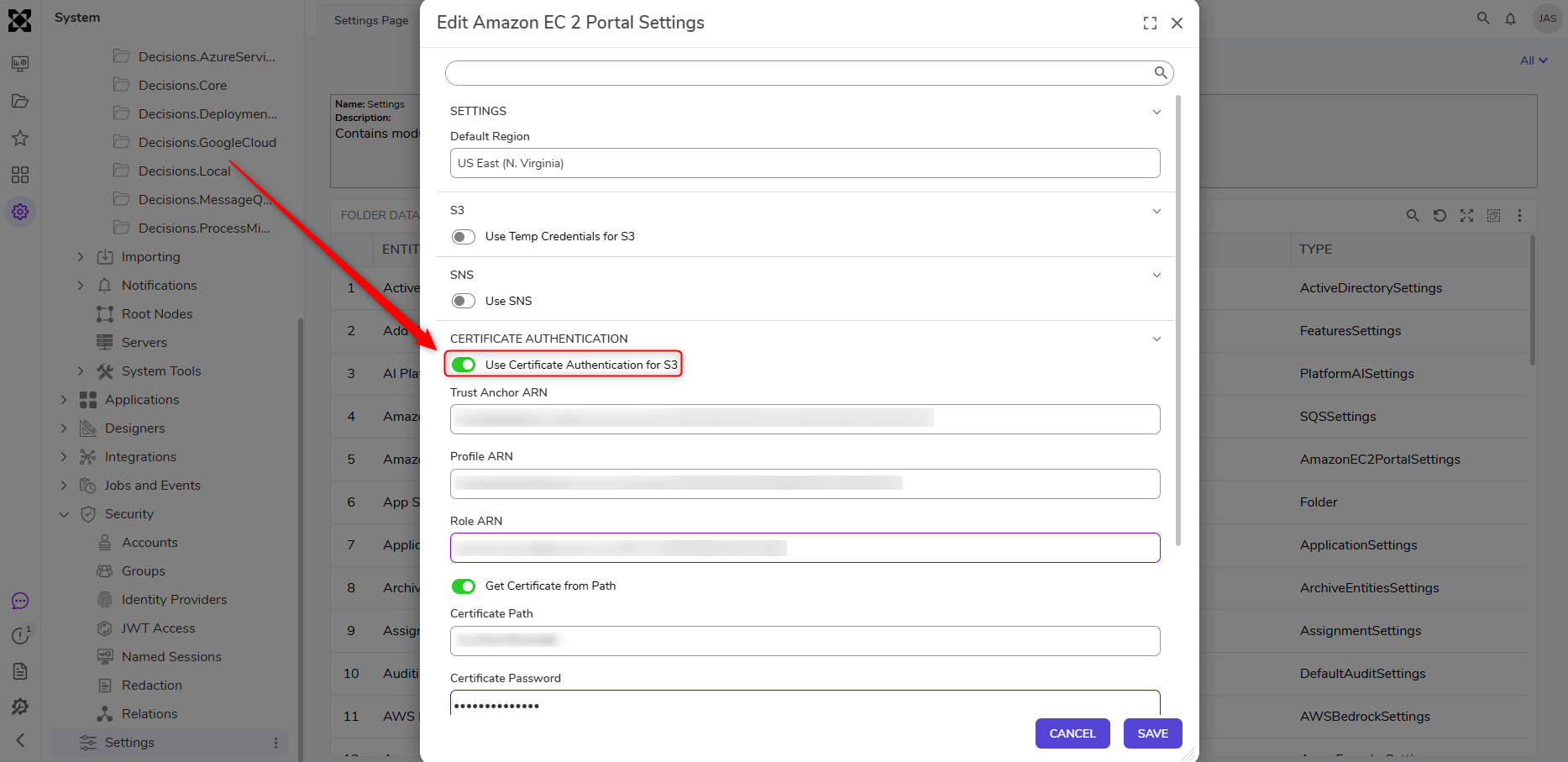 |
| [DT-048281] Flex Layout Flexible Sizing Should Allow Auto | Flex Layout | Flex Layout and controls on Flex now have the option to set the Base Width as Pixels or Auto, letting a control size to a fixed width or fit its own content in Page and Form. | Pages/Forms | 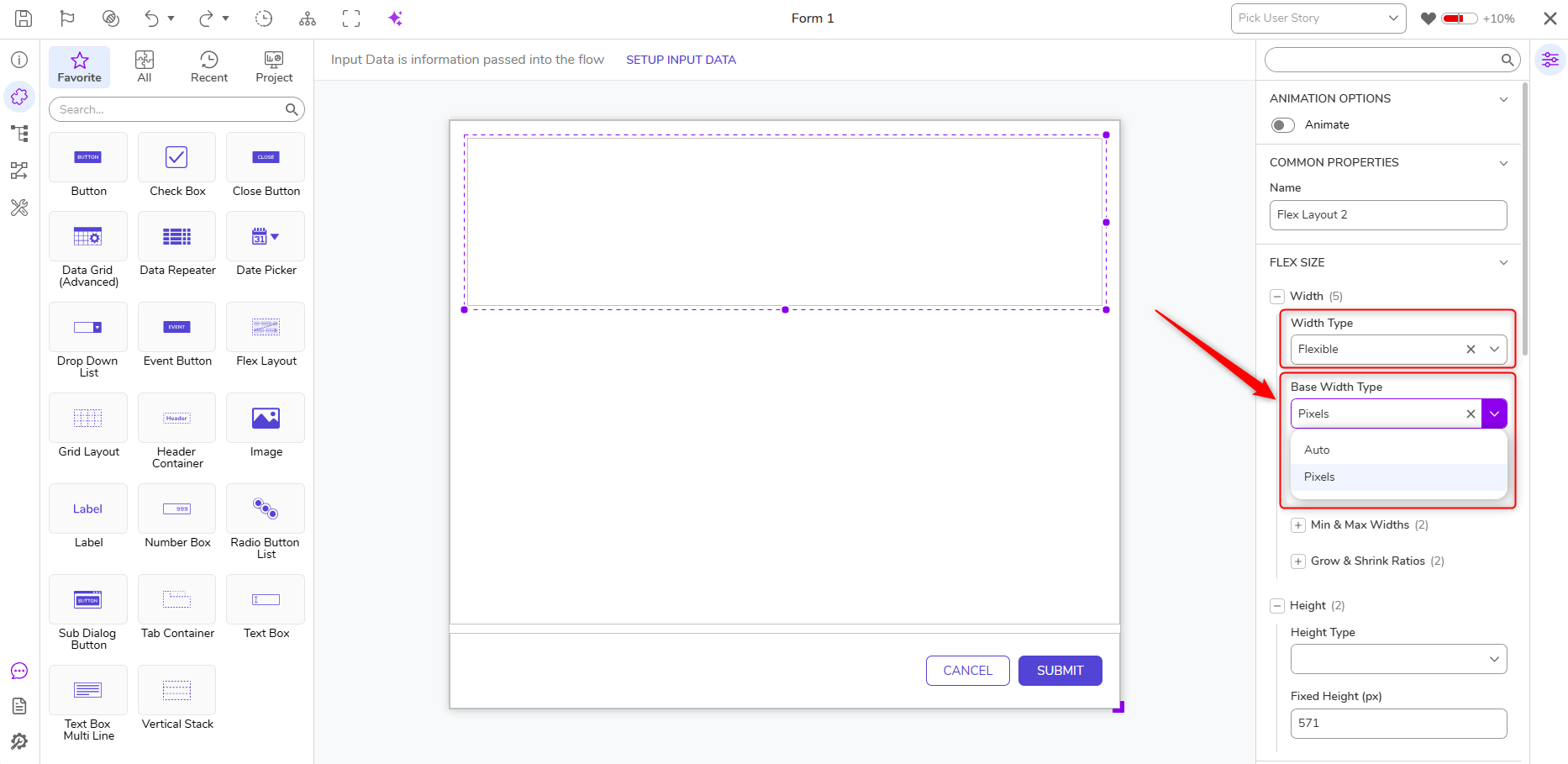 |
Fixes
Various performance and security fixes have been made.
Deployment Tower
| DT Title | Description | Occurs in |
|---|---|---|
| [DT-048263] Deployment Tower- Repository Migration: Object reference error is displayed after right-clicking on the commit of the custom branch. | Actions on commits now appear for custom branches in the Deployment Tower "Commits" tab report. | 10.x |
| [DT-048309] User Story-related actions are displayed unnecessarily on Assignments and Process/Case folders for Admin and Designer users. | Unnecessary User Story actions no longer appear on inbox assignments or on assignments and documents in the Process/Case Folder. | 10.x |
| [DT-048260] System Data - Languages: Translations from re-deployments of an existing language are not applied on target until service restart | Subsequent deployments of new/updated translation strings from the System Data project are reflected on the target environment without the need for a service restart. | 10.x |
| [DT-048269] Checkout Project: Checking out the latest version fails with 'Branch not found!' for projects migrated with a branch other than 'Trunk'. | Checking out the latest version works for projects migrated with alternate branches. | 10.x |
| [DT-046217] Development - User Story: The pagination on the report is not visible until scrolling down the entire report viewer. | The report on the "Manage Local Changes" User Story action now displays pagination at the bottom regardless of where you scroll to in the report. | 10.x |
| [DT-048251] Repository - Revert/Rollback: Dev Server does not validate second Rollback/Revert commit on check-in after the first Revert/Rollback cycle | Commits made after Rollback/Revert on a project check-in now correctly throw "Out of Sync" validations on subsequent rollback/reverts. | 10.x |
| [DT-048205] Associate with User Story Dialog: The 'User Story' dropdown does not display any message when no user stories are available. | A Help Message stating that no User Stories are available in development will now be displayed to Users. | 10.x |
| [DT-048288] Deployment Tower: Sync performance degrades significantly for projects with a large number of entities. | Syncs between the Development Server and the Deployment Tower will now be completed without extensive delay regardless of the number of Local Changes, since all Local Changes should not be re-synced on every sync trigger. | 10.x |
Modules
| DT Title | Description | Occurs In |
|---|---|---|
| [DT-044273] Modules: Telephony Module's IVR and SMS flows do not have access to the Twilio steps at system level | Telephony handlers (IVR and SMS) are now created inside a project instead of at the system level, so their handler flows can now use Twilio steps at the project level. | 10.x |
| [DT-048252] Scripting Modules: Update Icons for v10 | Updated styling of scripting module folder icons for v10: PowerShell, Python, R. | 10.x |
| [DT-048313] Update Microsoft Services Folder Icon for v10 | Updated the Microsoft Services folder icon. | 10.x |
| [DT-048316] AI Common - Get Embedding for Text: A validation error is displayed when 'Get Provider from Flow' is enabled | Fixed a validation displayed on AI Common Get Embedding for Text steps when the provider value is provided from flow. | 10.x |
Forms
| DT Title | Description | Occurs In |
|---|---|---|
| [DT-043929] Drag to Resize - Highlight will expand into bordering cells when the browser is zoomed out to 75% or increased to 110%, preventing Users from selecting only one cell to expand into | Resolved an issue where drag-to-resize incorrectly highlighted neighboring cells at 75% and 110% browser zoom levels, making it difficult to resize into a single cell. | 10.x |
| [DT-046937] Form Dialog and Form Background Problems | Resolved issues with the form dialog and form background to improve display and usability. | 10.x |
| [DT-048039] Form - JS Control Wizard: Control Name field accepts empty, malformed, and duplicate values without validation | Added Control Name and JavaScript internal class name and Outcome path validations to the JS Control Wizard. Added additional validation when updating JS control. | 10.x |
| [DT-048060] Form Designer: Unwanted border box is displayed for the header container title area. | Removed the extra border displayed at the header container title area. | 10.x |
| [DT-048074] Unexpected Design Changes When Hiding Flex Layouts Via AFF | Controls do not wrap to the next line or change their alignment when a Flex Layout is hidden through the Active Form Flow. | 10.x |
| [DT-048276] Form Designer - Data Icon is duplicate of toolbox | Removed the duplicate Data icon from the Form Designer toolbox. | 10.x |
| [DT-048341] AI Chat Component Does Not Record Project ID in AI Prompt Execution History Records | The AI Chat Component now records the ProjectId to the Execution History with each chat completion call. Users are prevented from deleting the AI Chat Configuration if it is being used by an AI Chat Component Form Control. | 10.x |
| [DT-048385] JS Controls Are Not Created on IIS Instances Installed in a Virtual Directory | Fixed an issue where Users couldn't create JavaScript controls via the wizard on IIS instances. | 10.x |
| [DT-045163] Flex Layout: Grid layout fails to resize to match the height of the horizontal split panel when placed inside it. | The Grid layout placed inside the Horizontal Split Panel now takes the height of the horizontal split panel correctly. | 10.x |
Flows
| DT Title | Description | Occurs In |
|---|---|---|
| [DT-047944] Copying Flow with Waiting on External Step Breaks .autocomplete Entity | Copying a Flow that contains a Wait on External System step with an Auto-Complete Flow configured should create copies of both the parent Flow and the Auto-Complete Entity Flow. | 10.x |
| [DT-047971] Flow Designer: "No sampling data found with Id" Error | An error is no longer displayed when editing the mapping of the input after adding sample data. | 10.x |
| [DT-048101] Update Flow Step Help Layer and Dependency Browser to match v10 design | We have updated the designs in the Dependency Browser dialog and Step Info Layer. | 10.x |
| [DT-048175] Flow Designer: Surface default color update | The default background color of the Flow Designer surface has been updated to improve its overall look and align with the latest design updates. | 10.x |
| [DT-048176] Flow Designer: Update Rule Step | The Rule step has been redesigned. | 10.x |
Projects
| DT Title | Description | Occurs In |
|---|---|---|
| [DT-043577] Access Pattern tile counts reflecting total in server/project | Fixed an issue where Access Pattern tile counts on both system-level and project-level views were showing totals across the entire platform rather than filtering per database connection/folder. | 10.x |
| [DT-044110] Manage Folder - Scripting - Add Script Folder: Clicking 'Save' while creating a Script Folder with a duplicate name does nothing. | An error dialog has been displayed if Users attempt to create a duplicate name for an existing Scripting folder. | 10.x |
| [DT-048112] Ensure Native Types with Decisions.Local Module Name Don't Throw Validation | Resolved an issue where using a custom type after declaring its dependency incorrectly triggered an “Entity not part of project” validation error. The validation no longer appears when the required dependency is properly declared. | 10.x |
Rules
| DT Title | Description | Occurs In |
|---|---|---|
| [DT-047552] Truth to Rule Table Conversion Persisting Legacy Service URL | Fixed an issue where Value Is Defined (VID) configurations did not work after converting a Truth Table to a Rule Table. VID configurations now continue to function correctly after conversion. | 10.x |
| [DT-048057] Truth Table/Rule Table designer: Unable to see the table view when multiple variables are configured in 'Declare' section, and it is expanded. | The table view will now be displayed when expanding the declared section or after configuring sample data when a large amount of data is configured. | 10.x |
| [DT-047985] Statement Rule designer: Implement new design changes for context menu action and in the property grid. | Separators now include 10px of padding above and below, and menu items use a consistent 26px row height for labels and types, regardless of icon presence. | 10.x |
Reports
| DT Title | Description | Occurs In |
|---|---|---|
| [DT-046625] Parent Fields with an Ampersand & Do Not Expand in Report Hierarchy View | A fix has been applied to Report Hierarchy View. Previously, parent nodes containing an ampersand (&) in their names could not be expanded because the character was misinterpreted during the expand action. As a result, child records did not load. Parent nodes with ampersands now expand correctly and display all child records as expected. | 10.x |
| [DT-048200] Report Download Dialog can be extended past browser view | Dimensions will no longer be restricted and cannot extend beyond the browser view when resizing a dialog. | 10.x |
Dashboards
| DT Title | Description | Occurs In |
|---|---|---|
| [DT-048245] Folder Activity Panel: Entire activity list refreshes when adding a new comment, causing a performance issue. | Folder Activity Panel performance has been improved by preventing the entire activity list from refreshing when a new comment is added. | 10.x |
| [DT-048280] Incorrect rendering of Rich text list on Folder Activity Panel | A fix has been applied to ordered nested lists in the Folder Activity panel. List items now display the correct numbering. | 10.x |
Integrations
| DT Title | Description | Occurs In |
|---|---|---|
| [DT-048324] Procedure Database Integrations dialog: 'Something went wrong' message is displayed when executing procedures where input is needed. | A fix has been applied to Procedures requiring integer input. Previously, these inputs did not work correctly. Integer input is now accepted as expected. | 10.x |
| [DT-048366] Integration page: Display Settings - Small Top Bar: Human icon not displayed on top bar and clicking on it does not load actions | A fix has been applied to the small top bar. When the Integration Type is set to User Interface, clicking the human icon now displays the account initials and available sub-actions as expected. | 10.x |
| [DT-048379] Procedure Database Integration: Multiple issues with the required integer field when creating procedures. | A fix has been applied to Procedure Integrations. Previously, Users could enter double-digit values, and values provided for a procedure were retained after editing. These values are now validated correctly and respected after running a query. | 10.x |
System/Portal Administration
| DT Title | Description | Occurs in |
|---|---|---|
| Configuration Migration from ApplicationSettings.json to Settings.json | Settings to copy to additional nodes before upgrade:
| 10.x |