Overview
The AI Chat Component enables Users to create reusable, configurable AI chat experiences that can be embedded directly into Forms and Pages. Using the Designer, Users can configure the chat interface, customize its appearance and default behavior, connect it to an existing AI Agent, and deploy it as either an embedded component or a pop-up chat experience. The AI Chat Component enables organizations to add AI-powered chat experiences to Decisions applications without requiring custom chat interfaces or integrations. Example use cases include application-specific assistants, in-app user support, AI-powered help experiences, internal process guidance, contextual question-and-answer experiences, and assistance with completing business processes.
Prerequistes
This process involves the following elements to be completed before configuring the AI Chat Component:
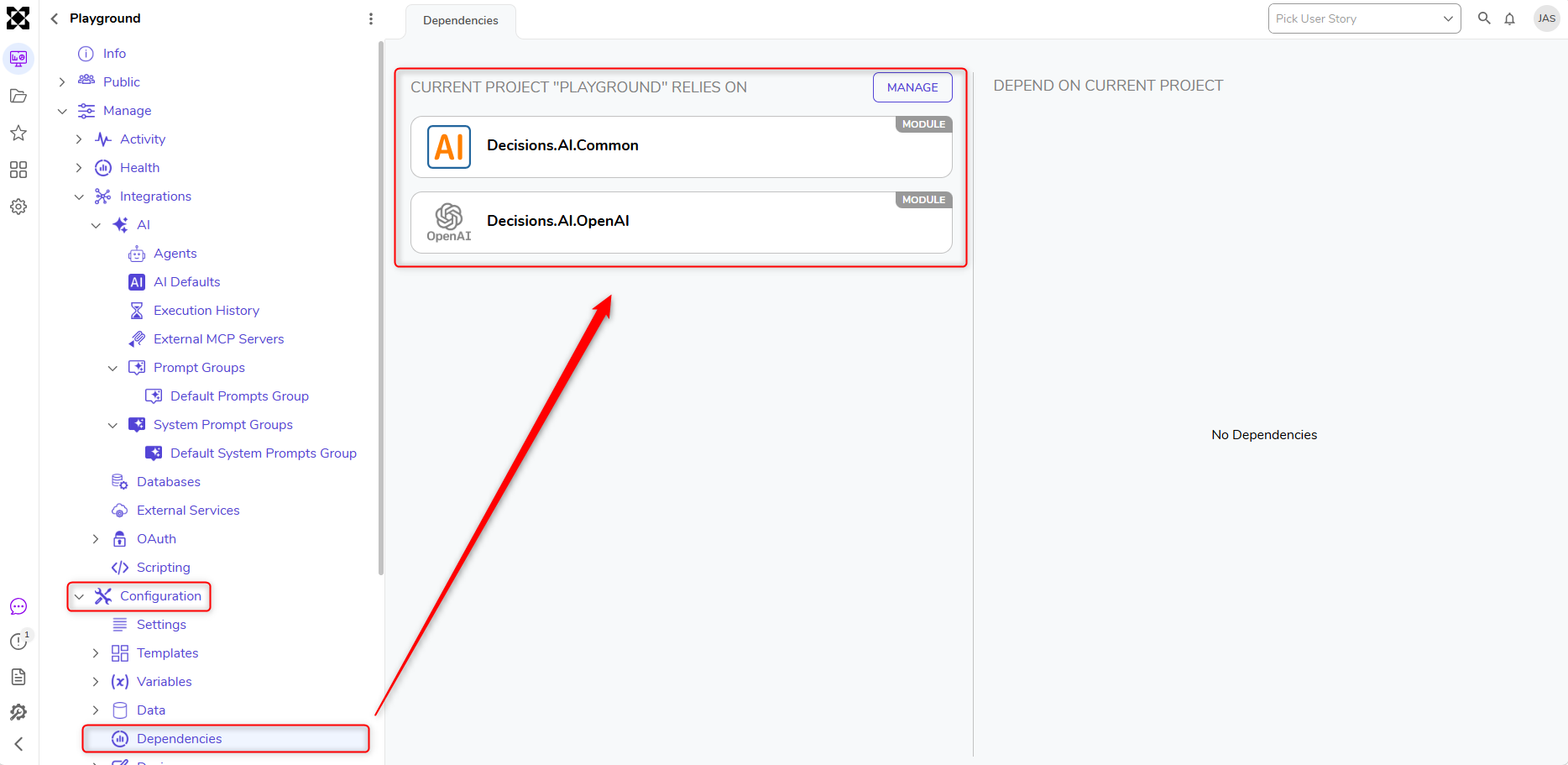
- Ensure an AI Provider, such as OpenAI, is downloaded and that a project dependency is added for both the provider and AI Common. For more information, please refer to: Available Modules.
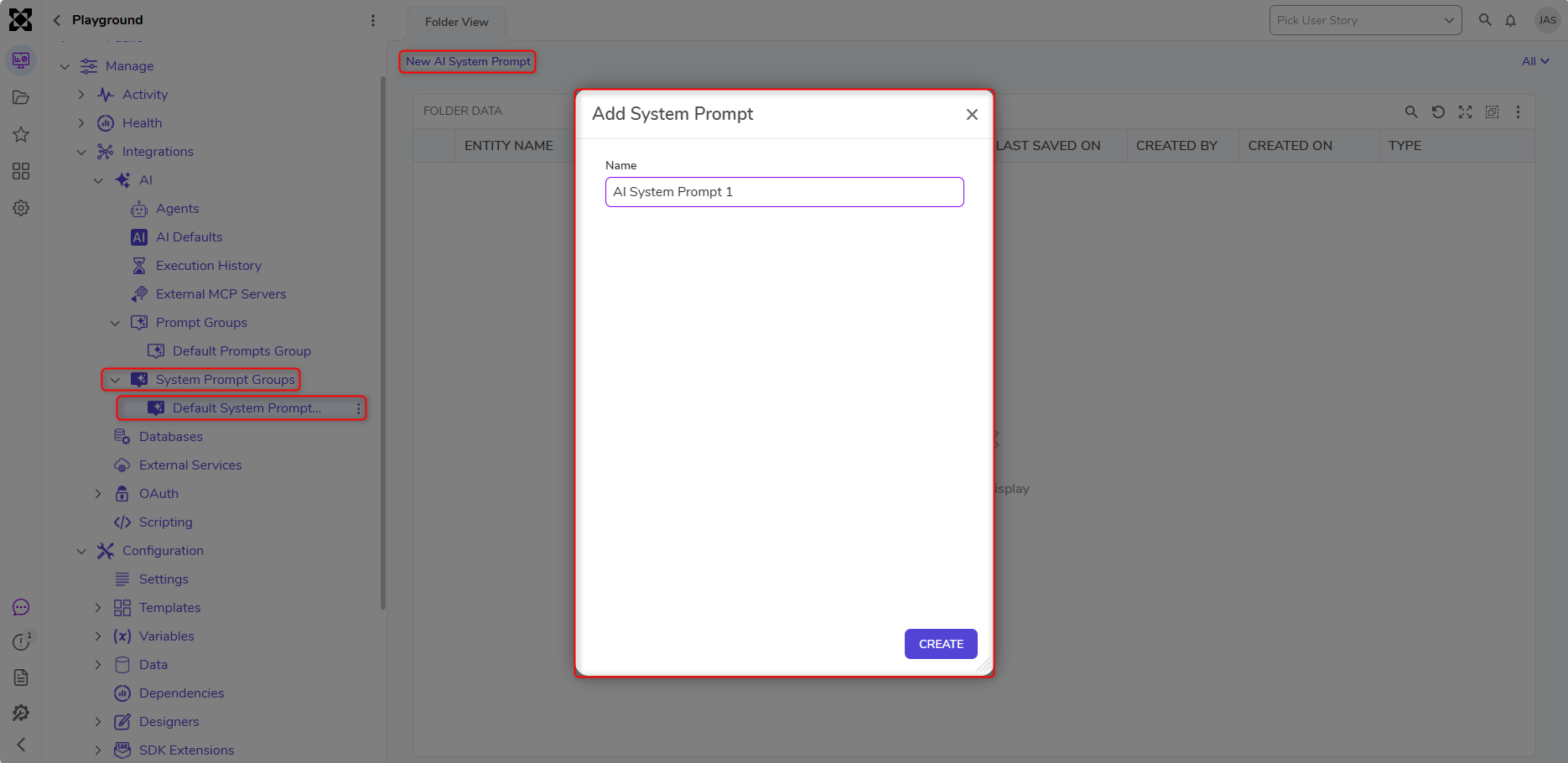
- Create an AI System Prompt.
- Create an AI Agent
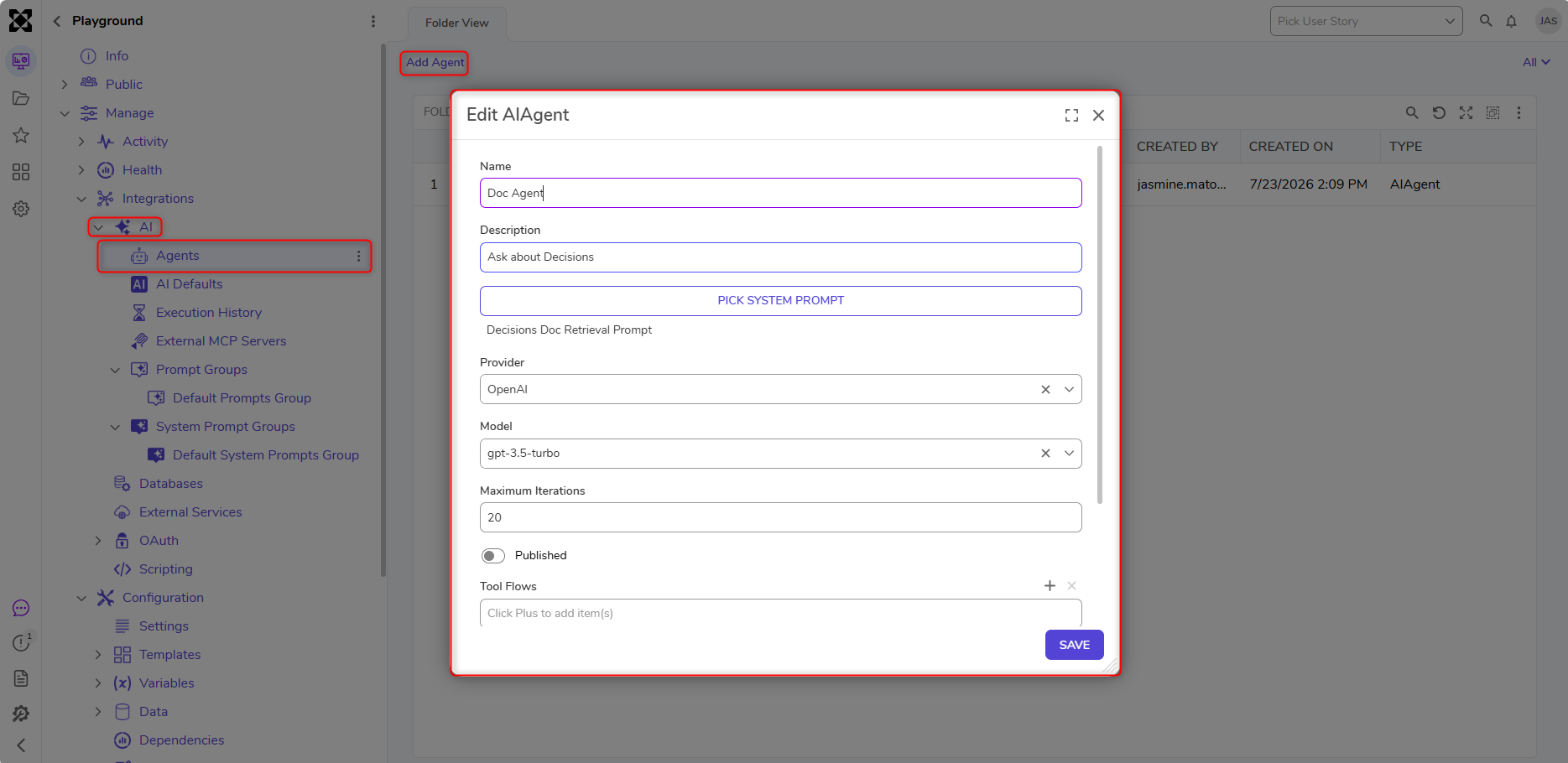
AI Agent Configuration
- Navigate to AI > AI Chat Configurations and select Create AI Chat Configuration.
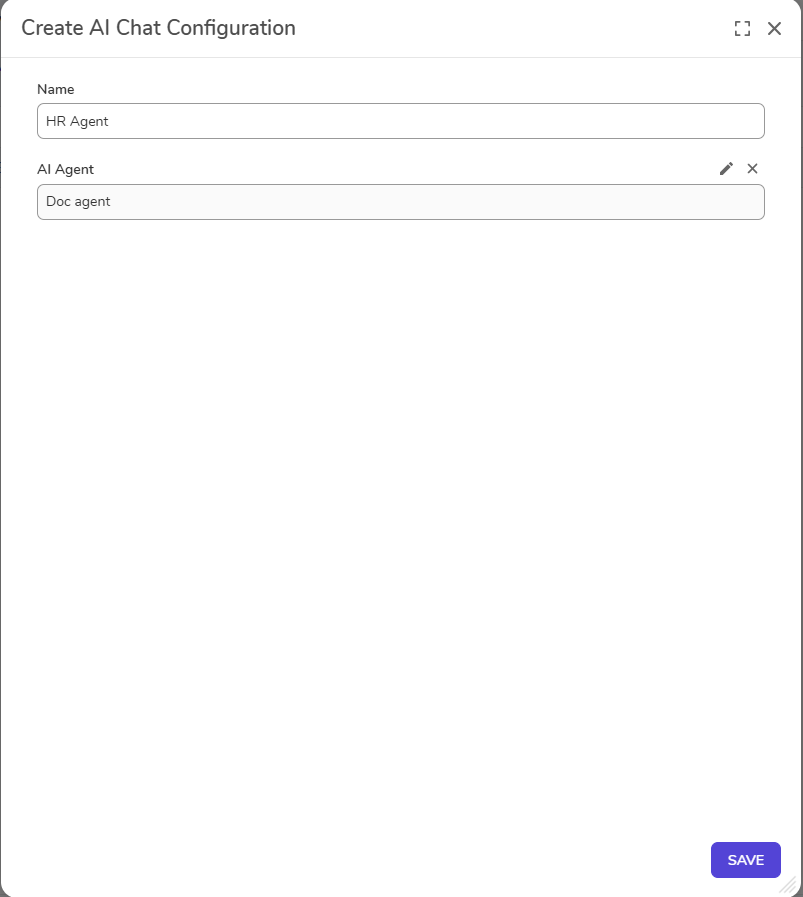
- Once the Chat Configuration is edited as desired, click Save.
- The Chat Configuration can now be utilized in a Form or Page within the Platform.
Adding the AI Agent Component to a Form/Page
- Make note of the name of the AI Chat Configuration and navigate to a Form/Page that it will be added to.
- Once the Form or Page is open, within the Properties panel, navigate to All > Custom > Current Project > AI Chat.
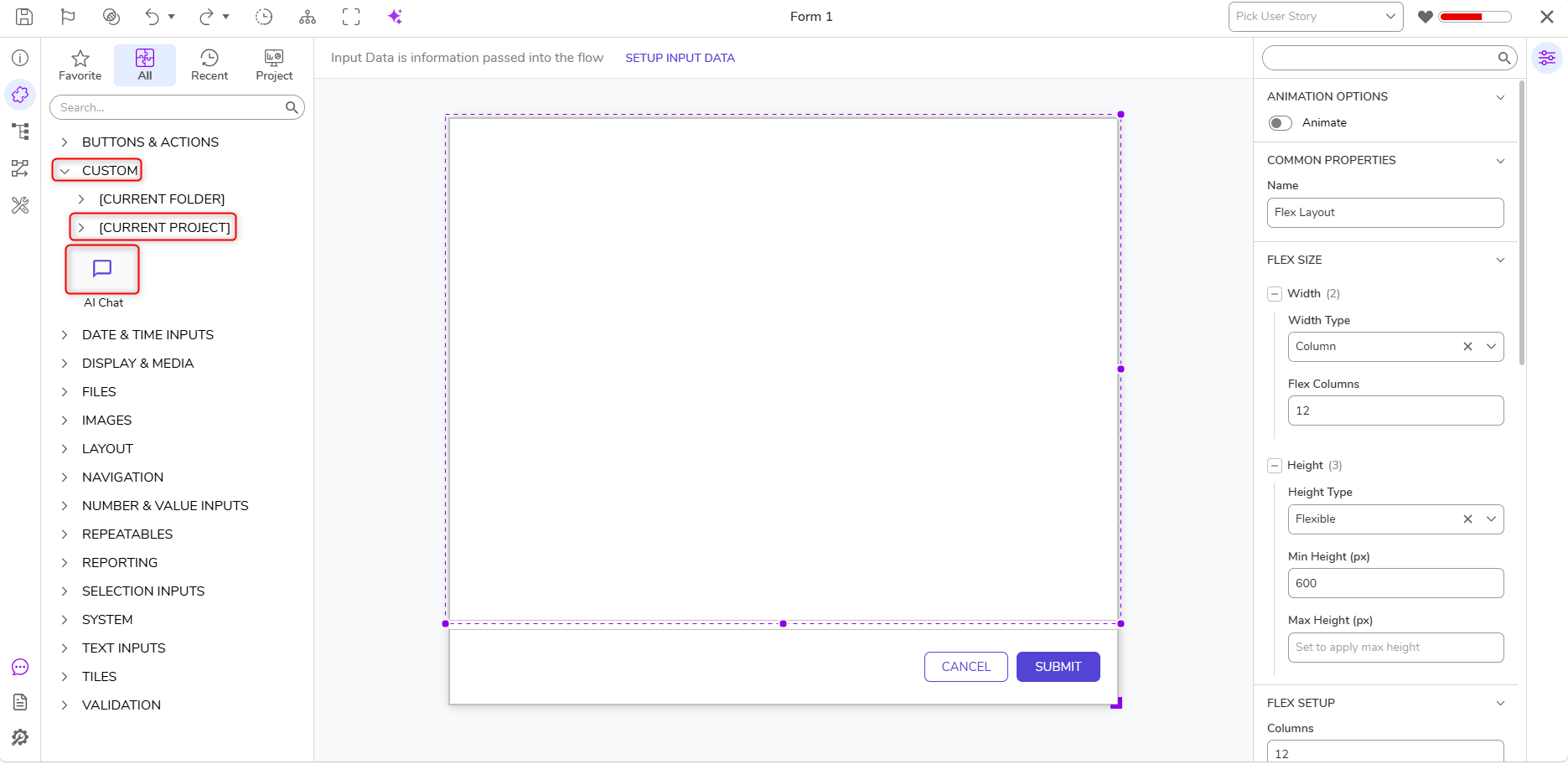
- Drag and drop the AI Chat control onto the Form/Page. In this example, a Form is used.
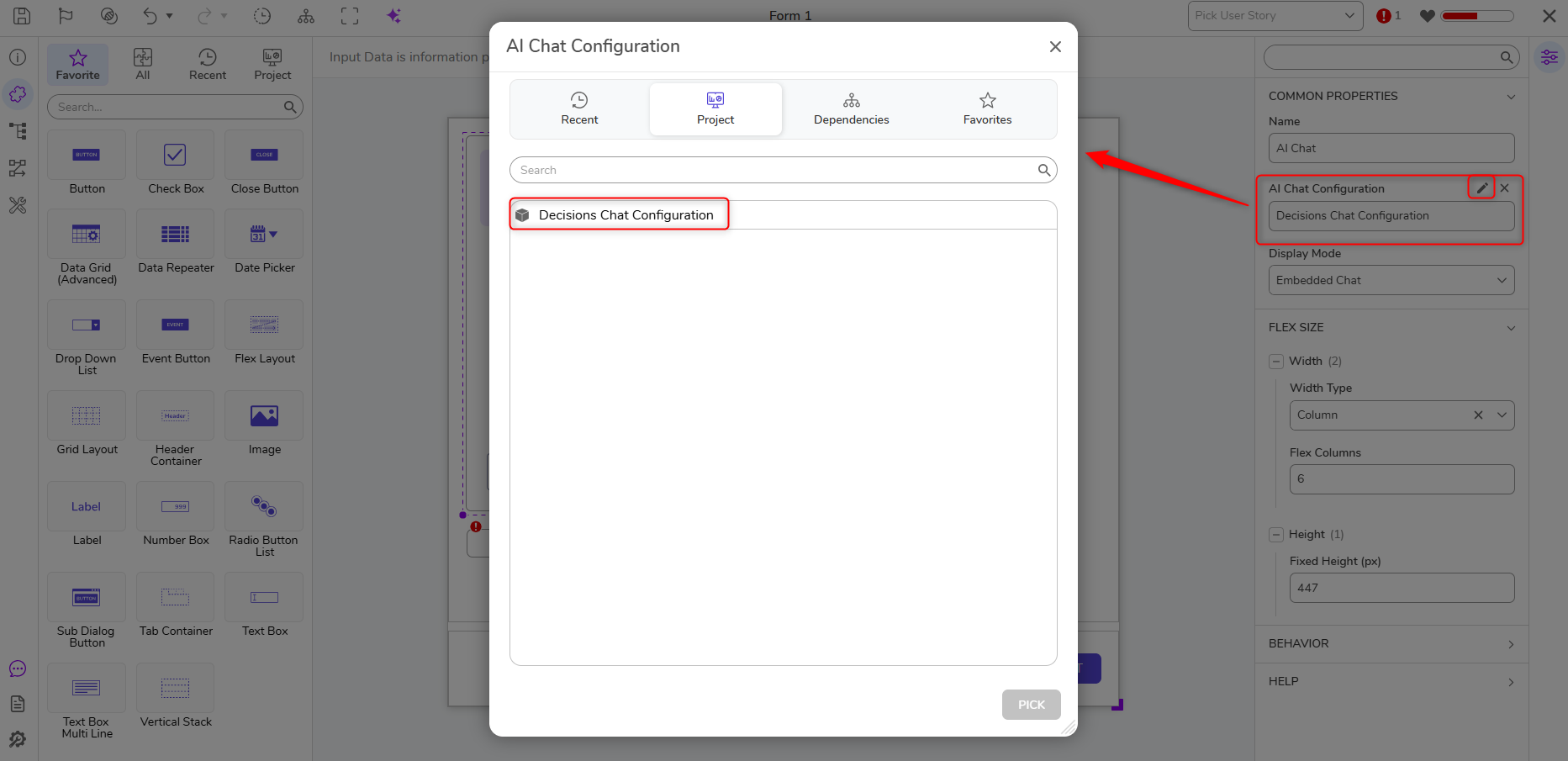
- Click on the AI Chat control and specify the AI Chat Configuration with the Chat Component created earlier.
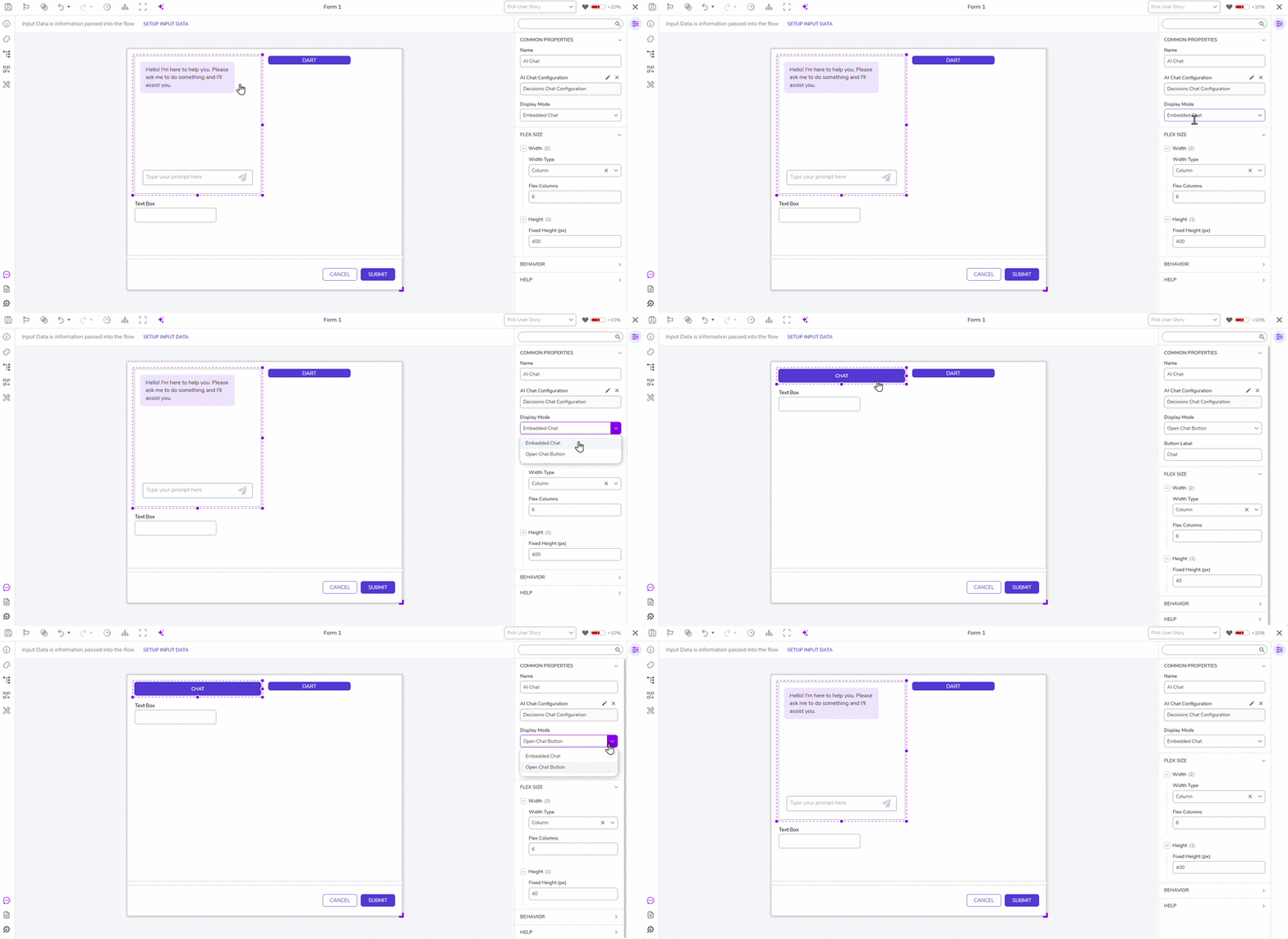
- Users have the option to display the chatbot as an Embedded Chat or an Open Chat Button.
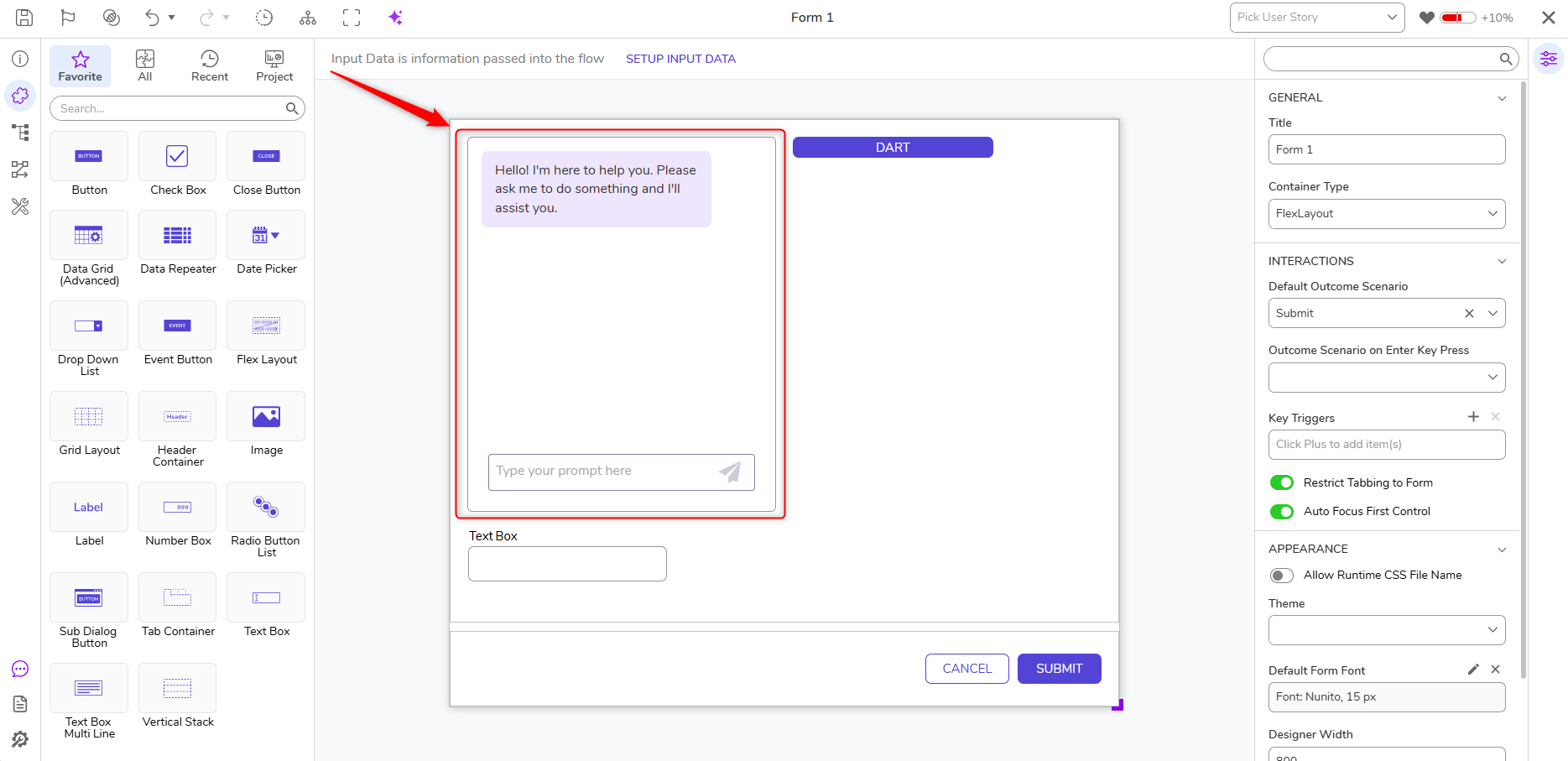
- The Chat Component will populate as a chatbot on the Form/Page. From here, Users can configure the Form/Page as desired.
Feature Changes
| Description | Version | Release Date | Developer Task |
|---|---|---|---|
| A Form/Page AI Component has been added that allows Users to drag an AI chat interface onto a Form or Page. This control can be displayed as an embedded panel or a pop-up button. | 10.1 | August 2026 | [DT-047183] |