Known Issues
Flows that utilize PowerShell Module steps will break upon upgrade to 9.17.1. This issue has been addressed and will be included in the v9.18 release.
Breaking Changes
Users with Okta OpenID configured will find that single sign-on will not trigger after upgrading to v9.17.0. Please upgrade to v9.17.1 (released on 11/18/25) to resolve this issue.
[DT-045977] Run container as non-root user: Containers will now run as a non-root User by default. Users with existing deployments on v9.16 or earlier that use persistent volumes containing data created by the root user can refer to Securing Decisions Container Environment to apply one of the provided migration strategies.
[DT-045903] Update USPS Module to Use New USPS API: Three new steps, Get Address, Get City by Zipcode, and Get Zipcode, have been added to the USPS Module because of USPS's pending API change. Users can refer to this article for more information: Web Tools APIs | USPS. All other steps in the Module are now Deprecated and are marked as such in the platform. These new steps are not a direct replacement for deprecated steps; Flow logic may need to be updated to account for this. Users must utilize the new steps once USPS's API is deprecated.
9.17.1 (11/18/2025)
| Feature | Description |
|---|---|
| [DT-046312] Certain configurations of IdPs will break on upgrade to 9.17, making SSO unusable | Fixed an issue in v9.17.0 that could prevent users with Okta OpenID configured from being able to use SSO features. Users encountering this issue after upgrading to v9.17.0 should upgrade to v9.17.1. |
9.17.0 New Features (11/12/2025)
| Feature | Link | Description | Impact Category | Screenshot |
|---|---|---|---|---|
| [DT-045688] Need Descriptions on Datatype as well as Fields on Datatype | Get Changed Fields | A new Step has been added: Get Structure and Member Description. With the new Step, Users can retrieve the structure and member description that they defined at the data structure level. | Data Structures | 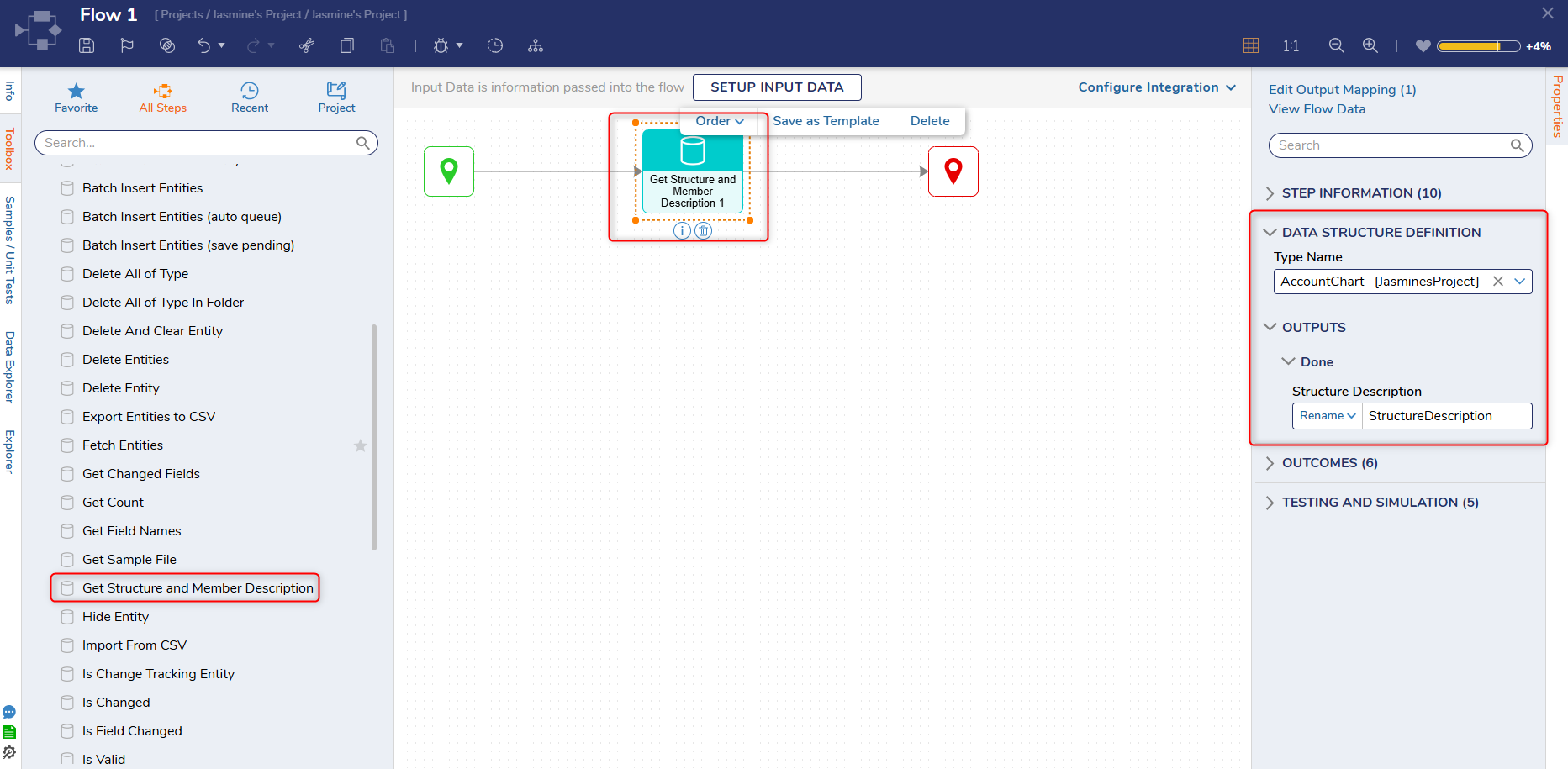 |
| [DT-045640] Code Block Form Control | Code Block Form Control | Code Block has been added as a new Form control. The Control provides syntax highlighting for a list of common languages and enables Users to define a simple custom language. | Forms | 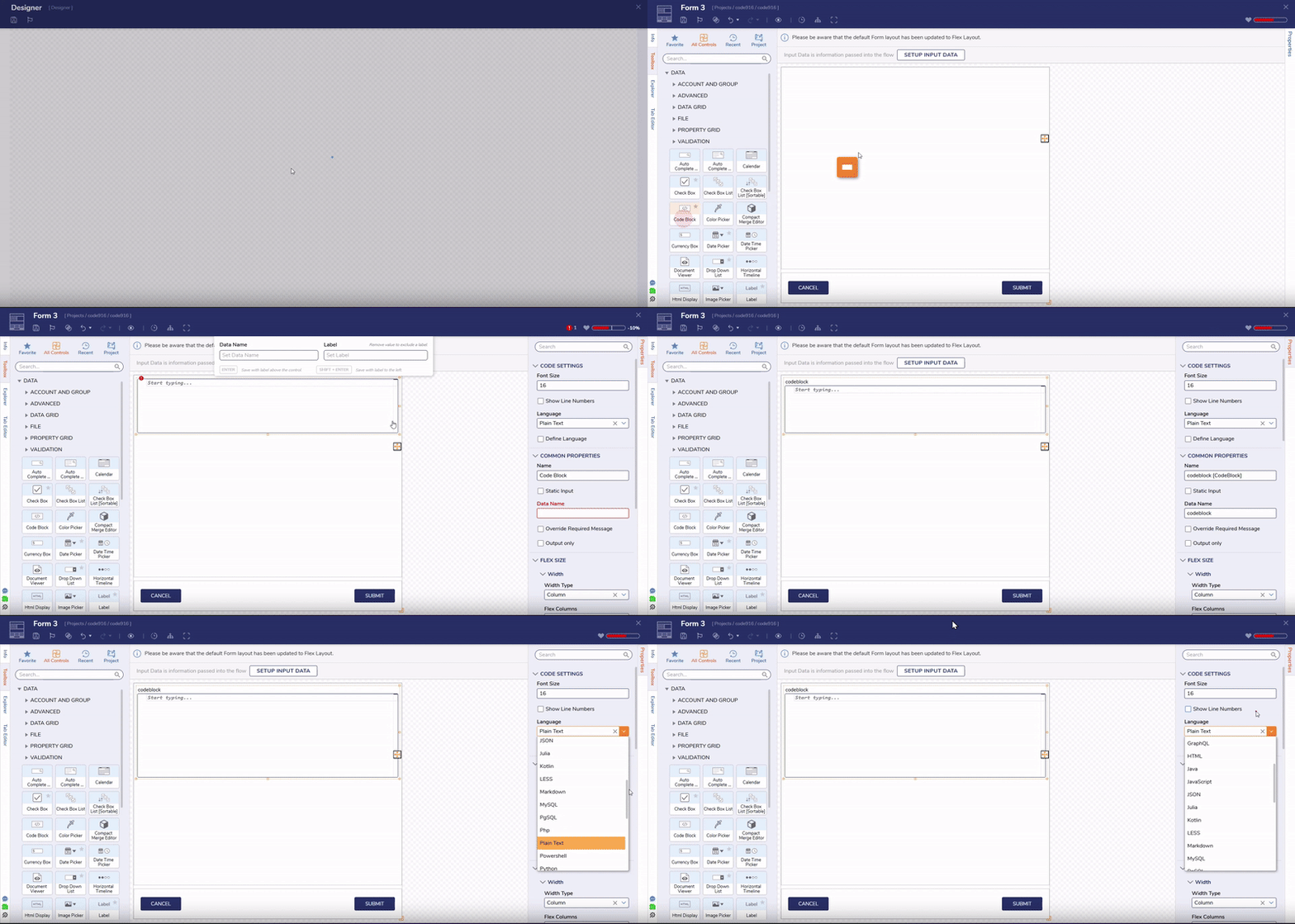 |
| [DT-045689] Generate Rule Set Step | -- | The Generate Rule Set step has been introduced. This Step enables Users to create a new Rule Set from a Flow with configurable inputs and outputs, returning the generated Rule Set Folder ID. | Data Structures | 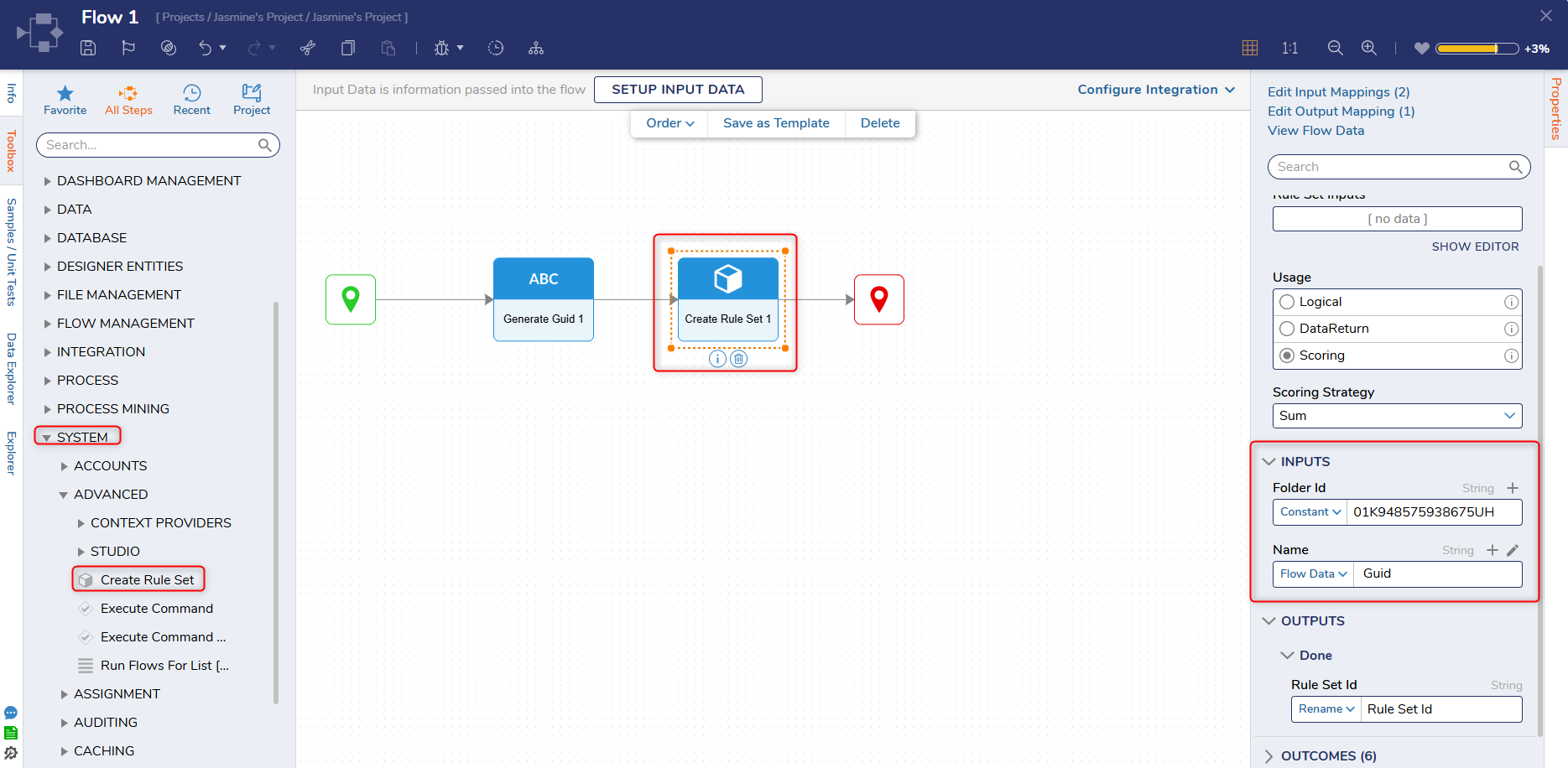 |
| [DT-045731] Agents - Decisions Agent Slack Bot | Slack Module | Users can now configure a Slack bot in Decisions. If a User in Slack calls a Slack bot, Decisions will run a handler flow that takes in the message, the channel, and the User who sent it. The User can then manipulate the message and pass out a response. | Modules | 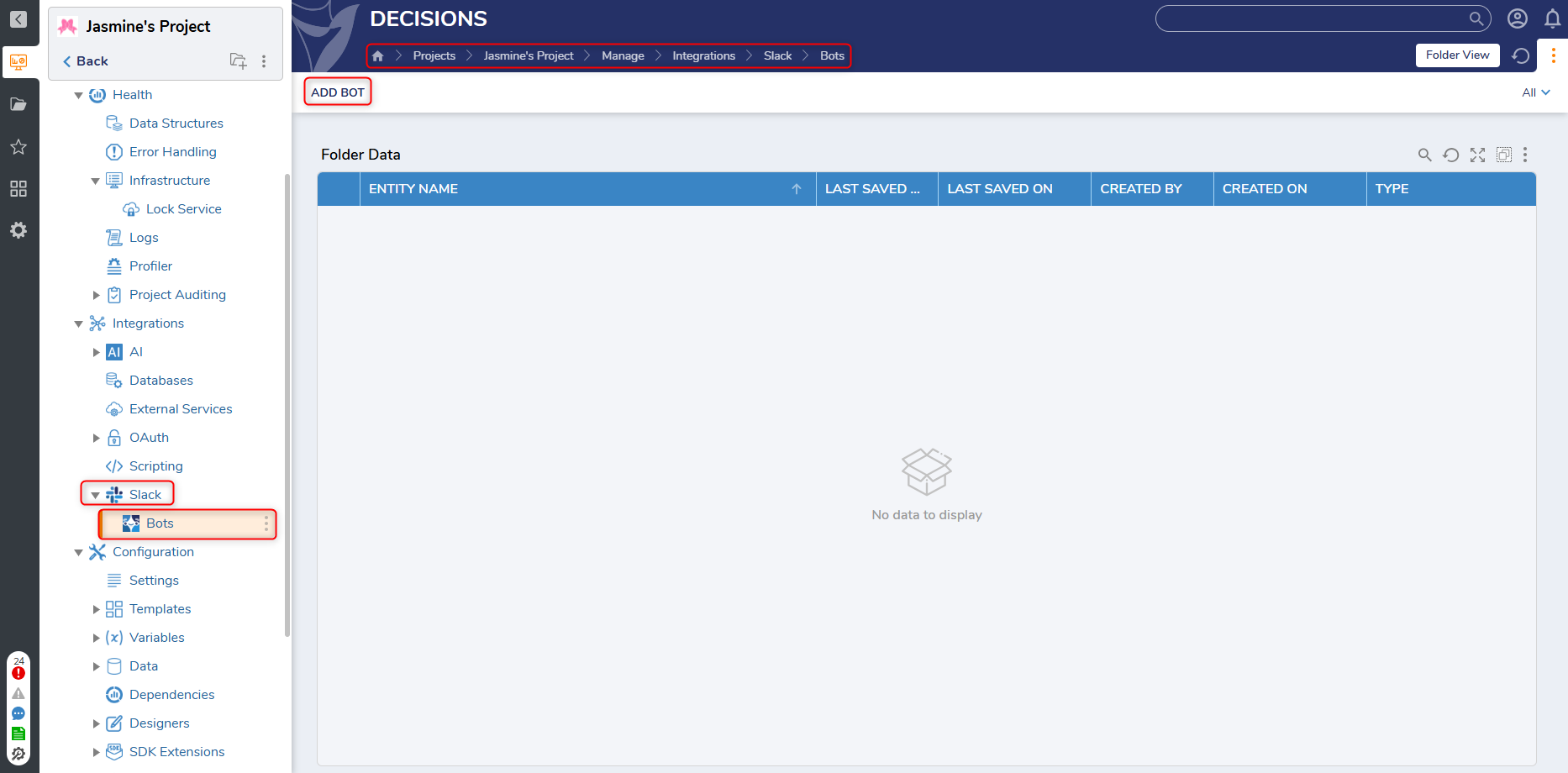 |
| [DT-045772] Adding Compare Utility - Form/Page Designer | Using The Comparison Utility | A Compare utility has been implemented for Forms and Pages.
| Forms | 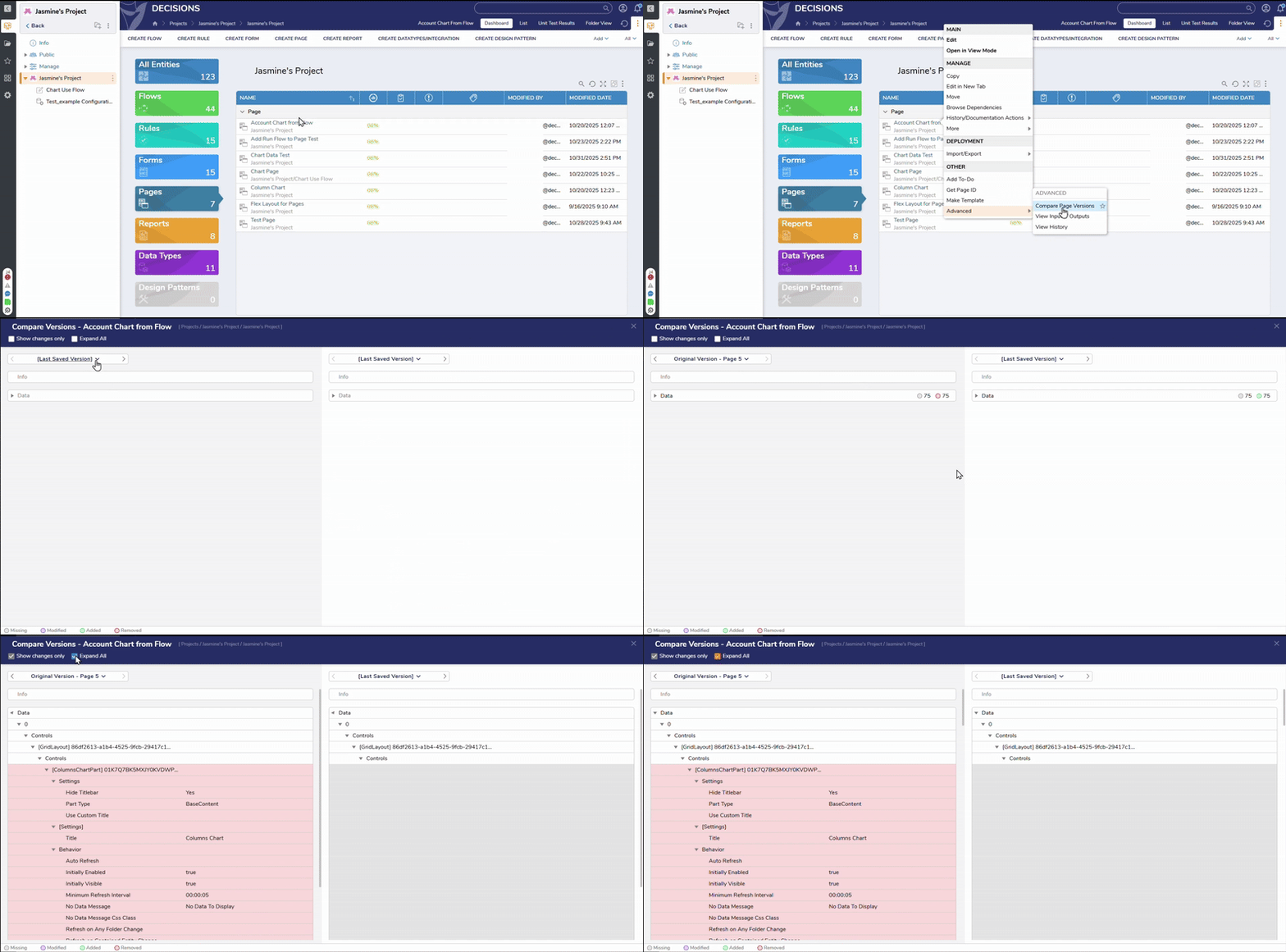 |
| [DT-045773] Adding Compare Utility - Report Designer | Using The Comparison Utility | A graphical compare option has been added to the Report Designer:
| Reports | 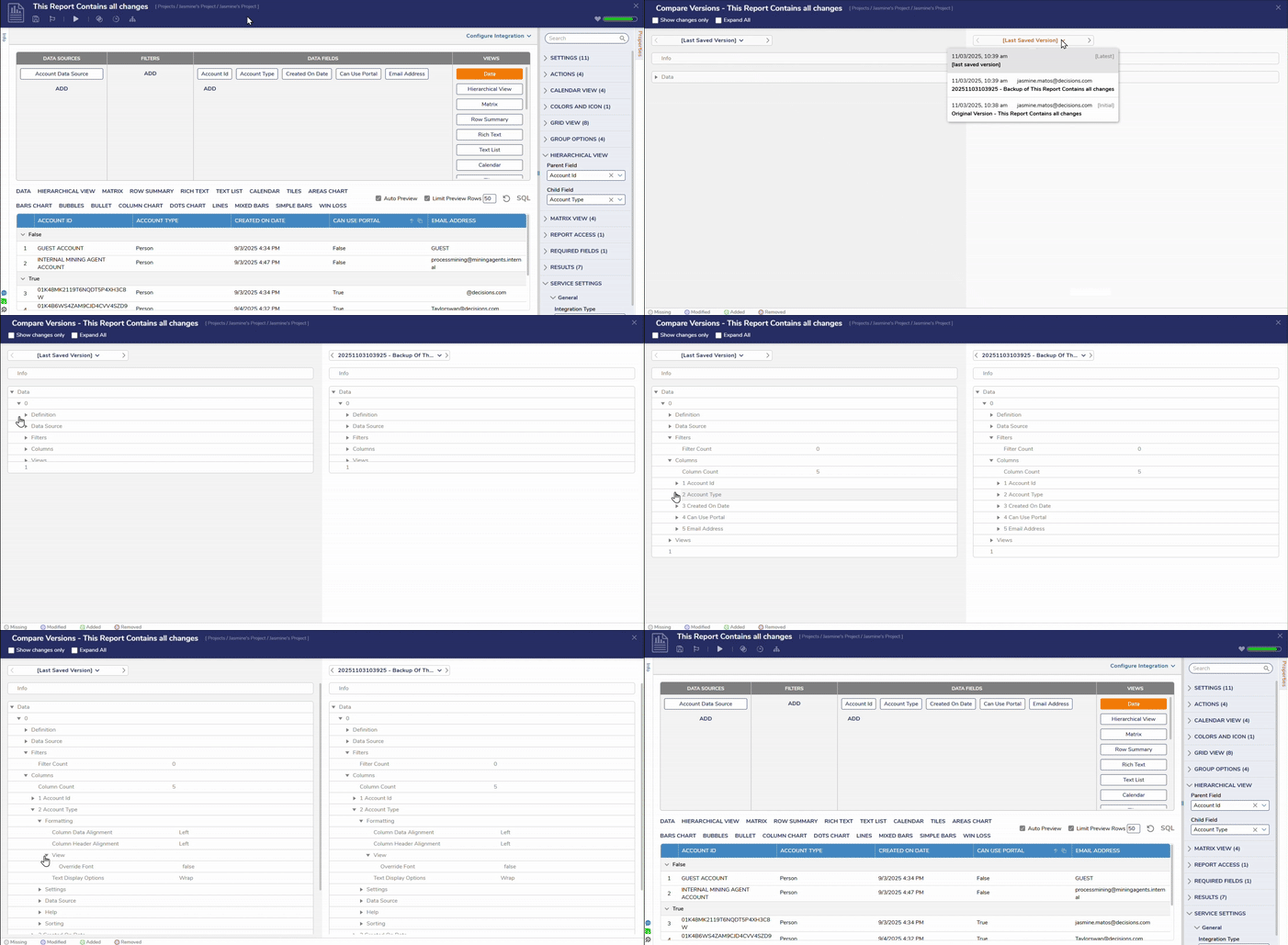 |
| [DT-045807] Implement designer view mode for Statement rule. | Rule View Mode | View mode has been implemented for Statement Rules:
| Rules | 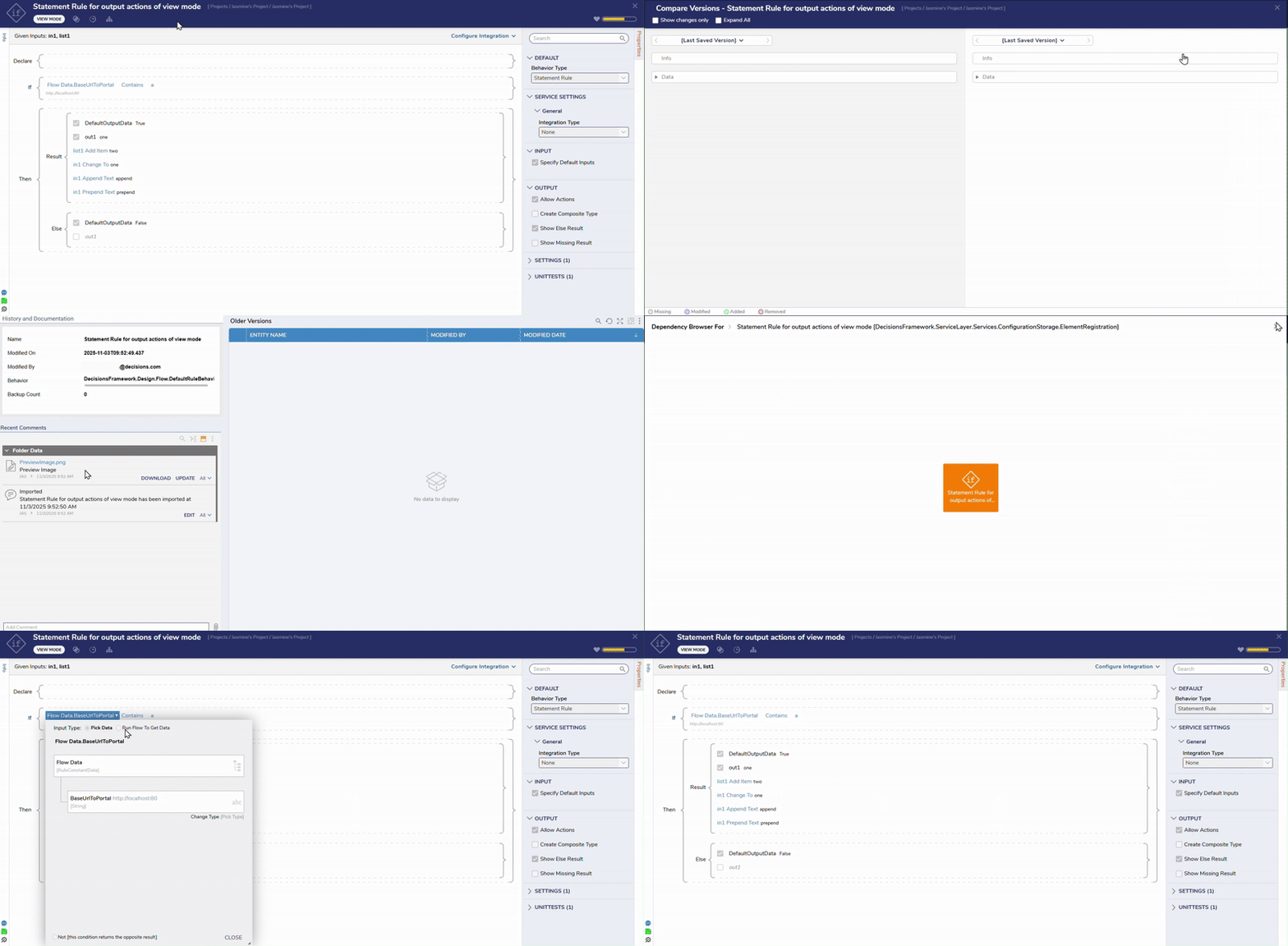 |
| [DT-045810] Implement designer view mode for Rule Table. | Rule View Mode | View mode has been implemented for Rule Tables:
| Rules | 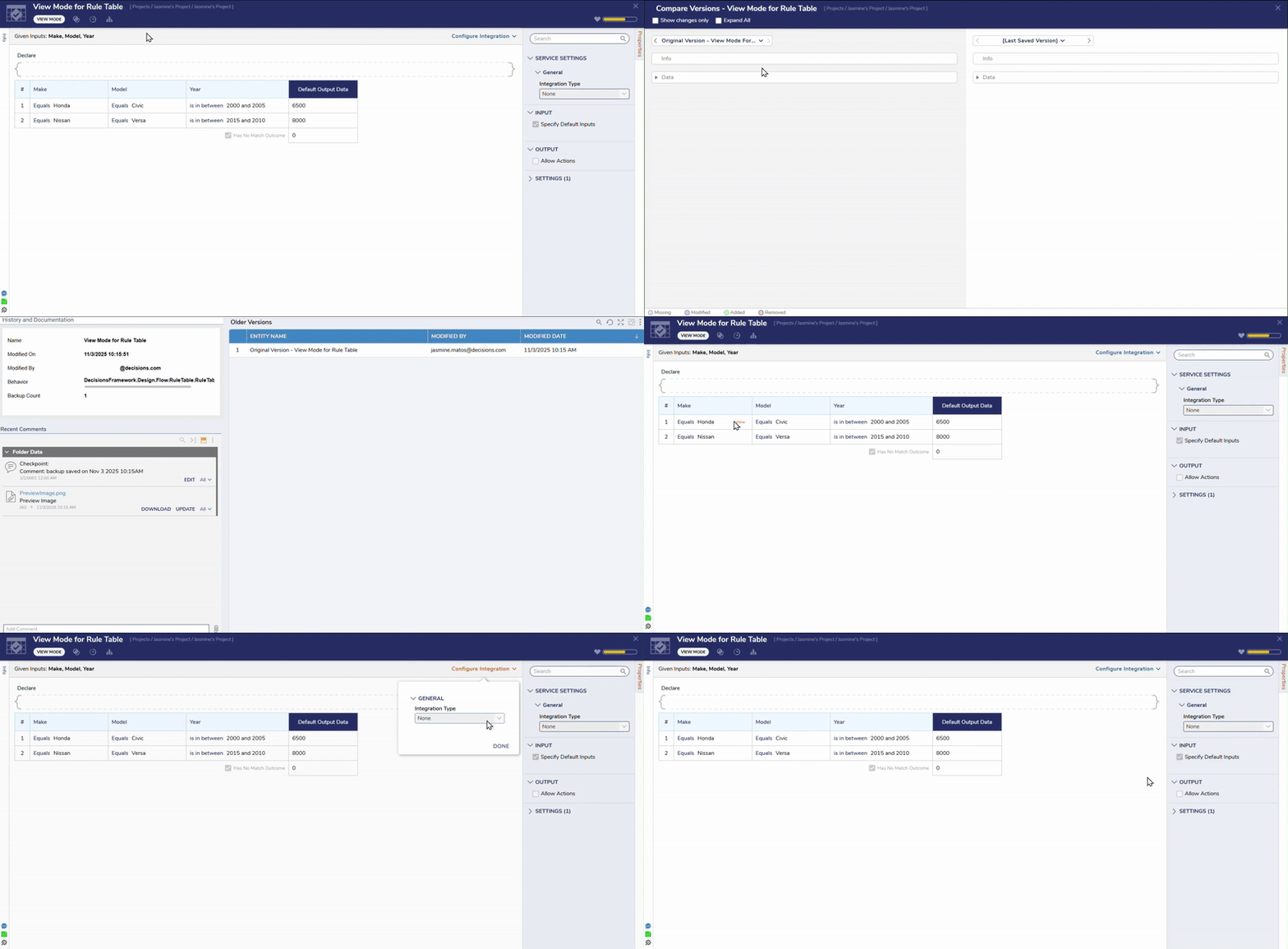 |
| [DT-045913] Run Dynamic Formula Step | Run Dynamic Formula Step | Added a new step: Run Dynamic Formula. Users can access this step by navigating to Designer Entities > Rules. This step executes dynamic formulas, supporting customizable result types and error handling, and enhancing the flexibility of formula execution workflows. | Formulas | 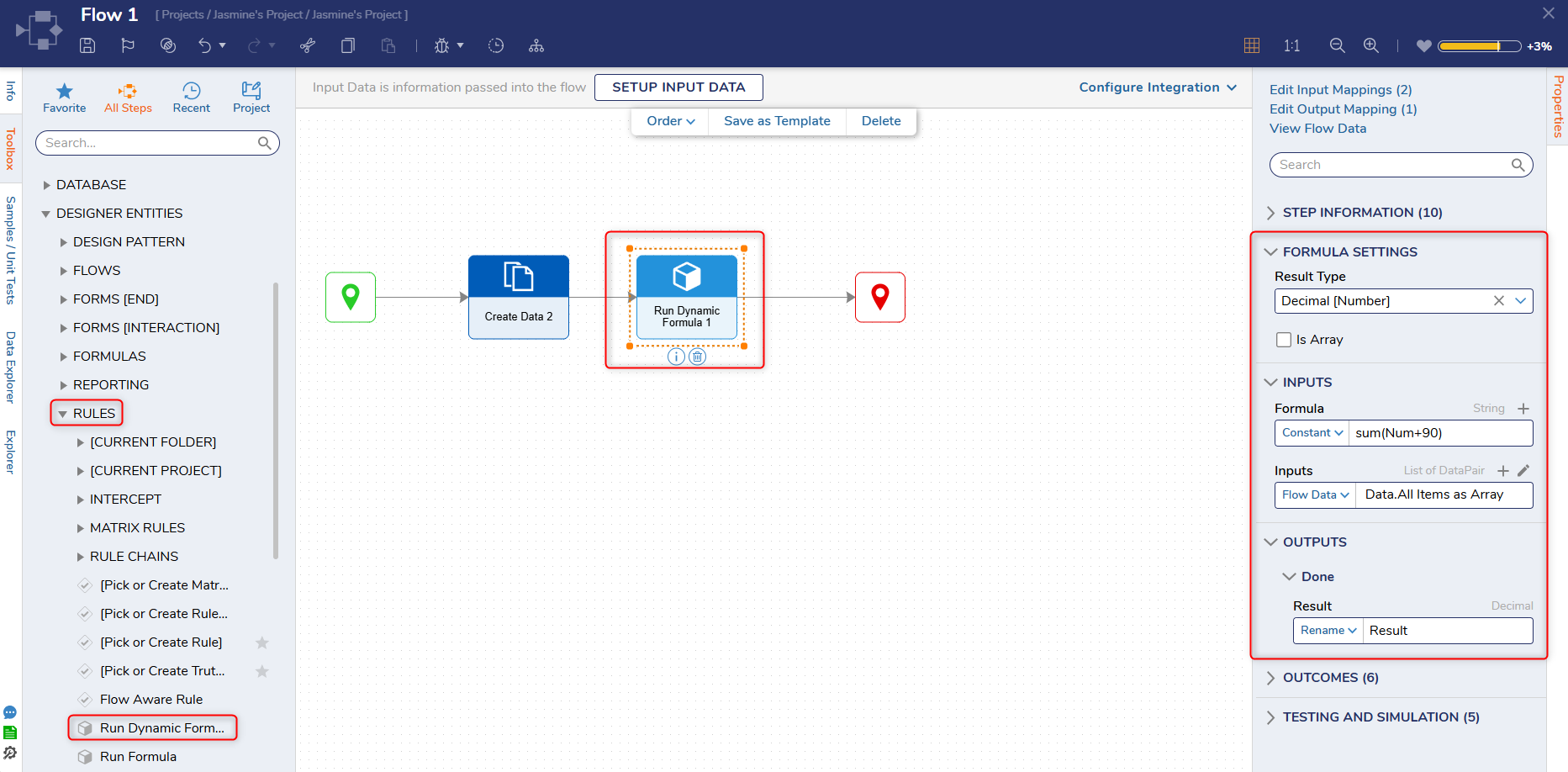 |
Enhancements
| Feature | Description | Impact Category | Screenshot | |
|---|---|---|---|---|
| [DT-044337] Improve Form & Page Control Toolbox UI and Responsiveness | Forms Pages / Dashboards | The UI for the Form/Page Designer toolbox has been redesigned, modernizing the way Users browse, search, and interact with available controls. The UI replicates the tab layout from Flow Designer for consistency across designers. | Forms, Pages | 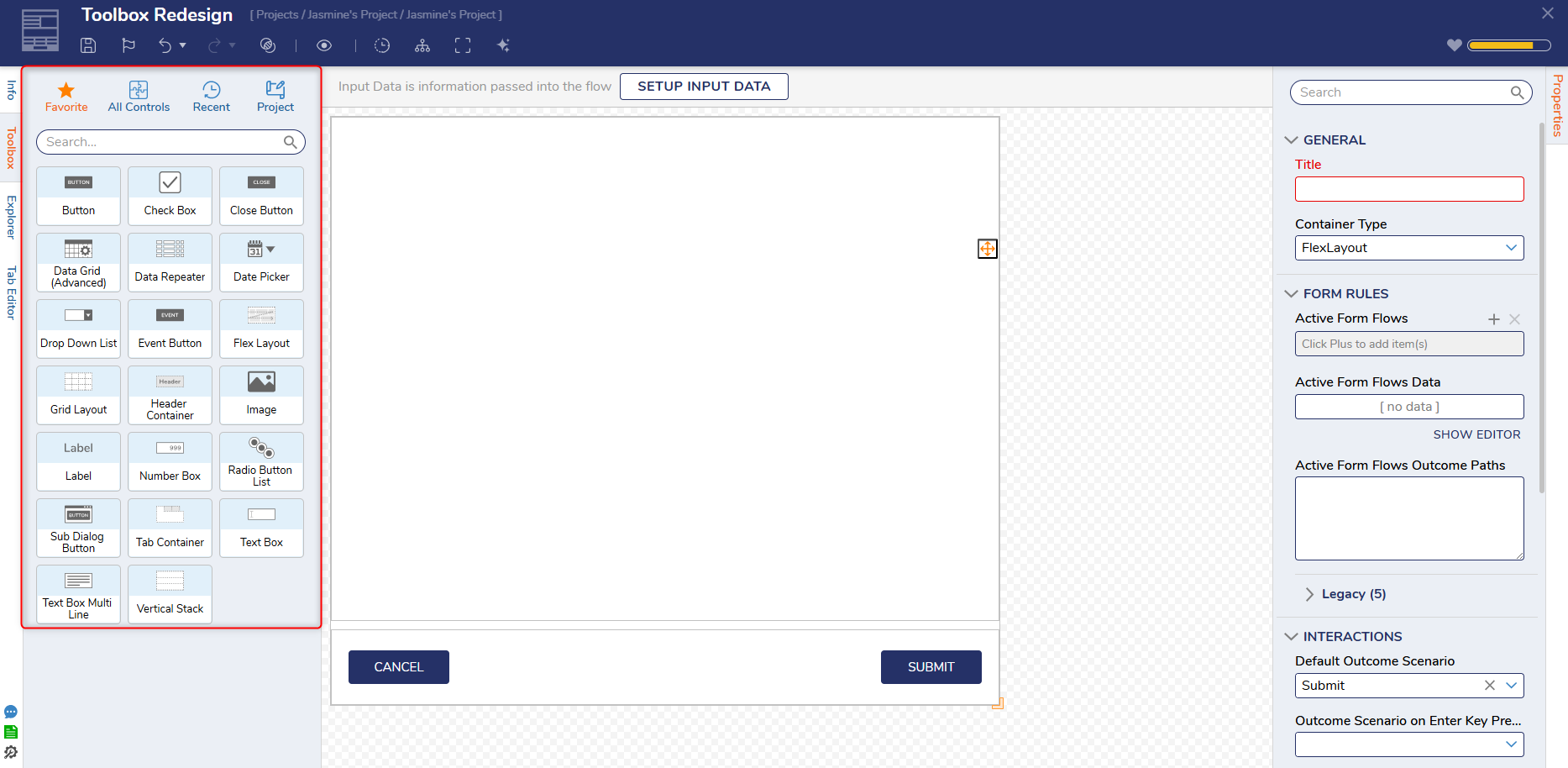 |
| [DT-045428] Requesting Dynamic Watermarks | Form Control Behavior Overview | Dynamic Input has been introduced for Watermarks, making it easier for developers to maintain forms. The new property Watermark from Data Name has been added, and when set to true, it exposes the Watermark Data Name property while hiding the Static and Translate Watermark Text properties. | Forms | .png) |
| [DT-045399] Flow Designer - Info Panel: Inconsistency in the placement of the 'View History' action when comparing it with other designer elements. | Flows | The View History icon now appears correctly in all Designers. | Flows | 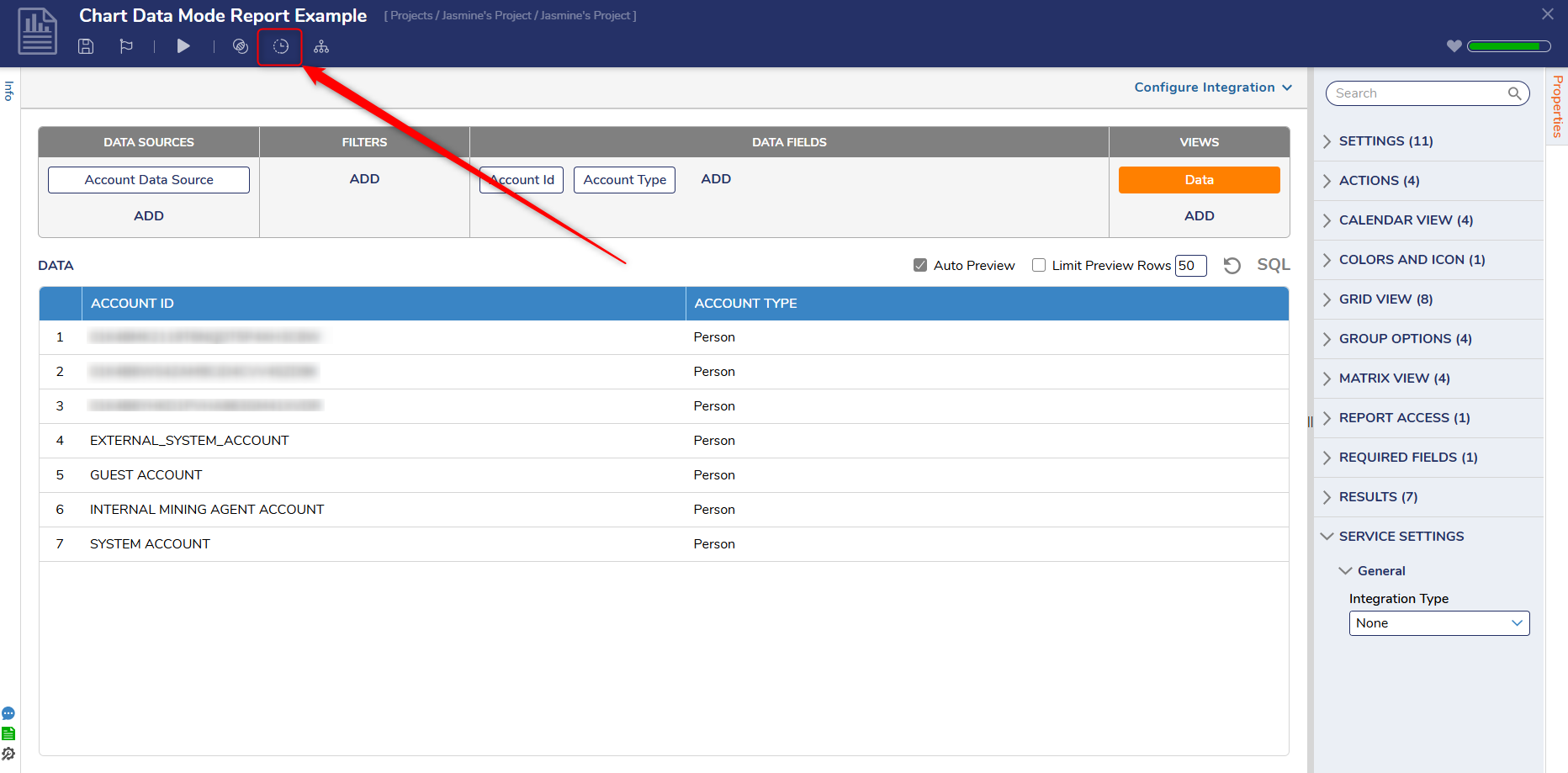 |
| [DT-045545] Active Directory->Unable to fetch LDAP Properties using LDAPQuery Raw step | LDAPQuery Raw | A new property has been added to the LDAPQuery Raw Step called Is Open LDAP. | Flows | 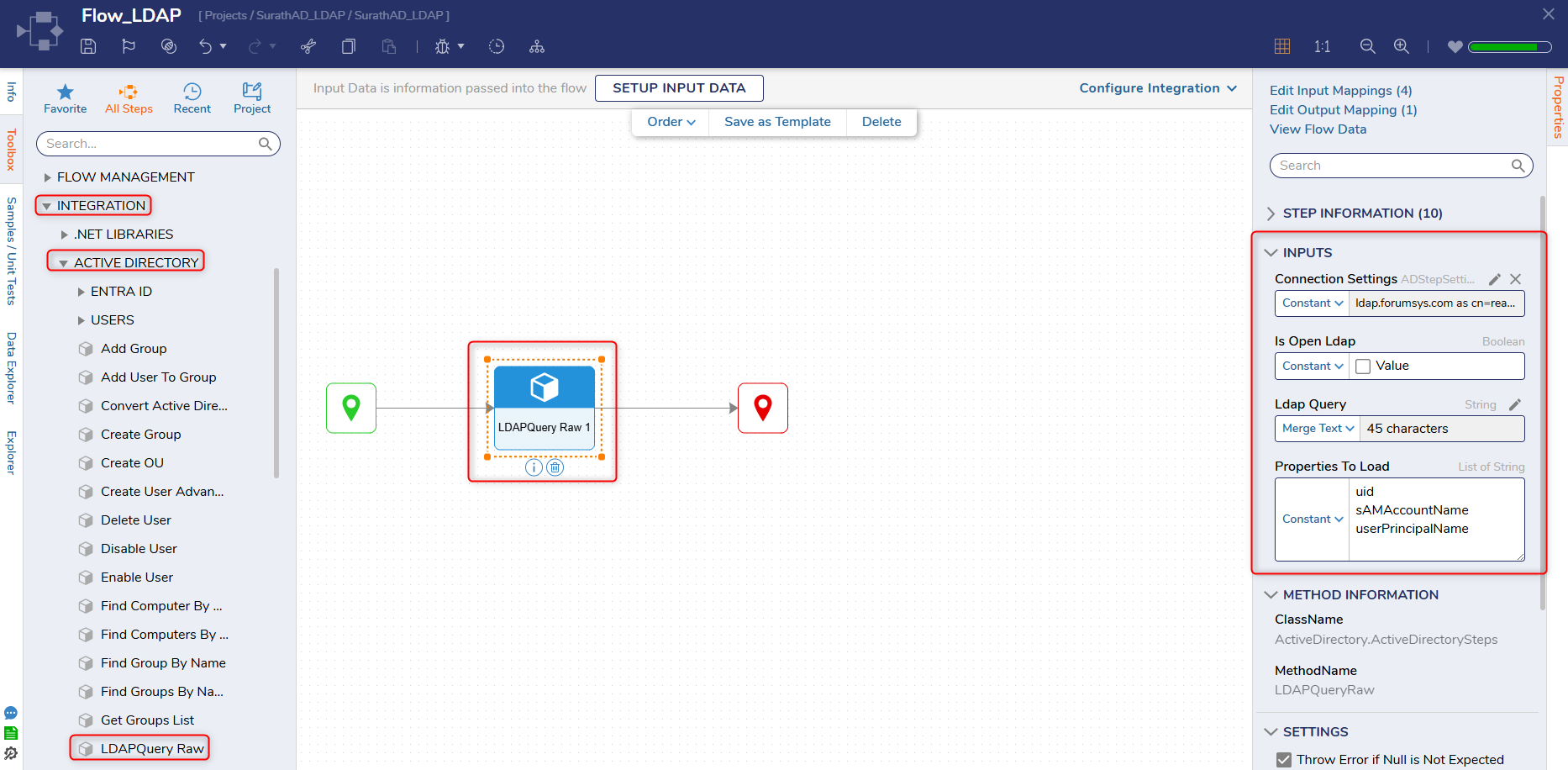 |
| [DT-045656] Modules | OpenAI ChatGPT Model GPT-5 Not Available For Selection | OpenAI Module | The latest ChatGPT model, gpt-5, is now available for selection within the available models. | Modules | 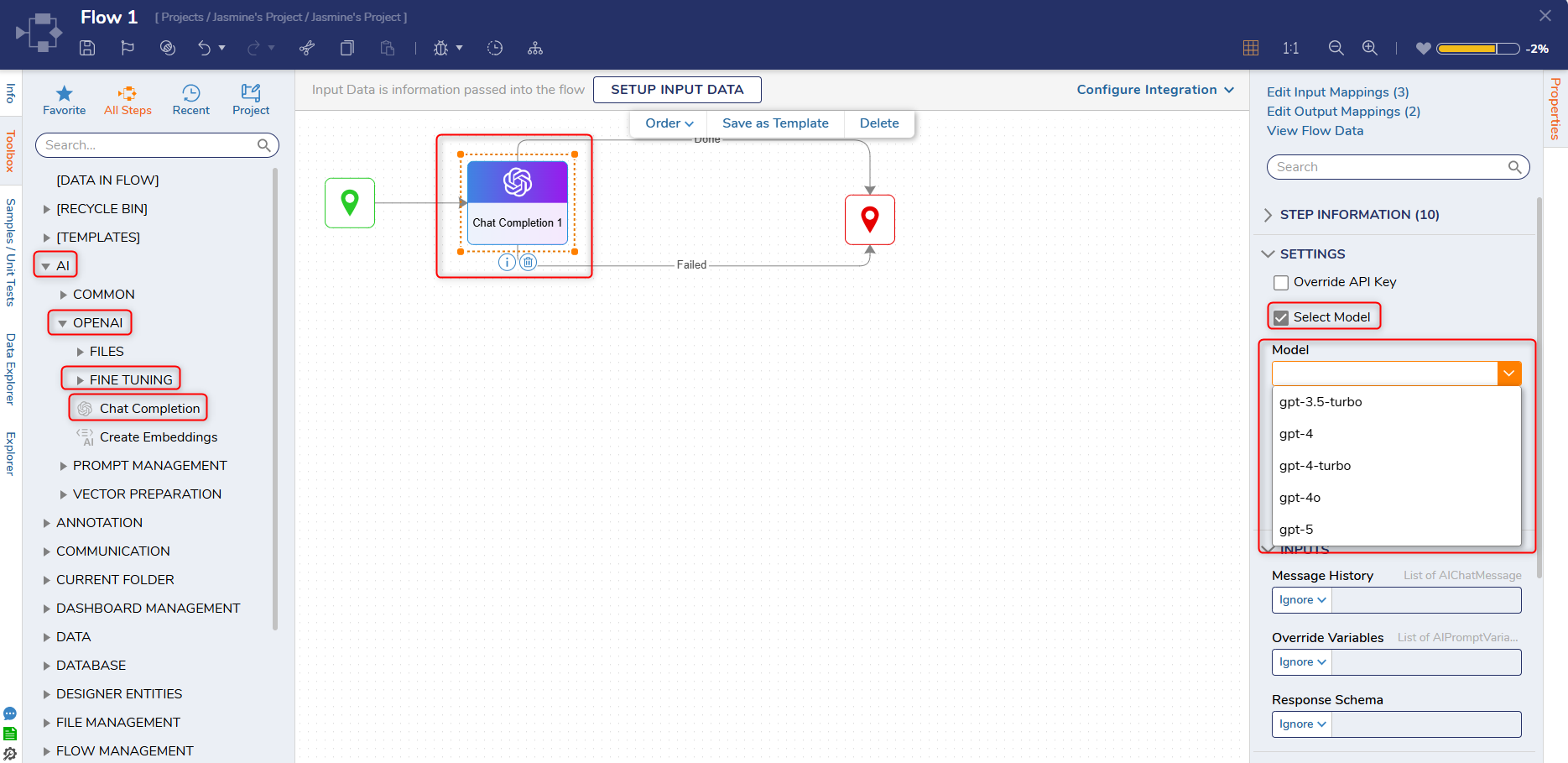 |
| [DT-045712] Flow Step Favorites for every Flow Type | Flows | Default Favorite Flow Steps in the Toolbox for every Flow type have been updated. Users who have changed their favorite Flow Steps will not be impacted. | Flows | 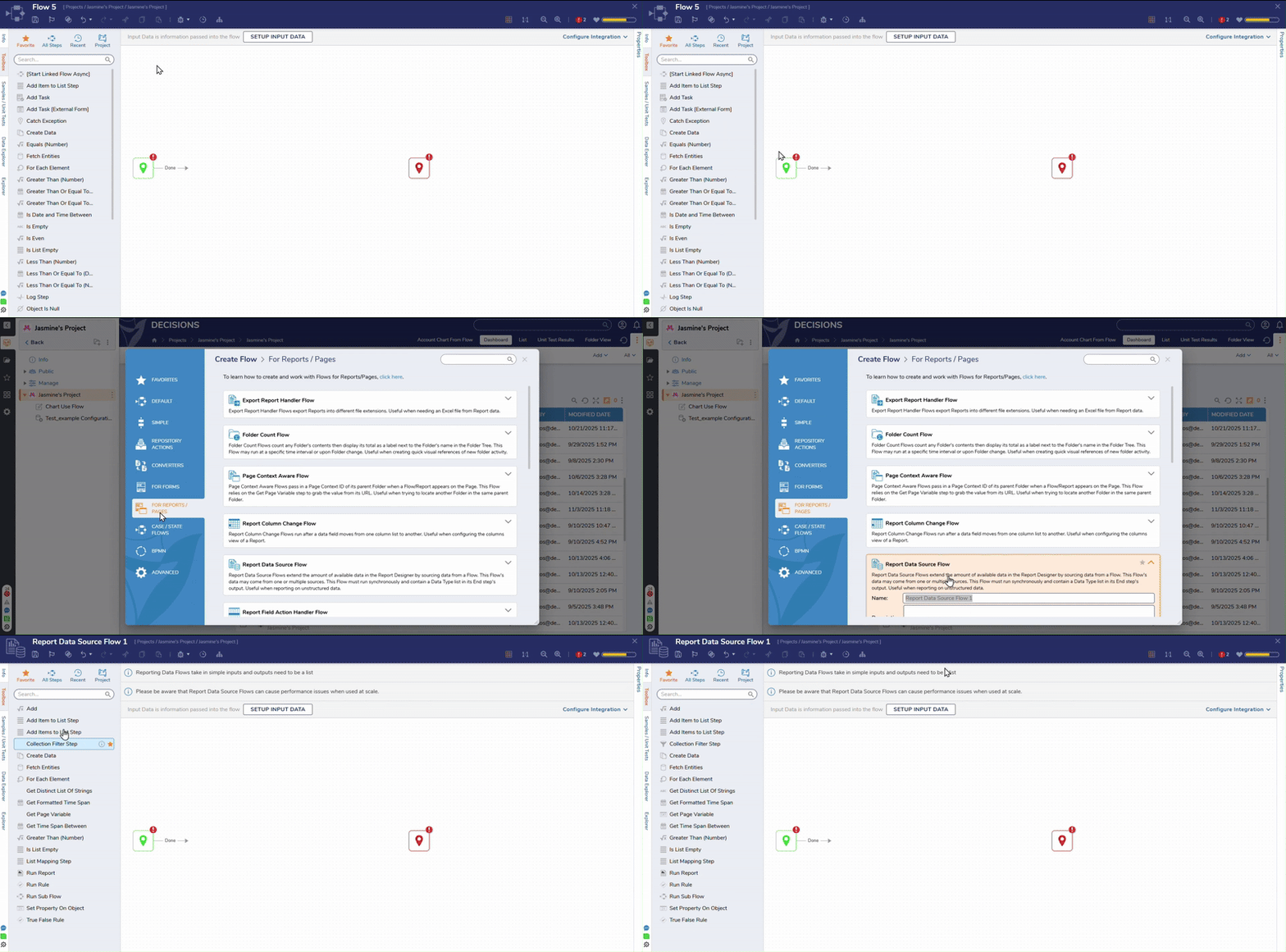 |
| [DT-045723] Flow Designer: Add vertical alignment for Start and End steps | Flows | The Start and End steps for new Flows have been moved to a single level and brought closer together. This will only affect brand-new Flows. Existing Flows will not be changed. | Flows | 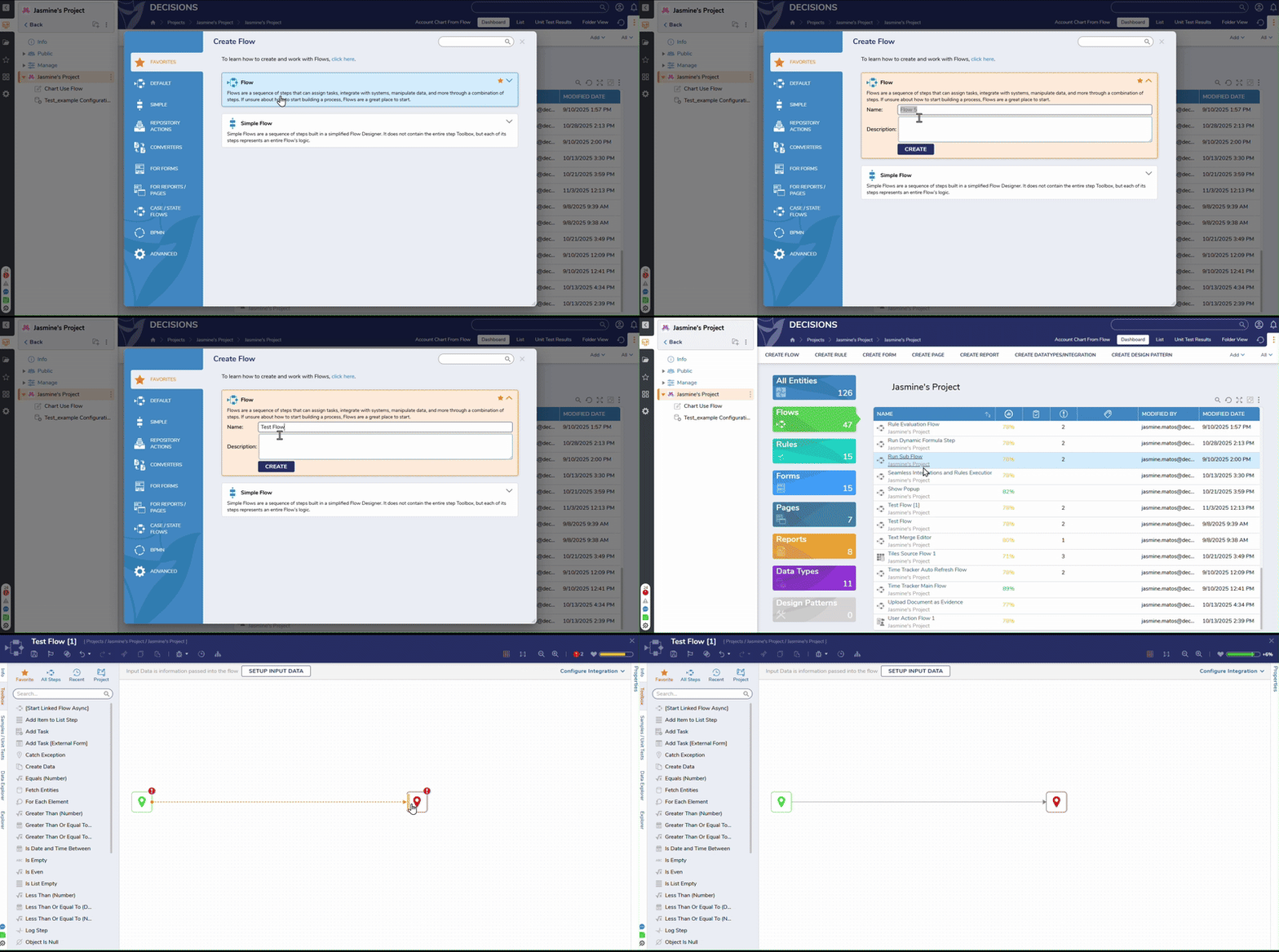 |
| [DT-045903] Update USPS Module to Use New USPS API | USPS Module | The USPS module has been updated with new steps. Old steps have been marked as deprecated in the toolbox. | Flows | 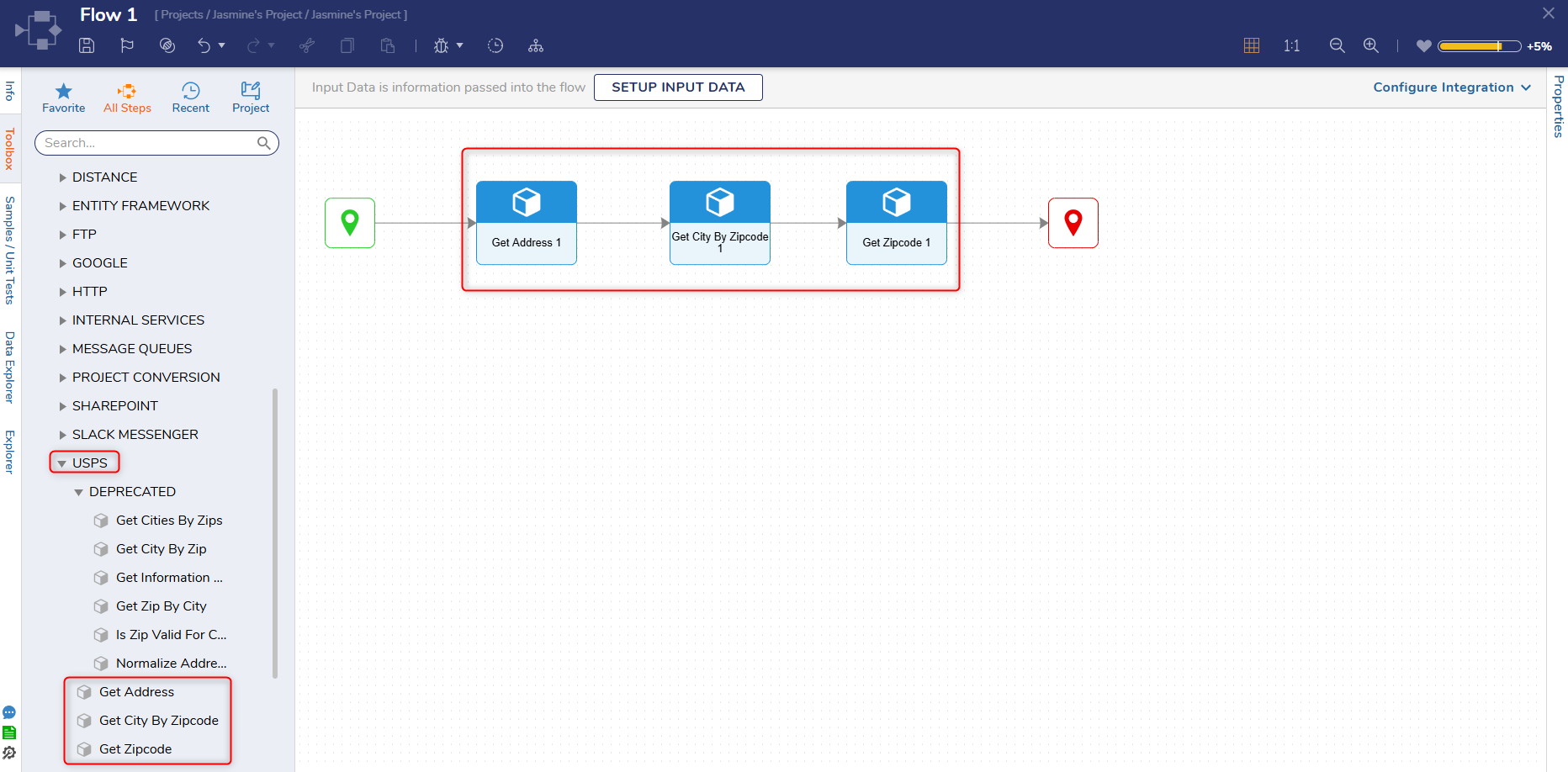 |
| [DT-045935] MongoDB Module - Upsert Functionality | Upsert Document | A new step, Upsert step, has been added to the MongoDB Module. This step updates customer or transaction data in real time. Without upsert, developers must first query for the document, branch the Flow based on whether it exists, and then either update or insert it. | Modules | 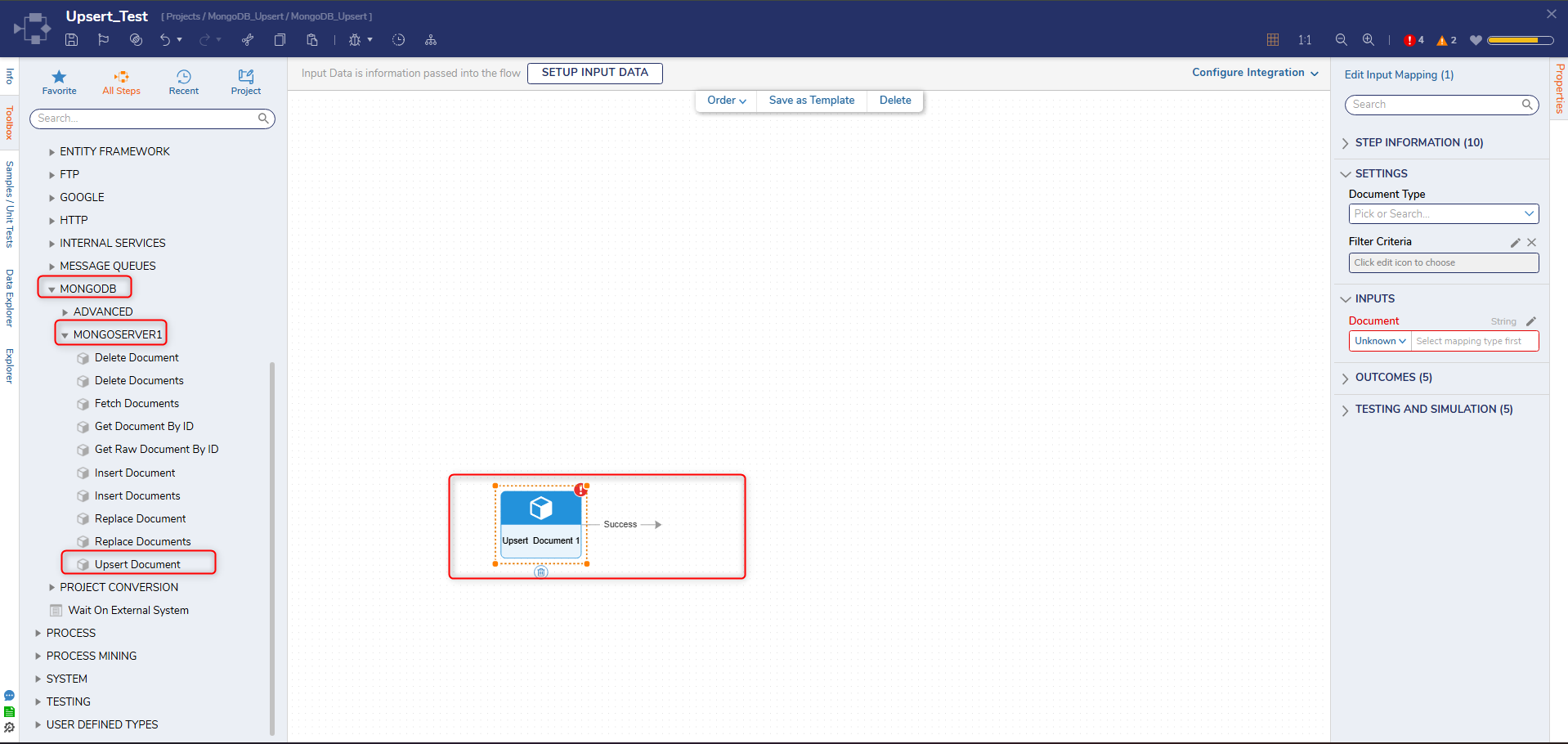 |
| [DT-045939] Update Messaging and Work Queues folder descriptions | About Messaging | Descriptions have been added to the messaging and work queue types folders in the Jobs and Events folder. | Projects | 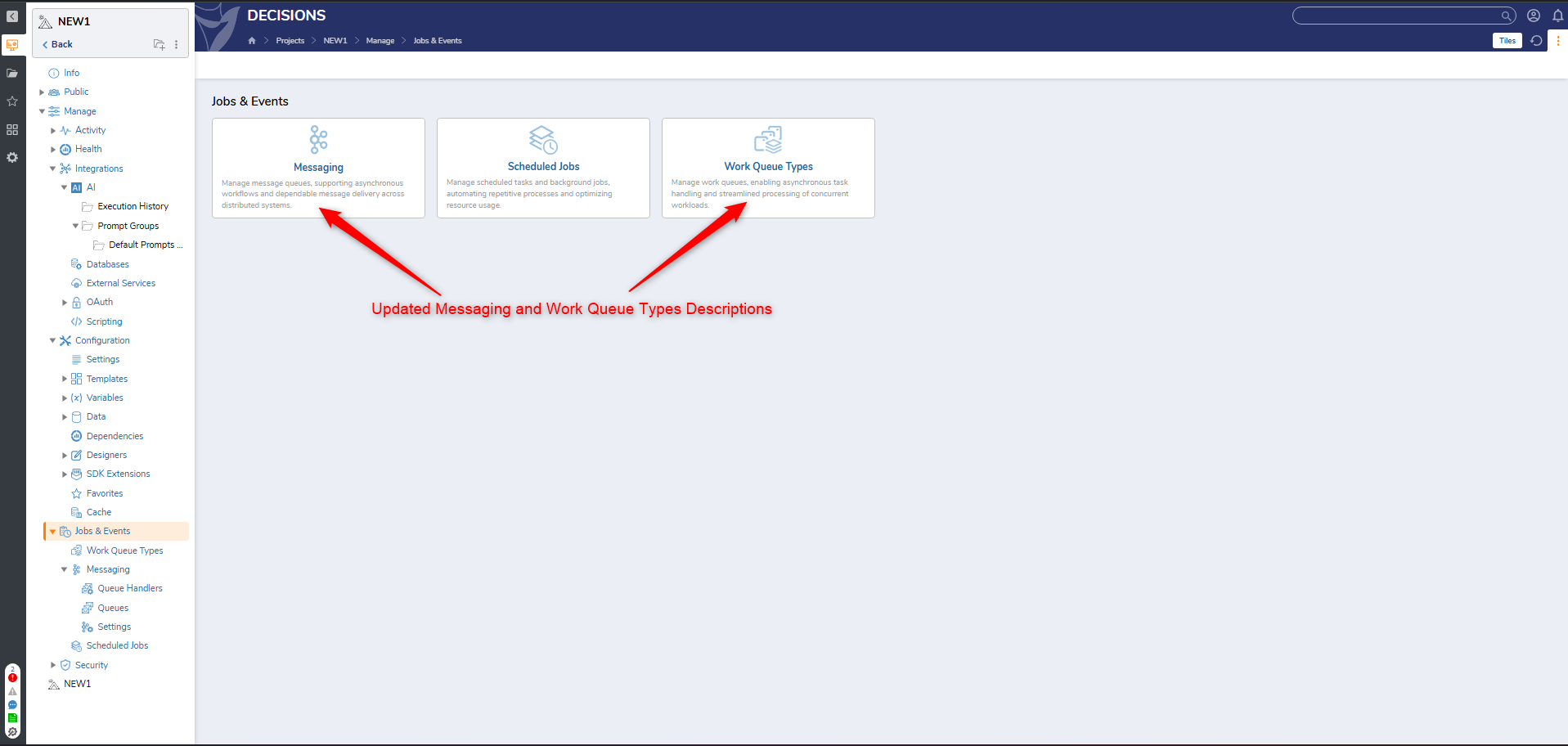 |
| [DT-045942] JSON Schema Types - Handle allOf | Creating Types From JSON Schema | JSON Schemas Data Structures now support handling for the allOf property. | Data Structures | 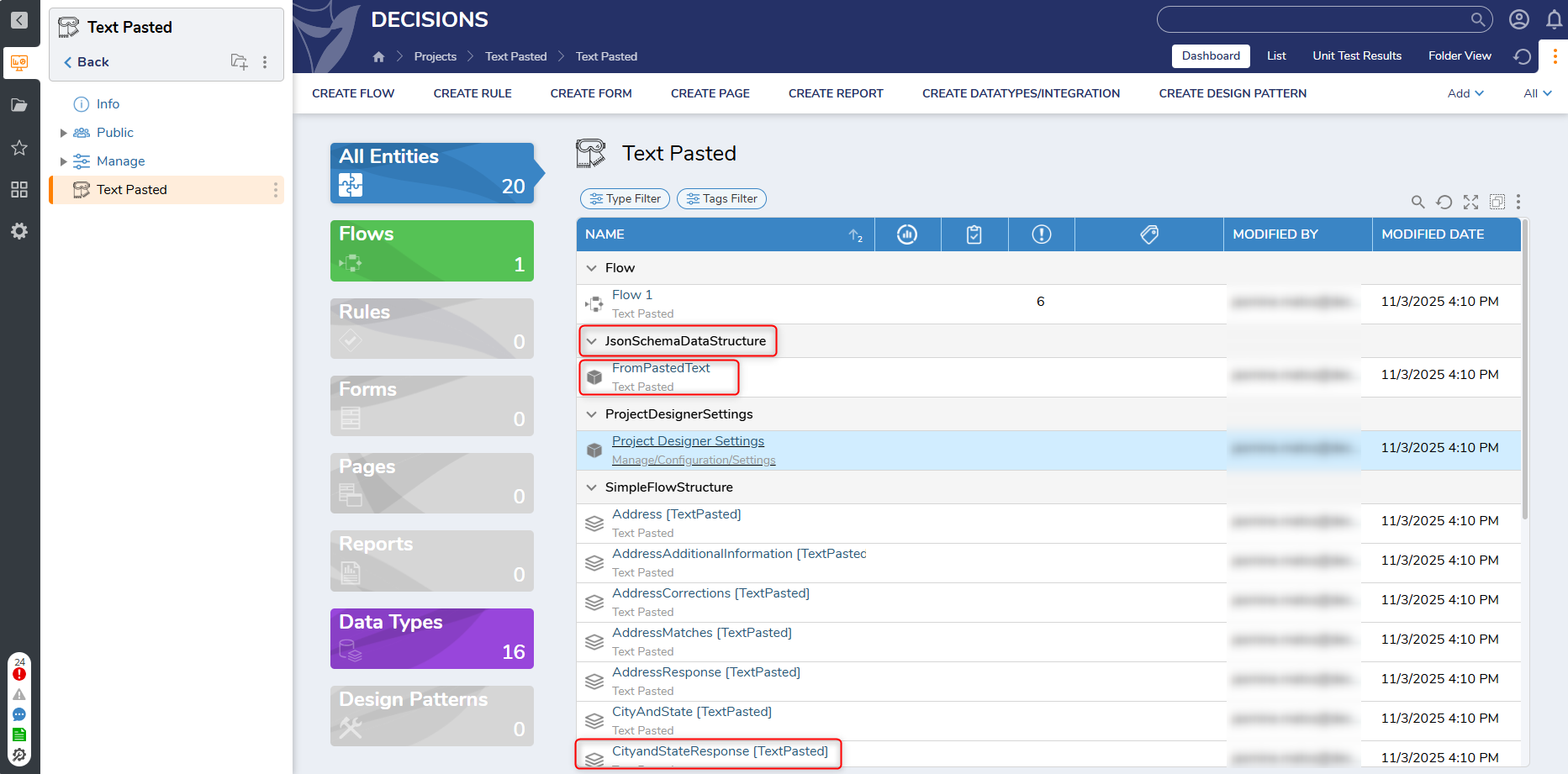 |
| [DT-045945] Ability to send message to Kafka in async way. | Post String Message | A new property, Run Async, has been added to the Post String Message step. This property will only be present when a Kafka queue is selected; otherwise, it will be hidden. The property will also be hidden if the Get Queue From Flow is true. | Modules | 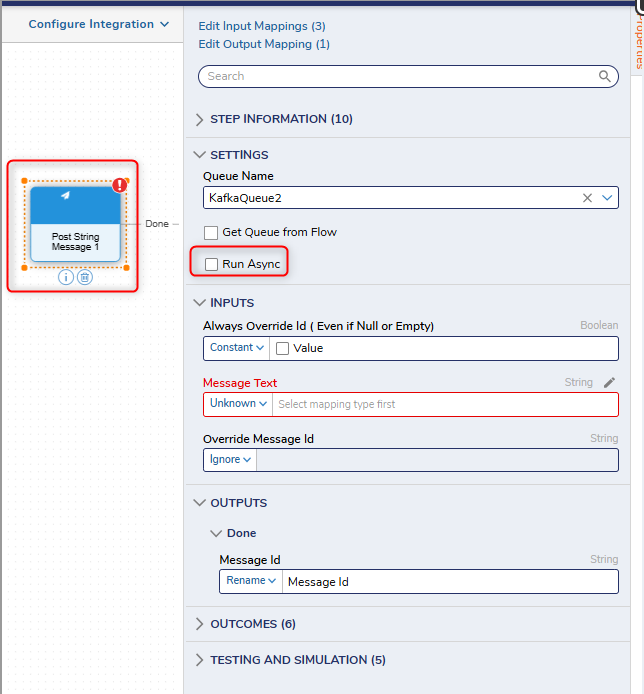 |
| [DT-046021] Need ability to generate JWT's in flows to call external API's | Call Internal Decisions Service Step | Added a new method to the OAuthTokenService called CreateJwt. It can be selected in the Internal Service Methods step and takes in the private key as file data, password for the private key, hashing algorithm for the private key, private key ID, client ID, and URL. | Projects | 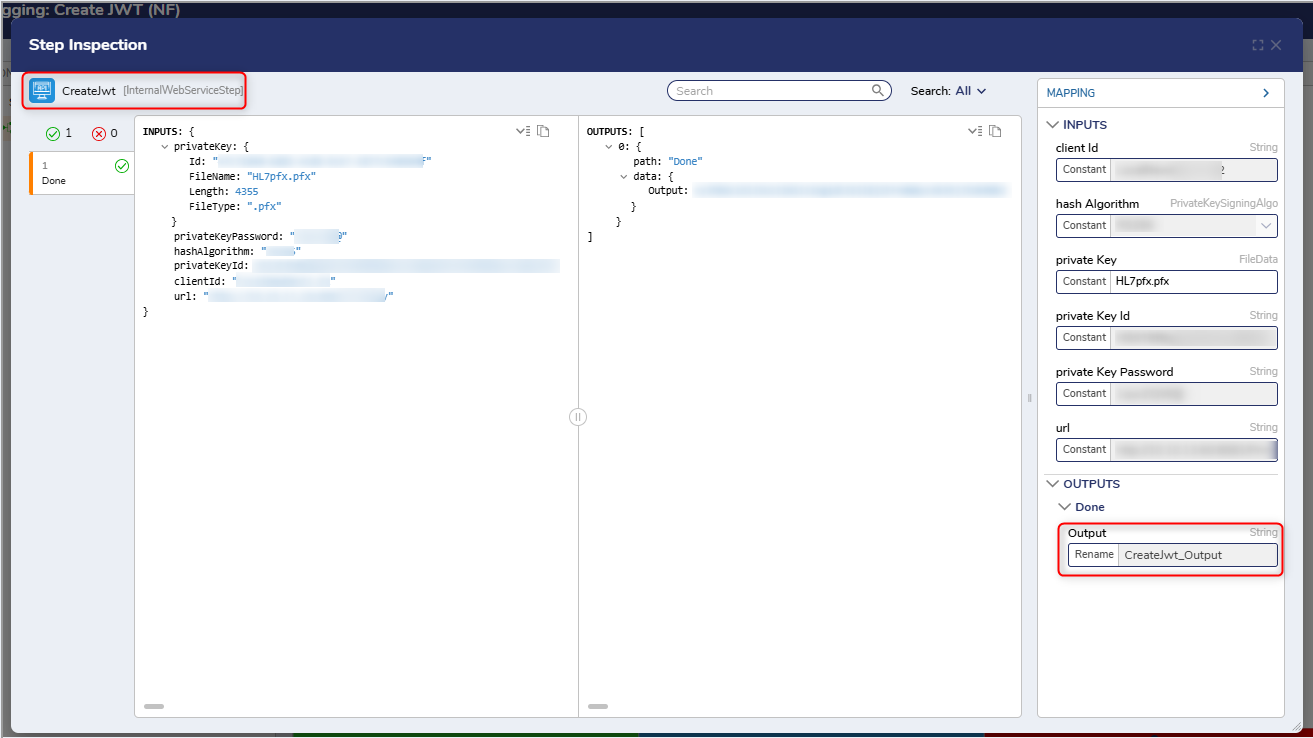 |
| [DT-045995] Sort Data Explorer Alphabetically in all Flow Behaviors | Flows | The Data Explorer tab in the Flow Designer has been updated to display all data items in alphabetical order. This is consistent across all Flow behaviors and in the Form designer on the Data tab. | Flows | .png) |
Fixes
Modules
| DT Title | Description | Occurs In |
|---|---|---|
| [DT-045304] Message Handler Flow Triggers Recursion When Exception Path Contains Async Step | Fixed an issue where the Message Handler kept sending messages when an async Step was in the handler Flow. | 9.x |
| [DT-045616] Messages are being lost in the Redis queue | The Redis Module and associated steps have been updated to prevent messages from being lost in the Redis Queue. | 9.x |
| [DT-045638] Downloaded Python Scripts From Platform Are Not Usable | Users can now download previously uploaded Python script files from the Decisions platform. | 9.13-9.16 |
| [DT-046006] Box Module is Missing DLL | The Box Module previously experienced an error caused by a missing .DLL file(BouncyCastle). The Box Module and associated Steps have been updated to prevent Users from experiencing this error. | 9.15 |
| [DT-045050] AI Common: If an AI module is already installed and its settings are filled out, installing another module that depends on it will wipe the configured settings. | AI Common Global Settings will no longer be removed when another module that depends on AI Common is installed. | 9.x |
| [DT-045107] AI Common: If OpenAI and AzureFoundry are installed, the AI Feature Defaults for OpenAI are duplicated | Duplicated default models no longer appear in AI Feature Defaults when installing OpenAI and Azure Foundry. | 9.x |
| [DT-045903] Update USPS Module to Use New USPS API | Three new steps, Get Address,Get City by Zipcode, and Get Zipcode, have been added to the USPS Module. All other steps in the Module are now Deprecated and are marked as such in the platform. | 9.x |
Forms
| DT Title | Description | Occurs In |
|---|---|---|
| [DT-045865] Advanced Data Grid-Inline Edit: Control disappears when editing a String List field with CanEdit as true and AllowLineBreak as false set on report. | Data handling in Advanced Data Grid(Inline Edit) has been improved to properly convert string inputs into String List arrays, preventing type mismatch errors. | 9.x |
Flows
| DT Title | Description | Occurs In |
|---|---|---|
| [DT-045633] Flow Debugger: Tooltip appears delayed when hovering on the 'Open Debug Session' and 'Edit in New Tab' actions from the element registration steps. | The Tooltip for elements in the Flow Debugger will now appear at the speed it was intended to. | 9.x |
| [DT-045874] Text Merge Step does not respect enter key line breaks | The Text Merge Step will now respect enter key line breaks. | 9.15,9.16 |
| [DT-045953] Shrink Step Size of Go Async, Go Async (Queue), and Go To Steps | The appearance of the Go Async, Go Async (Queue), and Go To Steps has been updated to match other Steps in the toolbox. | 9.x |
| [DT-046090] Scrollbar Stuck to Mouse in Debugger Step Inspection Dialog | Fixed an issue with the scroll bars becoming stuck in the Debugger Step Inspection dialog. | 9.15,9.16 |
| DT-045399] Flow Designer - Info Panel: Inconsistency in the placement of the 'View History' action when comparing it with other designer elements. | The View History icon now appears correctly in all Designers. | 9.x |
Projects
| DT Title | Description | Occurs In |
|---|---|---|
| [DT-045721] Project: Default Folder - Dashboard: The 'Validation' column displays the Rule ID instead of the validation count in the Rules Tile. | The Validation column of the Rules section on the Dashboard Page will now display the Validation count associated with each Rule. | 9.x |
Infrastructure
| DT Title | Description | Occurs In |
|---|---|---|
| [DT-045977] Run container as non-root user | Containers now run by default with non-root Users, rather than root Users. | 9.x |
System / Portal Administration
| DT Title | Description | Occurs In |
|---|---|---|
| [DT-045427] Favorited Actions on Case entity duplicate during folder navigation | User actions marked as favorites in a Case Entity will no longer be duplicated after folder navigation. | 9.13-9.16 |
| [DT-045650] Designer Folder - Text Merge Dialog: The 'Pick Template' button and 'Radio list' control overlaps if 'Template' option is selected. | Fixed UI alignment issue in Text Merge dialog where the 'Pick Template' button overlapped with the radio list control when the Template option was selected. | 9.x |
| [DT-045671] Spelling Error in Case Management Settings? Archive Settings Calendar | A spelling error was fixed in the Case Management Settings. | 9.14-9.16 |
| [DT-045700] Inbox Dashboard Slow Loading Due to Query Inefficiency | Made performance enhancements for inboxes that contain a substantial, (100K+) amount of assignments. | 9.x |
Reports
| DT Title | Description | Occurs In |
|---|---|---|
| [DT-045749] No Data in Matrix View upon Downloading Report | Fixed an issue that caused data for the Matrix view to be blank when utilizing intersection data with a Matrix view and exporting a Report to an Excel file. | 9.15, 9.16 |
| [DT-045682] Advanced Data Grid's Inline Edit For Lists Errors For Lists in V9.14 | Corrected data handling in Advanced Data Grid (Inline Edit) to properly convert string inputs into String List arrays, preventing type mismatch errors. | 9.14-9.16 |
Data Structures
| DT Title | Description | Occurs In |
|---|---|---|
| [DT-045898] Code compile fails if type from module is used. | Users will no longer experience code compilation issues when utilizing a custom type in a data structure. | 9.x |
| [DT-045993] Data Structure Field Names Cannot Contain Non-ASCII Characters After Upgrade to v9.15 and Above | The field name in Data Types can now contain non-ASCII characters. | 9.16 |
| [DT-045942] JSON Schema Types - Handle allOf | JSON Schemas Data Structures now support handling for the allOf property. | 9.x |
Integrations
| DT Title | Description | Occurs In |
|---|---|---|
| [DT-045195] A warning is displayed to the designer user while adding a data source to a report with permission only on the parent project but not on the dependent project which has a DB connection. | Designer Users will no longer receive any errors while adding a data source to a Report without permissions from the dependent Project. | 9.12-9.16 |
| [DT-045845] Change Gallery Icons | Changed icons for Steps OData Service Reference, REST Service, Open API/Swagger, GraphQL, gRPC, and Webhook. | 9.x |
| [DT-045907] URL Variables Not Being Added From OpenAPI YAML | Fixed an issue where URL variables in Swagger/OpenAPI Doc integrations were not being picked up correctly to create methods. | 9.15, 9.16 |
| [DT-044515] GraphQL: Rename "Method Body" Column Header to "Operation Body" | Changed the report column name for the GraphQL folder of method body to operation body. | 9.x |