Module Details | |
| Core or GitHub Module | Core |
| Restart Required | No |
| Step Location | Integration > Twilio > Phone |
| Settings Location | System > Settings > Telephony |
| Prerequisites |
|
Overview
The Telephony Module in Decisions lets users integrate with the Plivo or Twilio telephony service APIs. The module allows users to manage their business communications with customers by sending and receiving SMS text messages or Interactive Voice Response (IVR) voice calls.
Note for Third-Party Systems and Subscriptions
Customers are responsible for securing and maintaining accounts with third-party systems and subscriptions.
Example
The following example will demonstrate setting up a Twilio account using the Telephony Module.
- Navigate to System > System Settings > Telephony Settings.
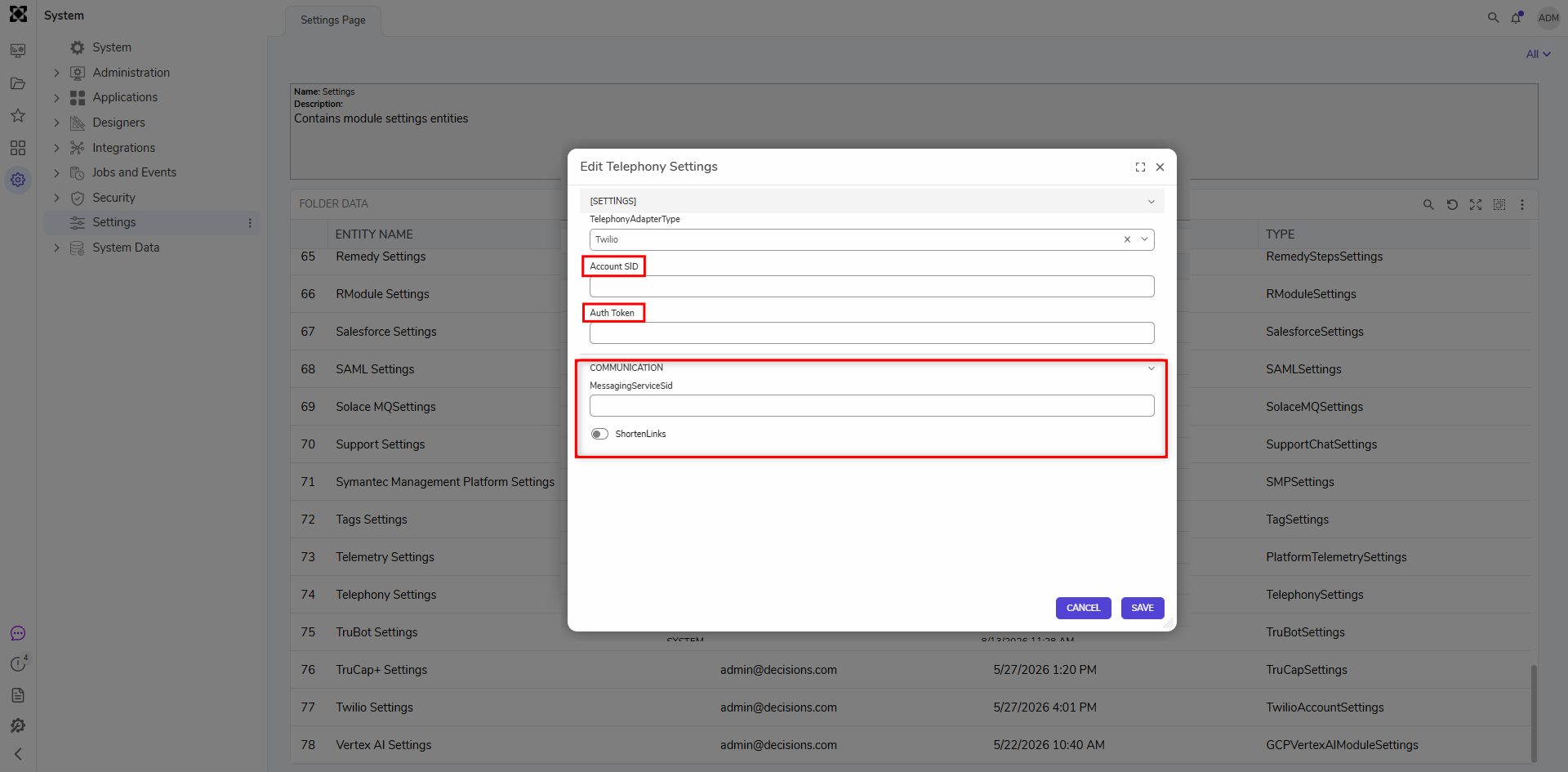
- In the TelephonyAdapterType drop-down menu, select the appropriate Telephony type.
- Enter the Account SID if applicable.
- In the Auth Token field, enter the token received from the service provider.Twilio Authentication Credentials
The Authentication Token and Secret Authentication Token are available in Twilio under Keys & Credentials > API keys & tokens.
Use the following Twilio values:
- Authentication Token: Use the value from the Account SID field.
- Secret Authentication Token: Use the value from the Auth Token field.
(1).png)
- In the Communication section, Twilio Link Shortening can be used when SMS messages include long URLs, such as assessment links, that may otherwise exceed a single message segment. When enabled, Twilio shortens supported links in the message body during SMS delivery. Configure the following settings in the Twilio SMS step to use Twilio Link Shortening:
- In MessagingServiceSid, enter the Twilio Messaging Service SID configured for Link Shortening.
- Set ShortenLinks to
true. When enabled, Twilio shortens supported links in the SMS message body during delivery. For more information, see Twilio’s Link Shortening onboarding guide.
- Click Save.
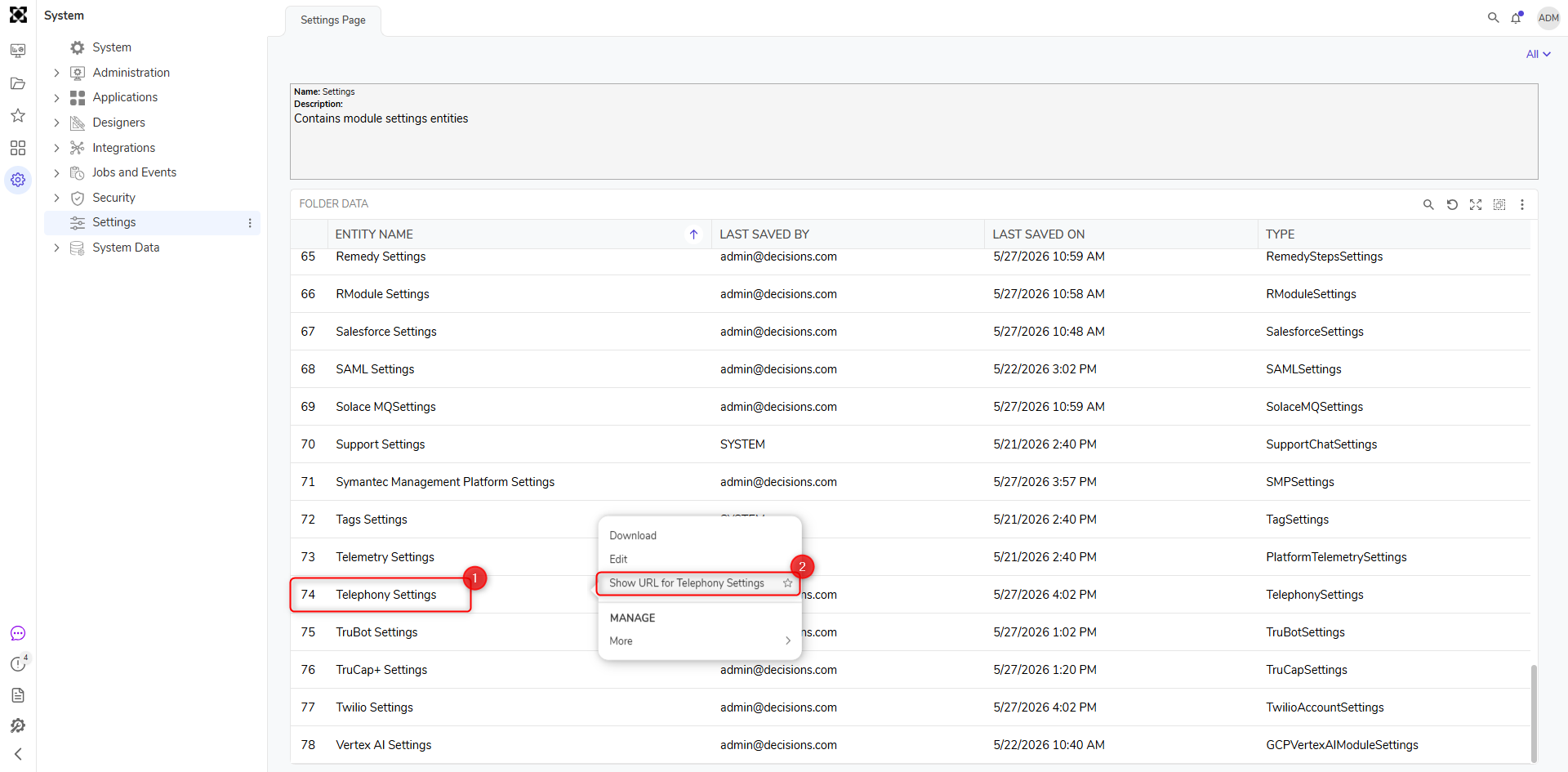
- In the Settings Page, right-click Telephony Settings and click Show URL for Telephony Settings.
- Copy the URL from the Telephony URL window.
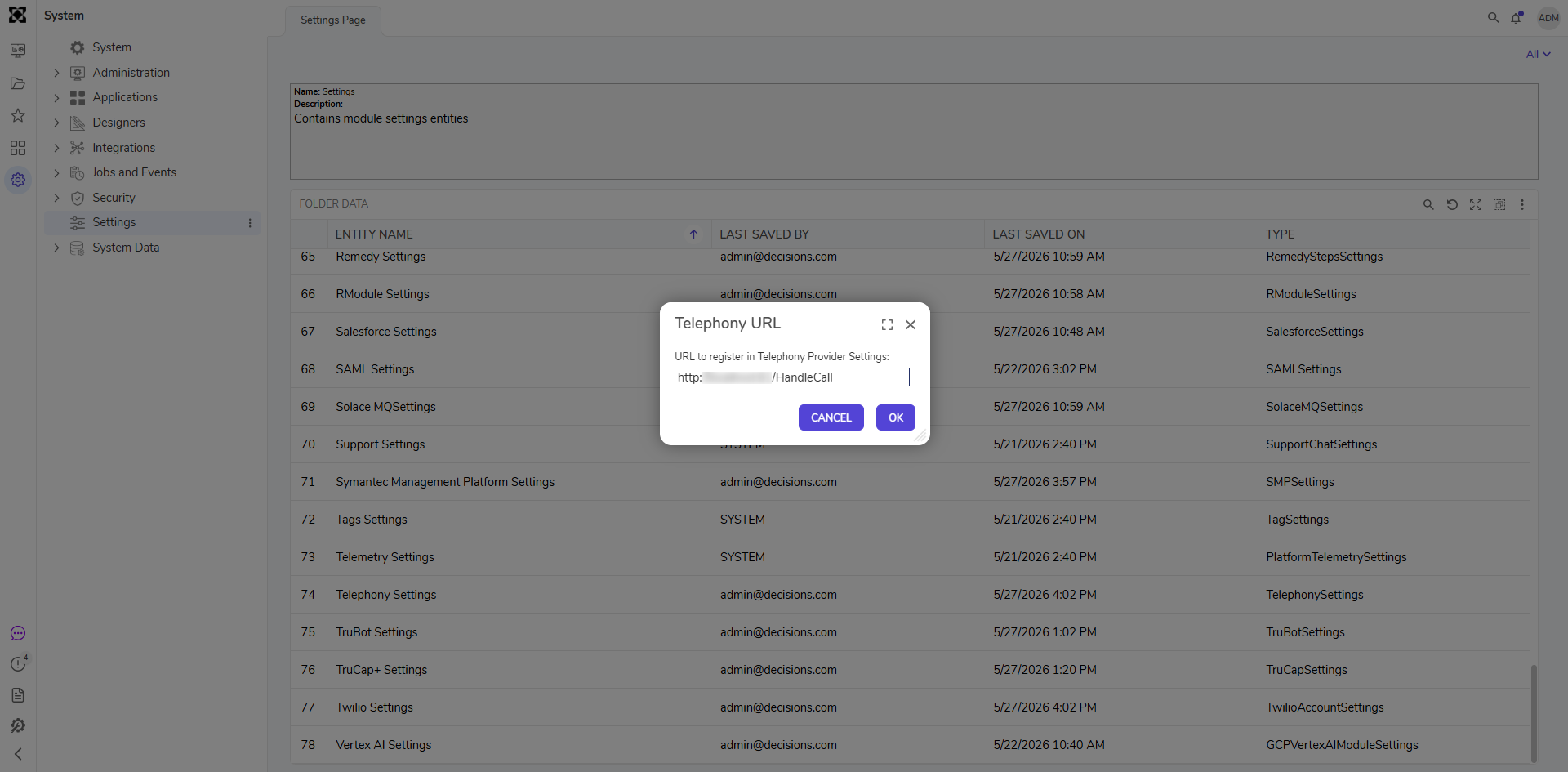
- Navigate to Twilio and paste the Telephony request URL into the IVR service's settings for the phone number used.
.png)
Step List
The following Steps are available in the Flow Designer Toolbox after installing the module.
| Category | Step Name | Description |
|---|---|---|
| ADMIN | Add Credentials to SIPCredentials List | Adds a new set of SIP credentials to an existing list called SIPCredentials. |
| ADMIN | Create SIPDomain | Creates a new SIP Domain. |
| ADMIN | Delete Creds For | Removes a specified user from a specific Credential List. |
| ADMIN | Get Credentials for Domain | Retrieves a list of credentials from an SIP Domain. |
| ADMIN | Get Registered Numbers | Retrieves a list of all registered numbers in Twilio. |
| ADMIN | List SIPDomains | Returns a list of all SIP Domains. |
| PHONE | Clean SIPIndicators From Number | Removes the SIP Credentials formatting from a specified number or username. |
| PHONE | Delete Recording | Deletes a recording at a specified URL. |
| PHONE | Dequeue Caller | Dequeues a caller from a specified queue. |
| PHONE | Hangup | Terminates an outbound call. |
| PHONE | Pause | Grants silence for a specified number of seconds during the phone call to allow the receiver to respond. |
| PHONE | Play Digits | Allows a caller to press any digit on their keypad that is contained in the string of digit options given. |
| PHONE | Play Queued Steps | Plays queued steps for incoming calls. When using messages, the play step will access a particular queue. |
| PHONE | Queue Hold Step | Places a caller on a queue and keeps that caller on hold until specific criteria is met. |
| PHONE | Reject Call | Rejects a phone call. |
| PHONE | Request IVR | Requests a voice response from the caller. |
| PHONE | Say Text | The Say Text step uses Text-to-Speech (TTS) to play recorded files or typed messages with a human voice. TTS prompts can be dynamically generated using raw text and Flow Data. |
| PHONE | Start Conference Room | Starts a conference room where multiple callers may be directed. |
| PHONE | Start Phone Call | Starts a phone call from a specified number to a specified number. |
| PHONE | Transfer Phone Call | Transfers a phone call to an internal or external phone number. |
| SMS | Send SMS Message | Sends an SMS Message from a specified number to a specified number. |
| SMS | SMS Response | Sends a set response via SMS. |
| TWILIO | Get Call Log for Call | Retrieves various details about a particular call, which is specified by the Call SID input. |
| TWILIO | Get Call Logs For Calls | Retrieves various details about particular calls, which are specified by a list of Call SIDs. |
| TWILIO | Get Recording URLS By Call SID | Retrieves an audio recording's URL from a phone call made with Twilio. |
| TWILIO | Get Recordings By Call SID | Retrieves a list of the recordings from a specified call as well as other call-related information. |
Feature Changes
| Description | Version | Developer Task | |
|---|---|---|---|
| New settings have been added to Twilio for Link Shortening. | 10.2 | September 2026 | [DT-047785] |