[DT-046390] Upgrade to .NET 10 Upgrade from .Net 9 to .Net 10: v9.20.1 will require .NET 10 to be installed before upgrading. DT-046055] Azure Services Module Deprecated NuGet Packages: Users who upgrade to v9.20.1 with the Get Daemon Token step will need to re-map the step since the Tenant Id will no longer be appended to the end of the Auth URL, but will still have a tenant id property. [DT-046381] Tab Container: Icons on Tab Labels: Users should note that custom CSS that has been applied to modify the tab header size could potentially break the layout. [DT-045714] Agent Designer Updates:
Generative AI Features will sometimes not produce data.
Projects exported before 9.11 containing AI dependencies will not obtain new AI folders on import (Agent and System Prompt, Prompt Group, Execution History).
Projects exported before 9.20.1 containing AI dependencies will not obtain new AI folders on import (Agent and System Prompt).
Users must make changes to Project Dependencies to populate these new folders (remove/add AI.Common as a dependency).
This feature enables Users to create, modify, deploy, and interact with an AI Agent inside the platform. This feature includes the following actions:
AI Agents can be utilized on the chat completion step.
Agents can be created by navigating to Manage > Integrations > AI > Agents.
Users can specify the Provider and Model.
Users can select a created system prompt (created under Manage > Integrations > AI > System Prompt Groups.
Users can specify which AI Tool Flows the agent will have access to.
Integrations
[DT-042014] gRPC Inbound
--
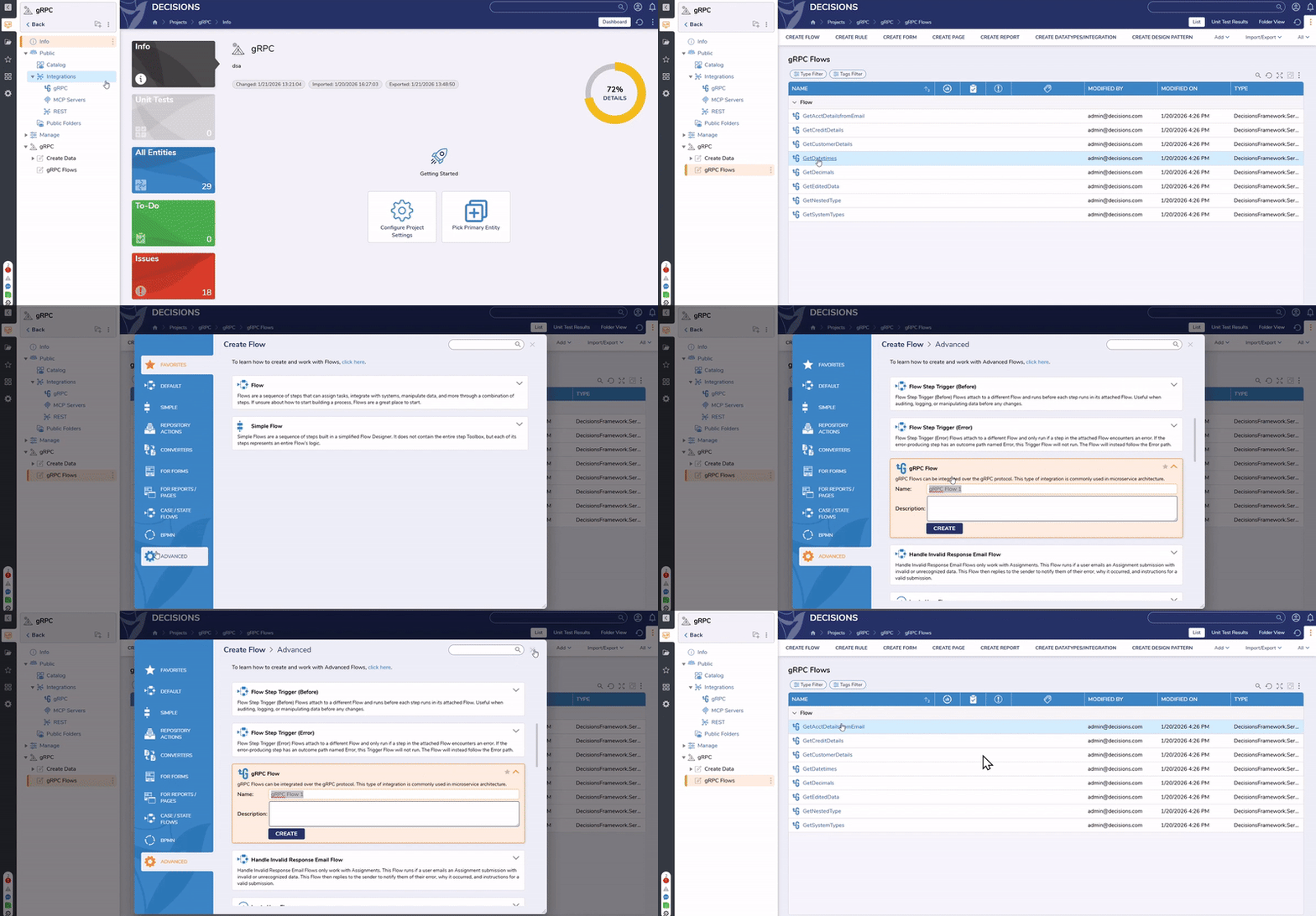
Users can now create gRPC Flows to be called over the gRPC protocol. This feature includes the following actions:
The gRPC Flow is added as an advanced flow behavior, and the configured Flows are listed in the new gRPC folder located in Public > Integration > gRPC.
Users can download a proto file and utilize it in the associated gRPC client.
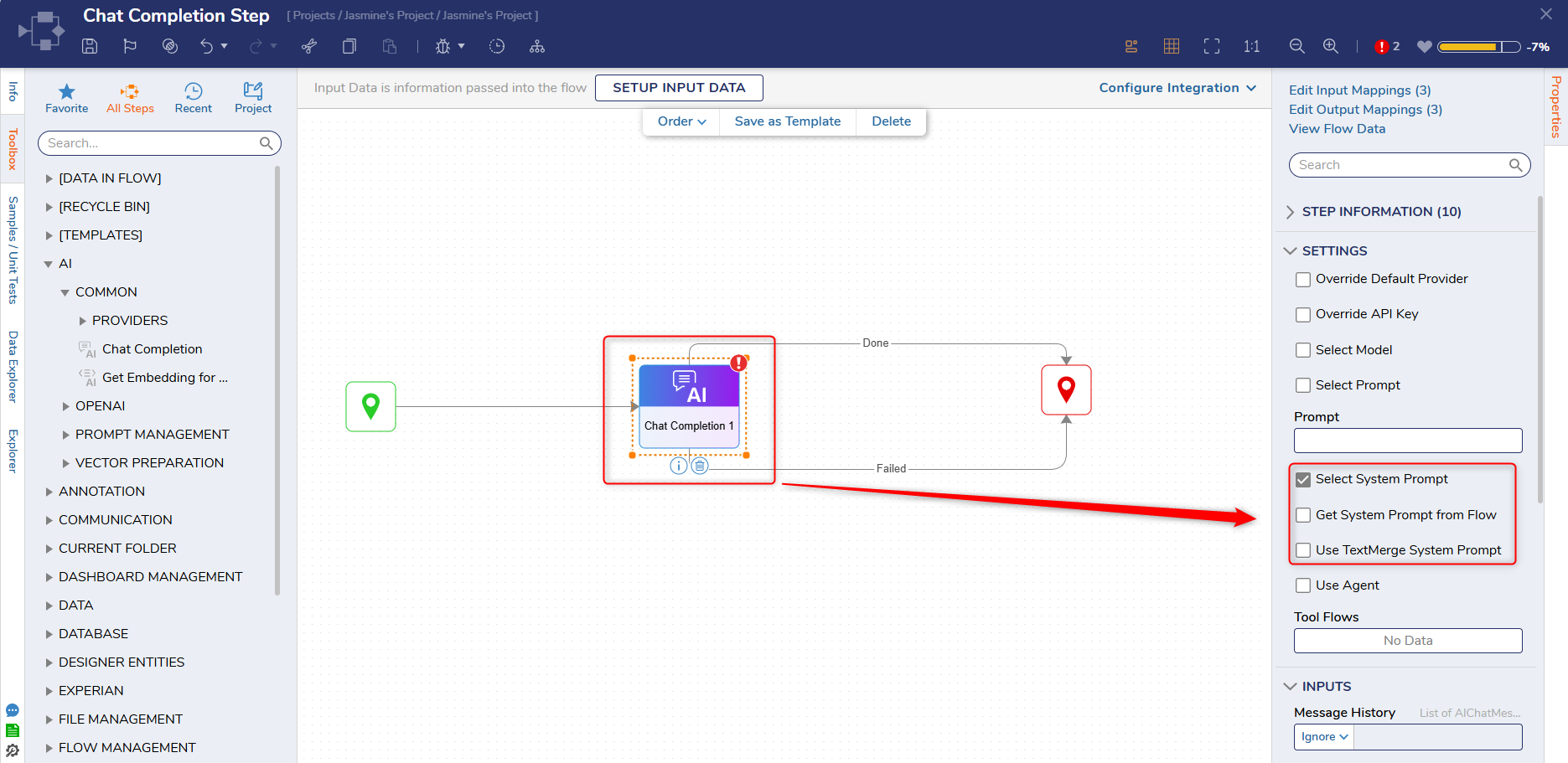
A system prompt setting has been added to the Chat Completion Step. This feature allows Users to give "context" to an LLM on how to respond to a chat prompt.
A new step has been added called 'Add Bookmarks to PDF'. This step enables adding bookmarks to PDF files that link directly to the relevant page within the PDF.
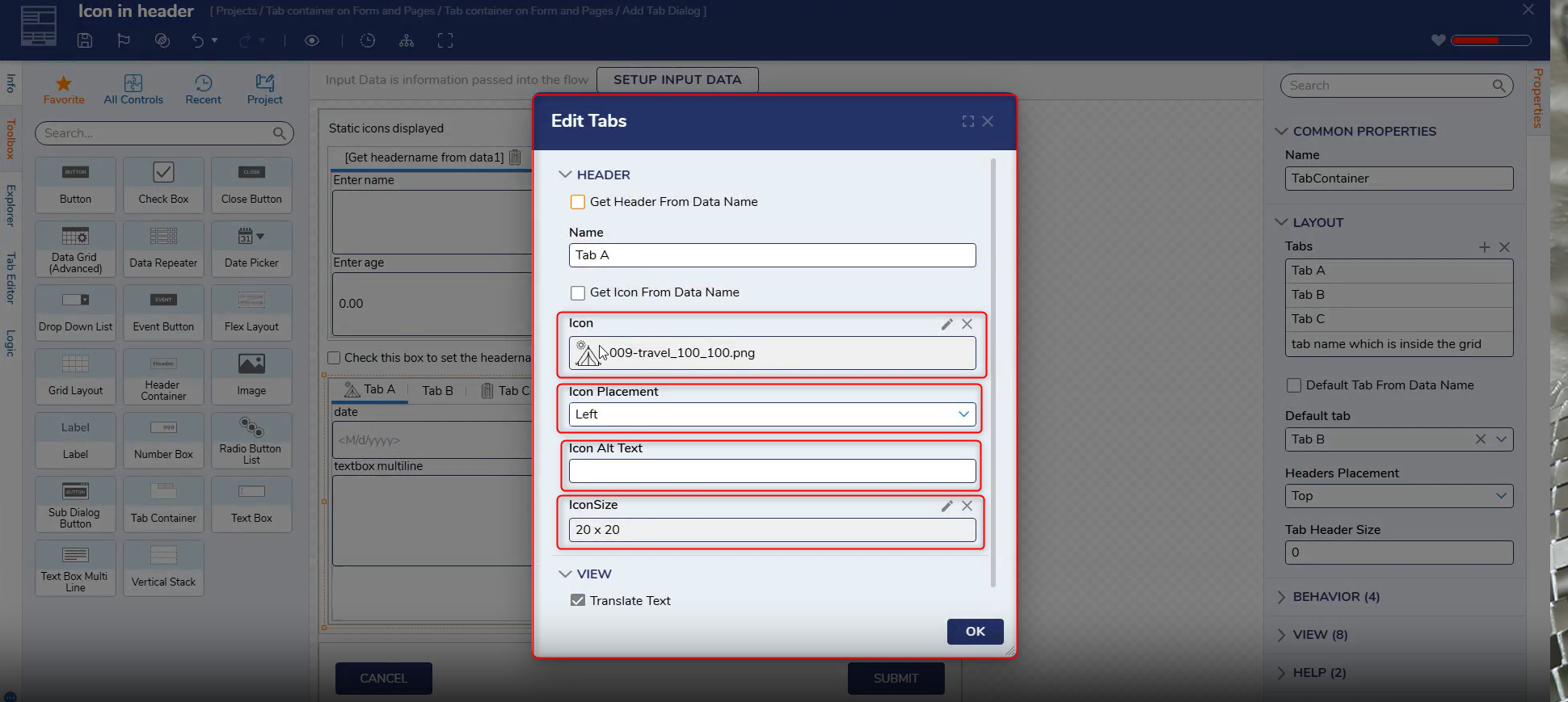
The Tab Container control has been enhanced to support customizable tab labels. Designers can add icons, images, and branding elements directly into tab labels, allowing navigation to be both functional and expressive.
Forms
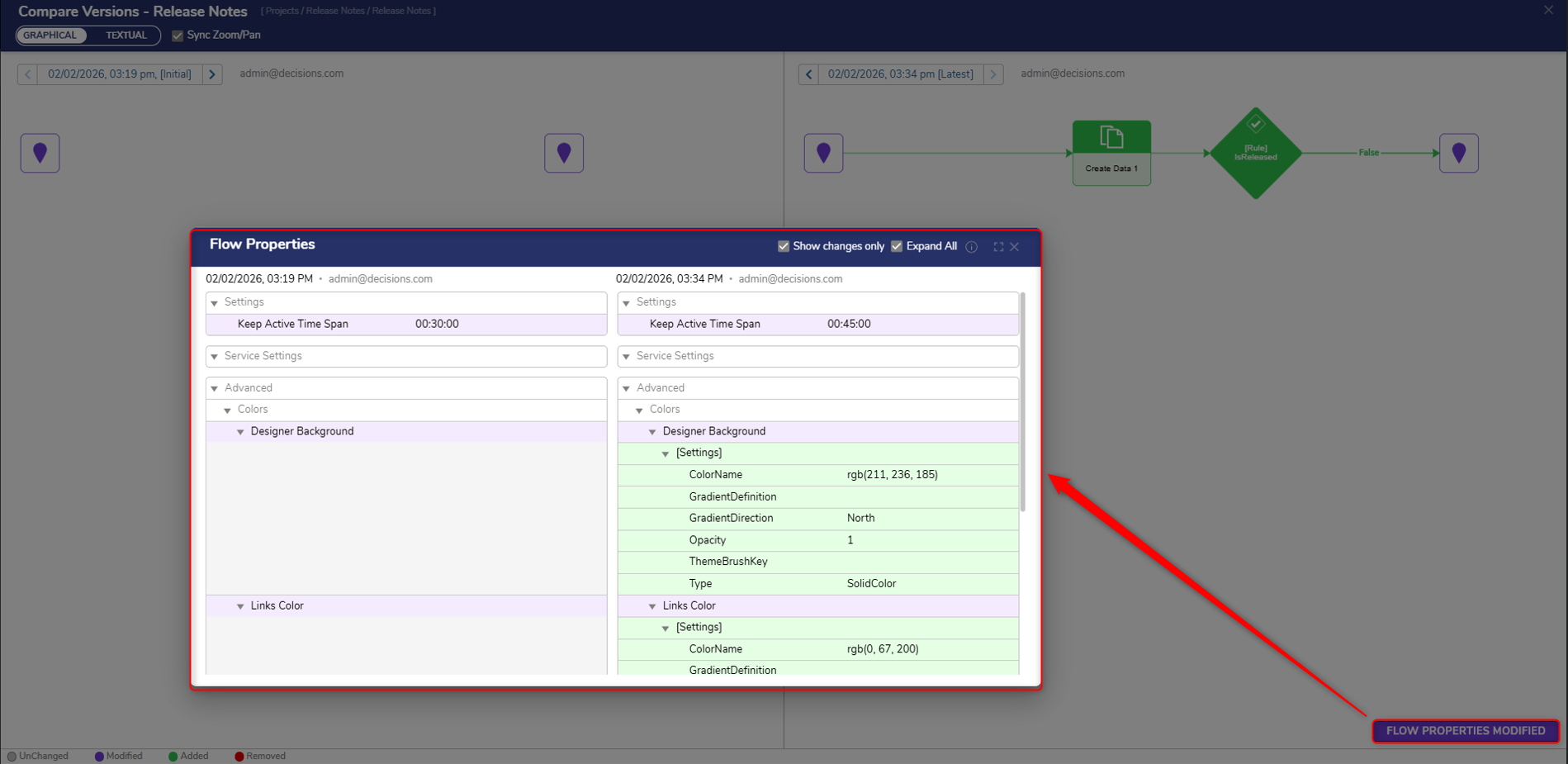
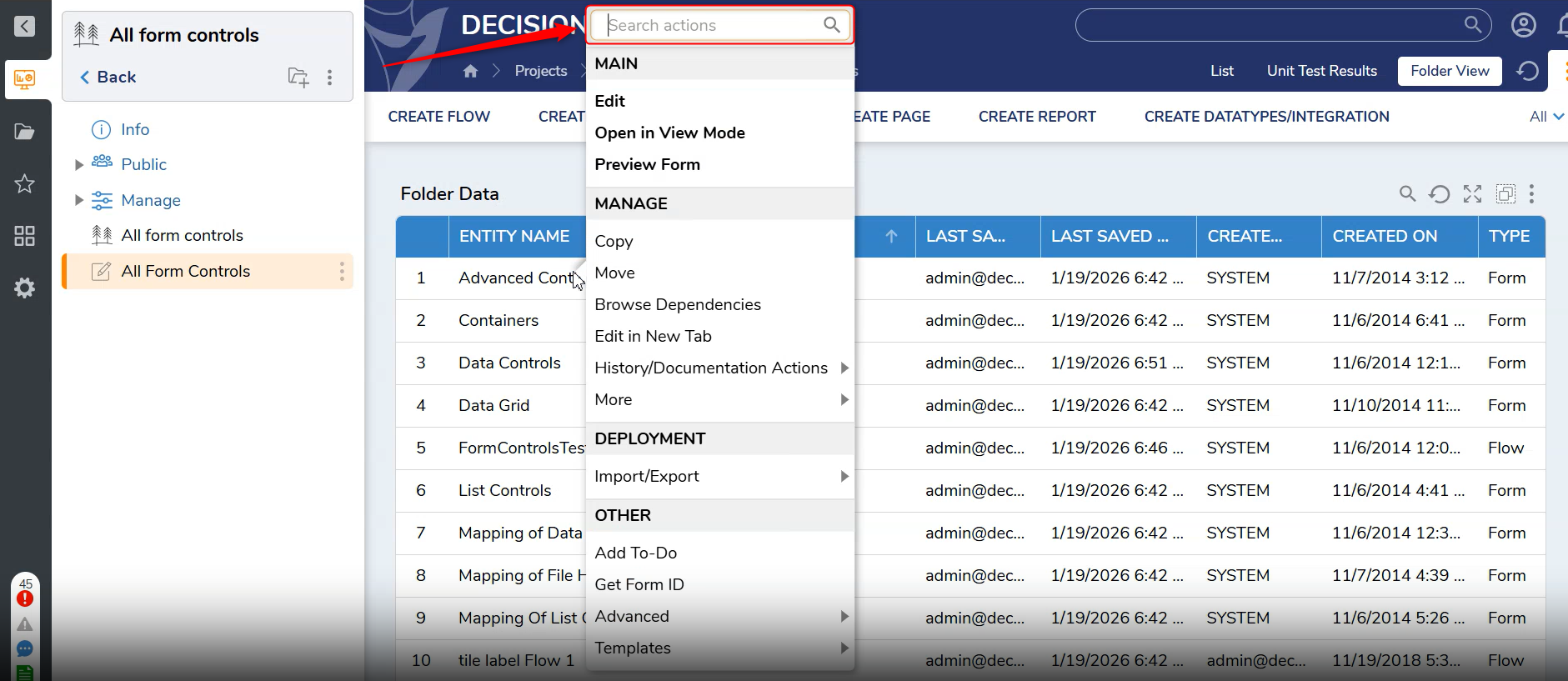
[DT-046396] Show Compare Screen when reverting to a revision from history Folder
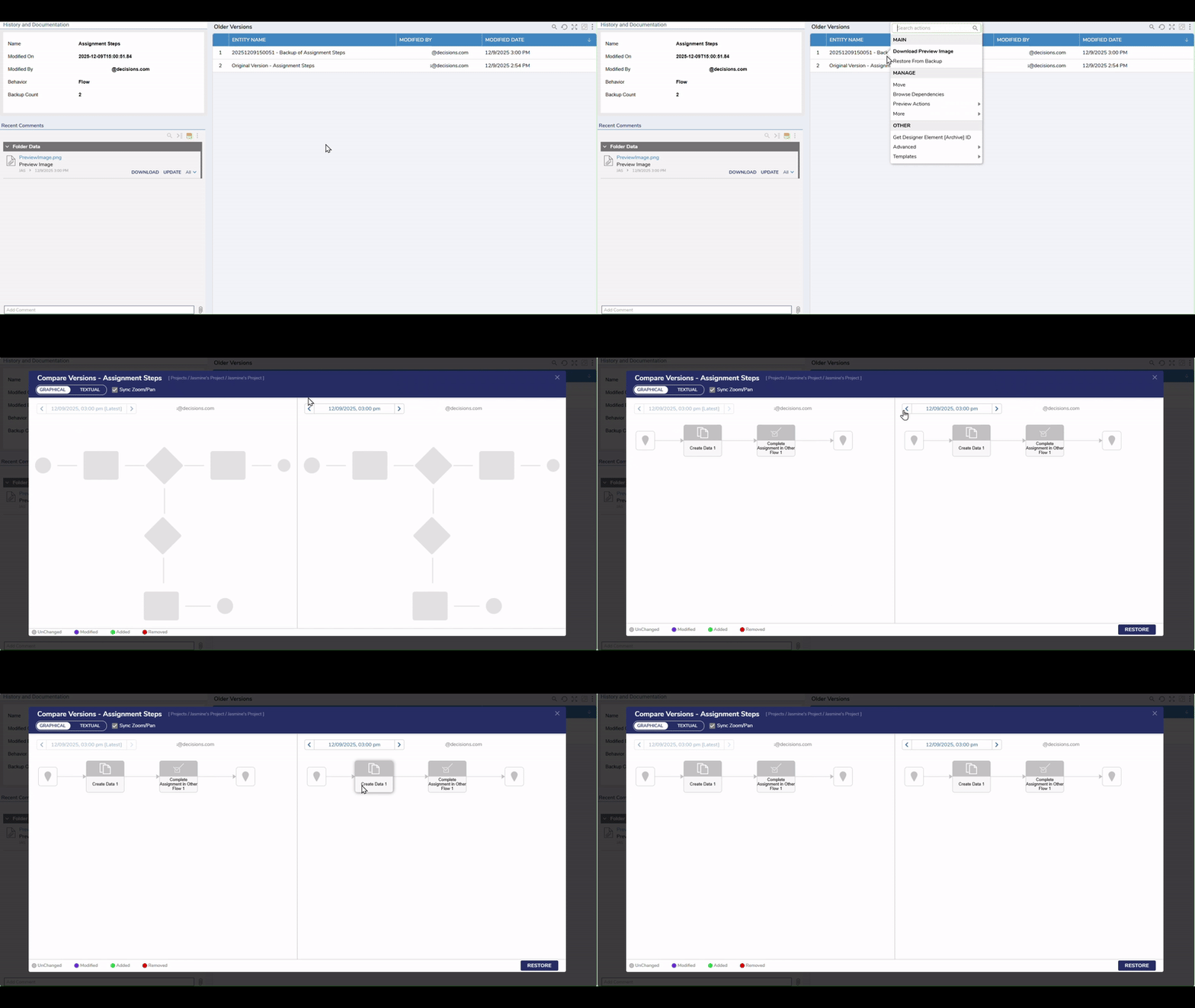
The compare screen will now be displayed when Users revert to a backup version. This feature has been added for Designer Entities that support the compare utility.
Projects
[DT-046462] Create Link Step for PDF
--
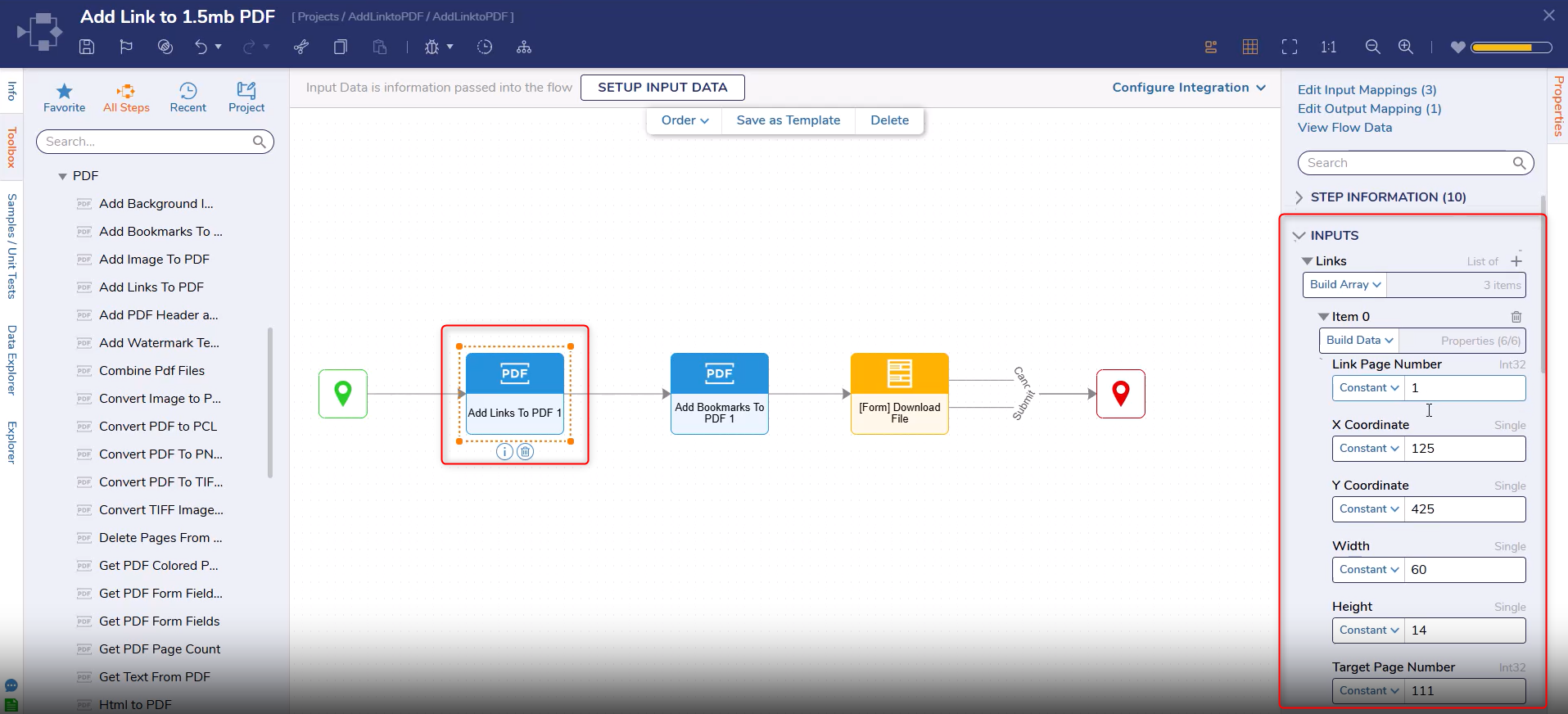
A new step has been added called 'Add Links to PDF'. This step allows Users to create clickable links within a PDF. Each link will navigate Users directly to a specific page within the document.
Flows
Enhancements
Feature
Link
Description
Product Category
Screenshot
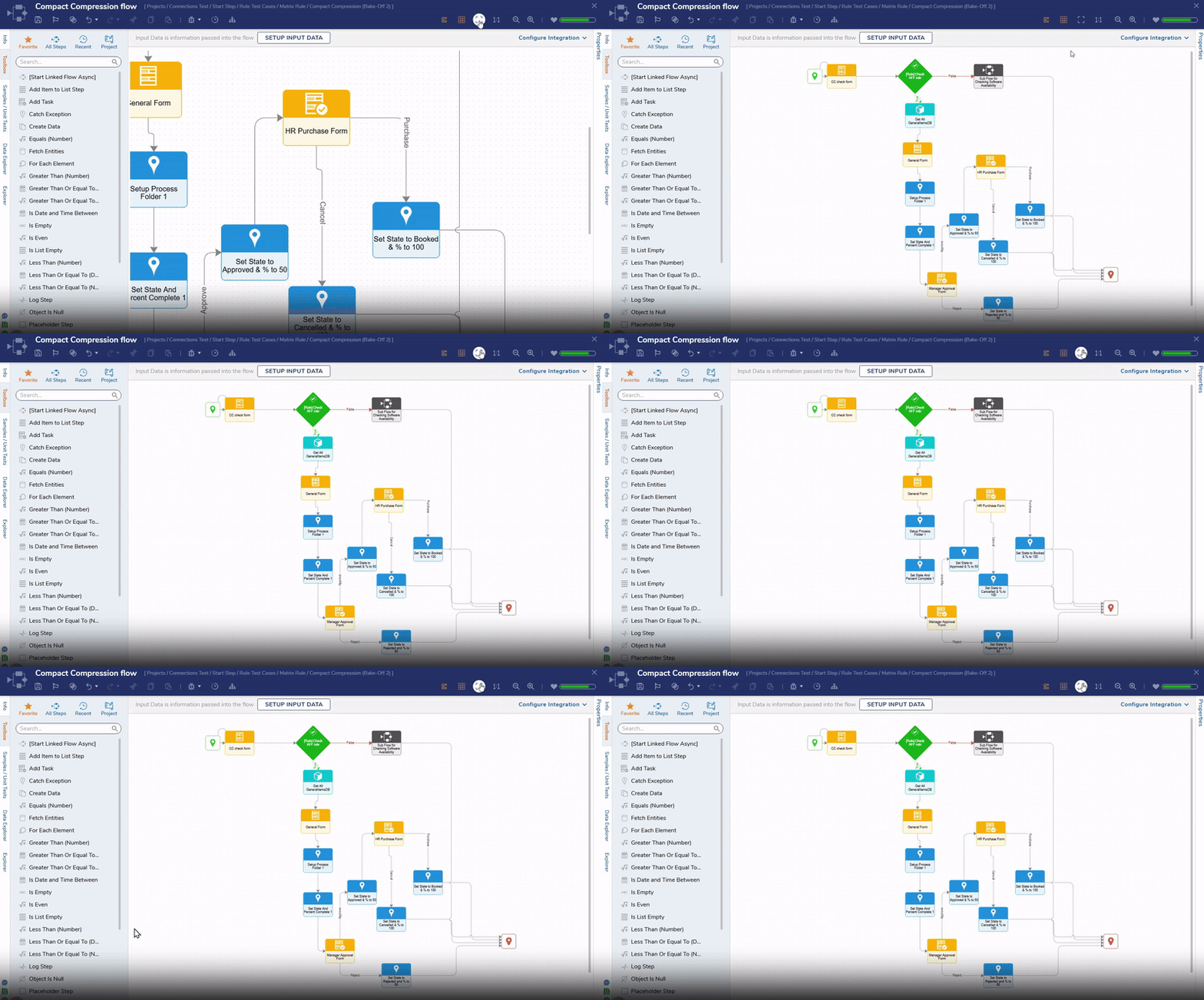
[DT-028786] Adding Confirmation Button to Remove Buttons
--
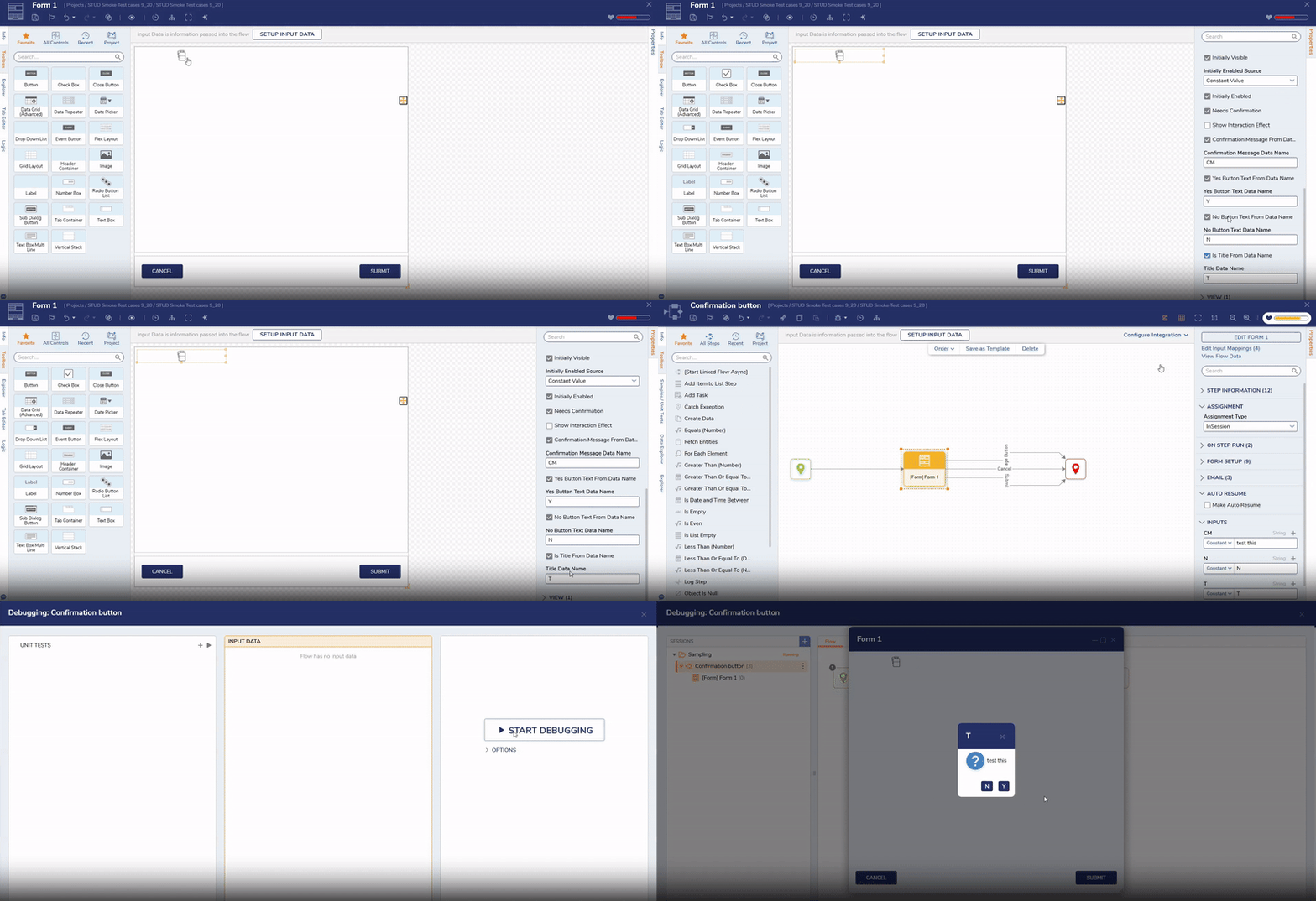
A new property called "Need Confirmation" has been added to the behavior section for the Data Grid and Data Repeater remove buttons.
Forms
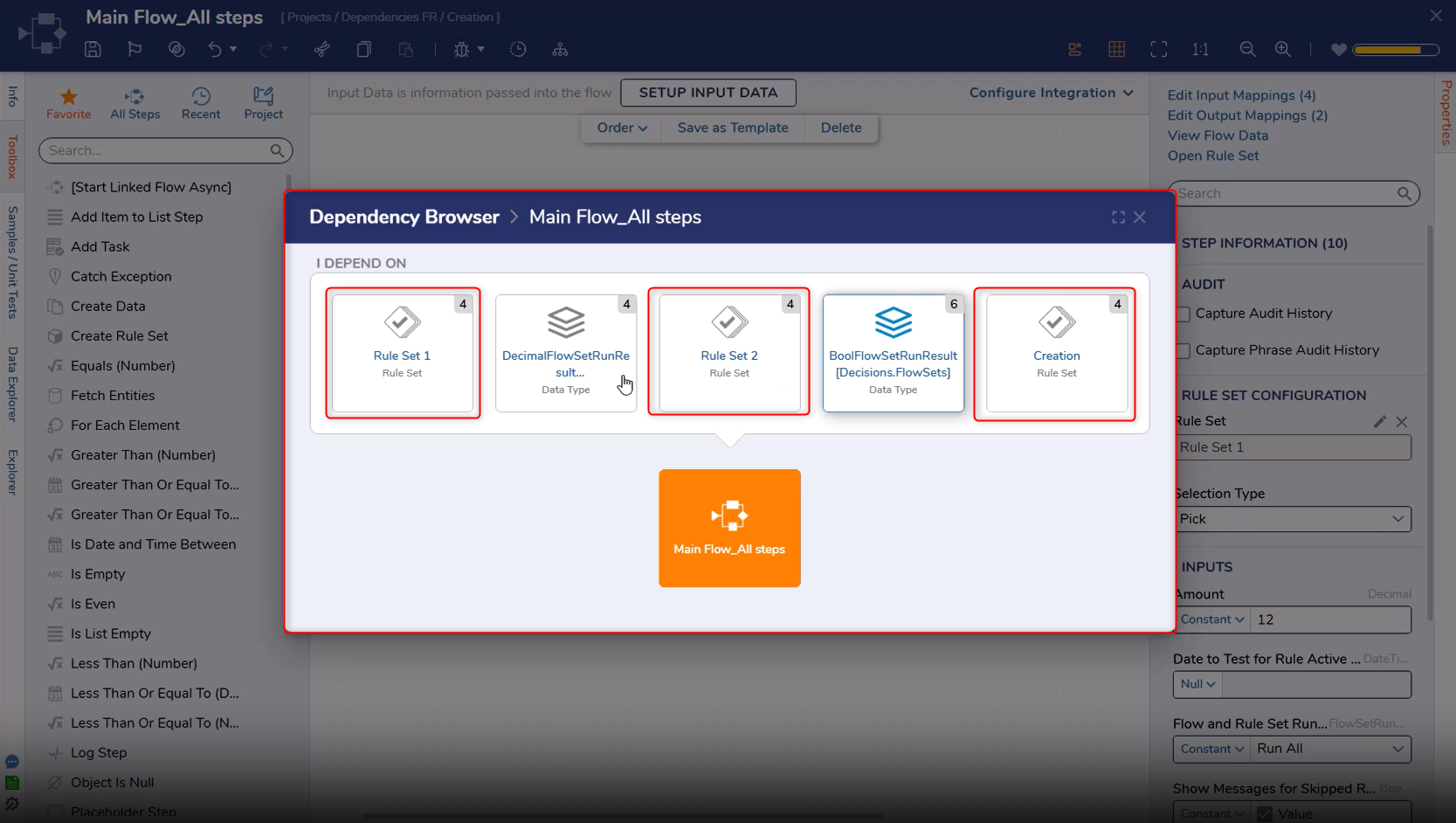
[DT-045876] FR: Add Dependency Functionality to Rule Sets
--
Rule sets will now be displayed as a dependency of a Flow step, in the dependency browser.
Rules
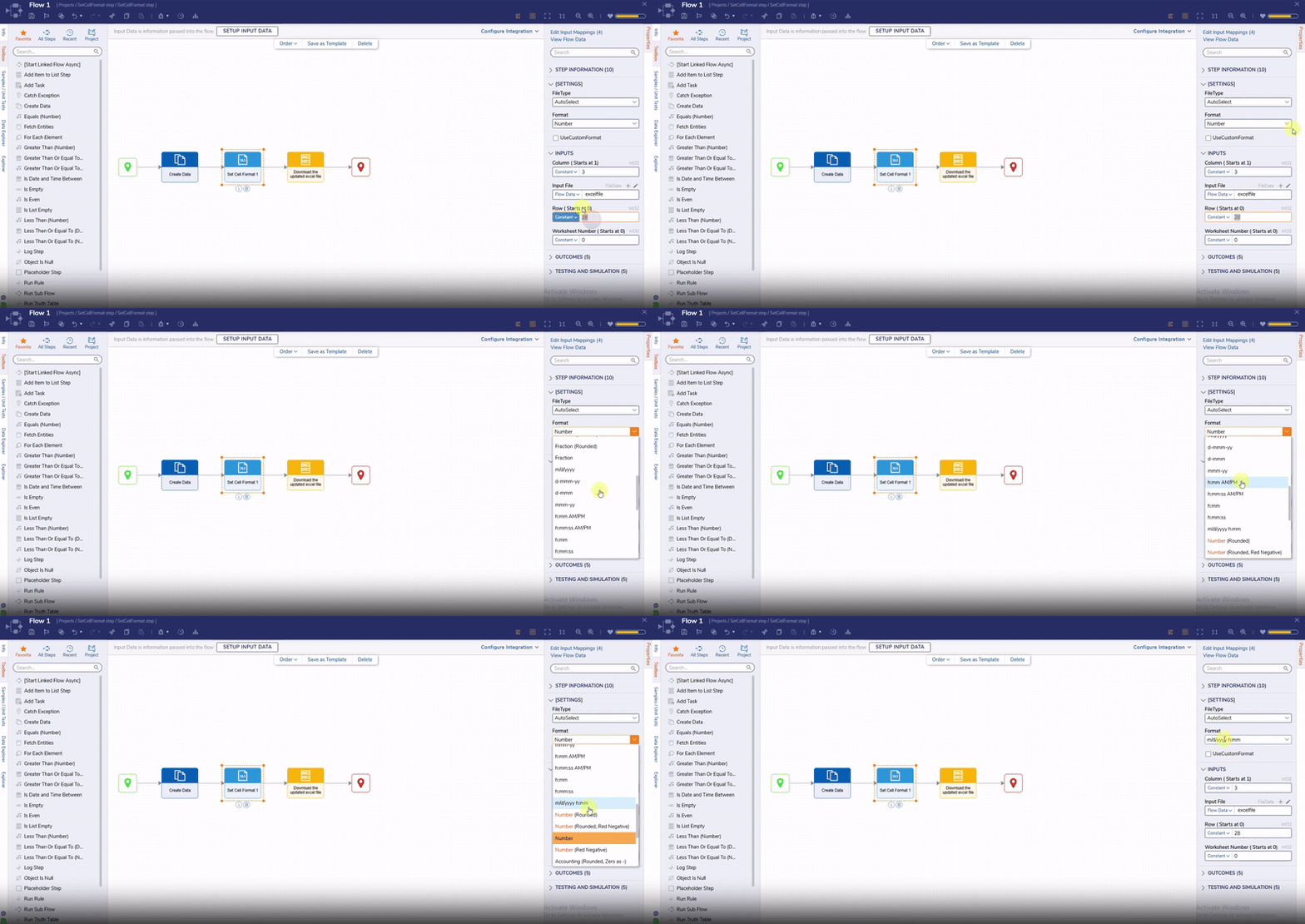
[DT-046147] Add Excel Step To Set Format For Cell
--
A new set called 'SetCellFormat' has been added. This step allows Users change how a cell looks. Users can choose from a set of built-in formatting options or create a custom style.
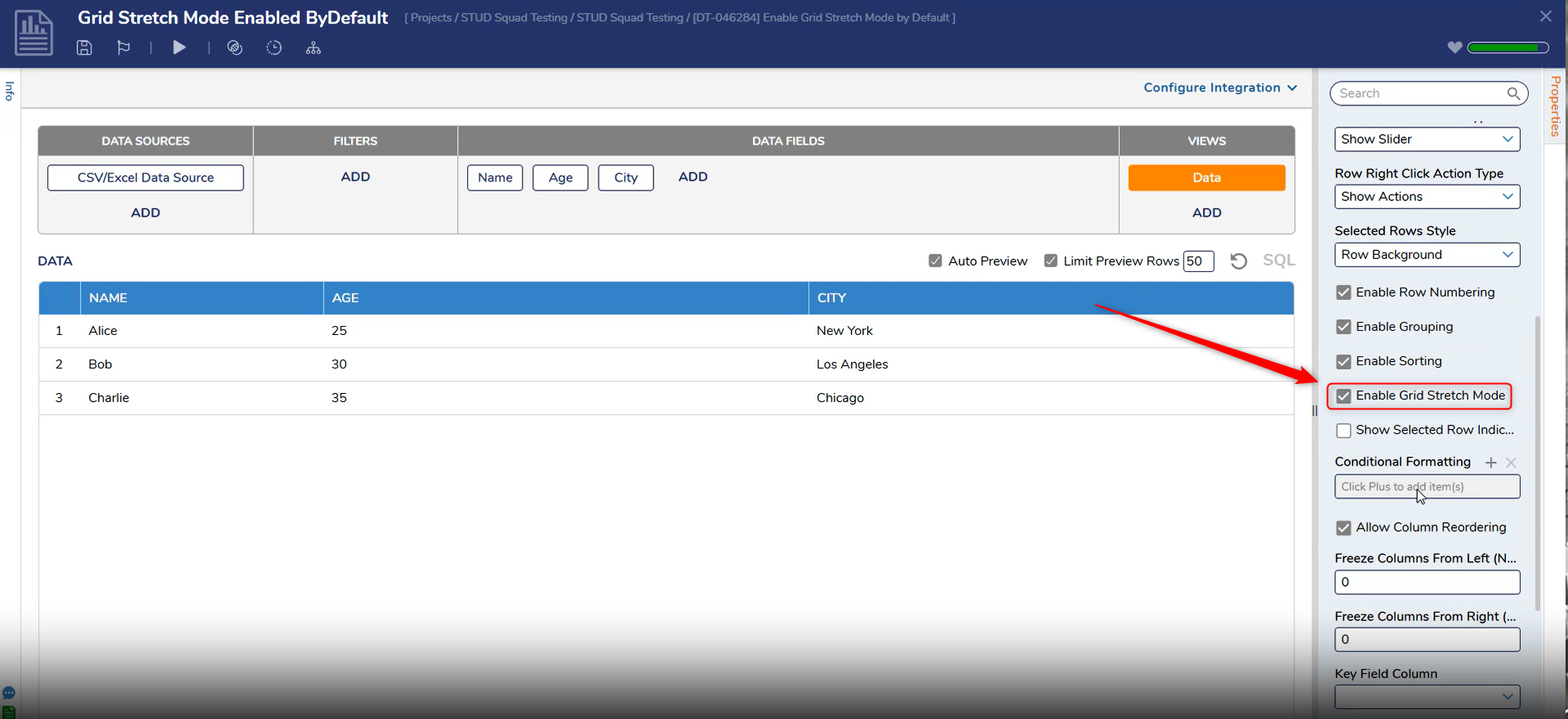
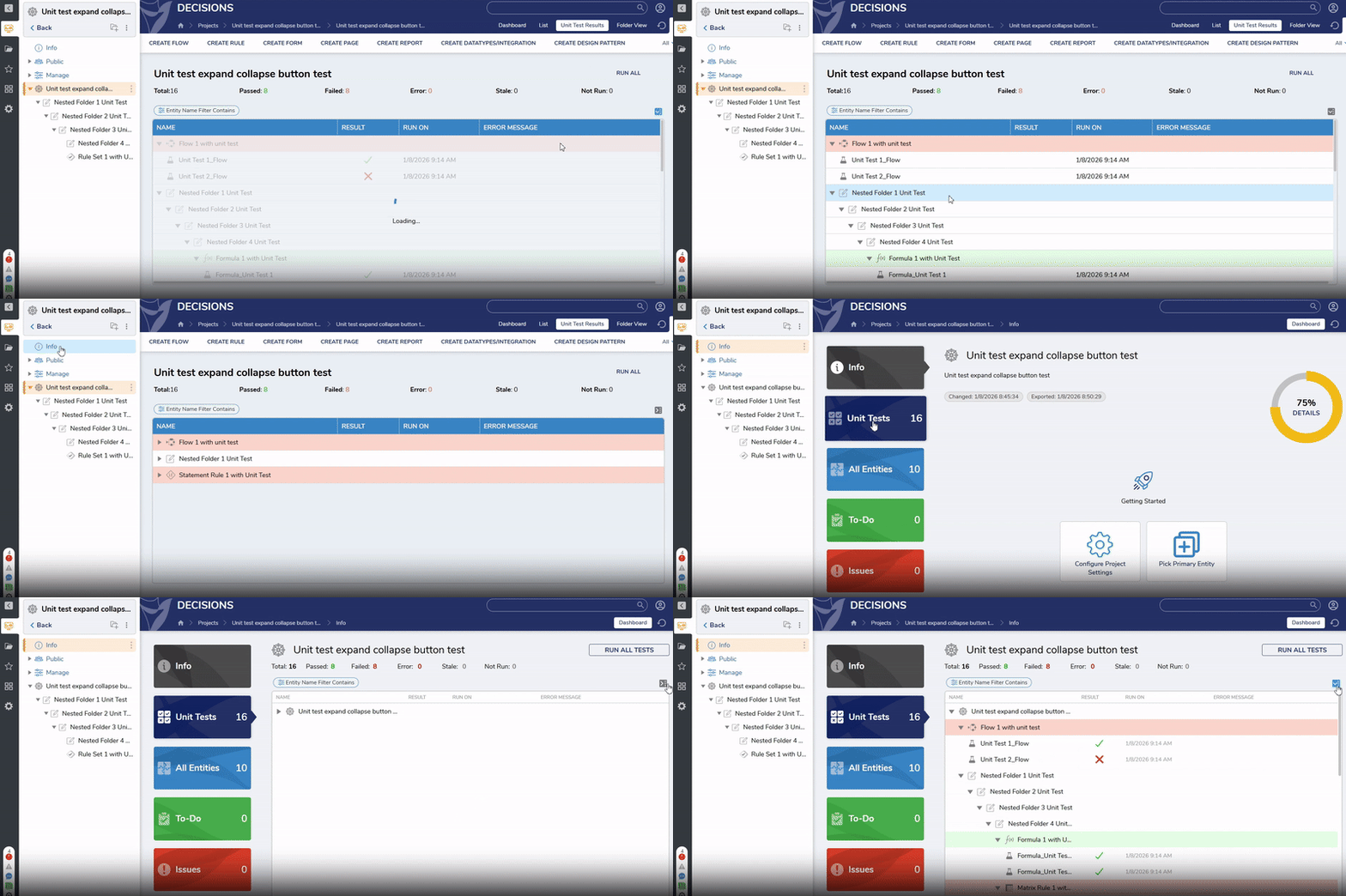
'Enable Grid Stretch Mode' will now be enabled by default when Users create a new Report. This change ensures Reports resize without additional configuration. Additionally, 'Enable Grid Stretch Mode' will be enabled by default.
Reports
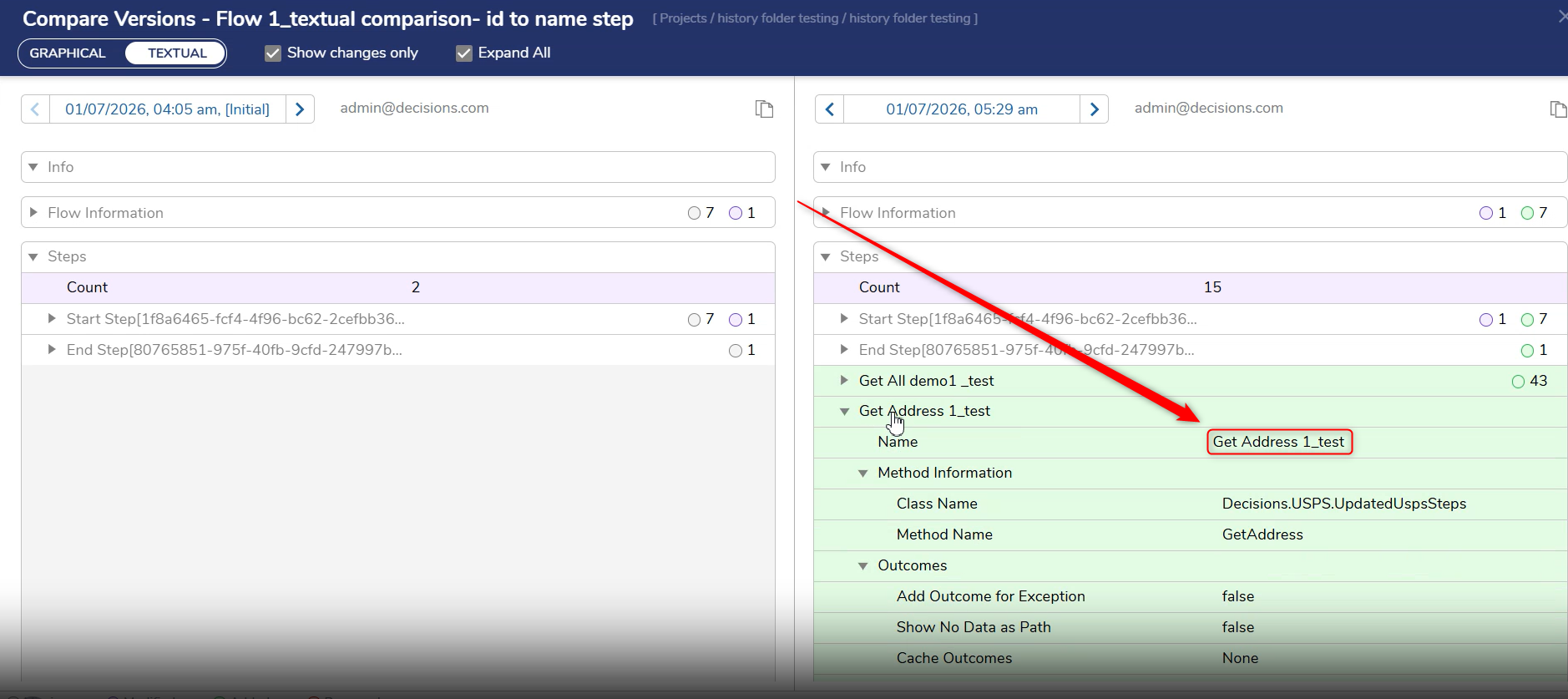
[DT-046297] Compare Utility Text View - Change Steps IDs to Step Name
The following improvements have been made to the Flow Designer Graphical Compare feature to make the experience of graphical comparison more intuitive:
Users who upgrade to v9.20.1 with the Get Daemon Token step will need to re-map the step since the Tenant Id will no longer be appended to the end of the Auth URL, but will still have a tenant id property.
Okta's SDK package has been updated to the latest version. A new step has also been added to the Okta module called “Reset User Password And Get Reset Url”. This step takes in an Okta user id and returns a reset URL for the associated User.
9.x
Flows
DT Title
Description
Occurs In
[DT-046268] Curved lines are created after deleting a connected Step
Connections will now be retained after deleting a connected Flow step.
9.x
[DT-046270] Curved lines are created after replacing the steps on canvas
Connections will be retained after replacing a Flow step on the canvas.
9.x
[DT-046403] Compare Versions Dialog: Unable to open the Formula and Converter Flow configured in data designer
Users can now open formulas and converter Flows from the compare versions dialog when clicking on the link.
9.x
[DT-046452] Flow Designer: Alignment applied to the steps in the parent flow is not retained when reordering and creating sub-flows
The alignment of steps from the parent flow are now preserved when the Flow is reordered, and sub-flows are generated.
9.x
[DT-046473] Flow Designer: Warning appears when dragging 'Catch Exception' step between connections
A warning will no longer be displayed when Users add a 'Catch Exception' step between connections.
9.x
[DT-046582] For Each Excel or CSV step throws Index was outside the bounds array error.
Fixed an issue where the For Each Excel Or CSV Row step would throw an error if the CSV file was not formatted correctly.
9.x
System / Portal Administration
DT Title
Description
Occurs In
[DT-046291] File Storage Cleanup Job Not Archiving Deleted FileReferenceEntity Files
Fixed an issue that caused a file to not be moved from File Data to the Archive Folder even after the FileReferenceEntity has been deleted.
9.x
[DT-046491] Browse Dependencies error
Fixed an issue that caused missing dependencies and an error to occur when browsing dependencies.
9.x
[DT-045494] File Storage Optimizations
The format of info files has been changed to json.info to optimize File Storage processes.
9.x
Rules
DT Title
Description
Occurs In
[DT-046650] Truth Table: Compare dialog crashes when output columns 'Is List' is set to true
The Compare dialog will now open successfully when the output columns 'Is list' property is set to true.
9.x
Reports
DT Title
Description
Occurs In
[DT-046394] Report Designer: Health does not update while modifying a report, and its view mode is opened in another tab
The health of a Report will now be updated in the Designer and on the list page, even if the view mode is opened in another tab.
9.x
[DT-046395] Compare Versions Dialog: Difficult to identify report filters from ID
The Compare Versions dialog will now display filter names (not just IDs) on the root node for Field, Rule, and Infrastructure filters, making them easier for Users to identify.
9.x
Data Structures
DT Title
Description
Occurs In
[DT-046562] Data Structure-Action Visibility Rule: Validation appears after import
A 'selected path not valid' validation will no longer be displayed in Action Visibility Rules after import.
9.x
Integrations
DT Title
Description
Occurs In
[DT-046461] OpenAPI Service Integration - Decisions incorrectly processing header parameters in JSON file.
Fixed an issue where OpenAPI/Swagger service integration header parameters were being converted into URL query parameters instead of being defined.
.png)
.png)