Overview
File Transfer Protocol (FTP) and Secure File Transfer Protocol (SFTP) are methods for transferring files across a network. While certain FTP servers allow an anonymous connection, the majority require a user name and password for the FTP server when connecting. A Flow can be used to download a file from an FTP or SFTP server once the authentication information has been specified.
Example
In the following example, a Flow will be built to download a file from an FTP server.
- In the Designer Project, click CREATE FLOW from the Global Action Bar and select Flow. Name the Flow and click CREATE.
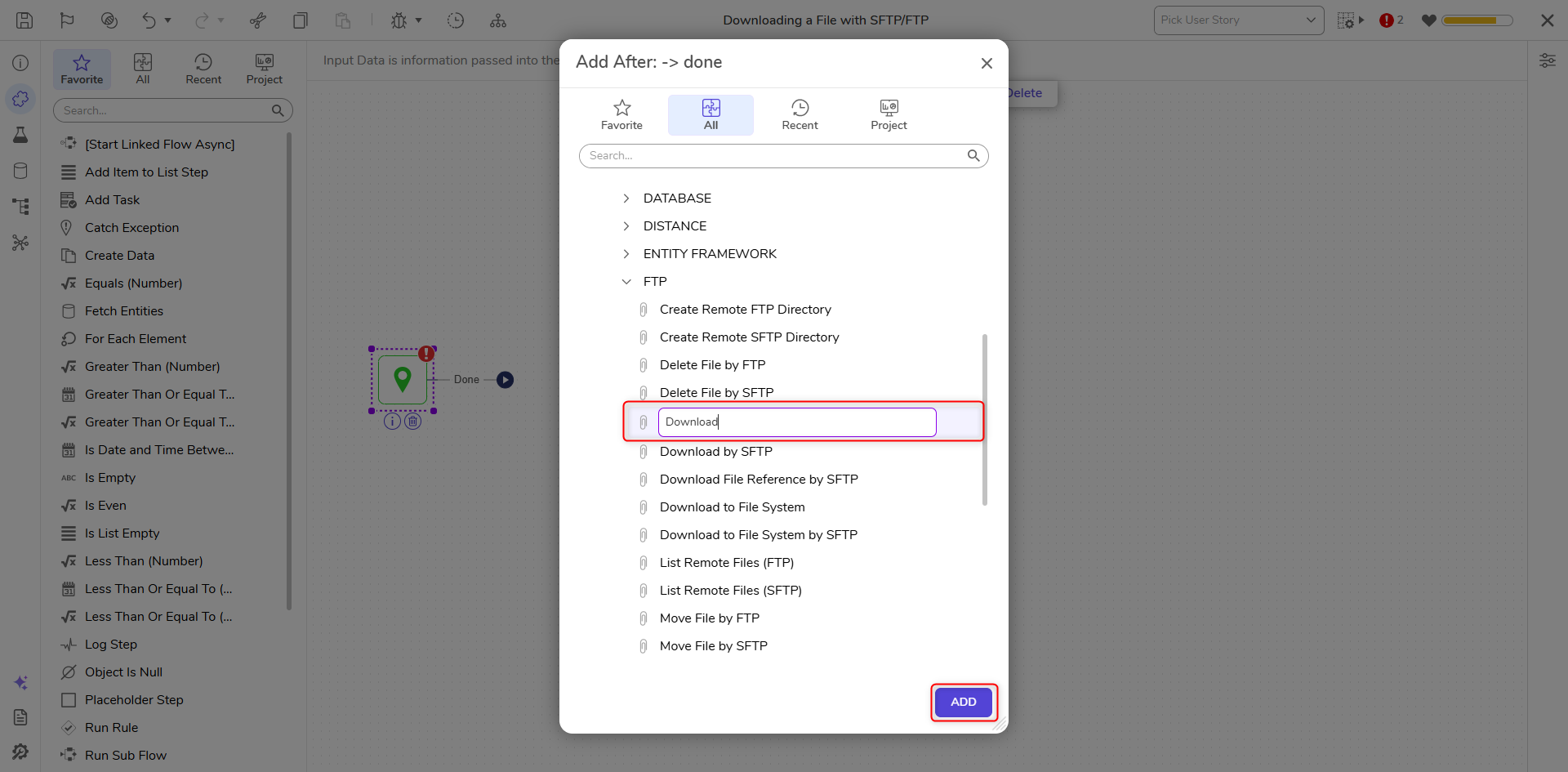
- Click the Done path of the Start step. Navigate to Integrations > All Integrations > FTP and select the Download step. Click ADD.This example's configuration can be done SFTP, simply replace the Download step with the Download by SFTP step.
- On the Properties panel, enter the credentials for the Host of the FTP server and the Username, and Password for the account connecting to the FTP server under the FTP category.The following are additional settings the FTP/SFTP Download step has that can be used based on specific situations:
Setting Name Description Get Configuration From Data Allows the FTP Hostname and Authentication credentials to be mapped in from flow data File Compression Compressing the data for network transit, used for very large files Proxy Type Allows the user input their FTP environment proxy settings 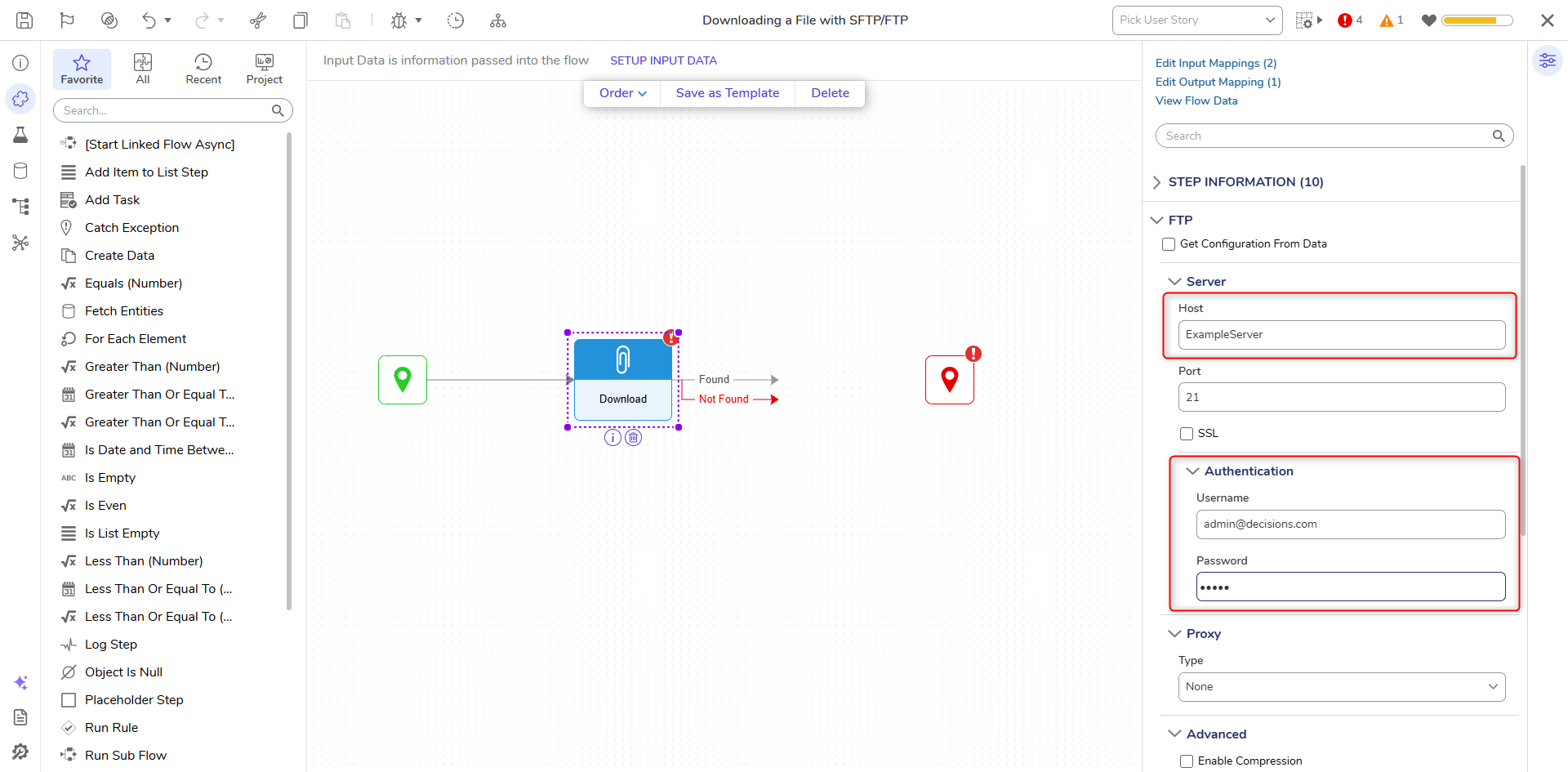
- Click Unknown next to the Output File Name field under the INPTS category and select Constant. Enter the name of the file that will be downloaded. For the Remote File Path, enter the path on the FTP server where the file will be downloaded from. This value should be input as a full file path after the hostname; for example, /FileData/exampledoc.txt.
- Under the OUTPUTS category, in the file field, enter a new name for the file once it has been downloaded.
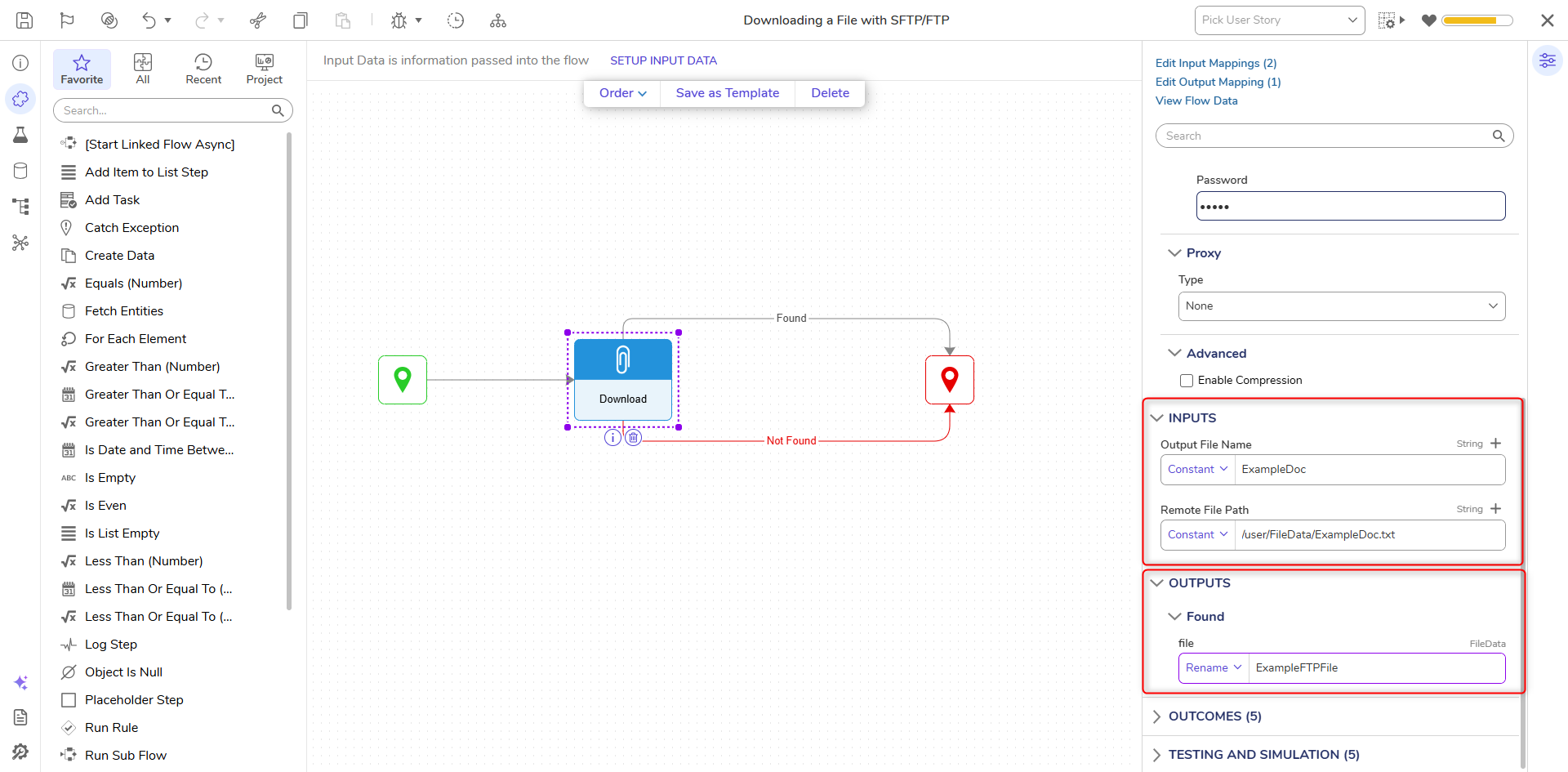
- Connect the Done path to the End step. Click Save to save changes.
Debug
- Click Debug from the top action bar.
- Click START DEBUGGING.
- If a file is found in the FTP location, it will be downloaded and added to memory and Flow data, not in a local file system.