Overview
The ID Generation steps are used to generate unique IDs for records. For instance, unique IDs are used for Process Folder Records.
Creating an ID Generation Key
- From a Designer Project, click CREATE FLOW on the Global Action Bar and select Flow. Provide a Name and click CREATE.
- Navigate to the Toolbox and navigate to the INTEGRATION > INTERNAL SERVICES > IDGENERATION category.
- Attach and configure any of the various Get[Parameter] steps to the Start and End steps.
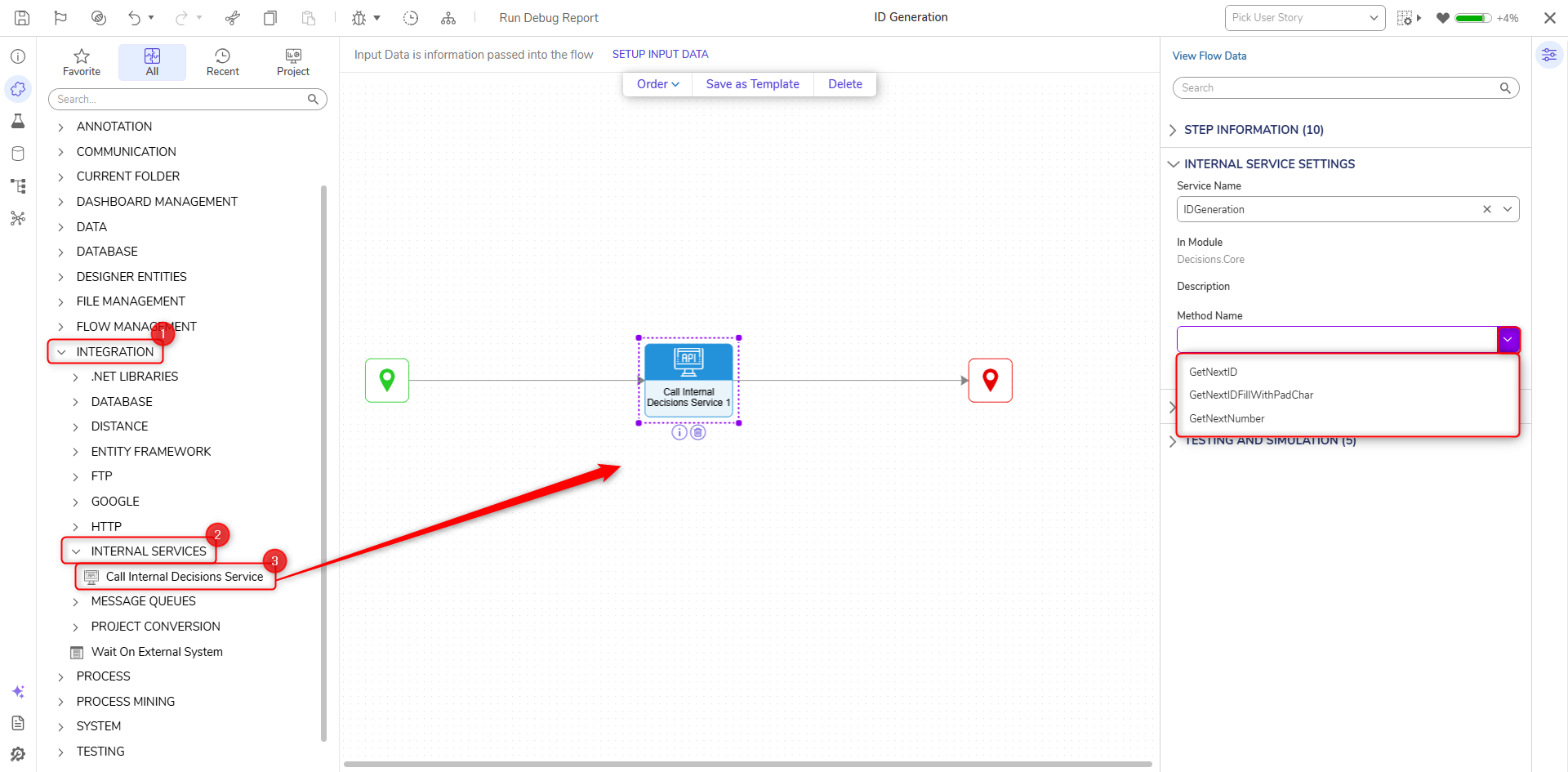
- Click Save to save changes to the Flow.
Get Next ID
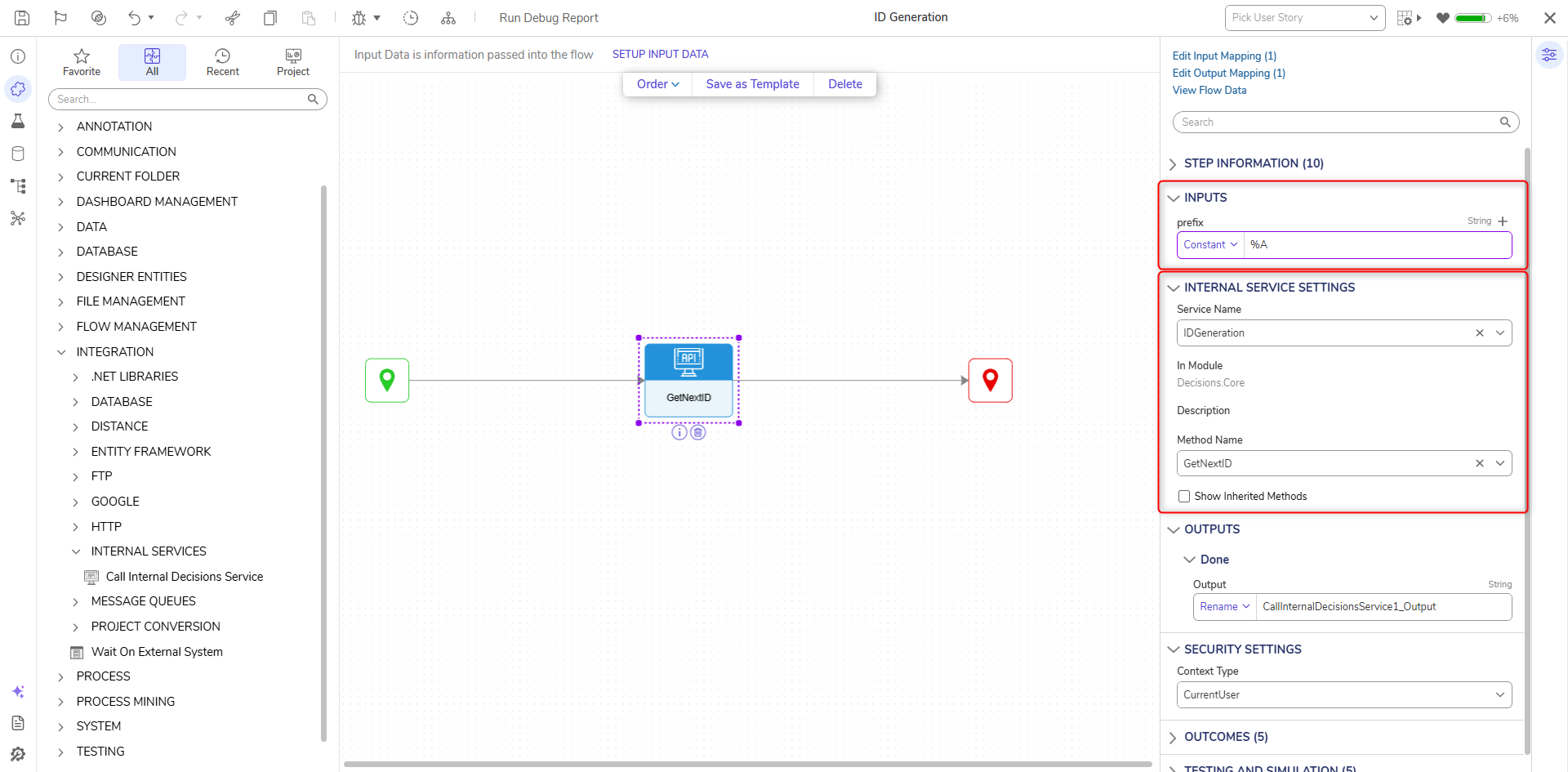
The GetNextId step generates an ID by combining the user input prefix with a numerical value. One way that this step can be used is to generate a unique ID value for Accounts.
| Input Option | Description |
|---|---|
| prefix | Allows users to add string characters before the generated ID |
Get Next ID Fill With Pad Char
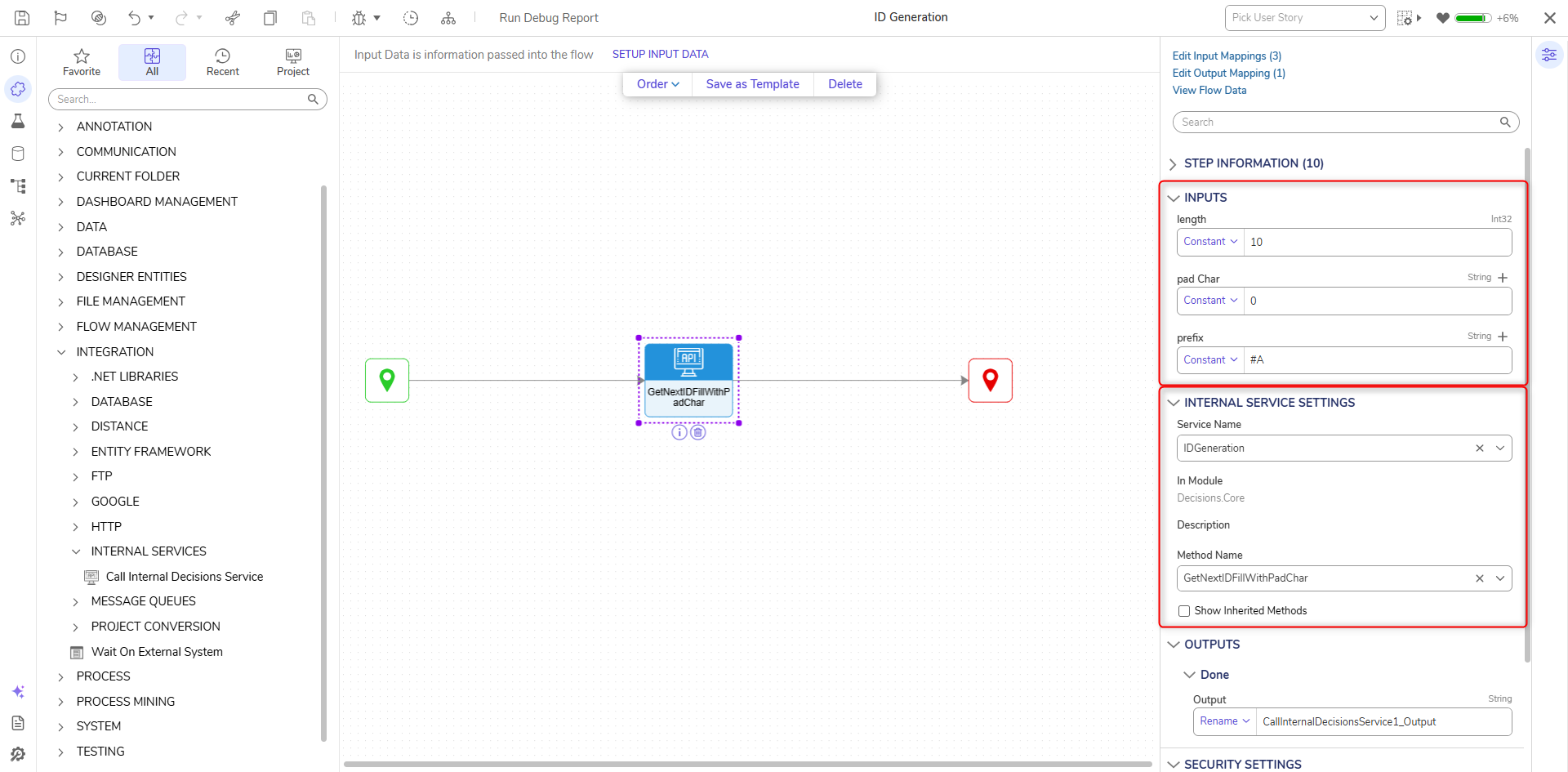
The GetNextIDFillWithPadChar step allows a user to generate a key based on length, padding character, and a prefix.
| Input Option | Description |
|---|---|
| length | Number of characters in the key |
| pad Char | The character that appears between the prefix and the final character |
| prefix | Add string characters before the generated ID |
Get Next Number
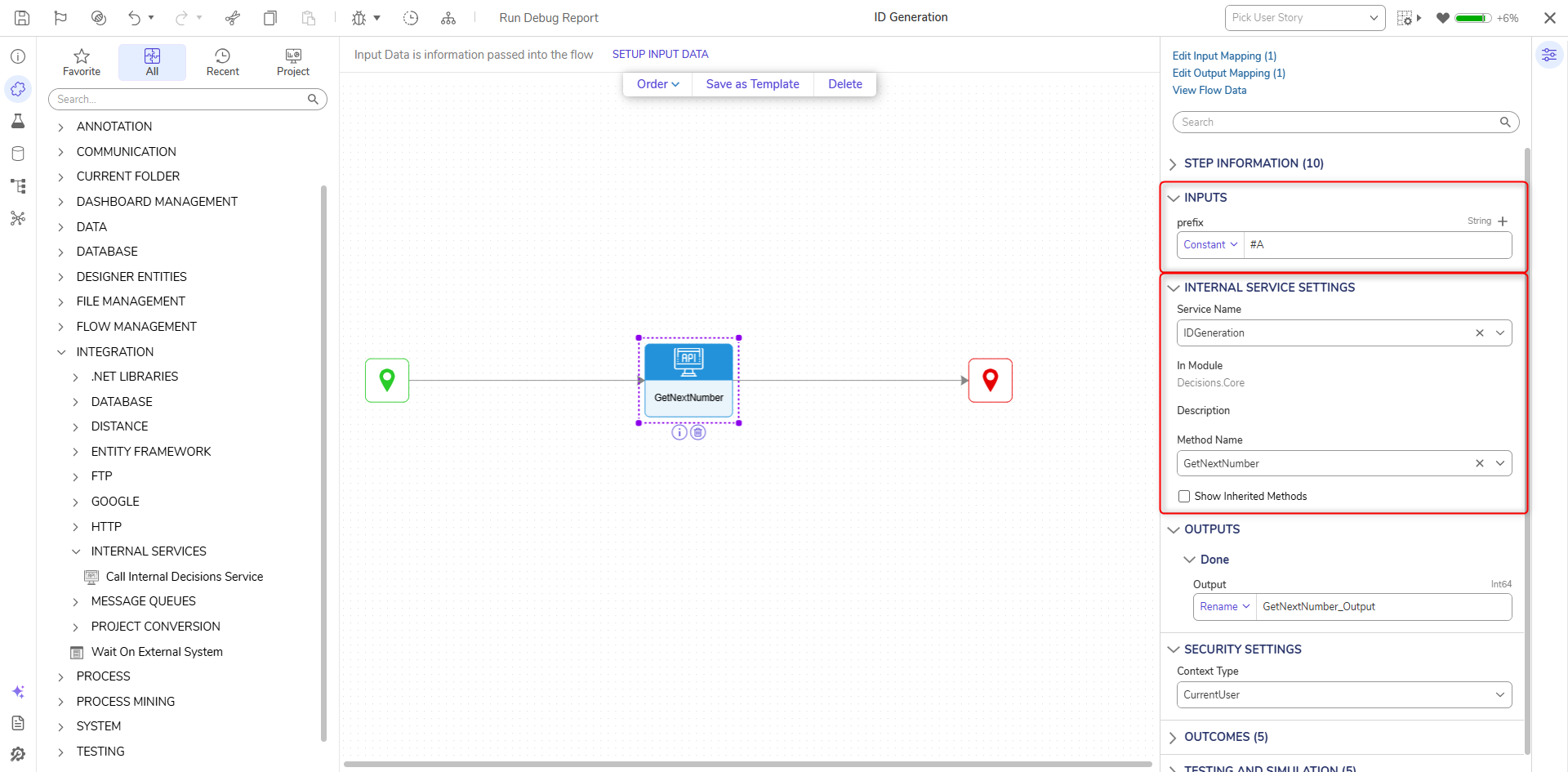
An alternate method to the Get Next ID step, is using the Get Next Number step. This step generates a sequence for the prefix in SQL Server. The step interacts with SQL Server to prevent duplicate output by increasing the prefix sequence's value each time the step is run. The step's interaction with SQL Server helps prevent the possibility of duplicate IDs from being generated. This step could be used for assigning a unique ID to a user within an environment.
| Input Option | Description |
|---|---|
| prefix | Add string characters before the generated ID |