Overview
The Create List Builder is a step that is used to create or manipulate List Data. This List Data is specified on the step by defining the desired ListType. Upon running Create List Builder, the step provides users access to additional steps that may be used to append and further edit the List through way of various Methods. The following document demonstrates how to utilize a Create List Builder step within a Flow to create a List.
Example
The following example demonstrates how to utilize the Create List Builder step to create a String List. To do so:
- From a Designer Project, create a new Flow.
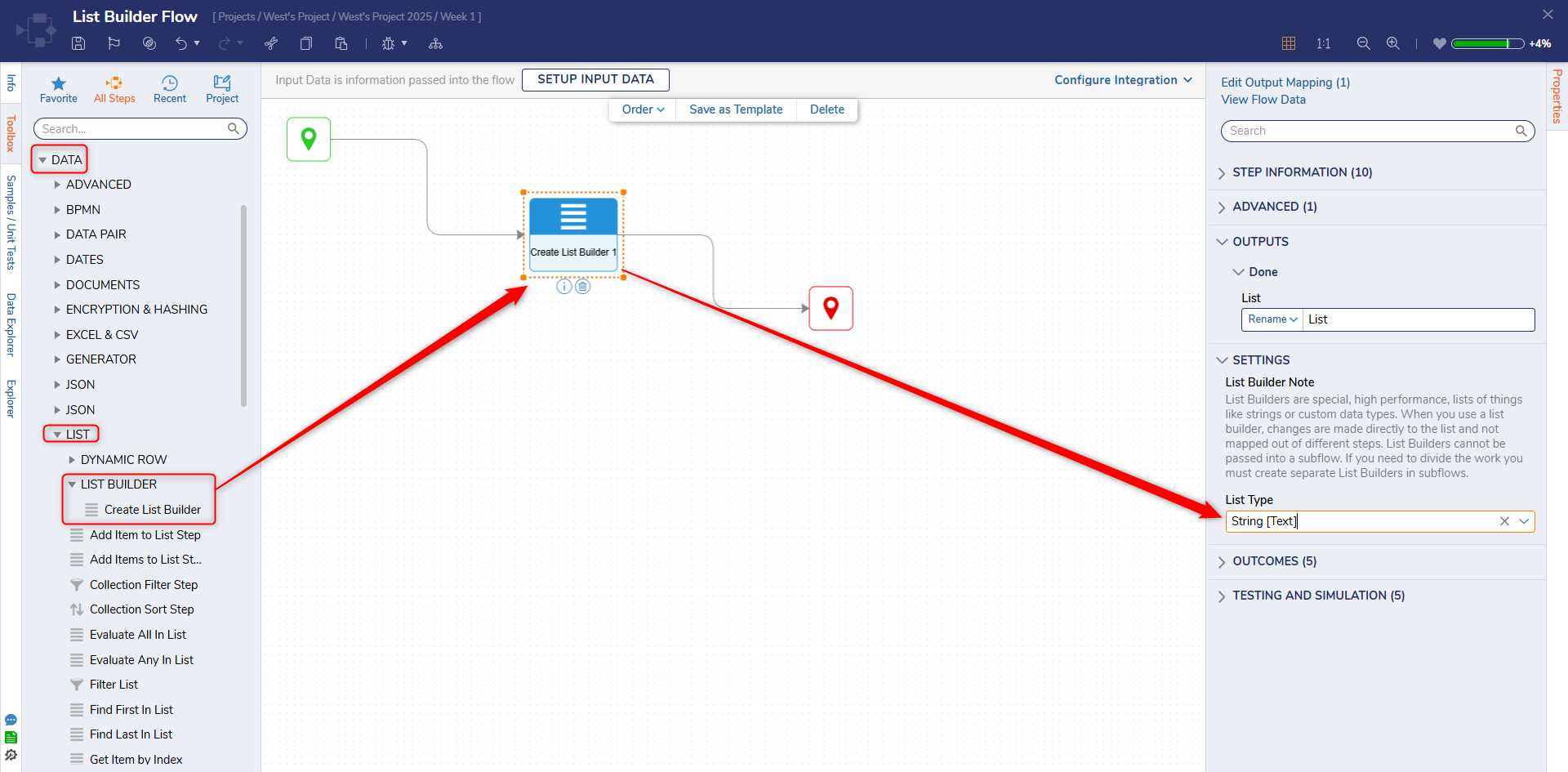
- From the Flow Designer, add a Create List Builder step from Toolbox > DATA > LIST > LIST BUILDER to the workspace
- From the Properties tab of the Create List Builder step, under [SETTINGS] > ListType, select the desired option (for this example String [Text]).
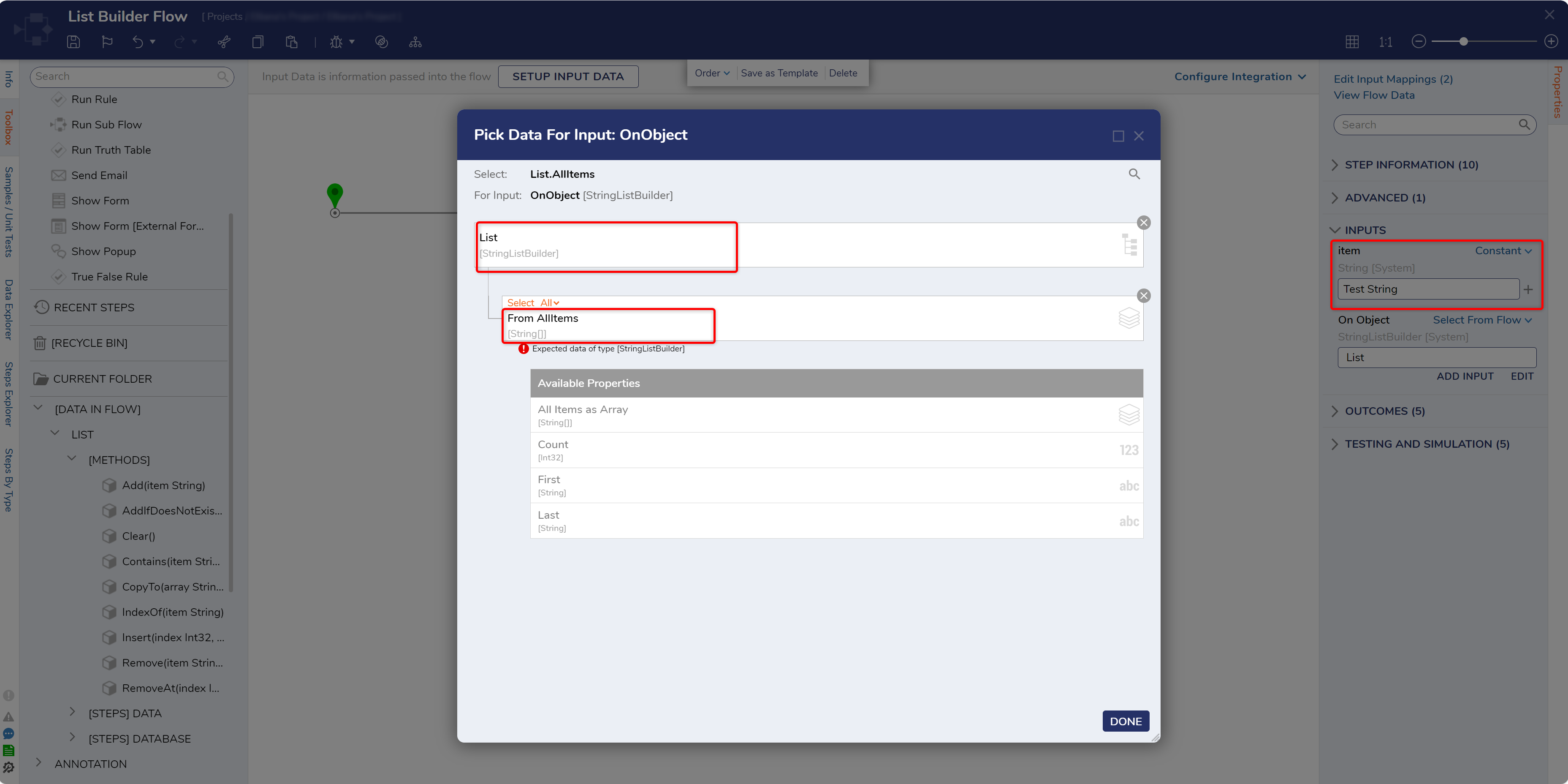
- Back in the Flow Designer, navigate to Toolbox > [DATA IN FLOW] > LIST > [METHODS].
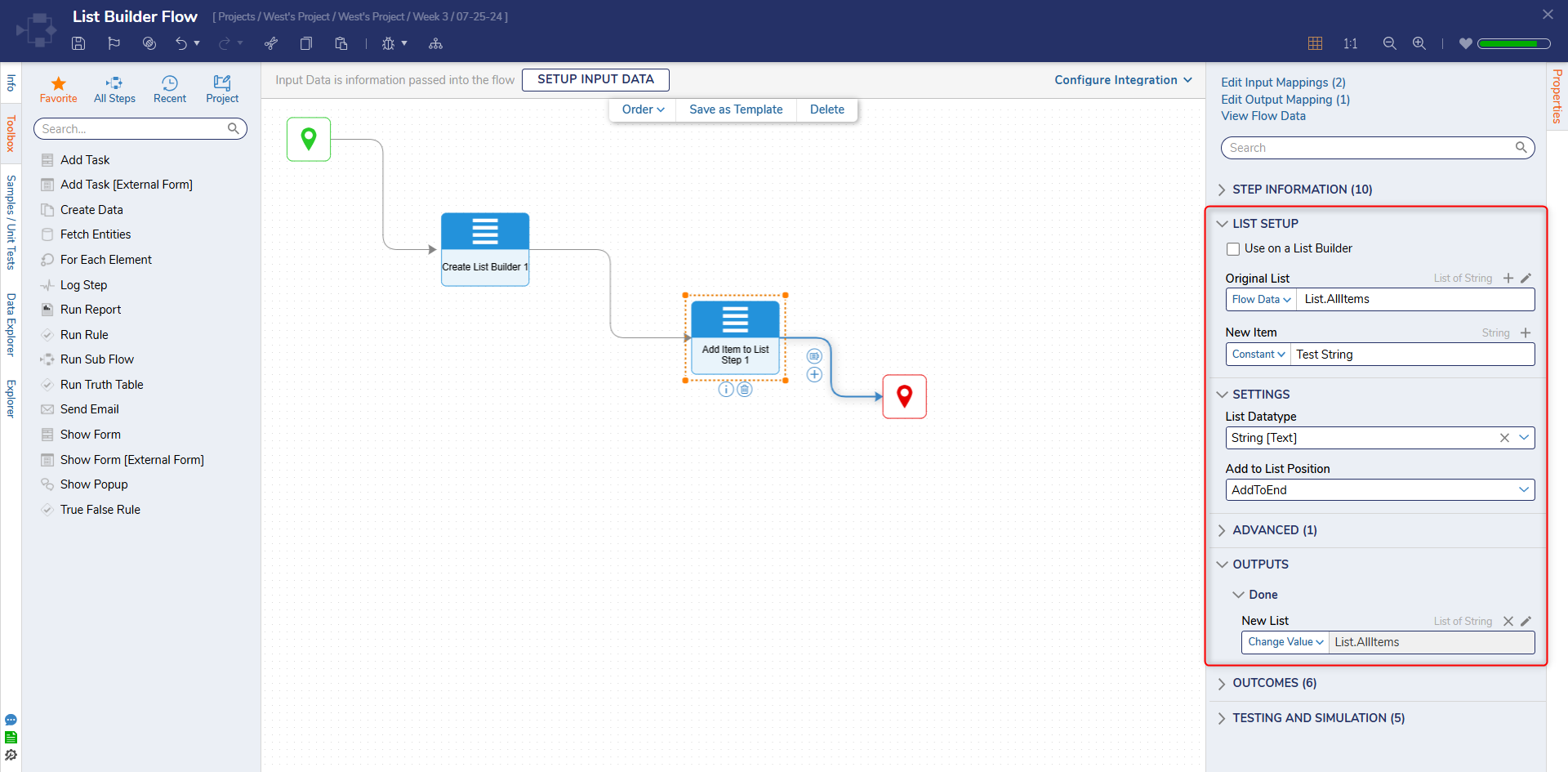
- Add an Add Item to List step after the Create List Builder step.
- From the Properties of the List Add step, Constant map the desired String value to the New Item field.
- For the Original List input, select the StringListBuilder Type, and select the All Items field.
Debug
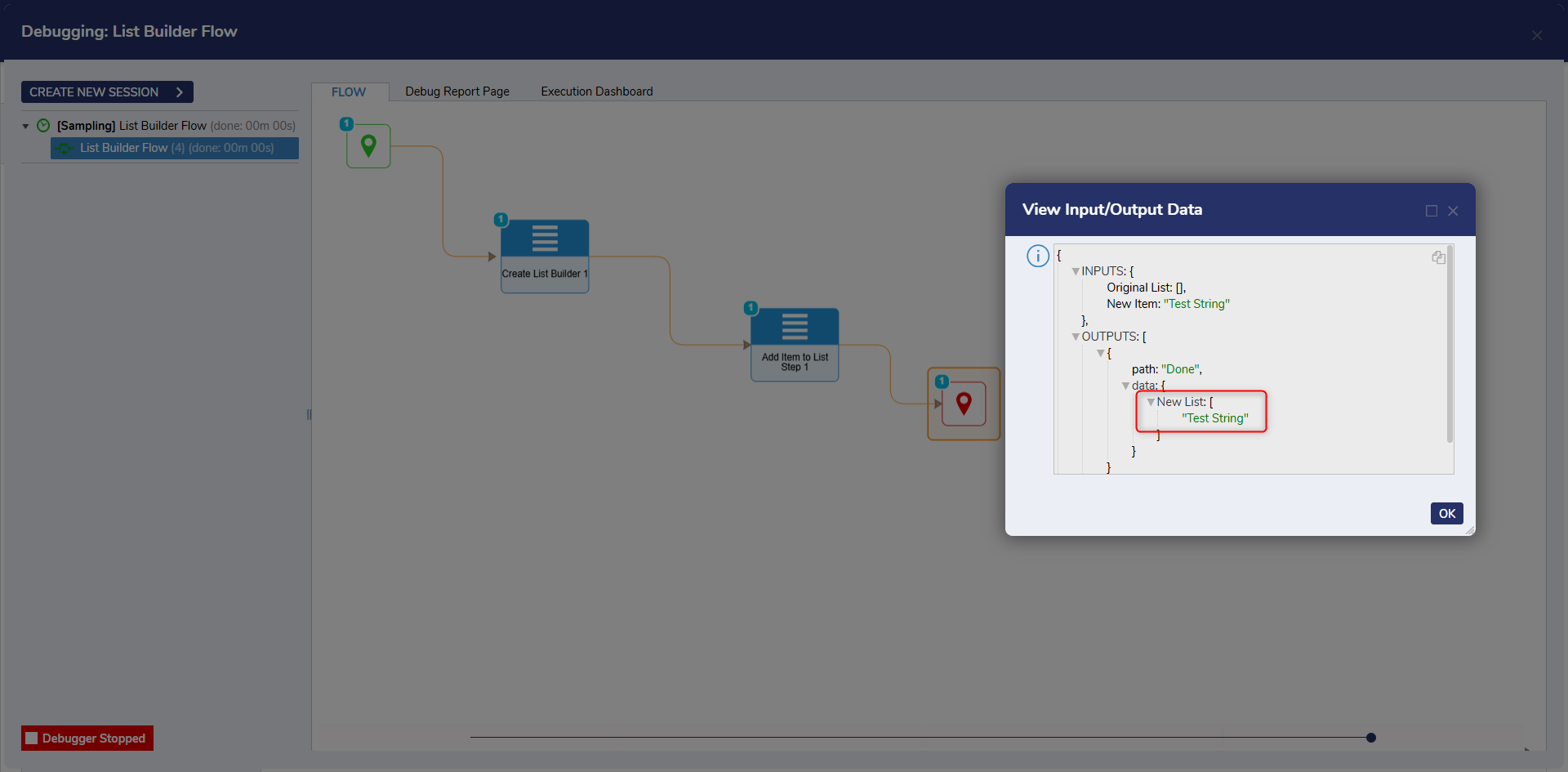
- From the Flow Designer, select the Debug link from the top Action bar. Then click START DEBUGGING. The new item will be added to the list.