Overview
Users are able to use either the Convert Document or Convert Document To HTML step to convert FileData input from Word, PDF, or Excel Files. The Convert Document step converts the file into either a Word, PDF, or Excel, but the Convert Document to HTML will only output the document in HTML.
Both of these steps will convert the document and its default, Output, save location is C:\Program Files\Decisions\FileStorage\Primary\temp\.
Convert Document Steps
The Convert Document steps are located in the Toolbox panel under DATA > DOCUMENTS.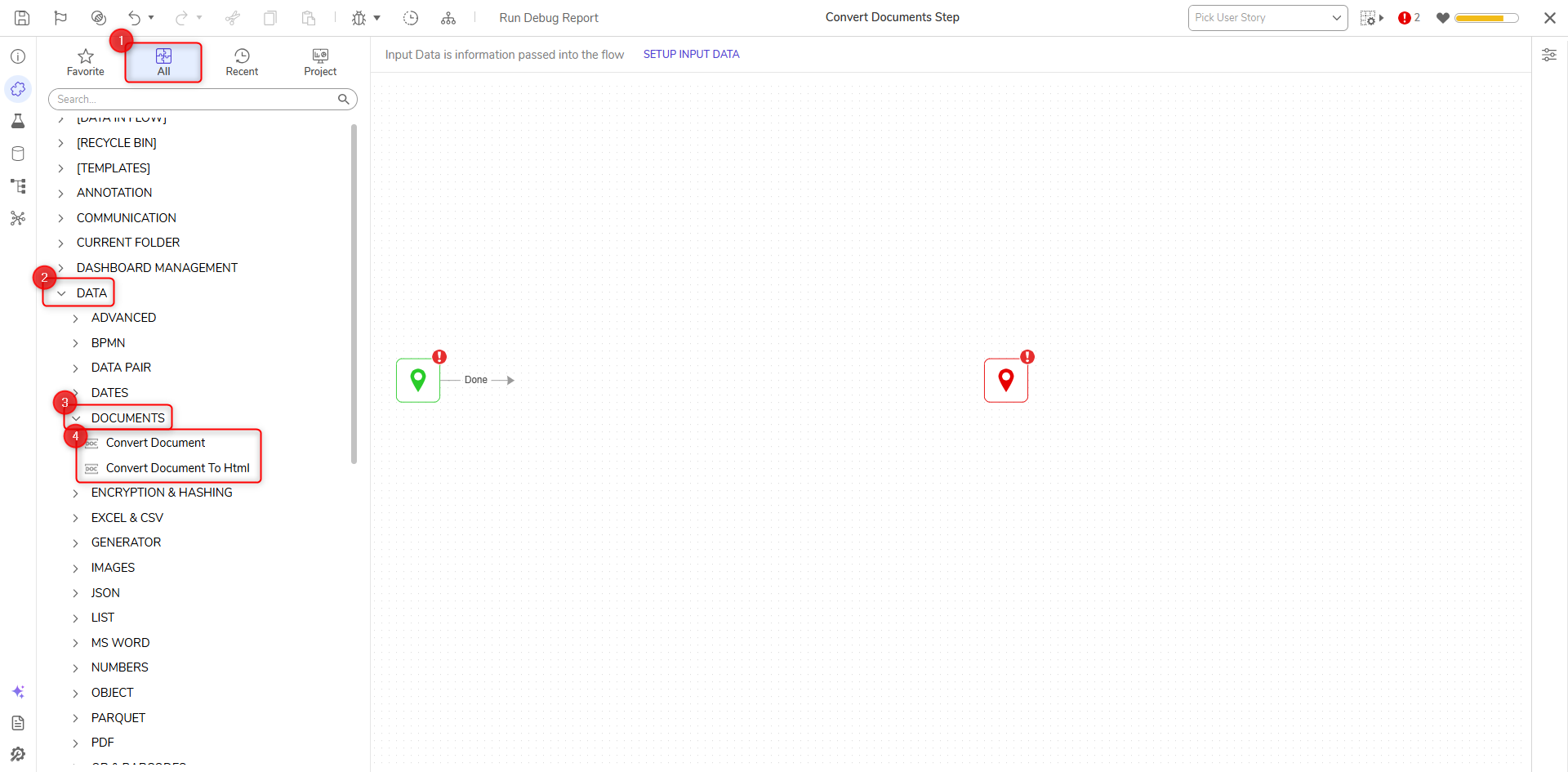
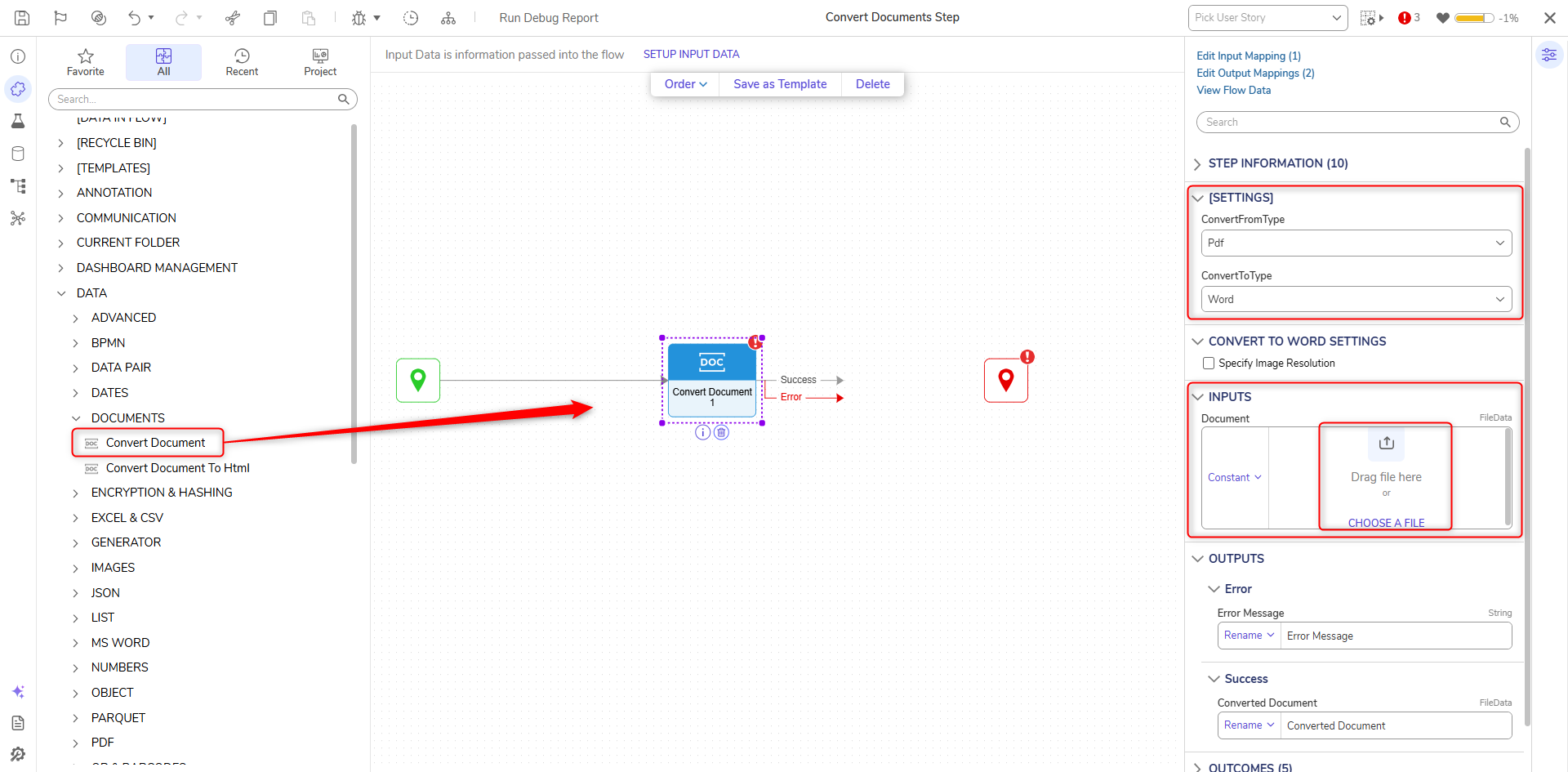
Convert Document Step
| Parameter | Description |
|---|---|
| ConvertFromType | The file extension of the input file |
| ConvertToType | File extension to convert the file to |
| Document | The desired file to convert to the specified ConvertToType |
Convert Document To HTML Step
| Parameter | Description |
|---|---|
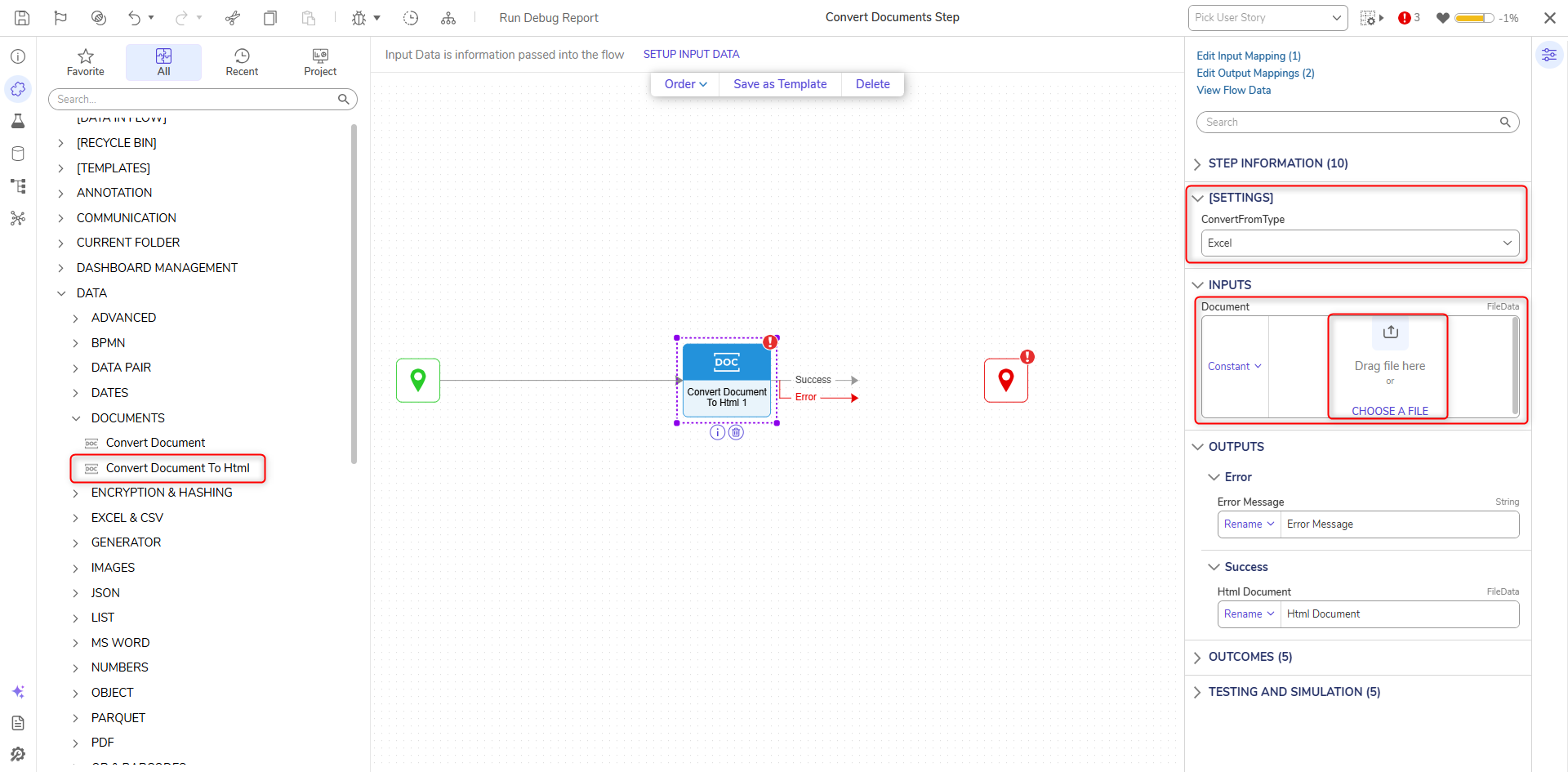
| ConvertFromType | The file extension of the input file |
| OutputWithImagesEmbedded | Embeds images that are in the document when converted to HTML |
| Document | The desired file to convert to HTML |
For further information on Flows, visit the Decisions Forum.