Overview
Decisions has custom URL parameters for users with a Chrome-based web browser. These parameters allow the user to change the view of the Studio.
These views can be configured for specific Groups. For example, providing a link to a dashboard or defining URL parameters for a Group will adjust the view for that specific Group.
Prevent URL edits
To prevent users from manually editing out the chrome= parameters, enable the "Force Default URL Parameters" setting found under Portal Settings when editing or creating a Group.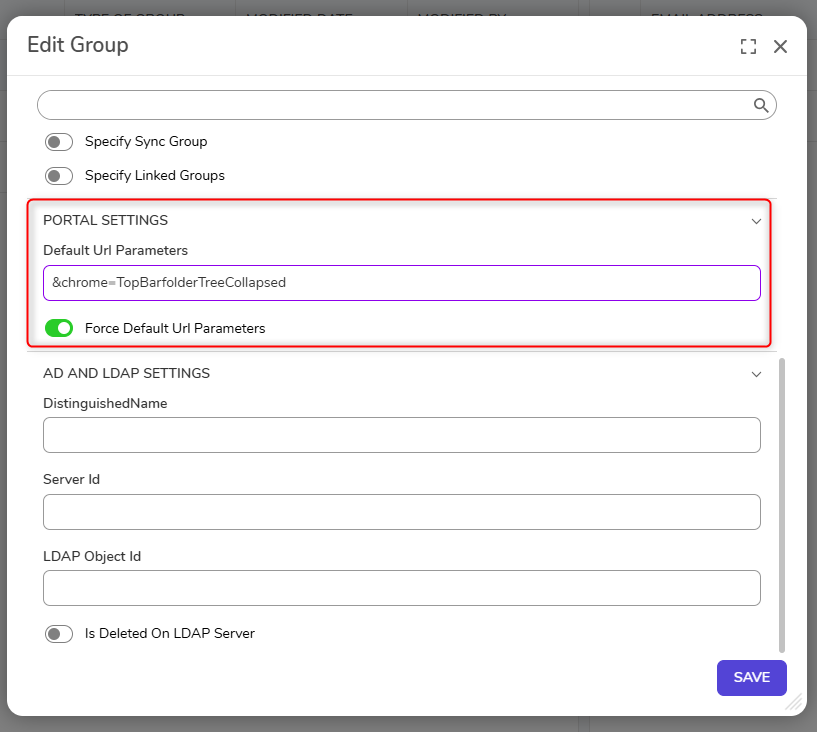
The following chart demonstrates the view and effect for each Parameter Option, using the URL "http://localhost:81/Primary/projects?FolderId=PROJECTS&pageName=Projects" as a base.
| Parameter Option | Description | View |
|---|---|---|
| &chrome=Off | Will not display the Top Bar or the Folder Tree | 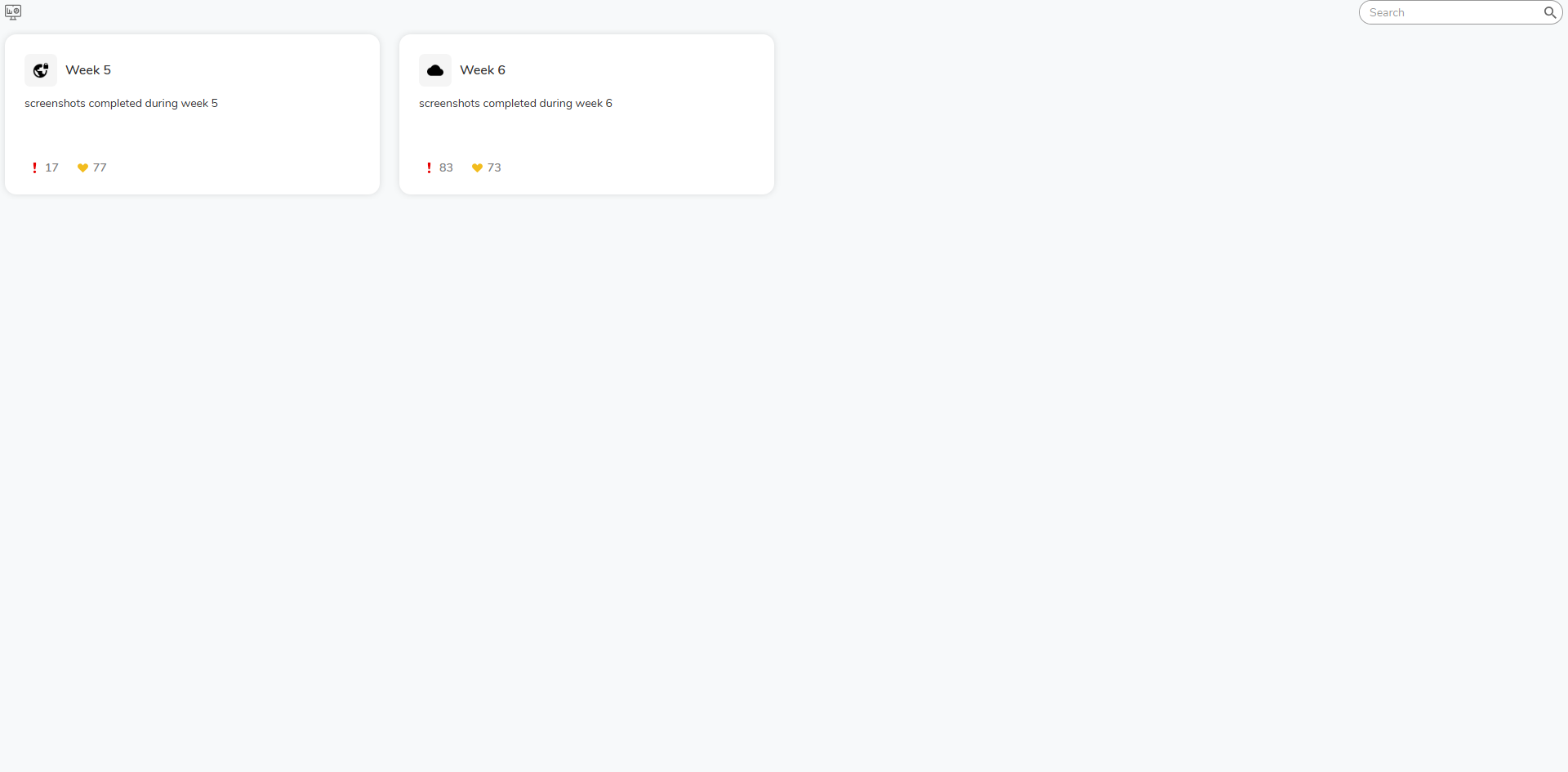 |
| &chrome=Small | Displays a Top Bar with no Top Bar actions | 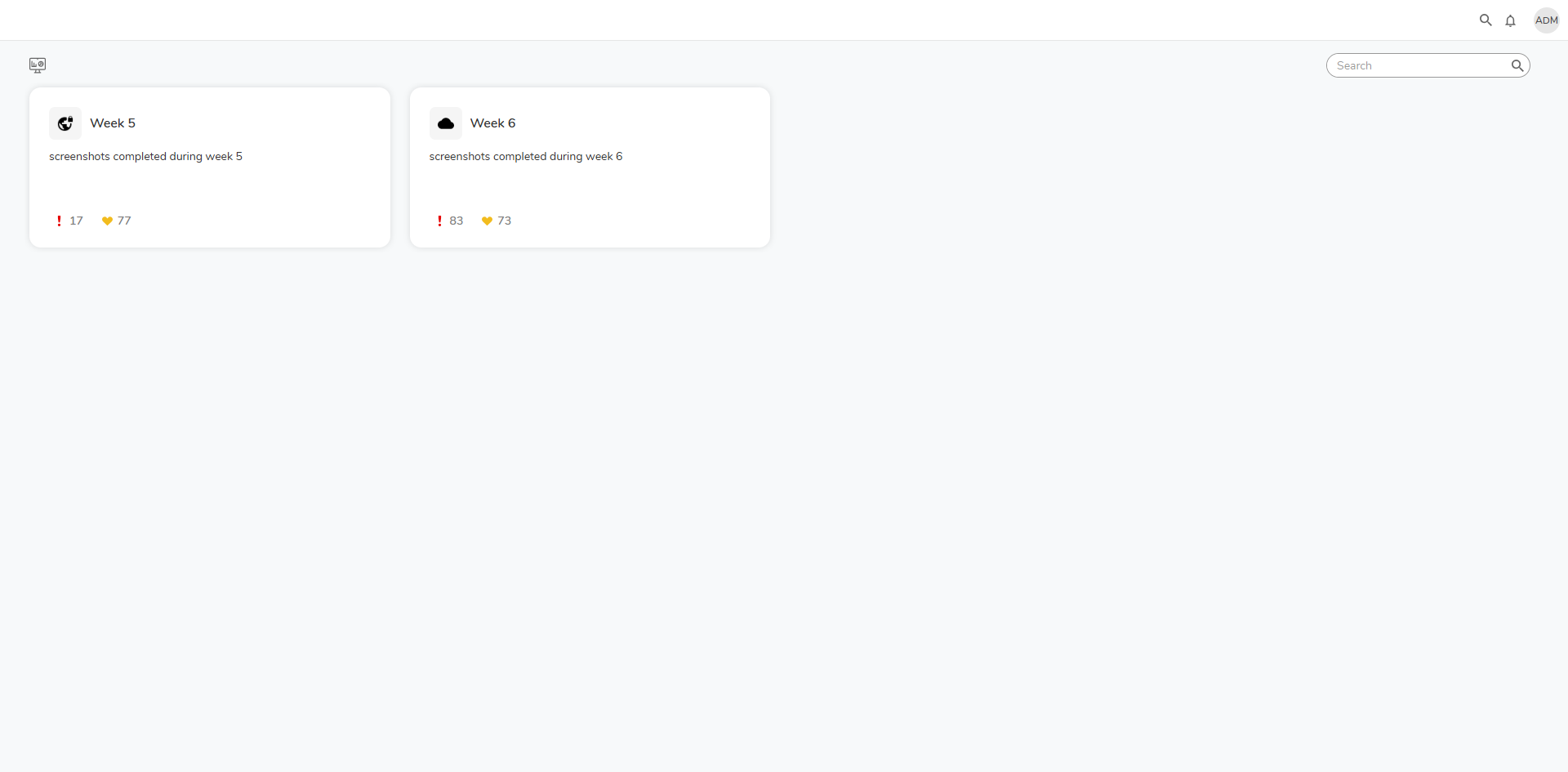 |
| &chrome=TopBarOnly | Only display the full Top Bar | 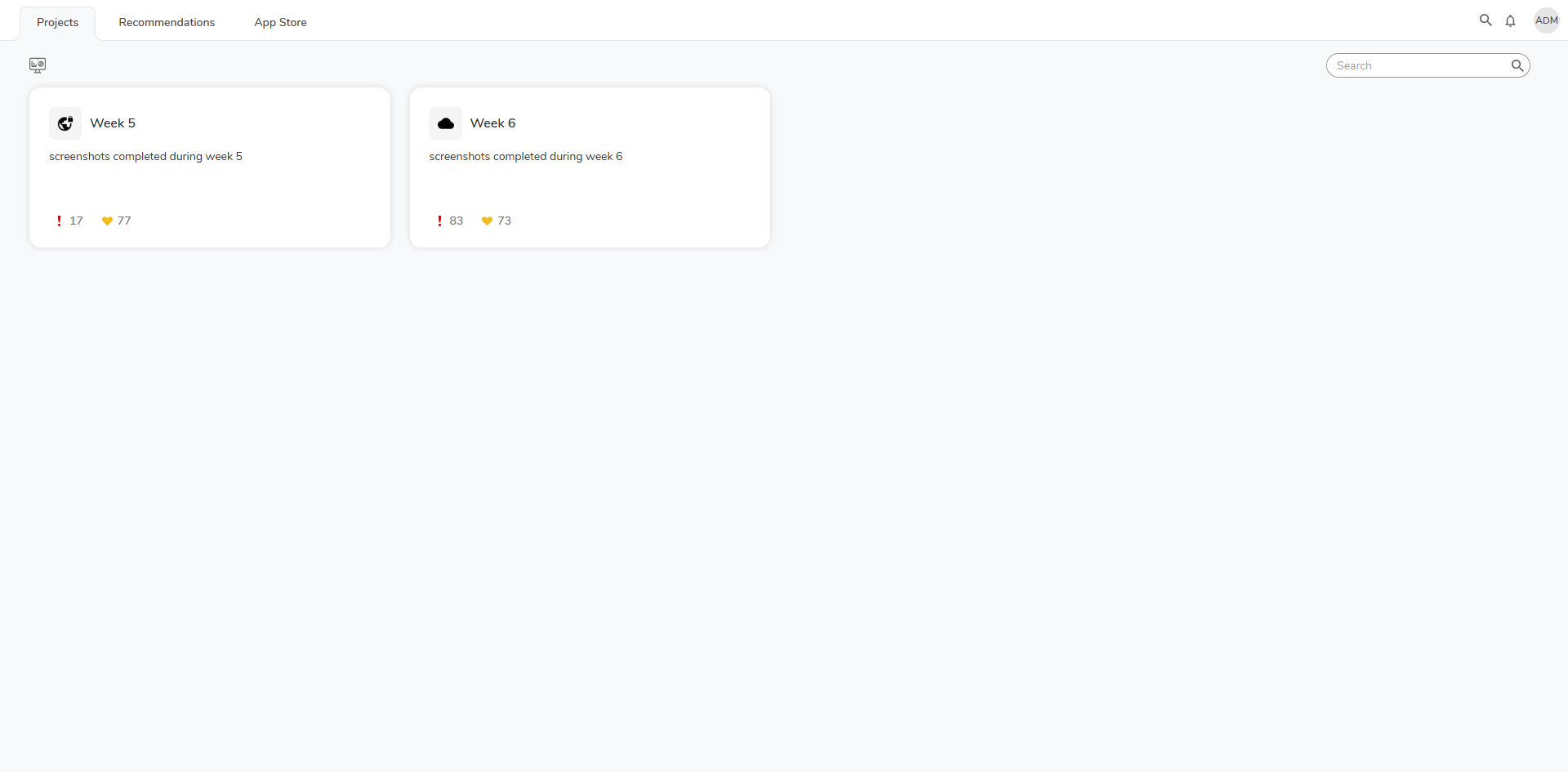 |
| &chrome=TopBarFolderTreeCollapsed | Displays the full Top Bar and the Folder Tree as collapsed | 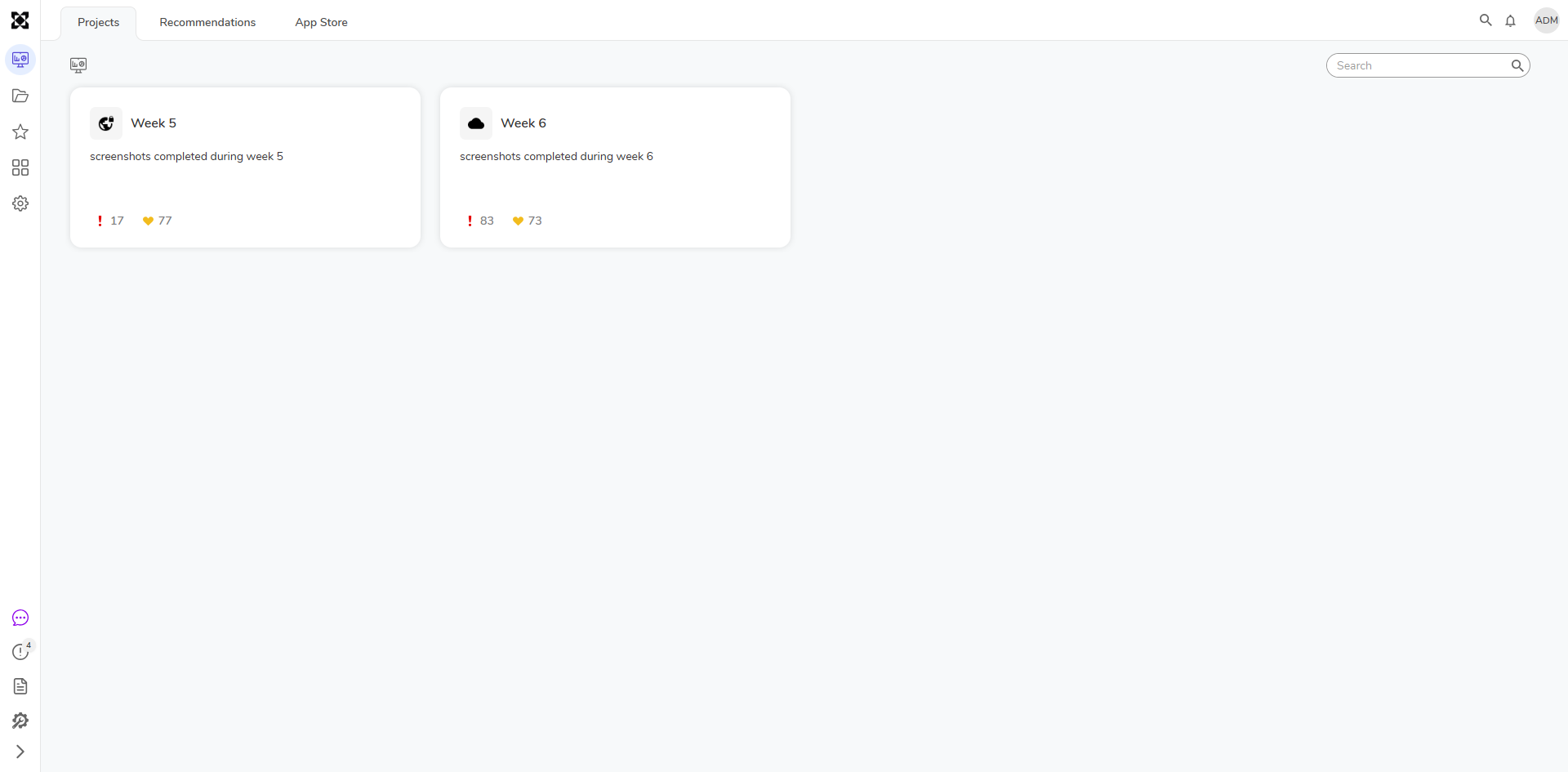 |
| &chrome=NoTopBarHasFolderTree | Will not display the Top Bar but will display the Folder Tree | 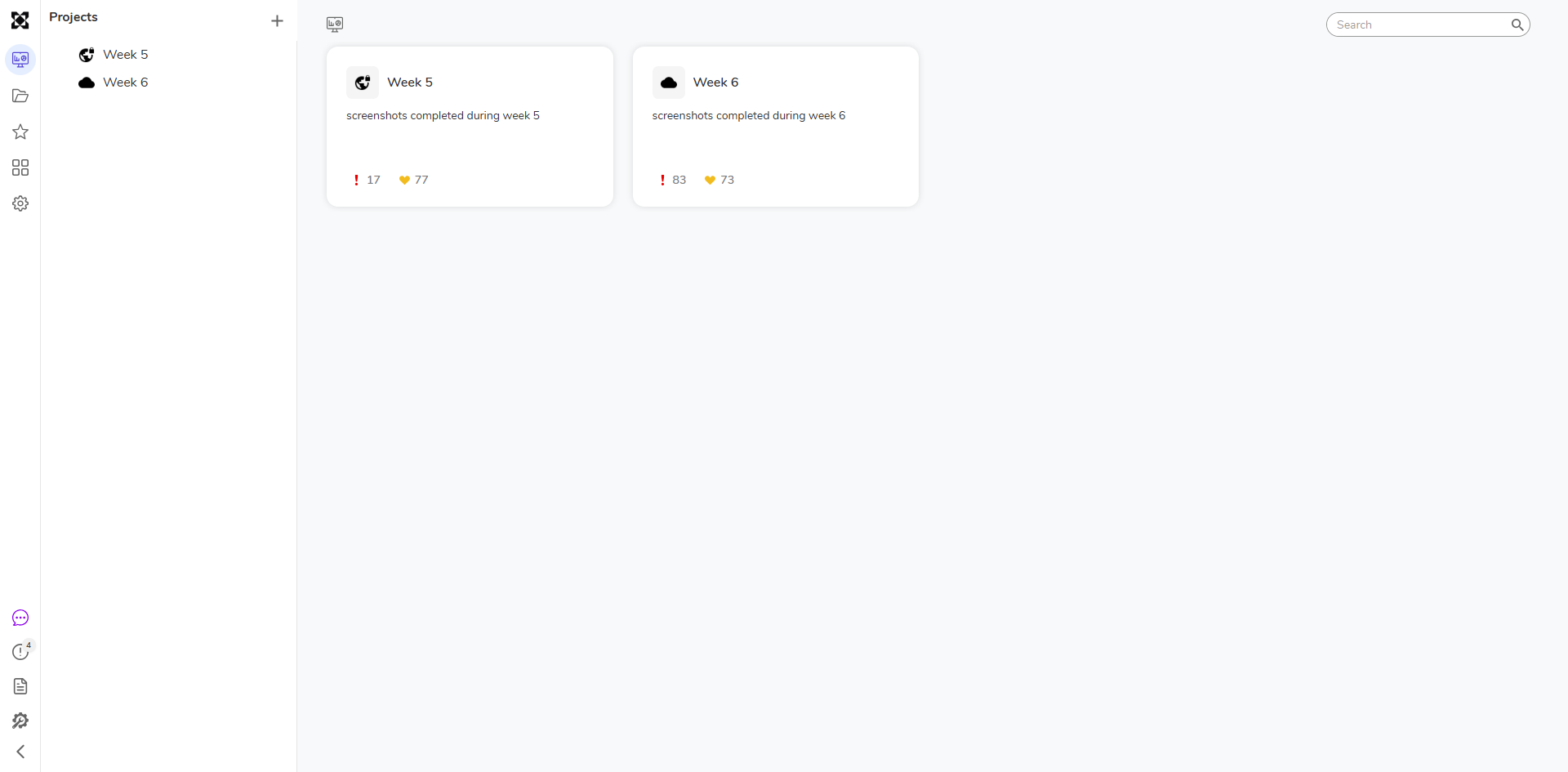 |
| &chrome=NoTopBarFolderTreeCollapsed | Will not display the Top Bar but will display the Folder Tree as collapsed | 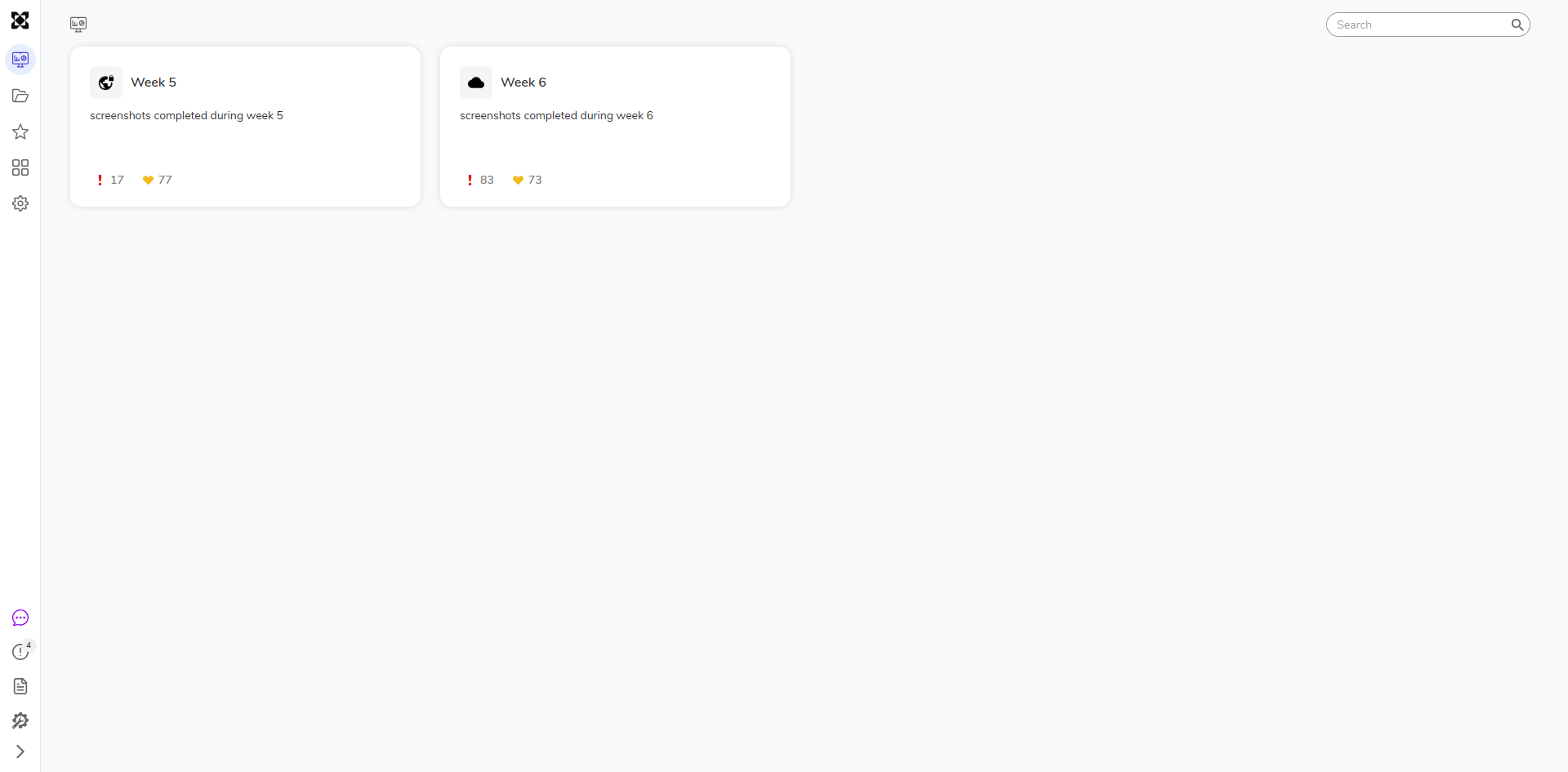 |