Overview
The Deployment Server provides a centralized way to manage user accounts across connected environments. Administrators can create accounts on the Deployment Server and assign them to the required environments, helping ensure consistent access across Development, QA, and other connected servers.
Once an account is assigned to an environment, its information is synchronized with that environment, allowing the user to sign in with the assigned access. This centralized model applies regardless of how the account was originally created, including locally created accounts or accounts managed through SSO.
- The Deployment Server must already be installed and configured.
- The target environment (for example, Development or QA) must already be connected to the Deployment Server.
- Administrative access to the Deployment Server is required to create accounts and assign them to environments.
Why Use Centralized Account Management?
Centralized account management allows administrators to manage access across connected environments from a single location. Instead of going into each Decisions environment individually to manage access, administrators can create and assign accounts from the Deployment Server and control which environments those accounts can access. This makes account administration easier and reduces repeated setup work across environments.
The Deployment Server manages accounts and which environments those accounts can access. However, permissions are still managed within each target environment. Configure any project-specific or folder-specific permissions (and related security settings) directly in the environment where the user will work.
Create and Assign an Account
The following steps explain how to create an account on the Deployment Server and assign it to a connected environment.
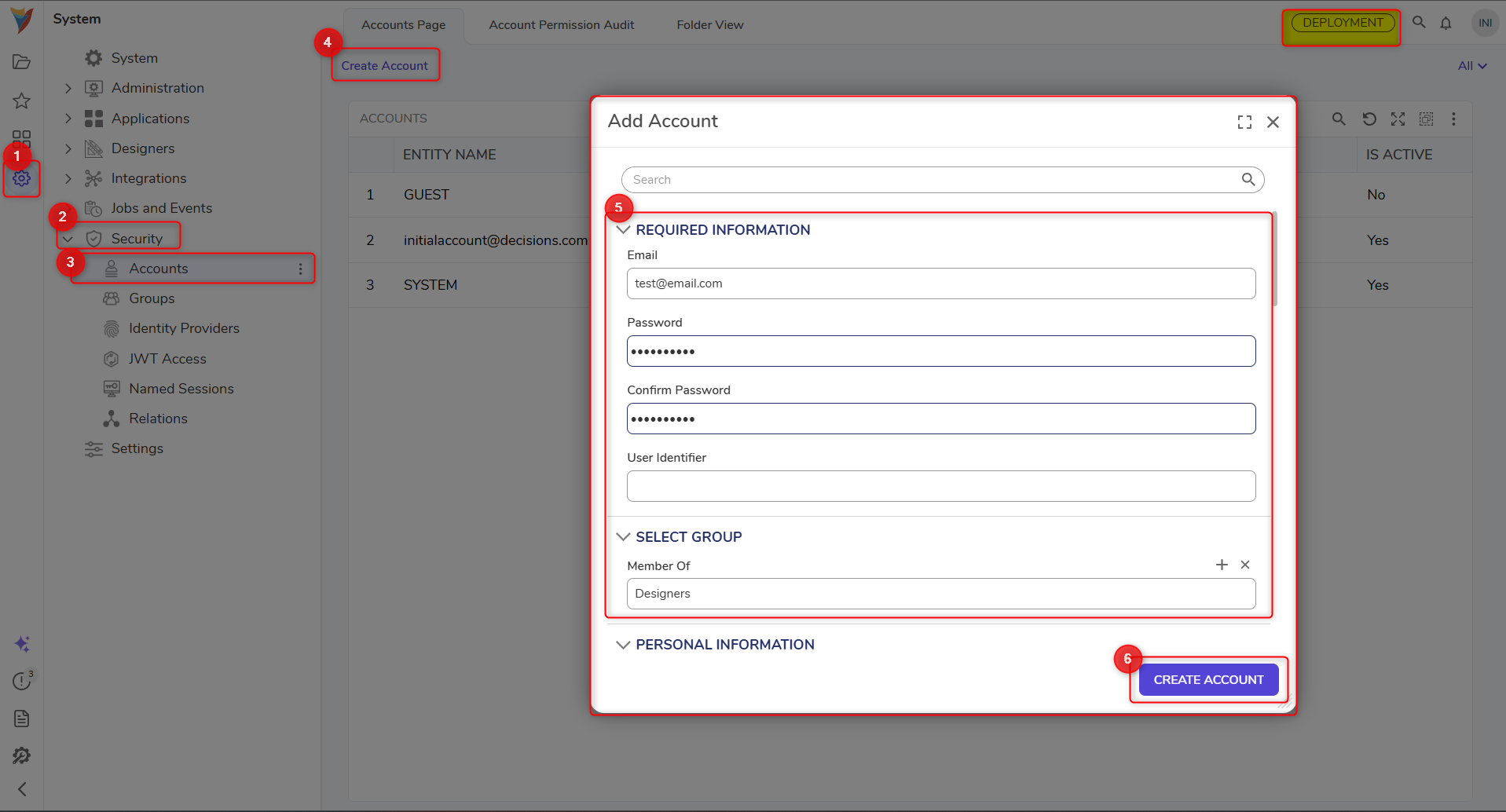
- On the Deployment Server, navigate to the System > Security > Accounts. This is where centrally managed accounts can be created and maintained.
- Create a new account by entering the required account details, such as the email address and password settings.
- After the account is created, navigate to the target environment under the Deployment Server environments list.
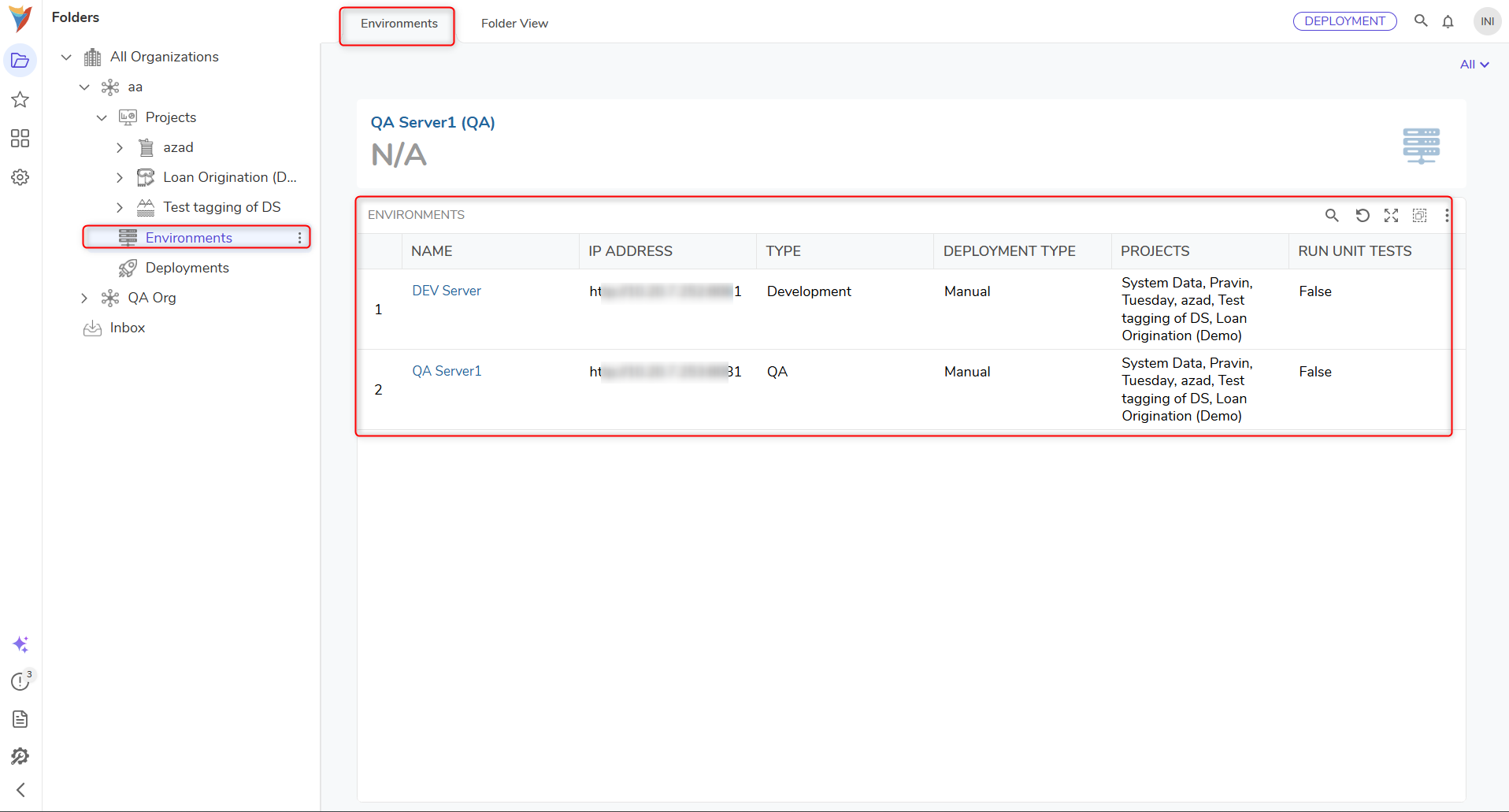
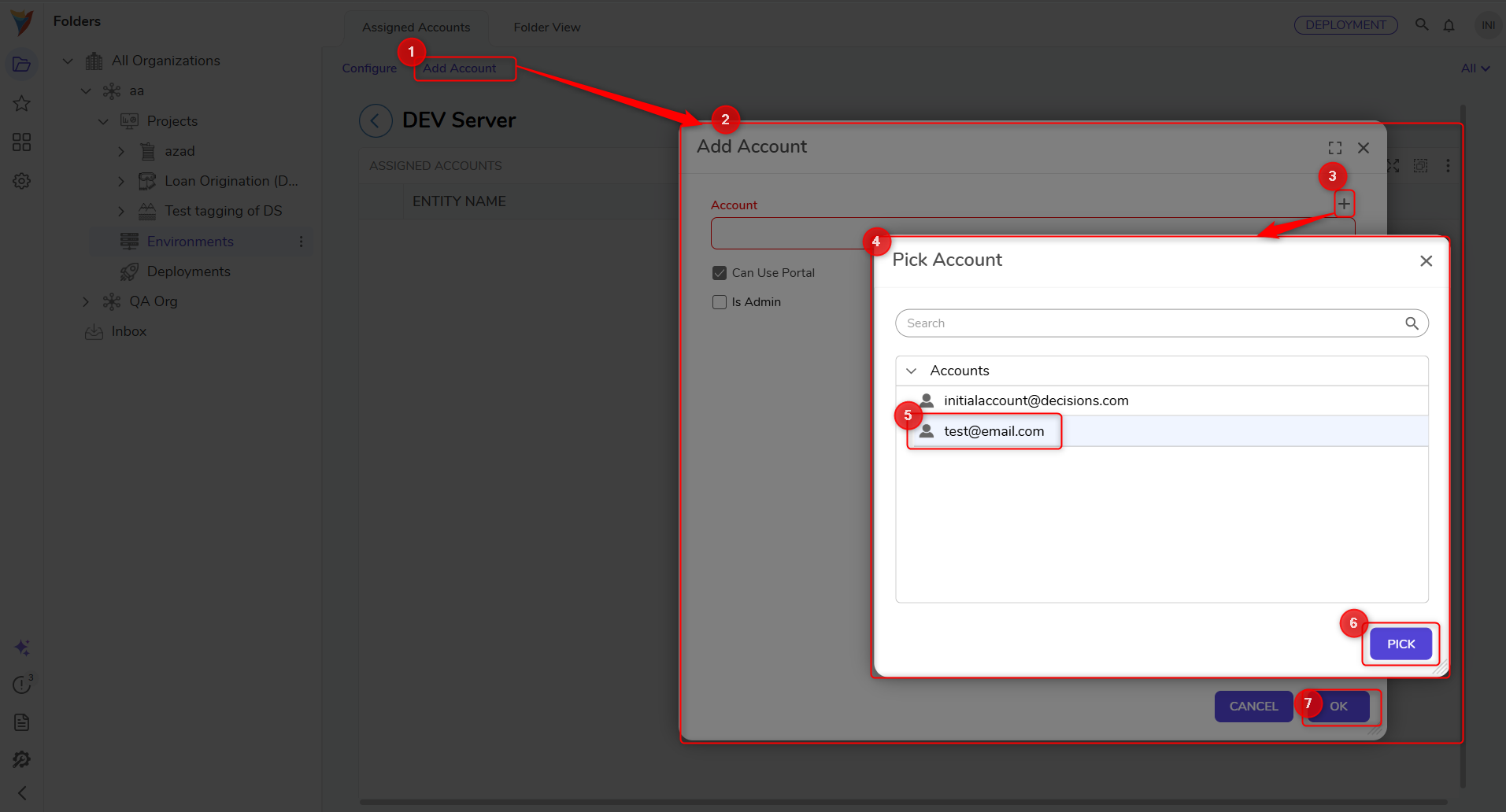
- Open the environment and select the option to Add Account.
- Select the account to assign to that environment. During the assignment, the following options can be configured:
- Is Admin: Grants administrator access in the selected environment.
- Can Use Portal: Controls whether the user can access the portal in that environment.
- Save the assignment. Once saved, the account becomes associated with that environment in the Deployment Server.
- Verify that the account appears in the selected environment.
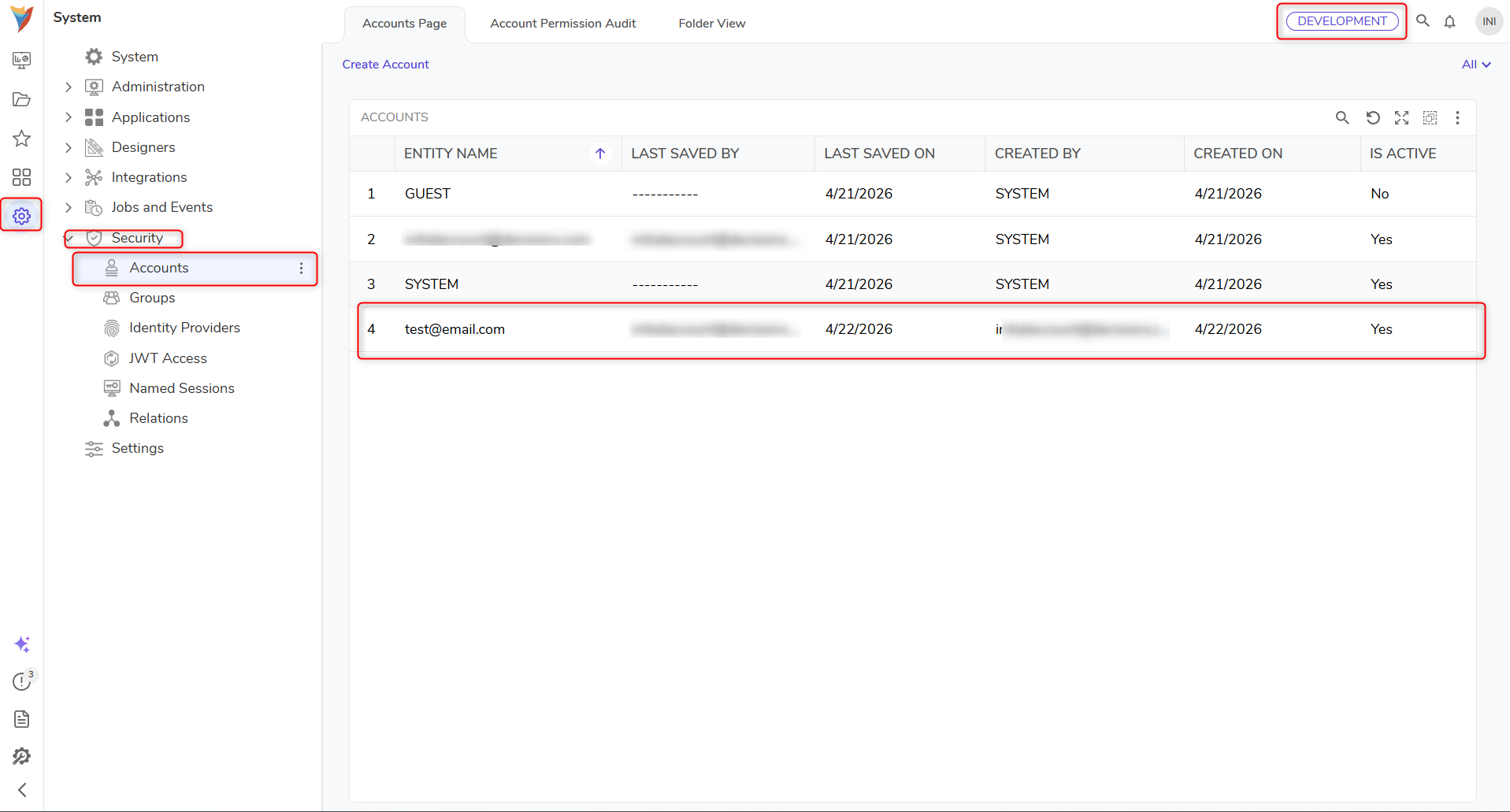
- Sign in to the target environment using the assigned account credentials to verify that access is working correctly.
Synchronization Behavior
After an account is assigned to an environment, the account may not always appear instantly in that environment. The Deployment Server uses a synchronization mechanism to send the assigned account information to the target server, and this process may take some time.
Synchronization is typically handled automatically after the account is assigned. If the account does not appear, a manual sync can be run from the target environment's Settings > Deployment Server Connection Parameters by right-clicking and selecting Start Sync. Once synchronization completes, the account appears in the target environment, and the user can sign in with the assigned credentials.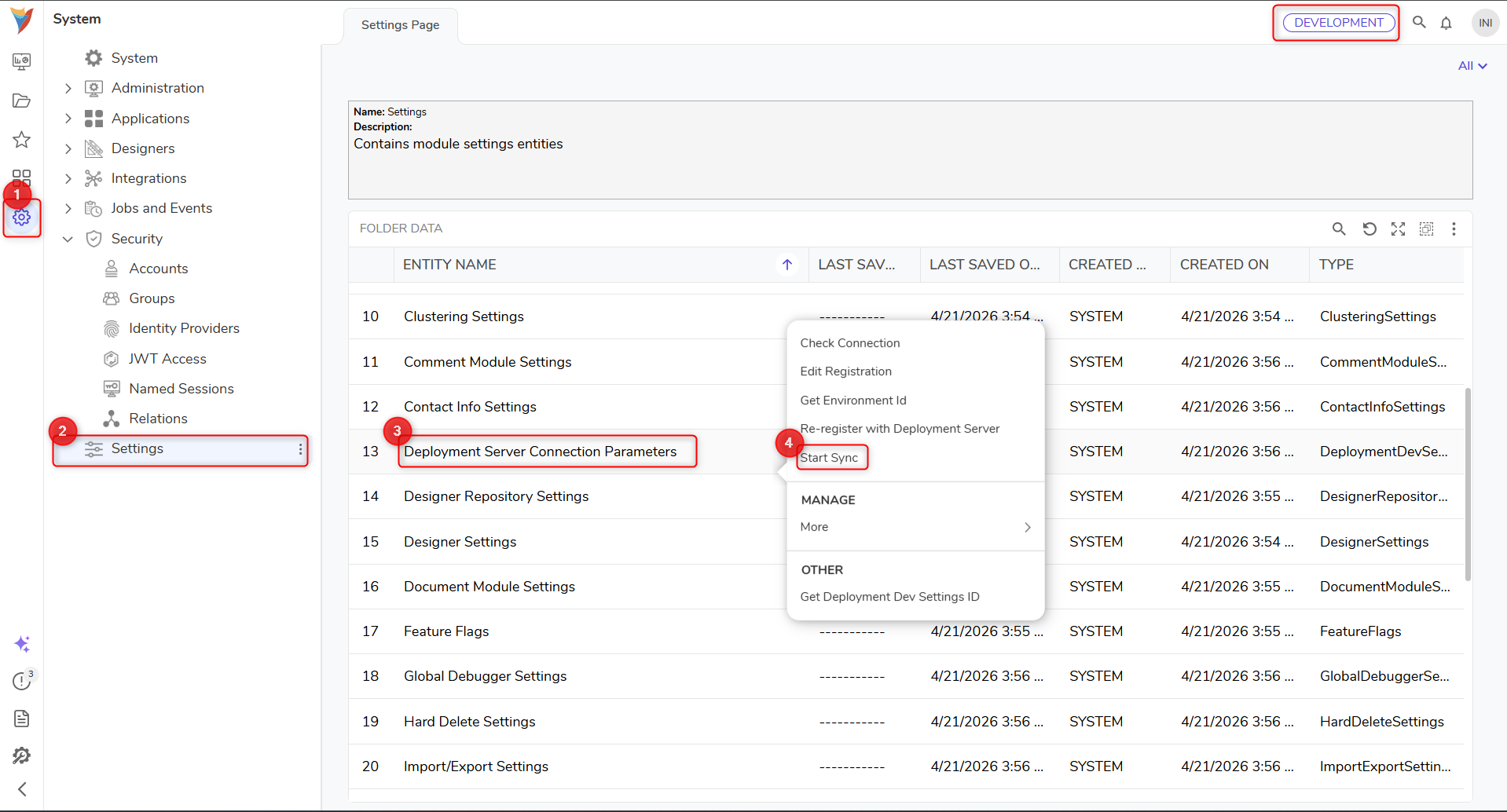
If an assigned account does not appear immediately in the target environment, wait for synchronization to complete or run a manual sync.