Overview
This article demonstrates the third step of the Executing User Stories Workflow process: Commit Work. Once work has been completed on a User Story, Developers are able to save changes made to the Deployment Tower by committing the work. For more information about executing User Stories, please refer to User Story Workflow (Developer Guide).
.png)
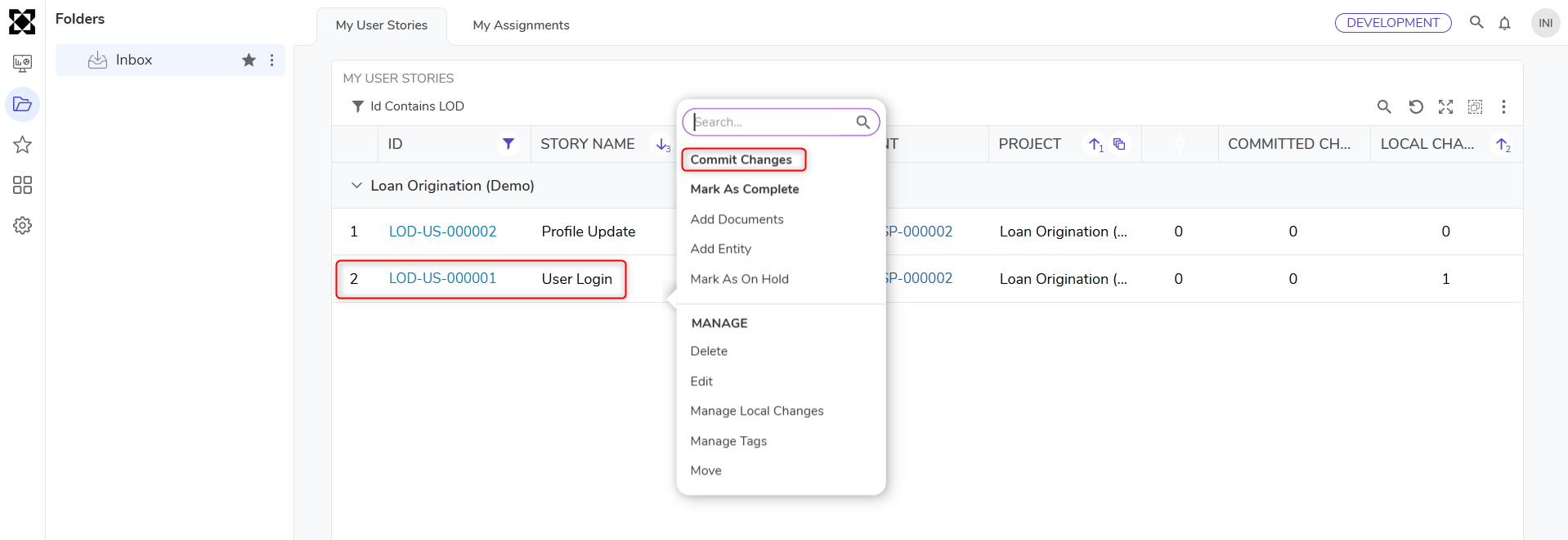
- Once work has been completed, right-click the User Story and select Commit Changes.
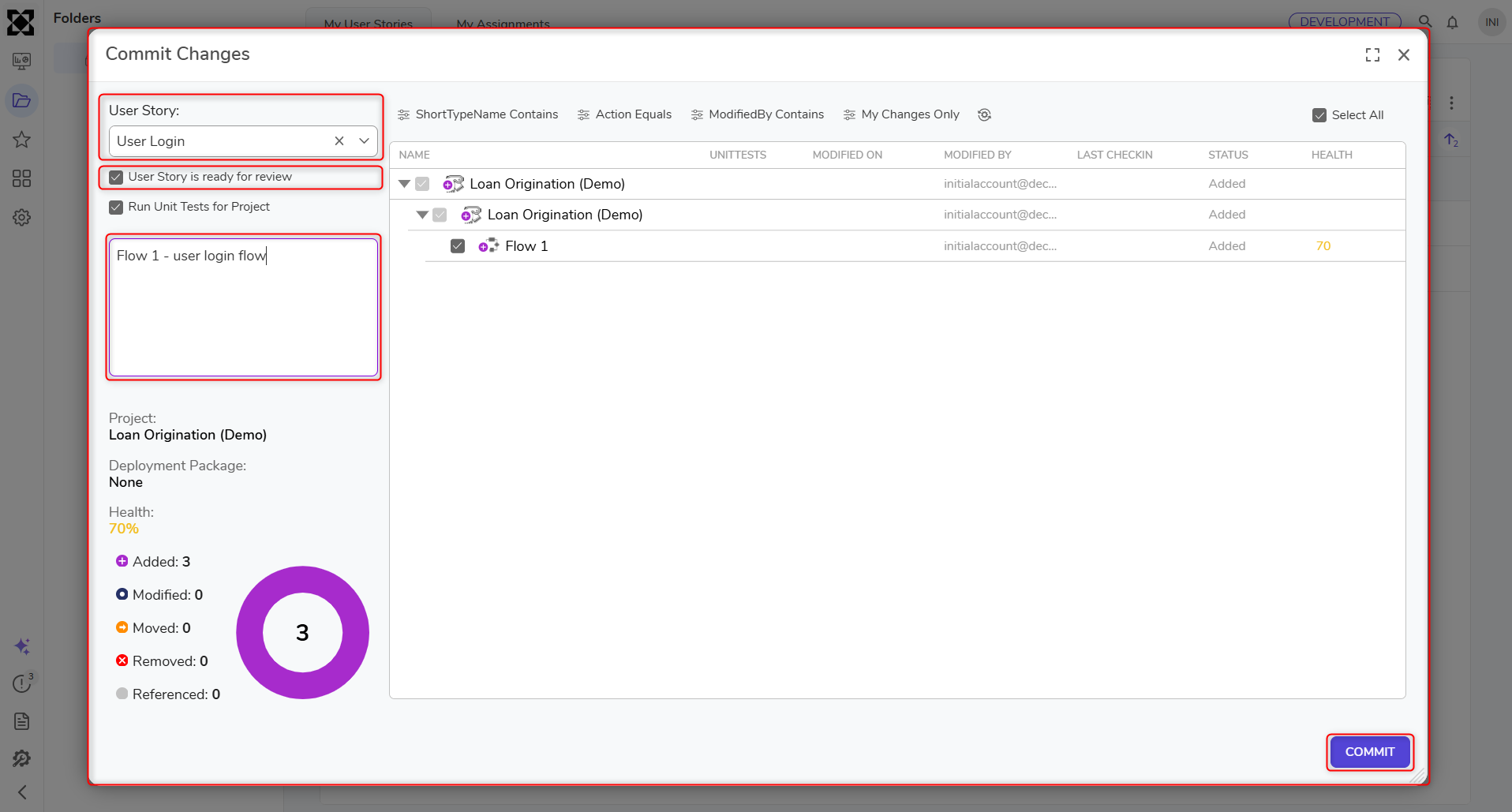
- In the Commit Changes dialog:
- Select the User Story.
- Check whether the User Story Is Ready For Review, if applicable.User Story Is Ready For Review
- This checkbox should be selected only if the work is complete and the developer intends for the story to be reviewed.
- If there is still pending work and the developer simply wants to save progress to the deployment server, this checkbox can be left unchecked.
- Add a commit message and click Commit.