Overview
This article demonstrates the second step of the Executing User Stories Workflow process: Track & Document Work. Once a User Story reaches the In Development state, Developers can track and manage work done on the User Story. For more information about executing User Stories, please refer to User Story Workflow (Developer Guide).
.png)
- Once the User Story is In Development, click on the User Story.
- This action will display a detailed view of the User Story (e.g., LOD-US-000001), with the current status and workflow stages.
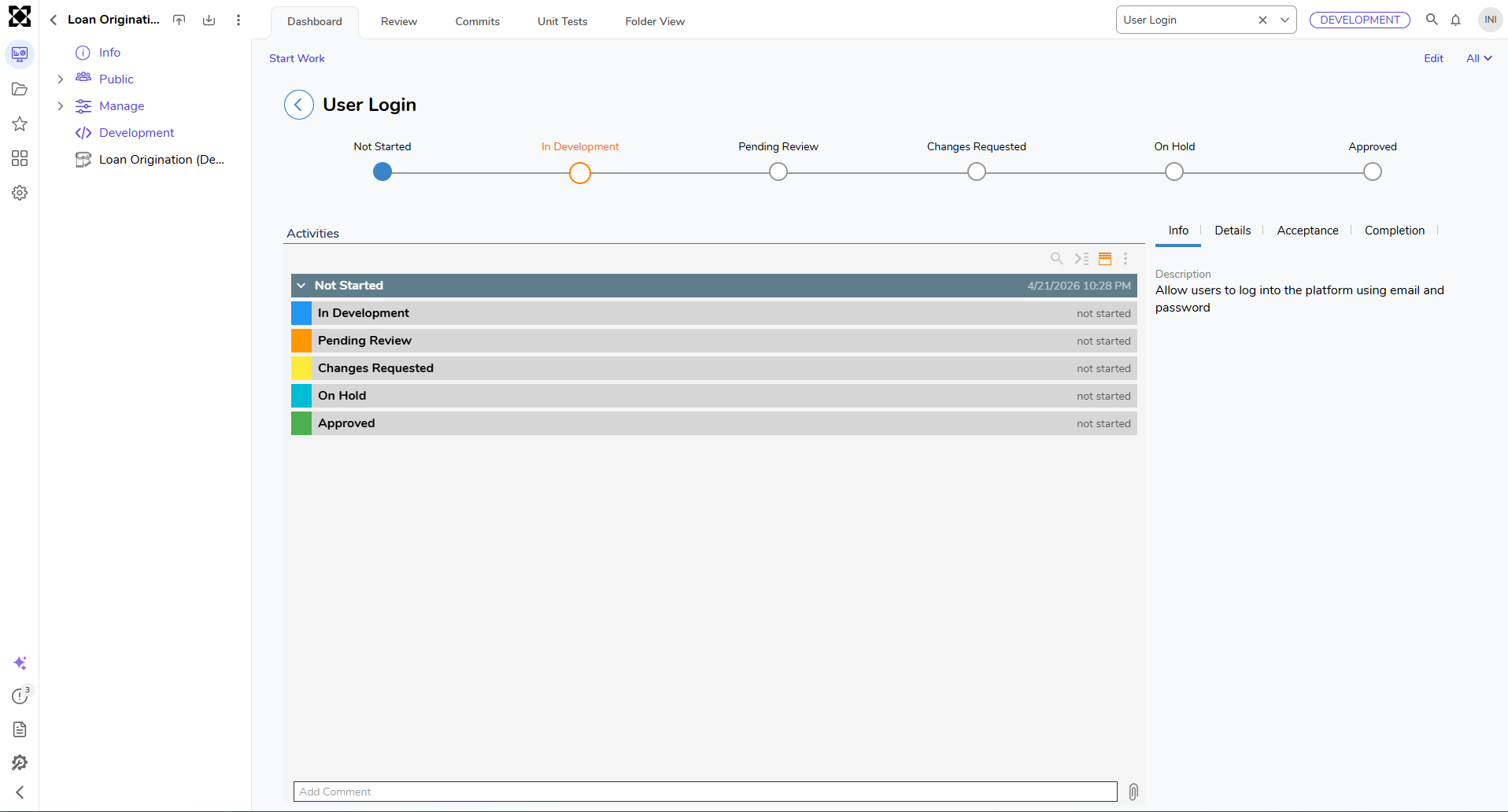 The following table describes each User Story state:
| User Story State | Description |
|---|---|
| Not Started | The User Story has been created, but no work has begun. |
| In Development | Development work is actively in progress. Changes made are tracked under this story. |
| Pending Review | Work is complete, and the story is awaiting the project manager's review or approval. |
| Changes Requested | The reviewer has requested changes. The story is sent back to development for updates. |
| On Hold | Work on the story is temporarily paused due to blockers, dependencies, or deprioritization. |
| Approved | The User Story has passed review and is approved for deployment or further processing. |
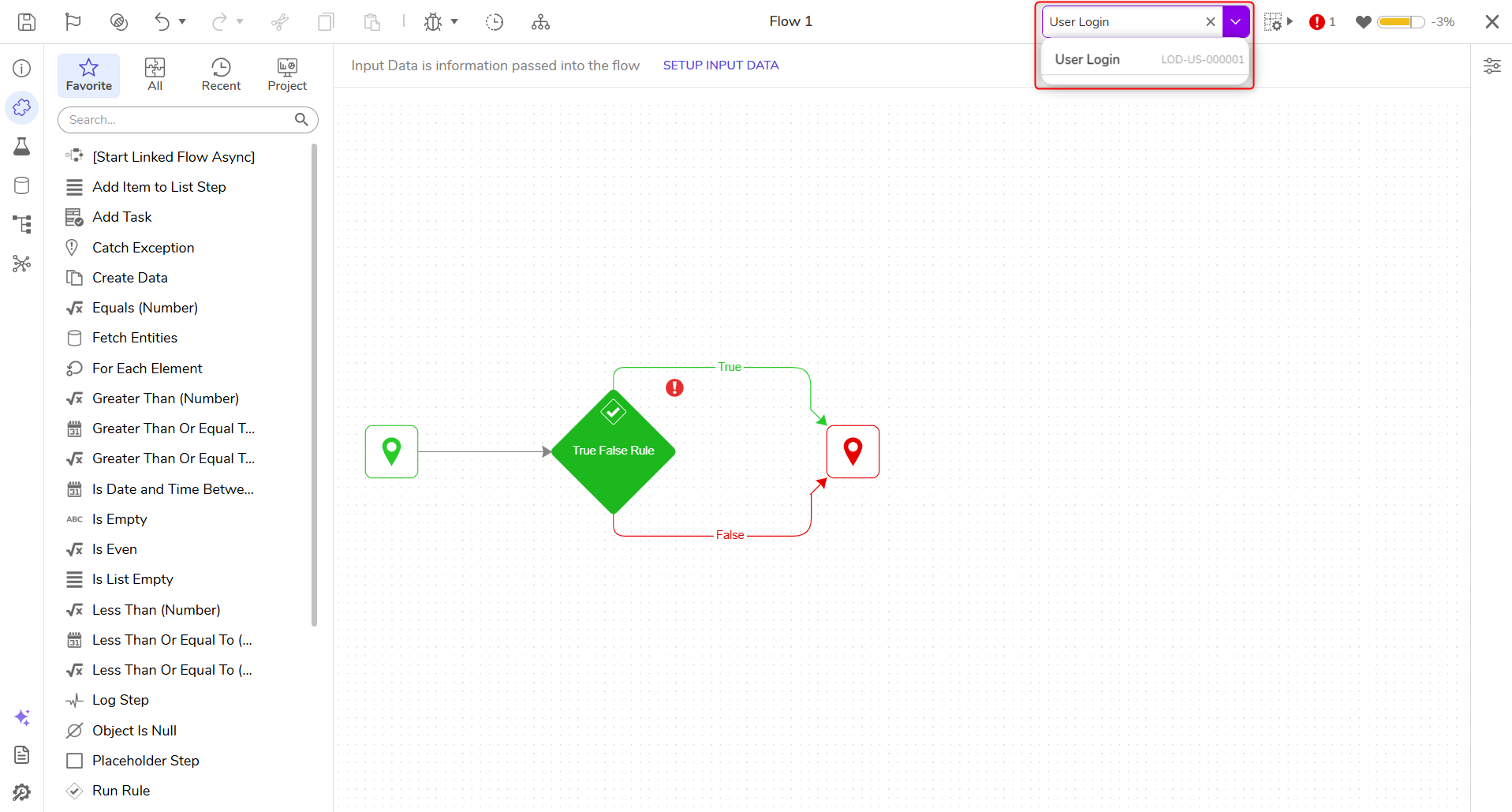
2. When work begins, a User Story header appears at the top of the development workspace. Any new changes (e.g., flows, forms) are automatically saved under the active story.
- If needed, changes can also be made without associating them with a specific User Story. This offers flexibility for quick fixes or exploratory changes that do not require traceability.
Managing User Story Associations
Each entity within a Project (such as Flows, Forms, and Rules) includes a Manage User Stories action, accessible from the entity’s action menu. This allows User Stories to be linked or unlinked from the selected entity.(2).png)
Selecting this action opens a dialog with two reports:(1).png)
- Associate with User Stories
- Displays user stories currently in "In Development" or "Changes Requested" states.
- Allows associating or disassociating stories with the selected entity by selecting or deselecting checkboxes.
- Click Save to confirm any changes.
- Committed with User Stories
- Displays all user stories that have been committed to the Deployment Server and are associated with the selected entity.
- These associations are locked and cannot be modified, preserving deployment traceability.
- Displays all user stories that have been committed to the Deployment Server and are associated with the selected entity.