Overview
This article demonstrates the fourth step of the Executing User Stories Workflow process: Perform Post-Commit Actions. Once User Story work has been committed to the Deployment Tower, Admin Users can evaluate the submitted work to determine if it is ready for a Deployment Package. For more information about executing User Stories, please refer to User Story Workflow (Developer Guide).
.png)
- Once any applicable changes to the User Story have been committed, the User Story status will be updated to Pending Review.
- At this point, only Users with Admin privileges can review the User Story.
- Admin Users can then either Request Changes or Approve the story.
.png)
- Once approved, the story is eligible for inclusion in the Deployment Package.
Reviewing User Stories:
The Review Dashboard serves as a centralized hub for User Story reviews by providing a complete list of entities associated with the story, surfacing review context (health, validations, and to-dos), and supporting comparison utilities for reviewing changes. Users can navigate to the Review Page to access detailed insight into the work associated with a User Story. 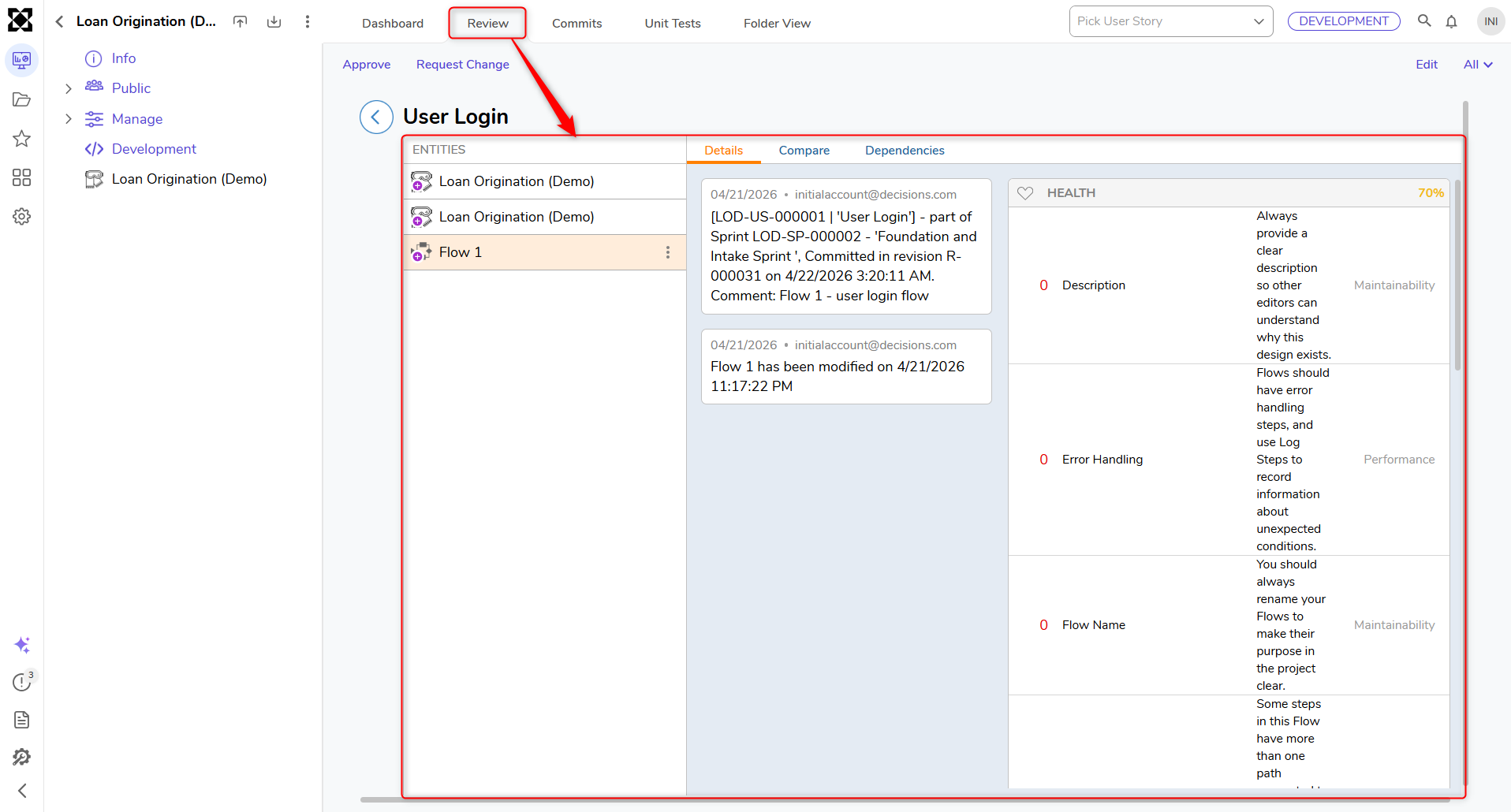
- Within the Review Page are additional actions:
- Details: Displays entity-level information, including:
- History: Shows modification and commit history (for example, who modified/committed, in which revision, entities added to the User Story, and timestamp for the modified entity).
- Health Score: Displays the entity's overall health status.
- Validations: Displays validation results associated with the entity.
- To-Dos: Displays To-Dos associated with the entity. To-Dos created on entities are visible in the Review dashboard and can also appear in the centralized Info panel.
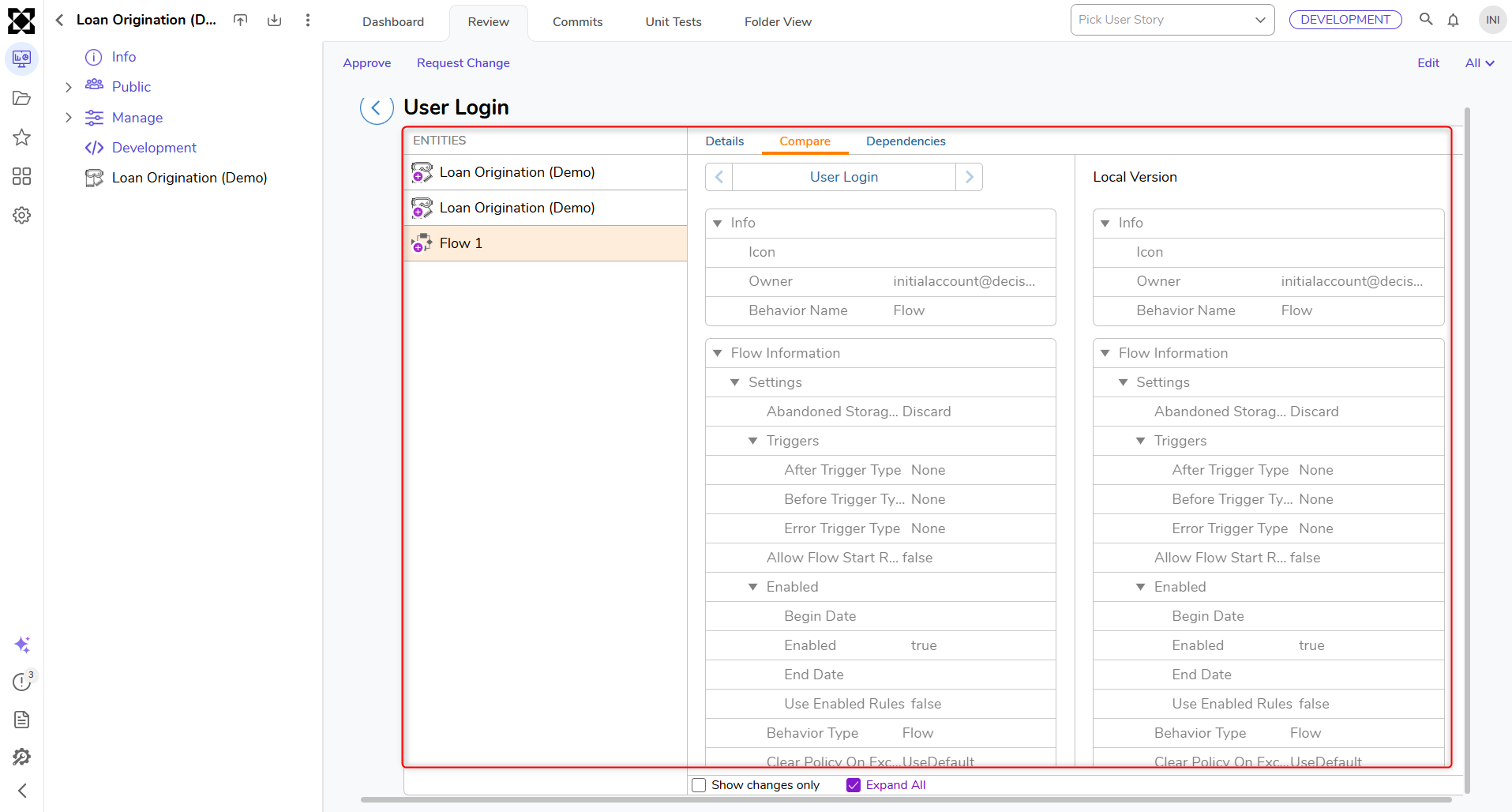
- Compare: Provides comparison utilities to review differences between local and committed versions of an entity. This includes a Textual comparison view. When available, comparisons can also be used to review changes against previously committed work (for example, entities committed under earlier user stories).
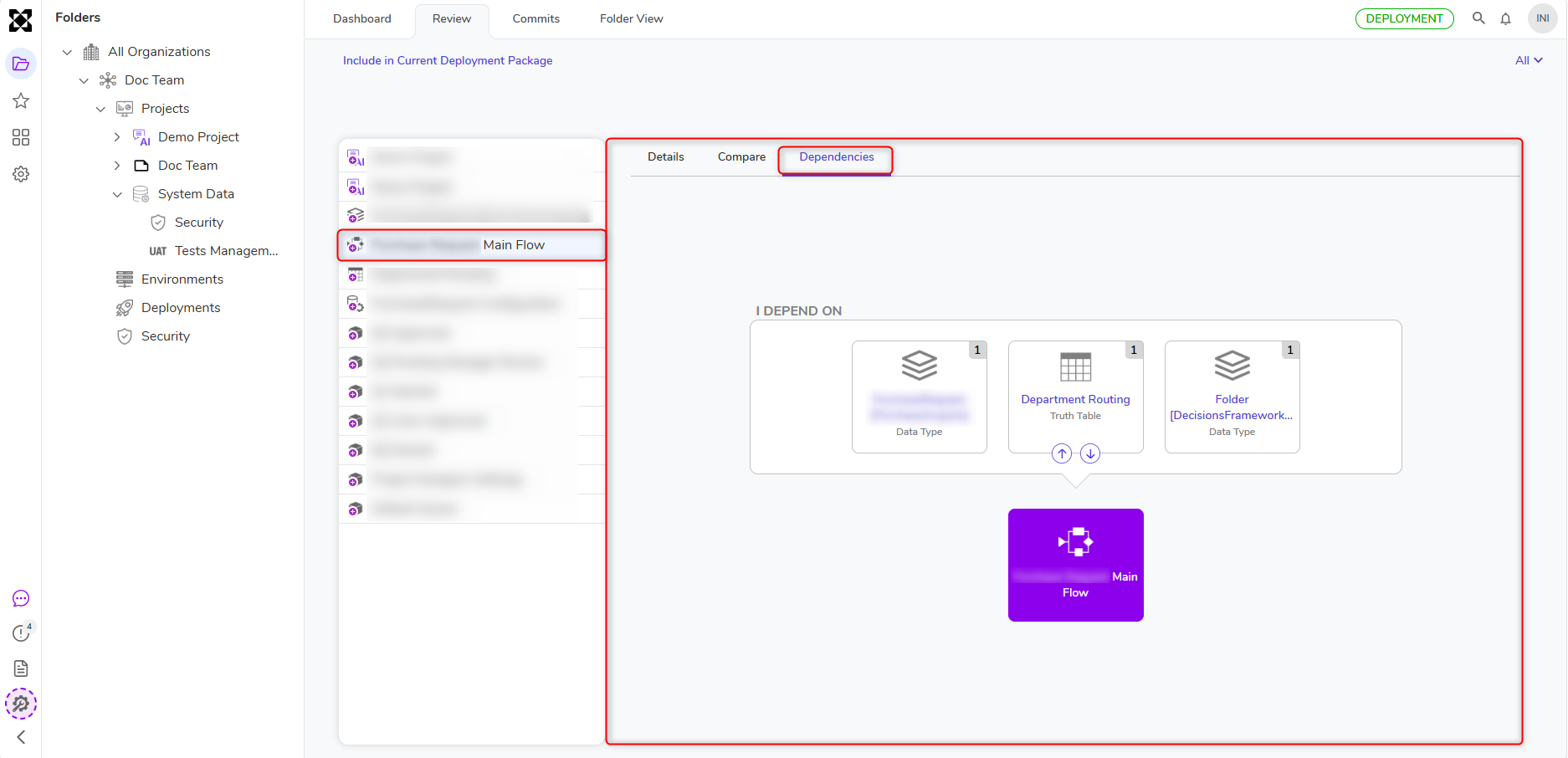
- Dependencies: Displays dependencies for the selected entity, when applicable.
- Details: Displays entity-level information, including:
- Commits: Lists all commits related to the user story. Each entry includes details such as Revision ID, description (commit message), the developer who committed the changes, timestamp, Added count, Modified count, and Deleted count.
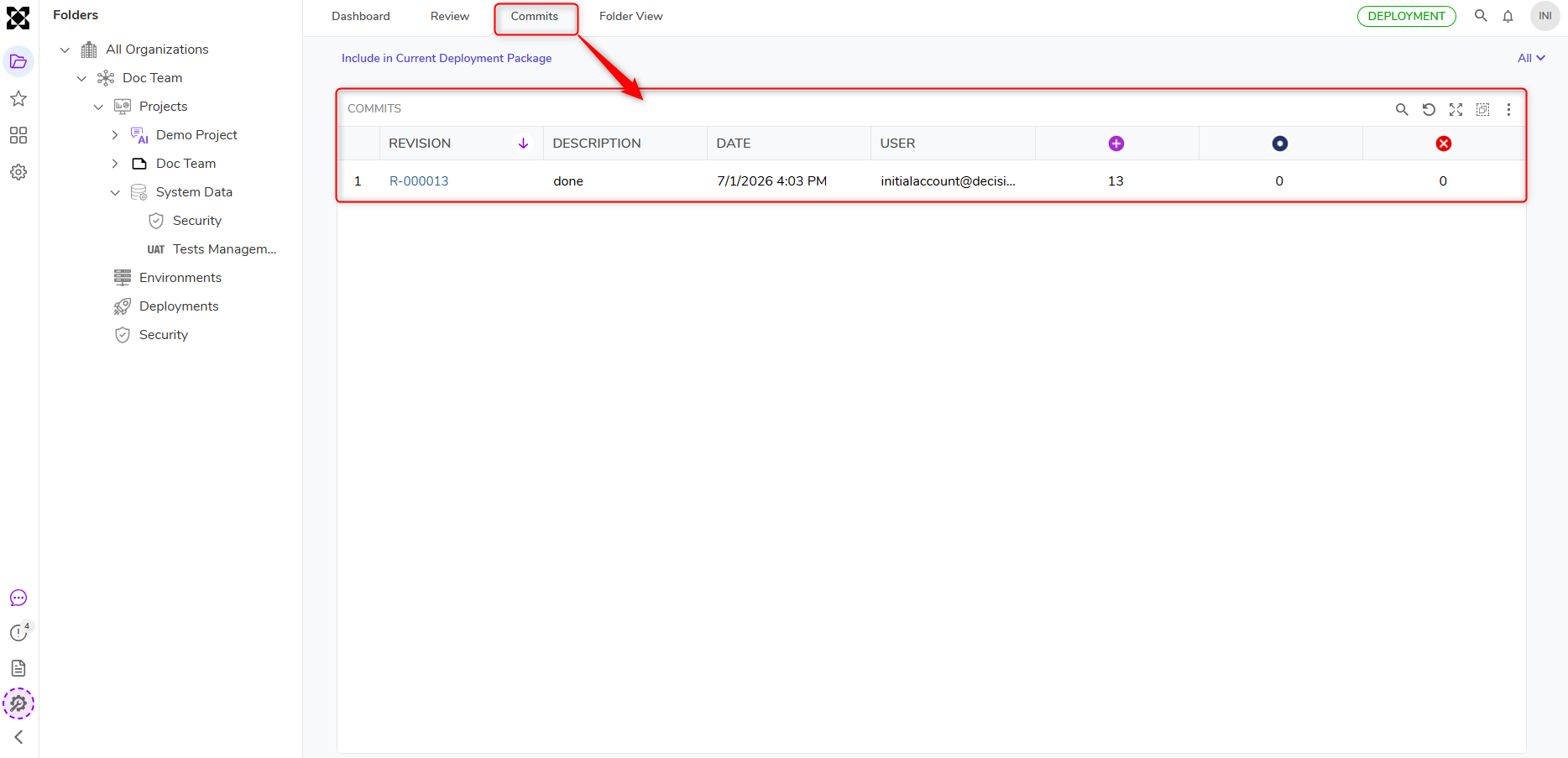
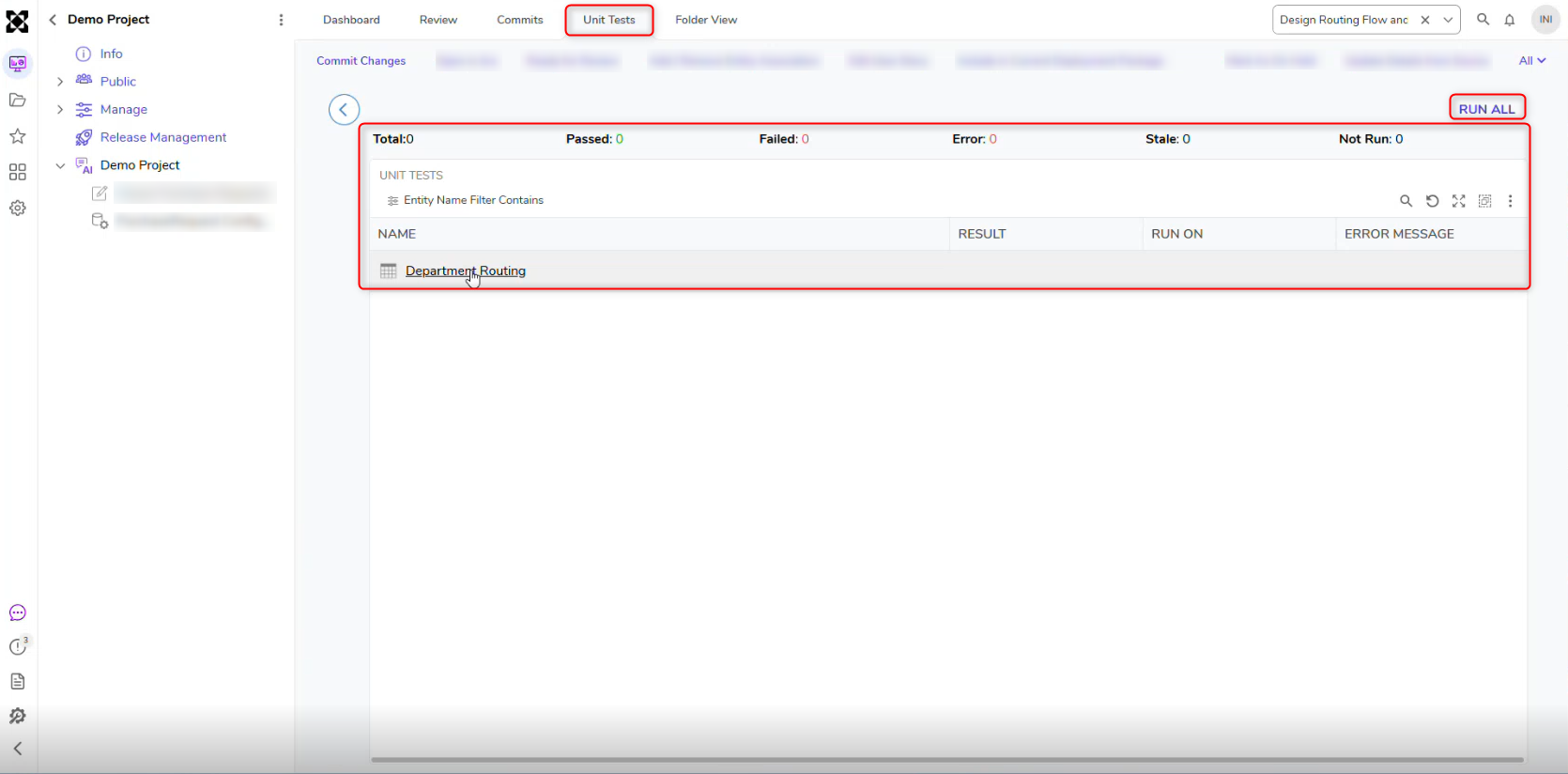
- Unit Tests: Allows running and managing tests specific to entities associated with the User Story. This functions similarly to other test folders in the platform. If tests have not already been run and committed manually, they are automatically executed during the user story commit process. Test results are then captured in the build within the Deployment Package on the Deployment Server for validation and reporting.
- Rollback and Revert: The Deployment Server supports rolling back or reverting commits across environments. This helps teams quickly recover from unintended changes, maintain environment stability, and confidently manage deployments without impacting downstream environments.
- Deployment Server (Projects folder): Revert or roll back a commit from the Projects folder.
- Local environment (User Story folder): Revert or roll back a commit from the User Story folder.