| Step Details |
| Introduced in Version | 9.22 |
| Last Modified in Version | 9.22 |
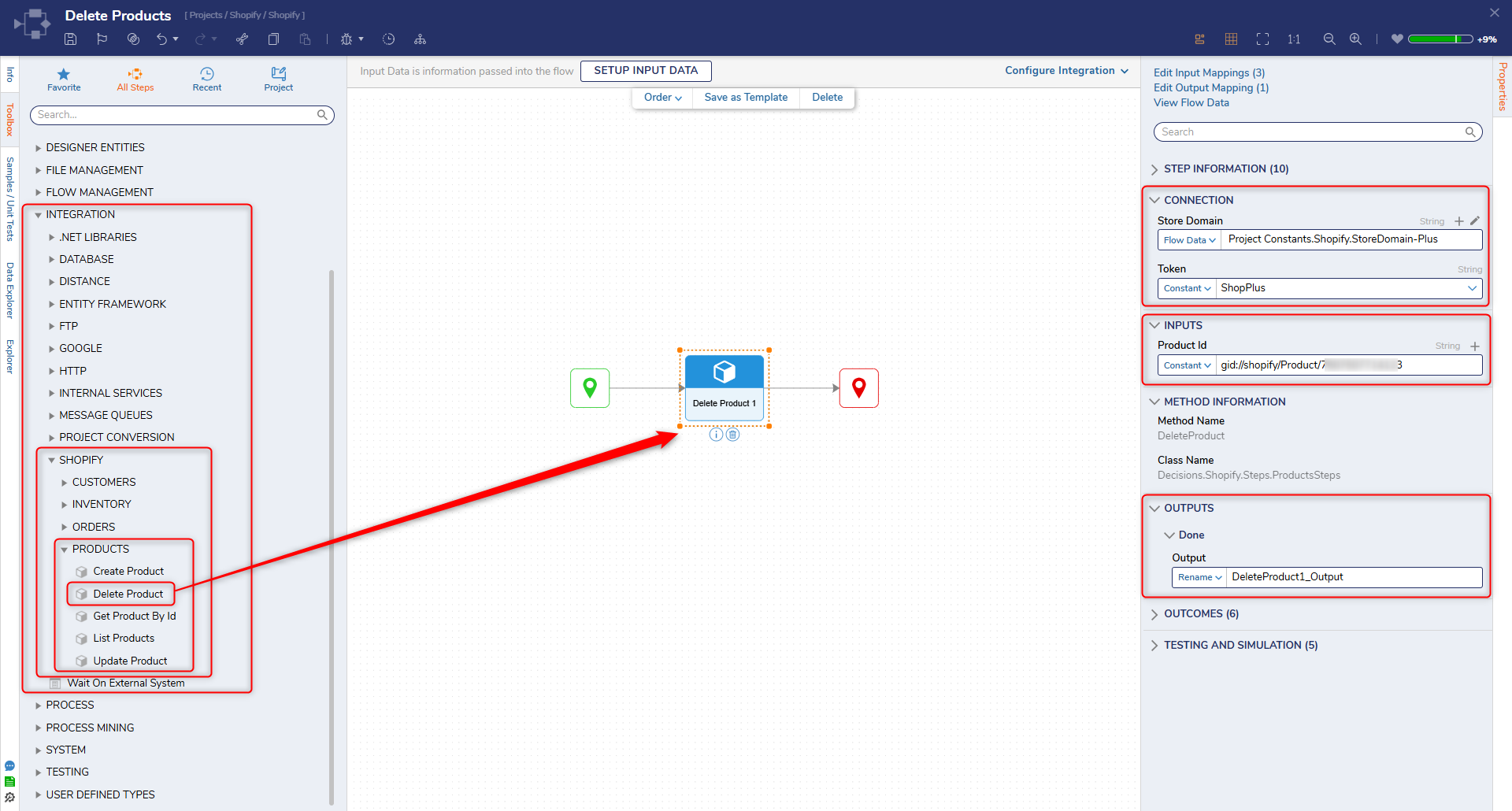
| Location | Integration > Shopify > Products |
The Delete Product step removes an existing product from a Shopify store using the Shopify Admin API. This step is used to permanently delete products that are no longer needed.
This step is commonly used in scenarios such as cleaning up outdated products, synchronizing deletions from external systems, or managing product lifecycle workflows. It can be combined with steps such as List Products or Get Product By Id to identify and validate products before deletion.
Prerequisites
This step requires the Shopify module to be installed and a configured OAuth token with appropriate Shopify Admin API scopes (such as write_products).
Properties
Connection
| Property | Description | Data Type |
|---|
| Store Domain | The Shopify store domain used to construct API requests (e.g., {store-name}.myshopify.com). | String |
| Token | The access token used to authenticate requests to the Shopify Admin API. | String |
Inputs
| Property | Description | Data Type |
|---|
| Product Id | The unique identifier of the product to delete. | String |
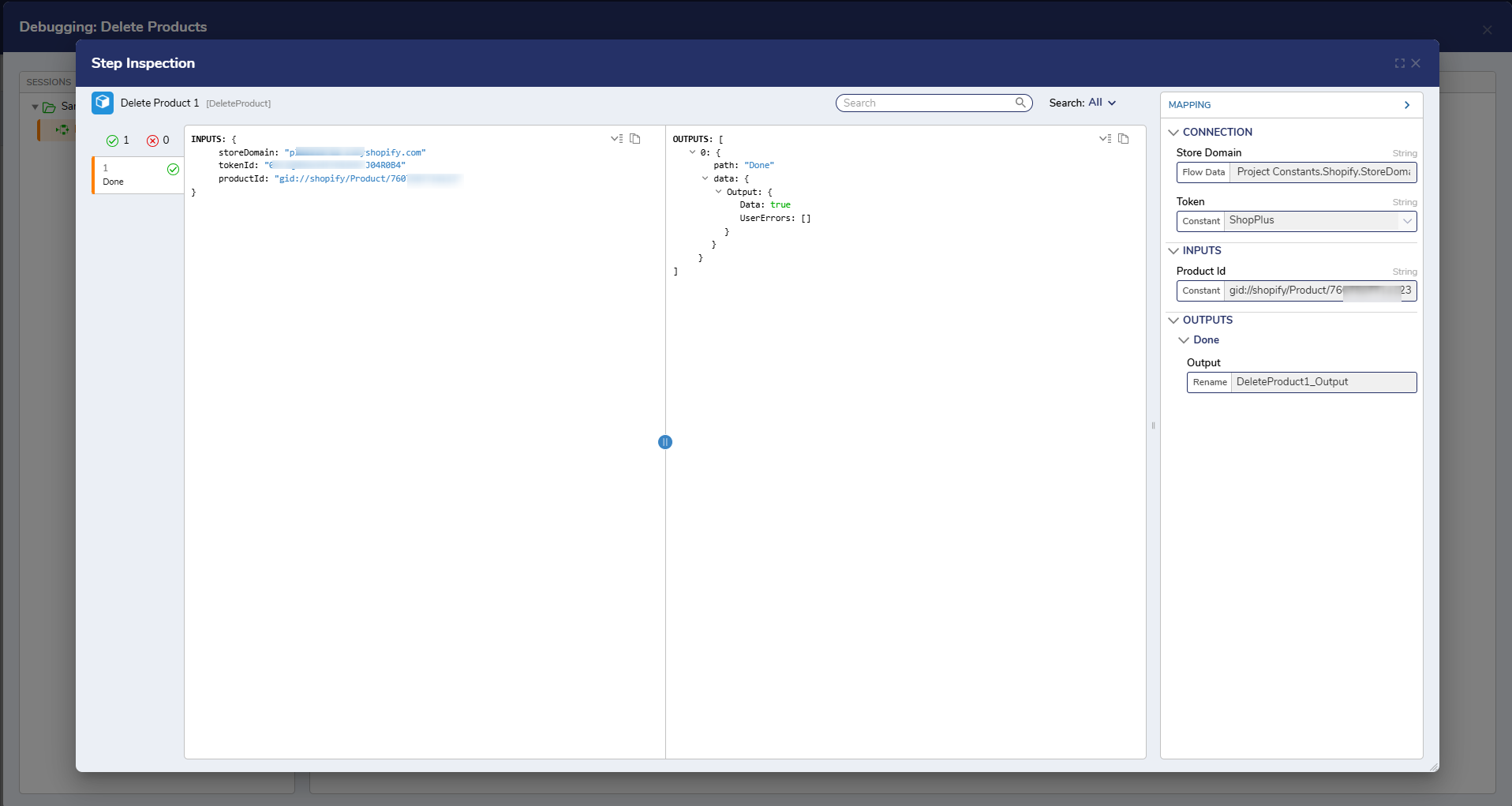
Outputs
| Property | Description | Data Type |
|---|
| Success | Indicates whether the product was successfully deleted. | Boolean |
Step Changes
| Description | Version | Date | Developer Task |
|---|
| Initial release of the Delete Product step as part of the Shopify module. | 9.22 | Mar 2026 | DT-046986 |