| Step Details |
| Introduced in Version | 9.22 |
| Last Modified in Version | 9.22 |
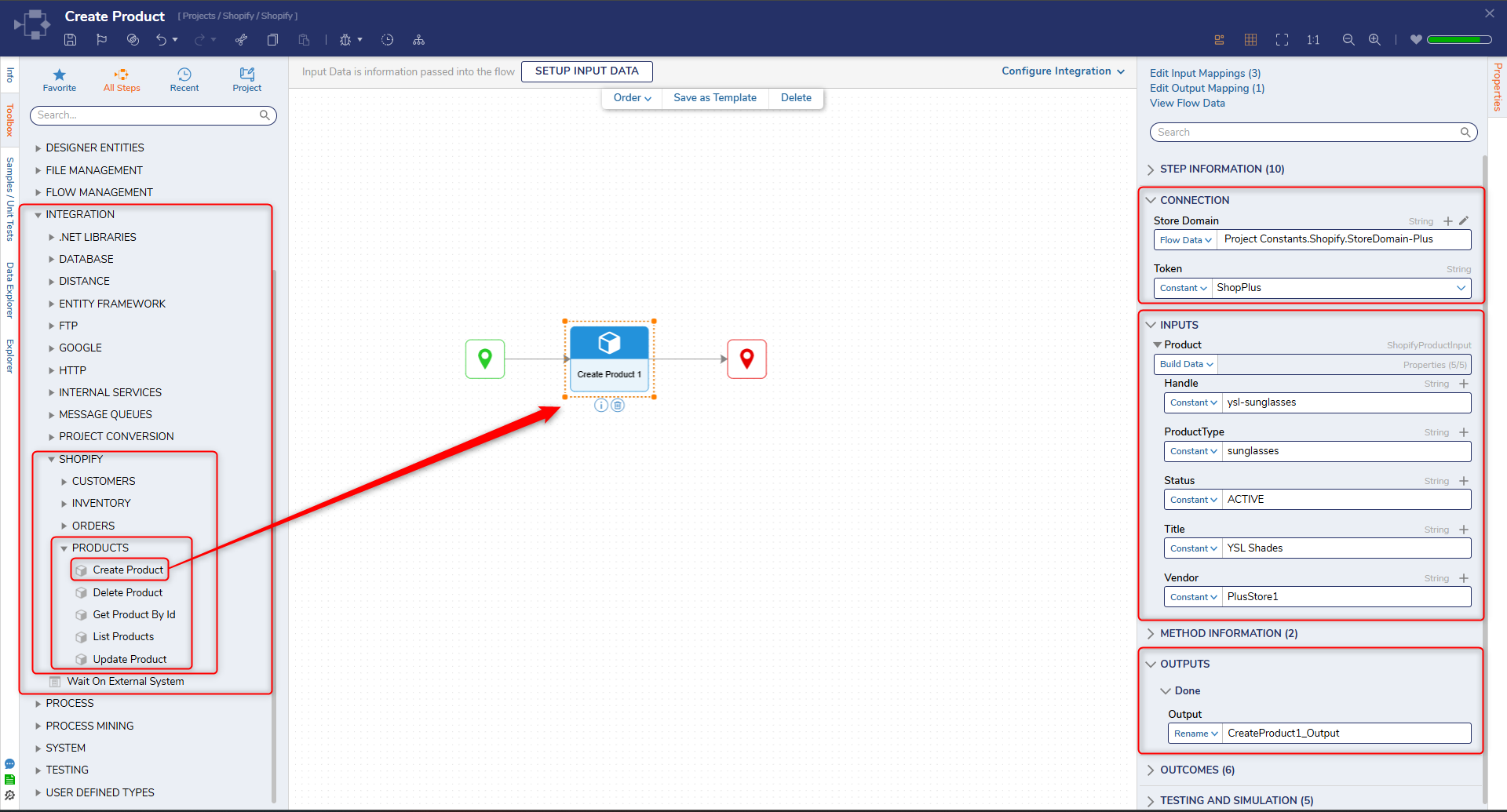
| Location | Integration > Shopify > Products |
The Create Product step creates a new product in a Shopify store using the Shopify Admin API. This step is used to programmatically add products to a store as part of automation workflows.
This step is commonly used in scenarios such as syncing product catalogs from external systems, onboarding new products, or automating product creation during data imports. It can be combined with steps such as List Products or Update Product to manage product lifecycle operations.
Prerequisites
This step requires the Shopify module to be installed and a configured OAuth token with appropriate Shopify Admin API scopes (such as write_products).
Properties
Connection
| Property | Description | Data Type |
|---|
| Store Domain | The Shopify store domain used to construct API requests (e.g., {store-name}.myshopify.com). | String |
| Token | The access token used to authenticate requests to the Shopify Admin API. | String |
Inputs
| Property | Description | Data Type |
|---|
| Handle | A unique, URL-friendly identifier for the product. Used in the product’s online store URL. | String |
| ProductType | The category or classification of the product (e.g., Clothing, Electronics). | String |
| Status | Specifies the product status (e.g., ACTIVE, DRAFT, or ARCHIVED). | String |
| Title | The name of the product displayed in the Shopify store. | String |
| Vendor | The name of the product’s vendor or brand. | String |
Outputs
| Property | Description | Data Type |
|---|
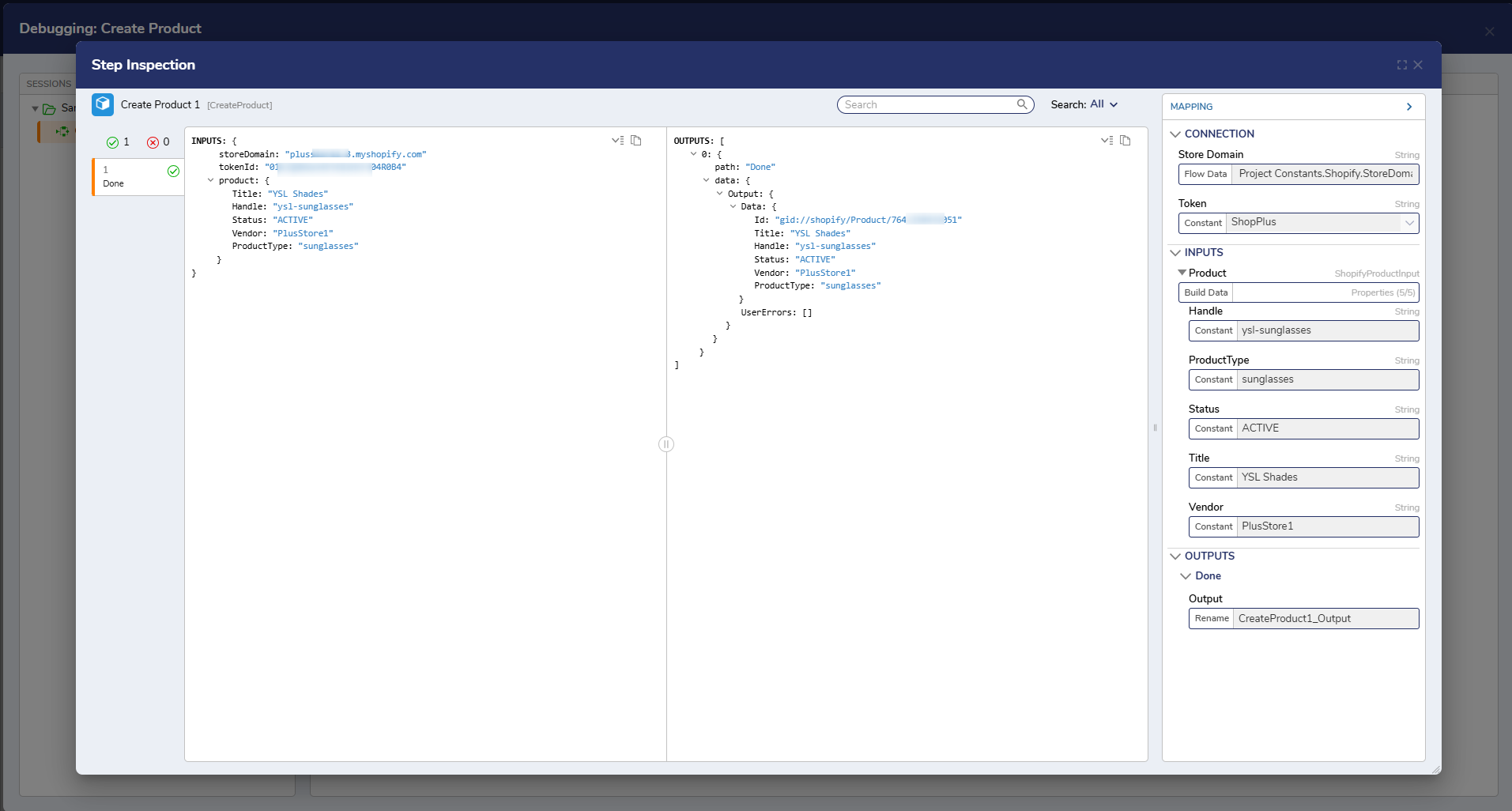
| Product | The created product object returned from Shopify. This includes fields such as Id, Handle, ProductType, Status, Title, and Vendor. | Object |
Step Changes
| Description | Version | Date | Developer Task |
|---|
| Initial release of the Create Product step as part of the Shopify module. | 9.22 | Mar 2026 | DT-046986 |