| Step Details |
| Introduced in Version | 9.22 |
| Last Modified in Version | 9.22 |
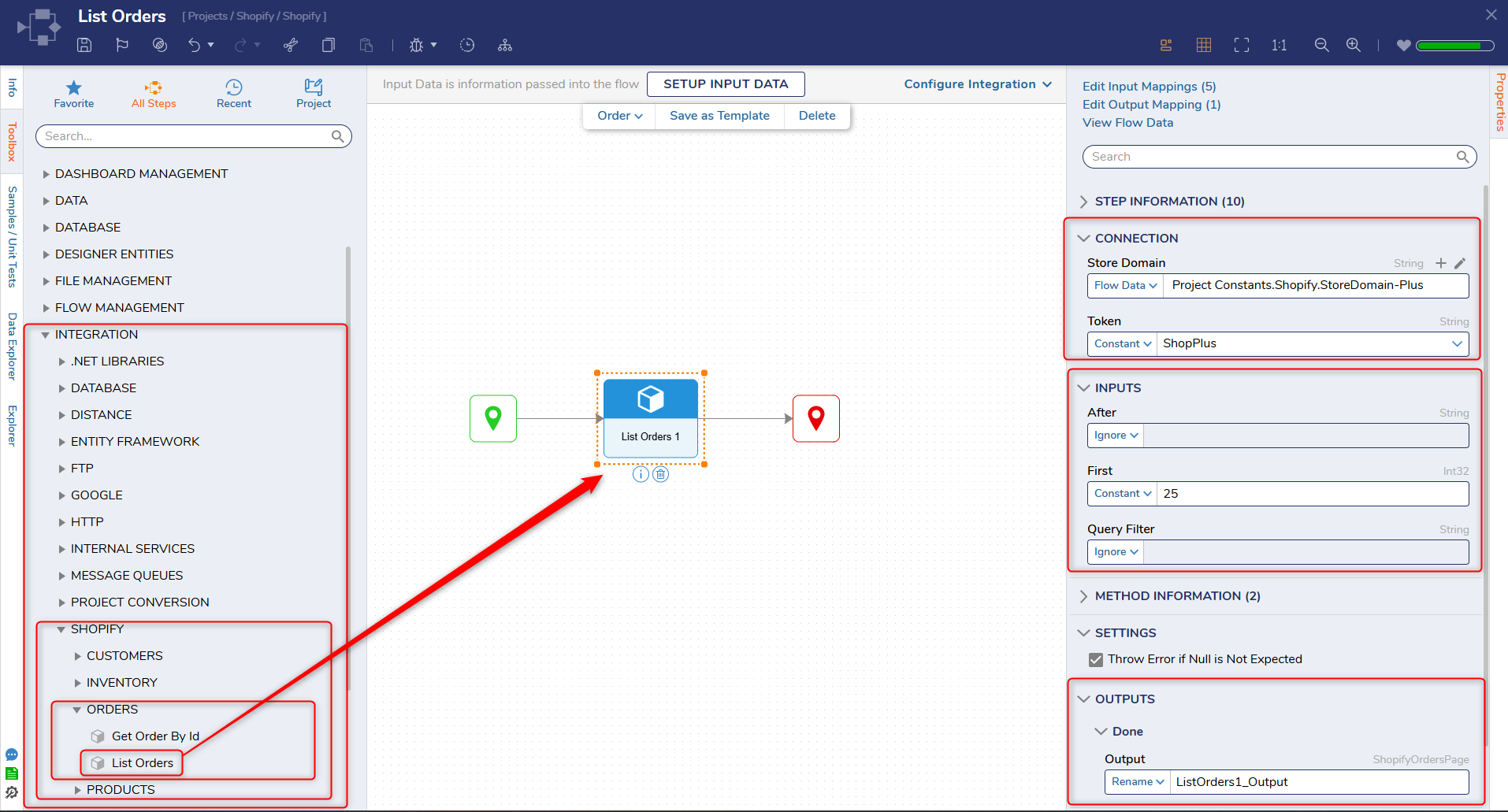
| Location | Integration > Shopify > Orders |
The List Orders step retrieves a collection of orders from a Shopify store using the Shopify Admin API. This step is used to access order data for automation scenarios such as reporting, order processing, or integration with external systems.
This step is commonly used when there is a need to review or process multiple orders, such as syncing order data, filtering orders based on criteria, or triggering downstream workflows. It can be combined with looping steps, filtering logic, or fulfillment-related steps to automate order management processes.
Prerequisites
This step requires the Shopify module to be installed and a configured OAuth token with appropriate Shopify Admin API scopes (such as read_orders).
Properties
Connection
| Property | Description | Data Type |
|---|
| Store Domain | The Shopify store domain used to construct API requests (e.g., {store-name}.myshopify.com). | String |
| Token | The access token used to authenticate requests to the Shopify Admin API. | String |
Inputs
| Property | Description | Data Type |
|---|
| After | A cursor used for pagination to retrieve the next set of results. This value is obtained from a previous response. | String |
| First | Specifies the number of order records to retrieve in a single request. | Int32 |
| Query Filter | An optional query string used to filter results based on Shopify search syntax. | String |
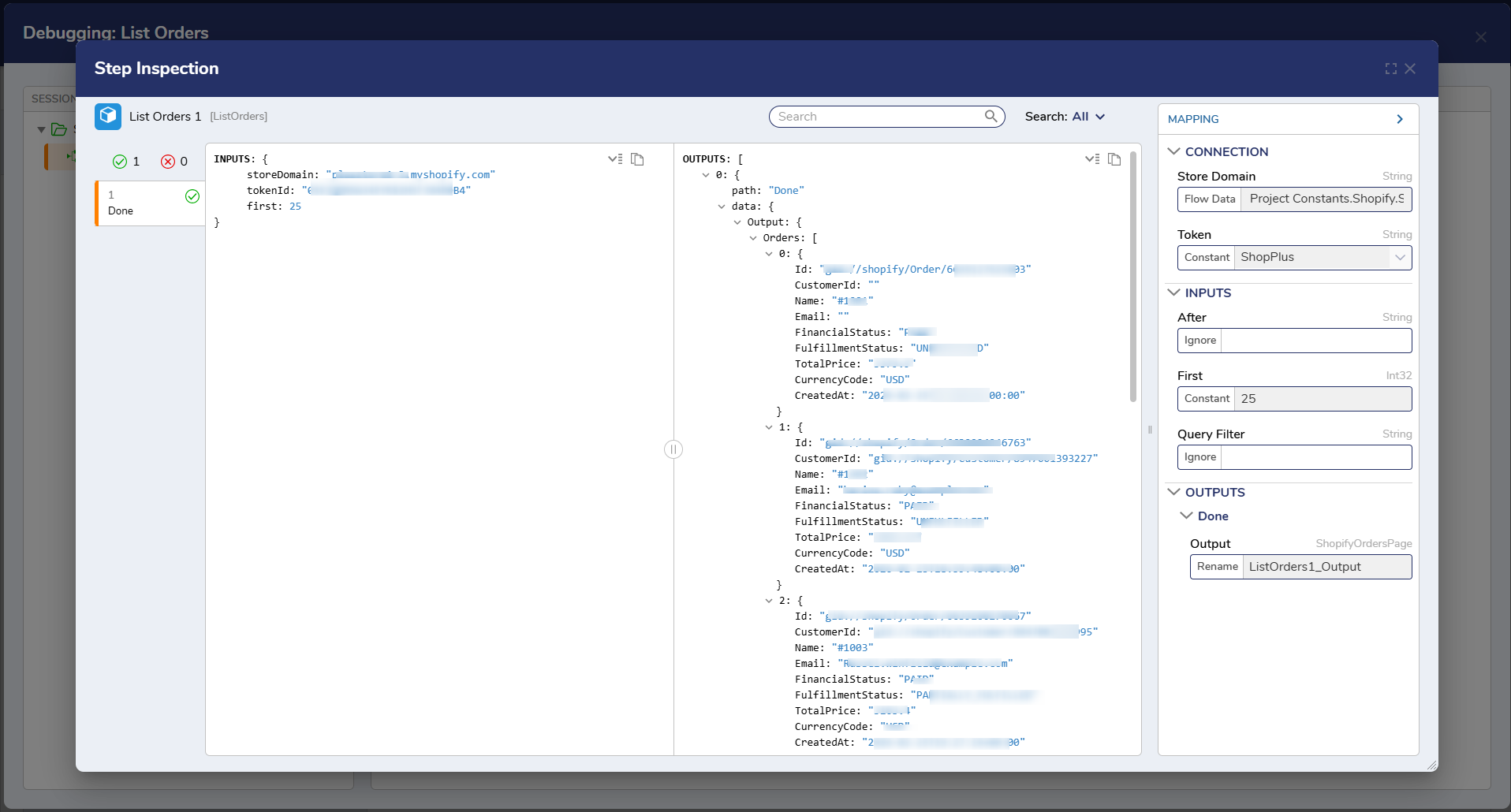
Outputs
| Property | Description | Data Type |
|---|
| Orders | A list of orders retrieved from the Shopify store. | List |
Step Changes
| Description | Version | Date | Developer Task |
|---|
| Initial release of the List Orders step as part of the Shopify module. | 9.22 | Mar 2026 | DT-046986 |