Example Lab Article
While Example Lab projects are resources for public use, articles and assets are not actively maintained. Screenshots and features are from the specified version below. These references may become dated as new versions are released.
Overview
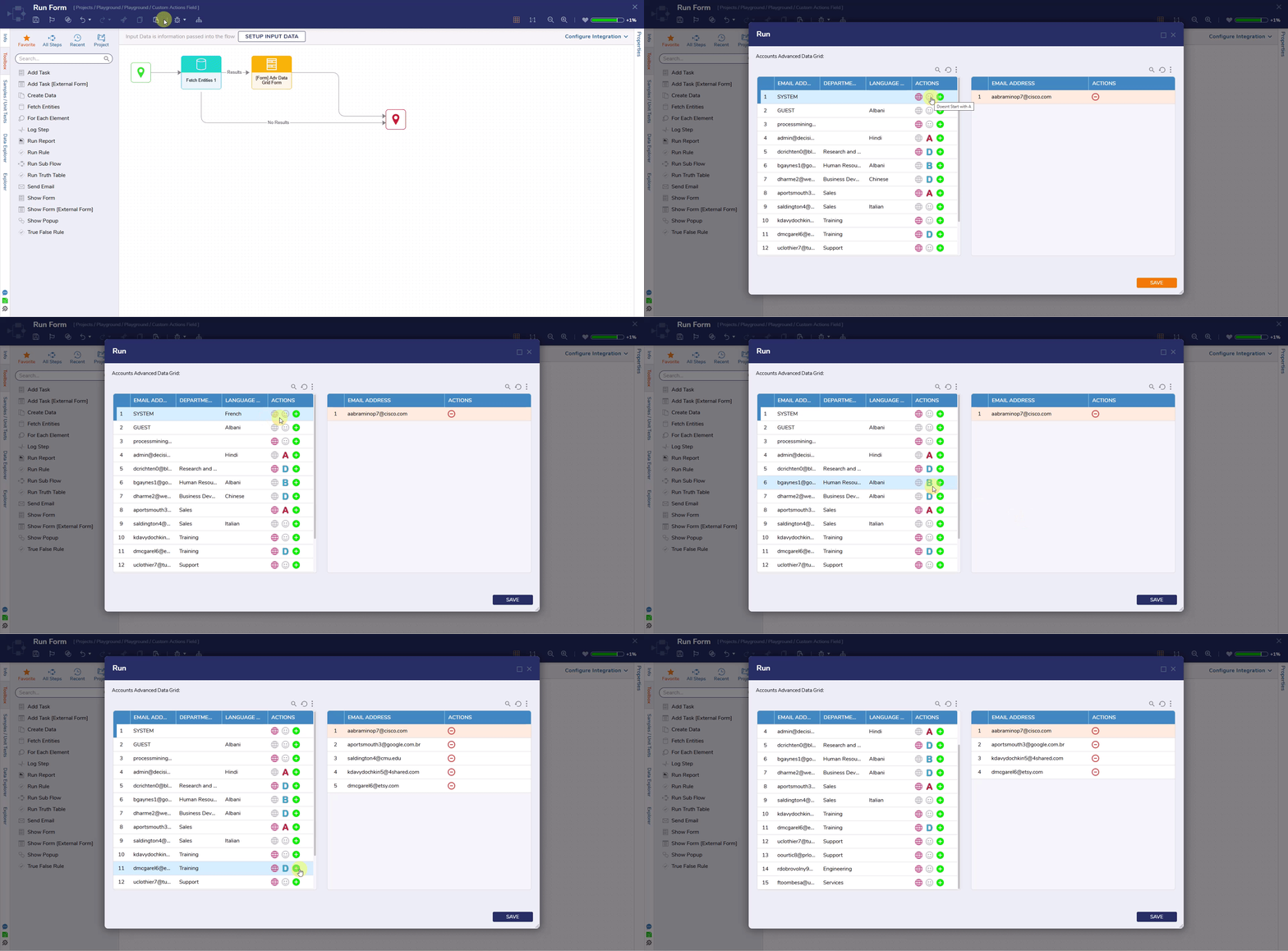
The following example utilizes two Advanced Data Grids to demonstrate how custom icon actions behave at runtime.
Example Scenario
The first Advanced Data Grid includes three actions:
- Set Language, which shows a pink icon if no language is set and grey if one is already selected, both states trigger the same Flow, allowing the end user to change the Language.
- A second icon changes based on the first letter of the email address, purely for visual variation.
- The third action, a green Add icon, adds the selected row to the second Advanced Data Grid.
The second Adv. Data Grid updates in real time and includes a red Remove icon on each row to remove items from the list.
This full setup is available as an exportable project below.