Project Expectations
Designers are expected to use the Mixed Type Repeater Manager as a dependency in other projects. For more information about Mixed Type Repeaters please refer to Mixed Type Repeaters.
Overview
The Mixed Type Repeater Manager leverages the mixed-type repeater control and Rules to support question dependencies, enabling Users to build Forms that adapt to a variety of purposes. This Project also allows Designers to create, update, remove, and reorder sections to accommodate various use cases.
Key Features
- Pre-designed Question Template and Design Pattern.
- Ability to create new templates and manage available templates via Dashboard.
- Pre-built Subflows that Designers can drag and drop into existing Projects.
Considerations
- Designers must install Error Handling before installing this Project.
Designer Elements
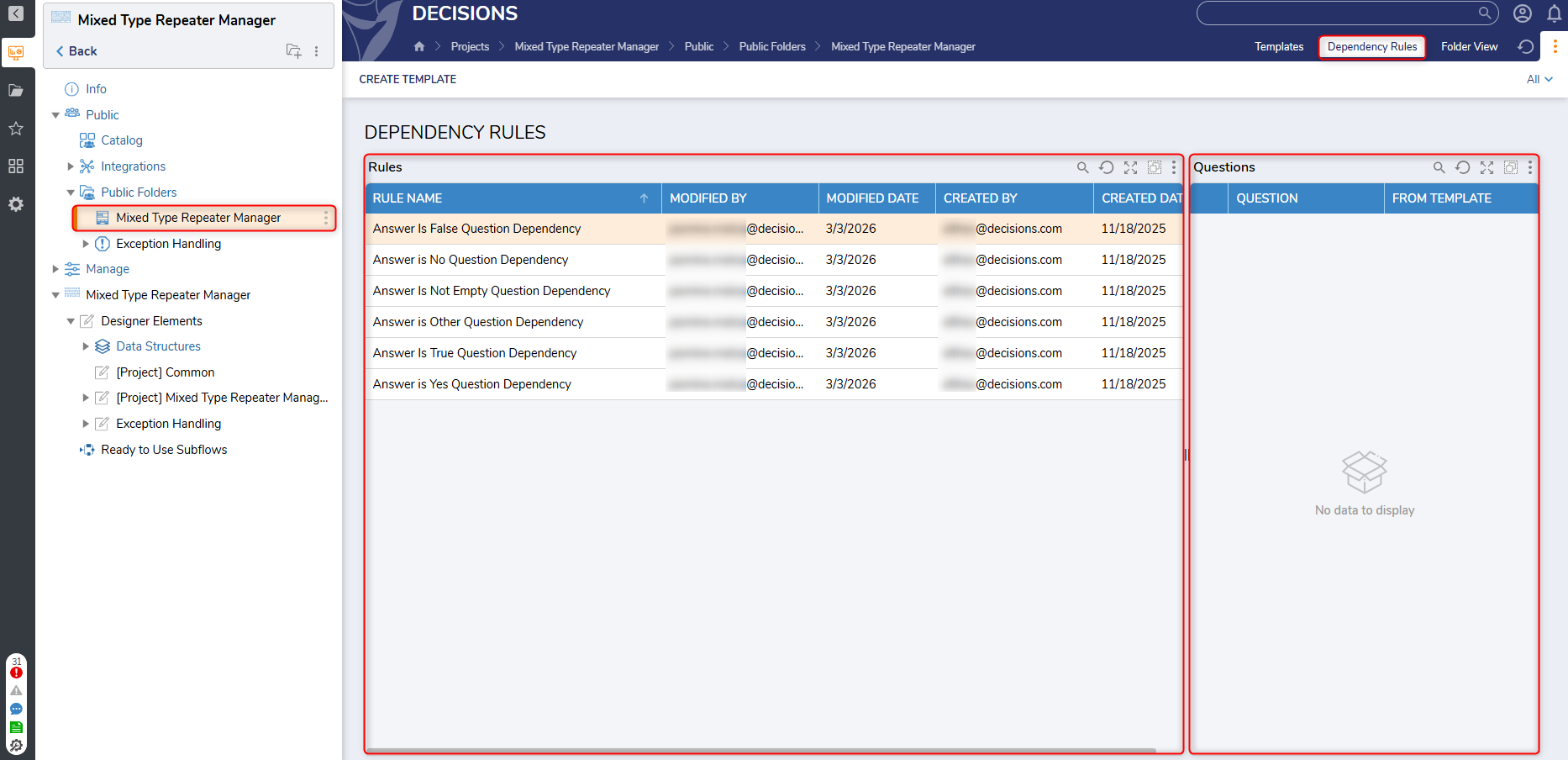
Question Dependency Rules
This Project provides a template and associated Design Pattern. These items allow Designers to add, remove, or modify the available Rules associated with question dependencies.
It is recommended not to delete any rules in use.
.png)
Question Type Conversions
This folder contains elements that enable Designers to manage available Section or Question Types in the following settings folders:
- Question Type Formats
- Question Type Validations
Designers should note that some Flows and Truth Tables in this Folder may need to be updated in order to make new Question Types that are available for use.
.png)
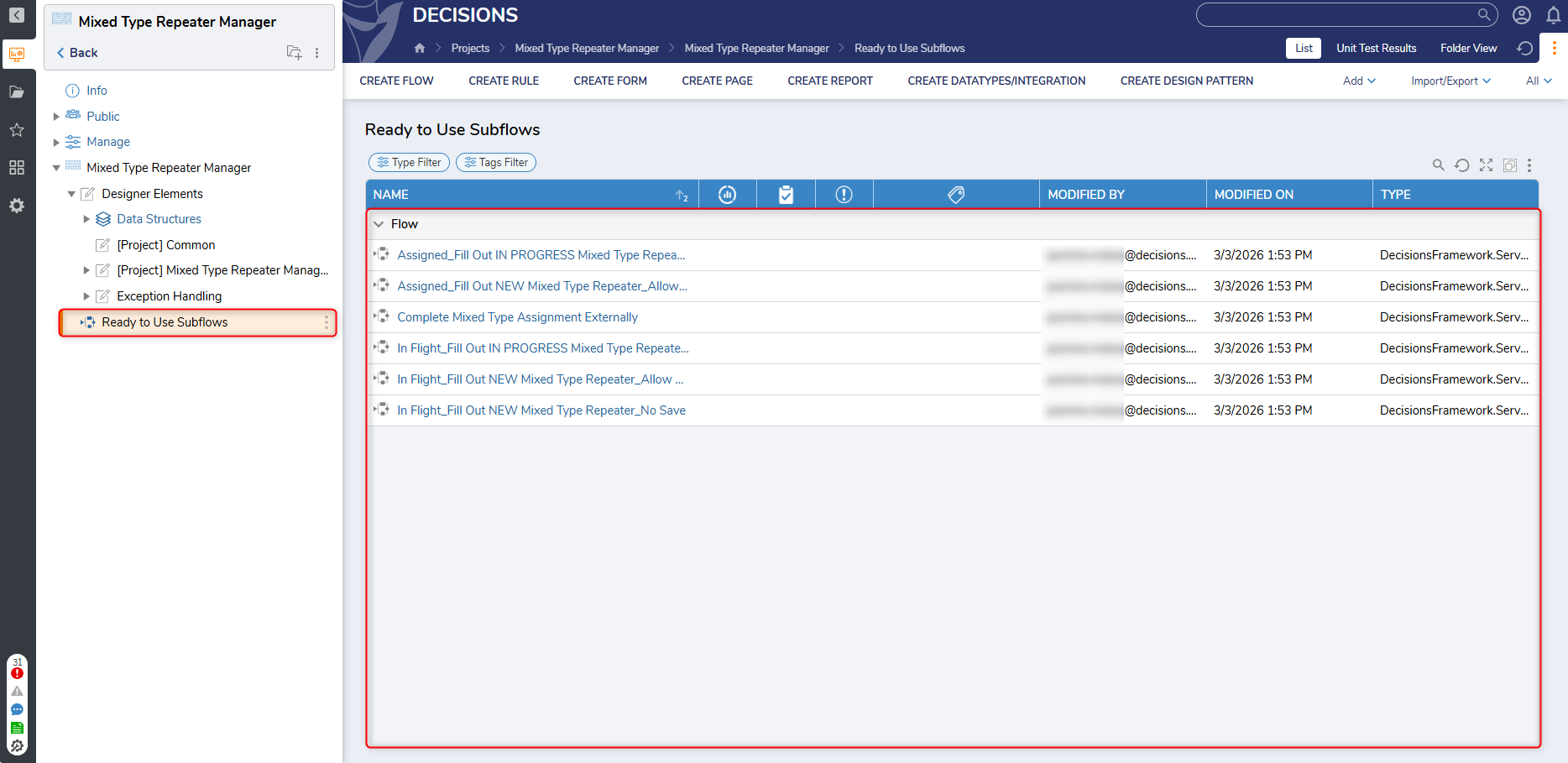
Ready to Use Subflows
This folder contains a list of Flows that designers can easily insert into their existing projects to make use of a mixed-type repeater template. Templates can be assigned or used for a current session based on the Flow's name.
Dashboards & Pages
This Project includes the Mixed Type Repeater Manager Dashboard and associated pages for Templates and Dependency Rules.
Mixed Type Repeater Manager
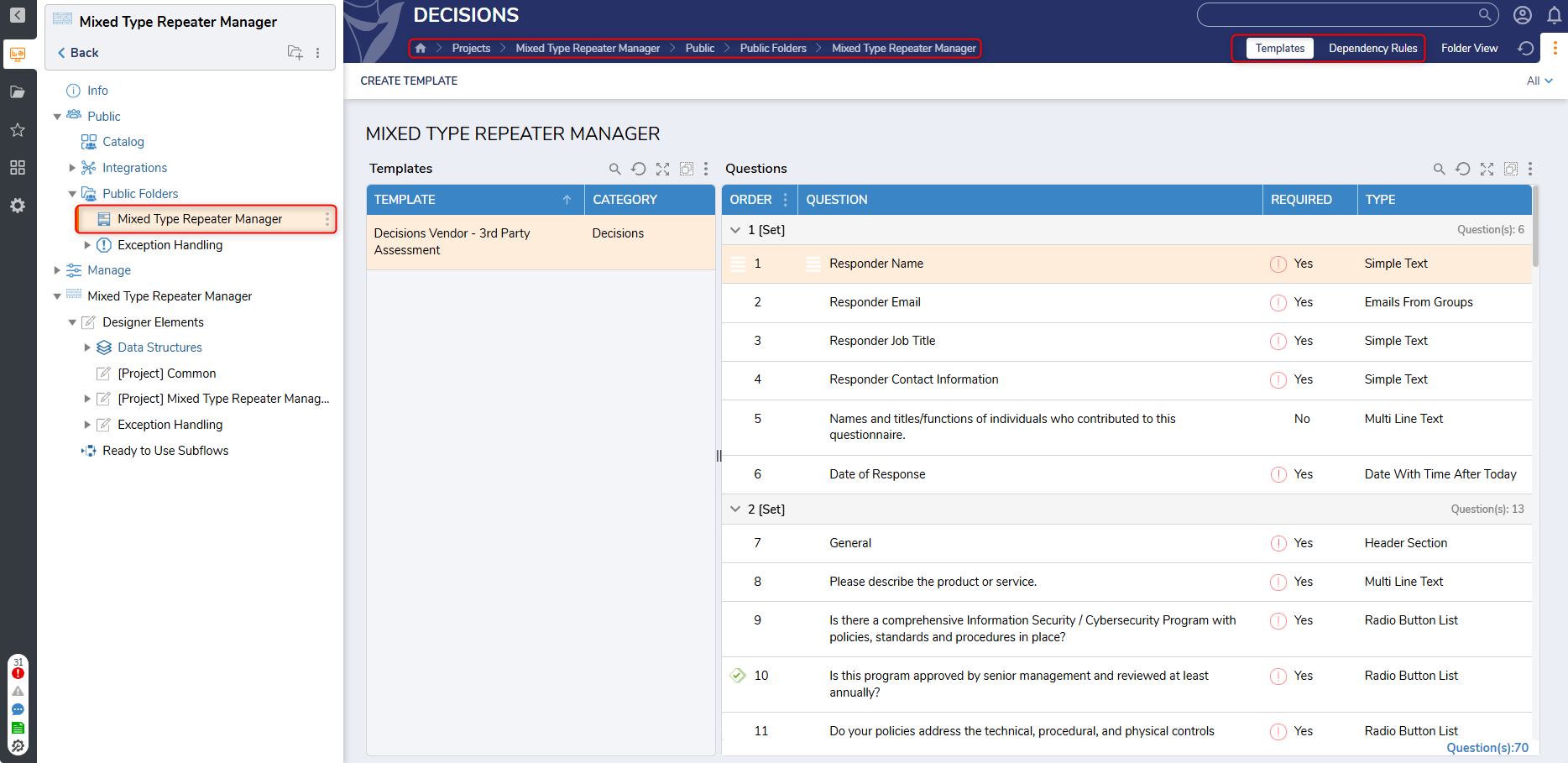
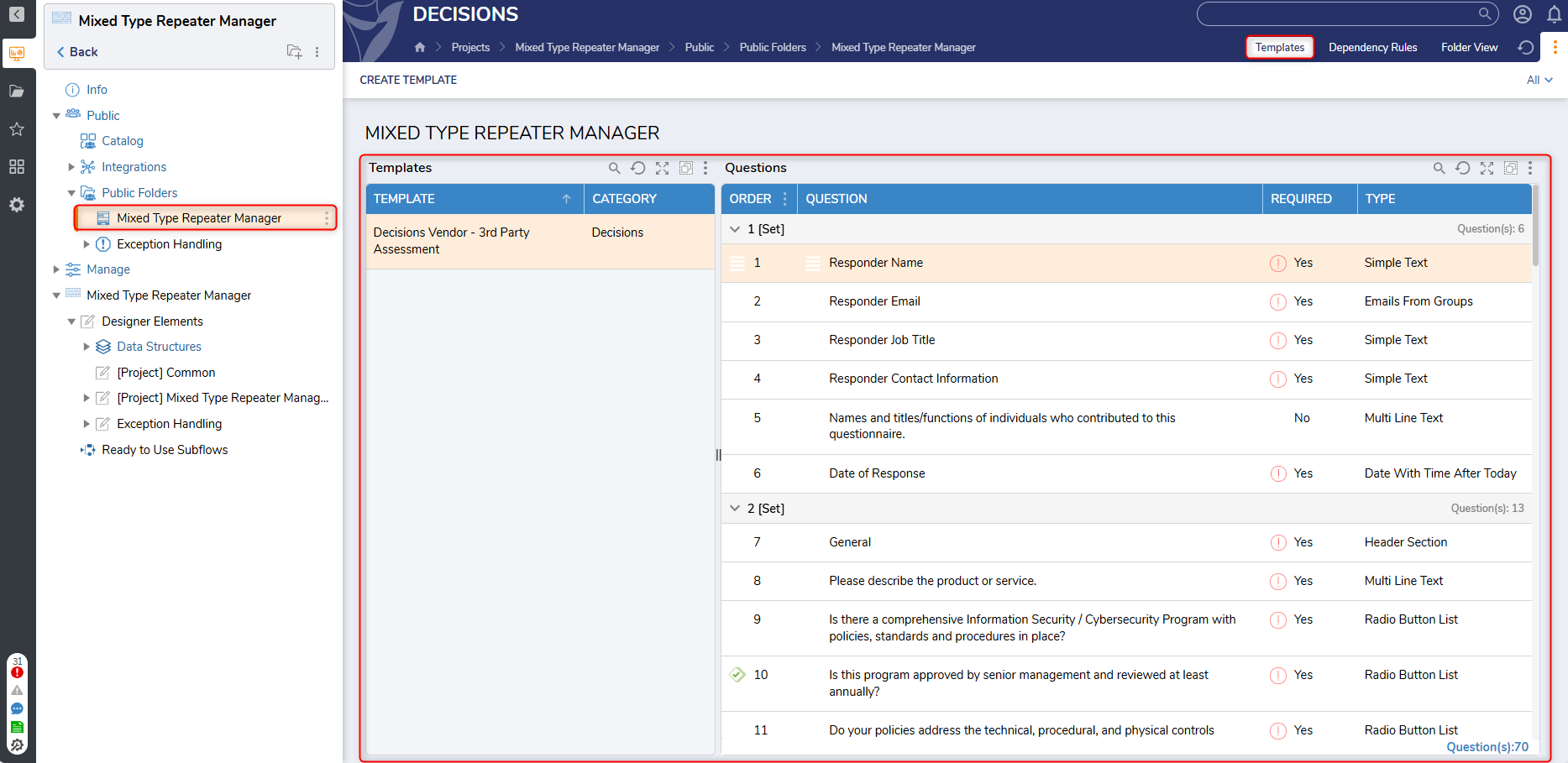
This Dashboard displays all available mixed-type repeater templates with their respective components. Designers create new templates by clicking the Create Template button at the top of the Dashboard.
Templates
This page enables Designers to manage each section of a Mixed Type Repeater Template, in addition to the following actions:
- The ability to edit or copy templates.
- The ability to associate another template with the current template and combine associated questions for both.
- The ability to create, edit, and delete sections or questions and manage their dependencies.
- The ability to preview how the Mixed-Type Repeater will appear on the Form.
Dependency Rules
This page displays a current list of Dependency Rules and associated questions.