The transfer credit evaluation process can be initiated from either the Transcripts Dashboard or the Applications Dashboard. Select the appropriate section below to view the steps based on your starting point.
To begin the credit evaluation application from a transcript, follow these steps:
Once a transcript is marked as Transferable, select it from the Transcripts Dashboard to review or edit it.
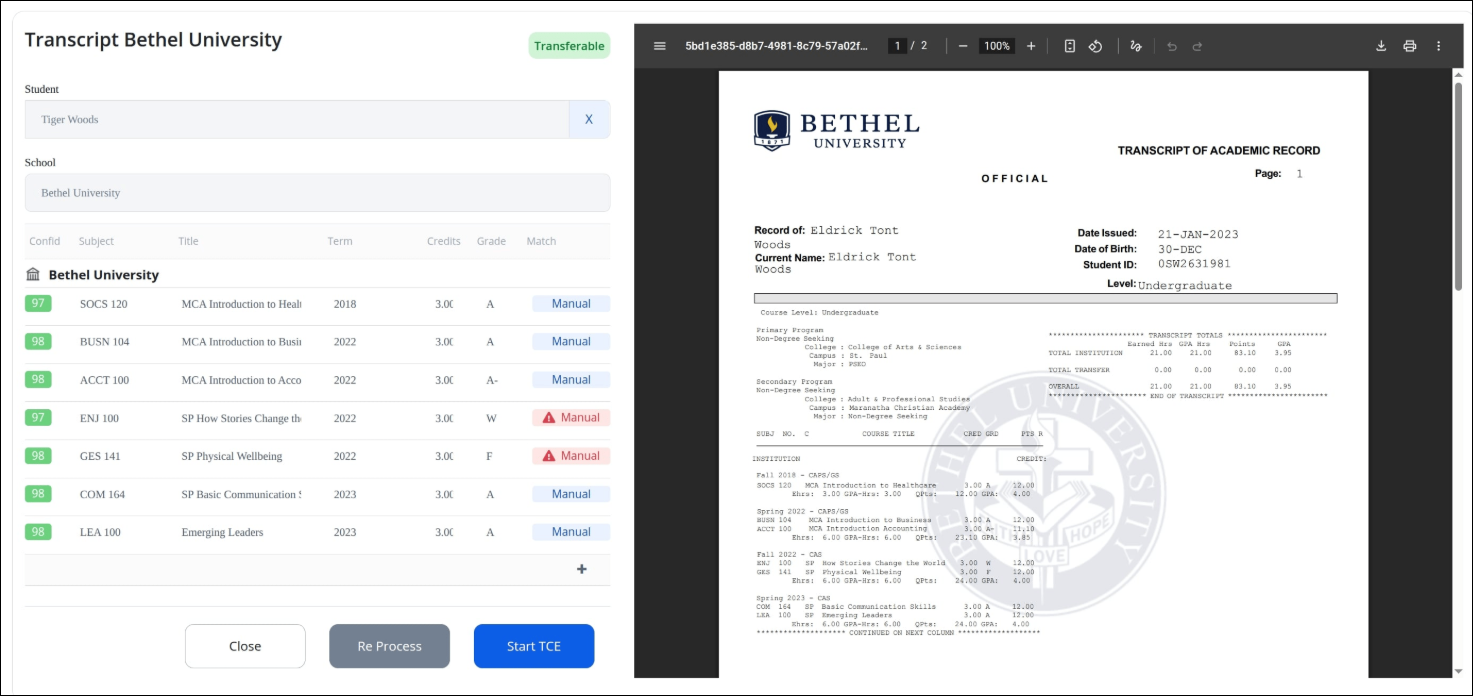
Click inside a column in the course list to make any necessary changes.
To add additional courses, click the + icon at the bottom of the course list.
When ready, click Start TCE to begin the application.
If the student has other transcripts, they will appear in a list. Select one or more to include.
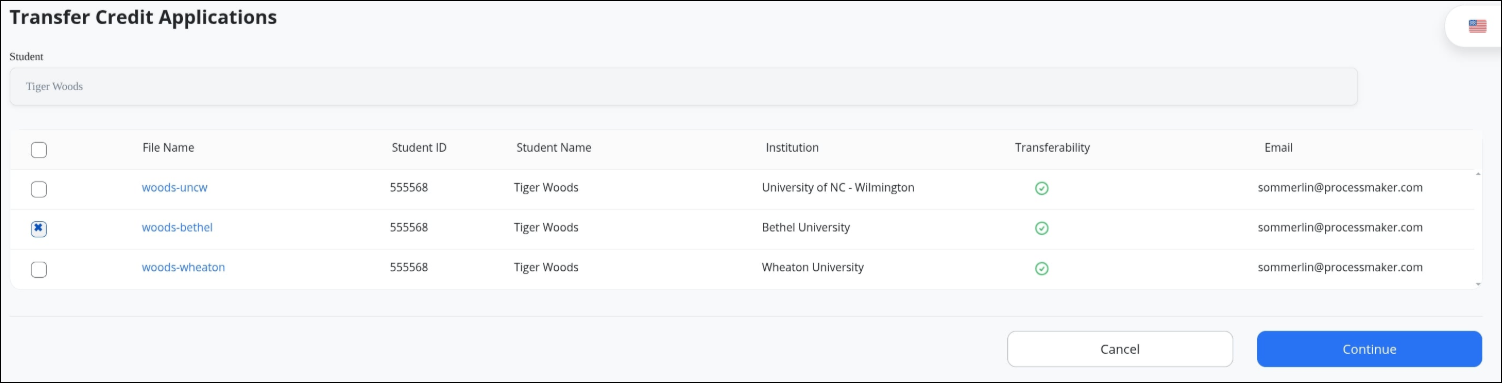
Click Continue to view the transfer application.
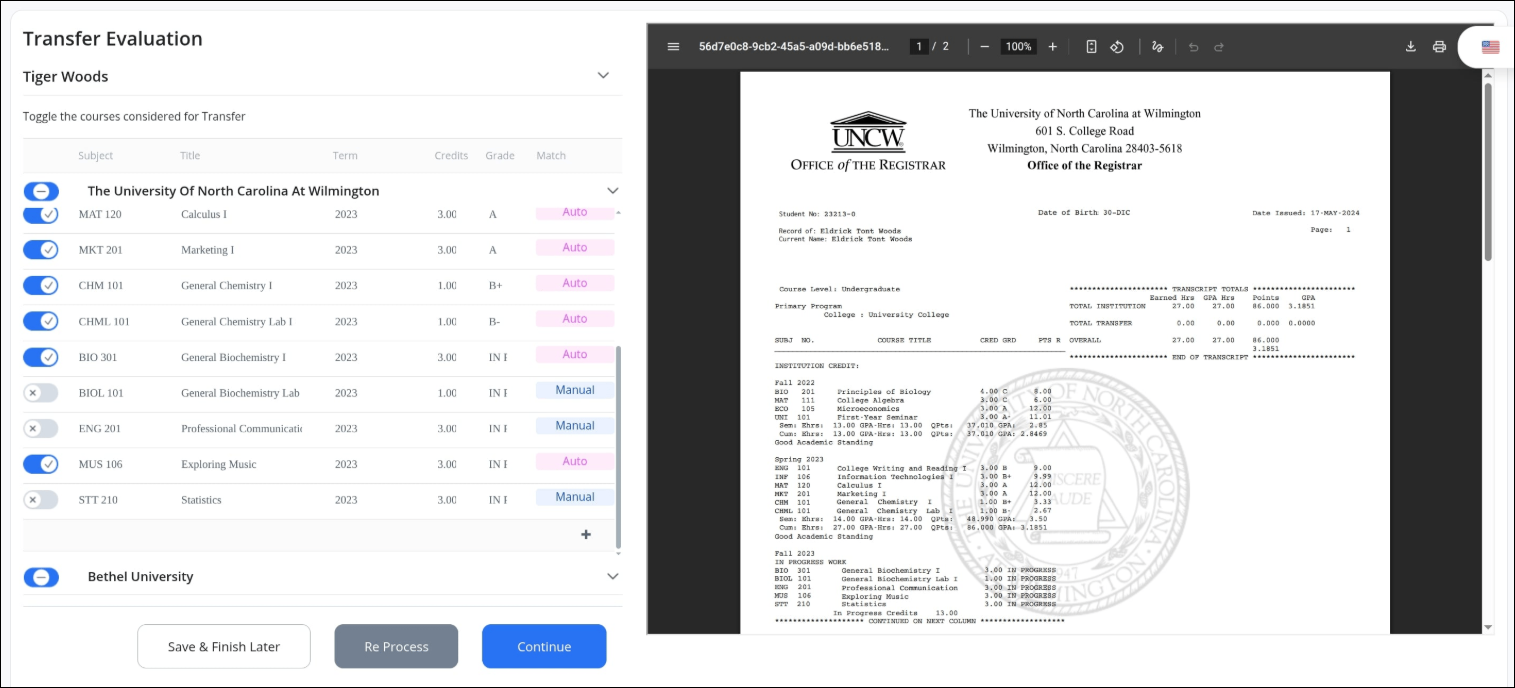
All eligible courses will be marked with these status:
Auto: Already matched to university equivalents and eligible for transfer.Manual: Not auto-matched and excluded by default.
Use the toggle to control course selection for the application. The top toggle next to the institution name lets you apply one of the following selection modes:
Left Position — Deselect All: Deselects all courses in the table. Individual course selection is not available while this mode is active.
Middle Position — Manual Mode: Allows users to manually select or deselect individual courses as needed. Manual course selection is only available in this mode. Default option.
Right Position — Select All Valid: Selects all eligible courses that meet the system validation rules for evaluation. Individual course deselection is not available while this mode is active.
Use the + icon at the bottom of the course list to add more courses, if needed.
Click Continue to proceed.
To begin the credit evaluation application from the Applications dashboard, follow these steps:
Click Applications from the top menu to access the dashboard.
Find the name of the student in the list, and click on the student name to view their transcripts.
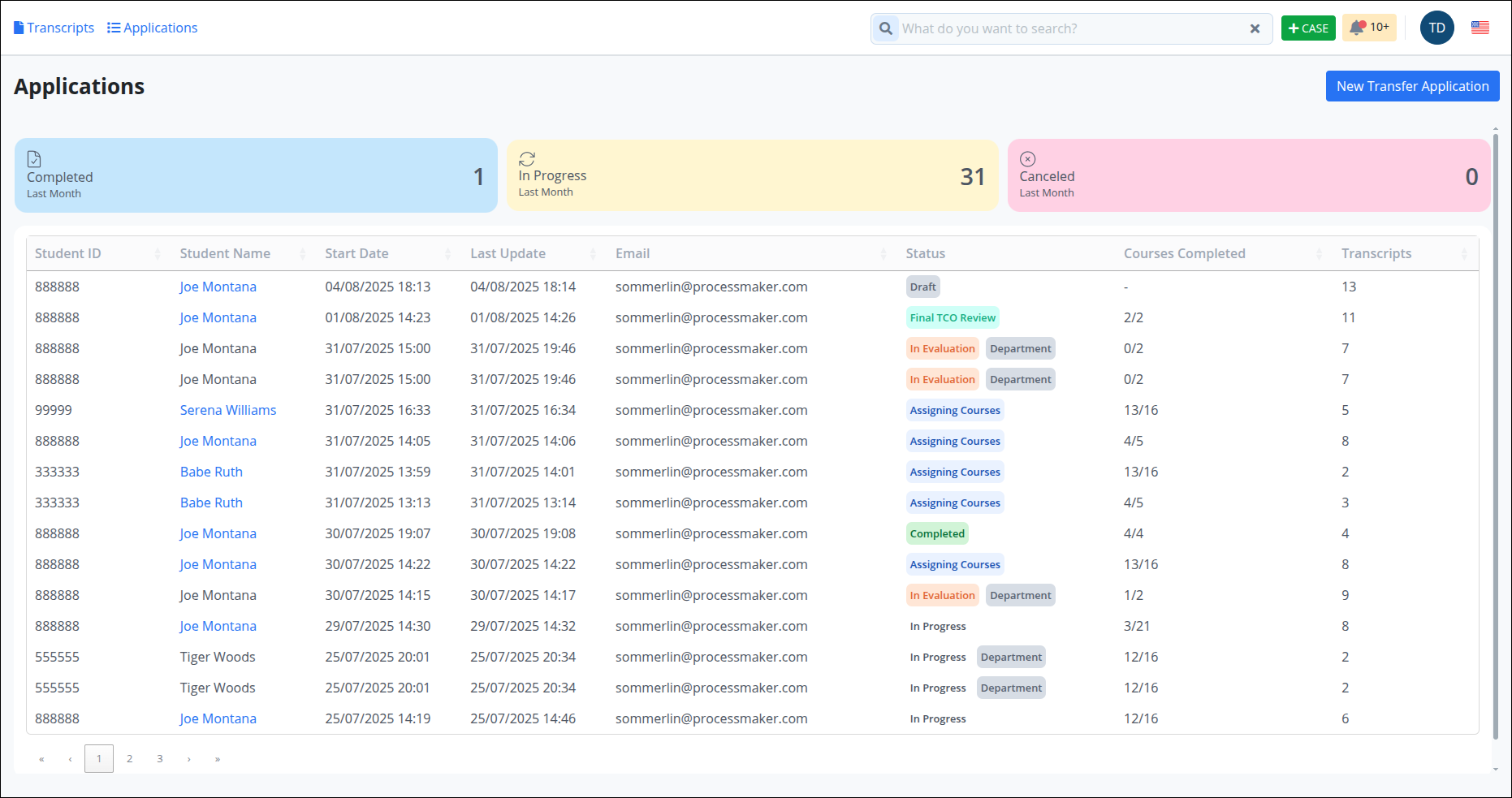
Transcripts associated with a student will appear in a list. Select one or more for evaluation.
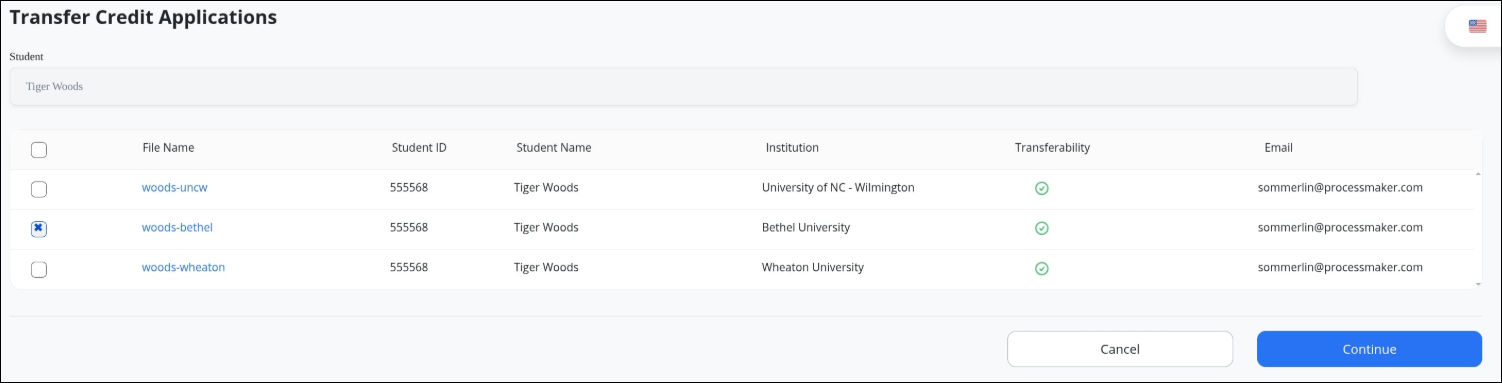
Click Continue to view the transfer application.
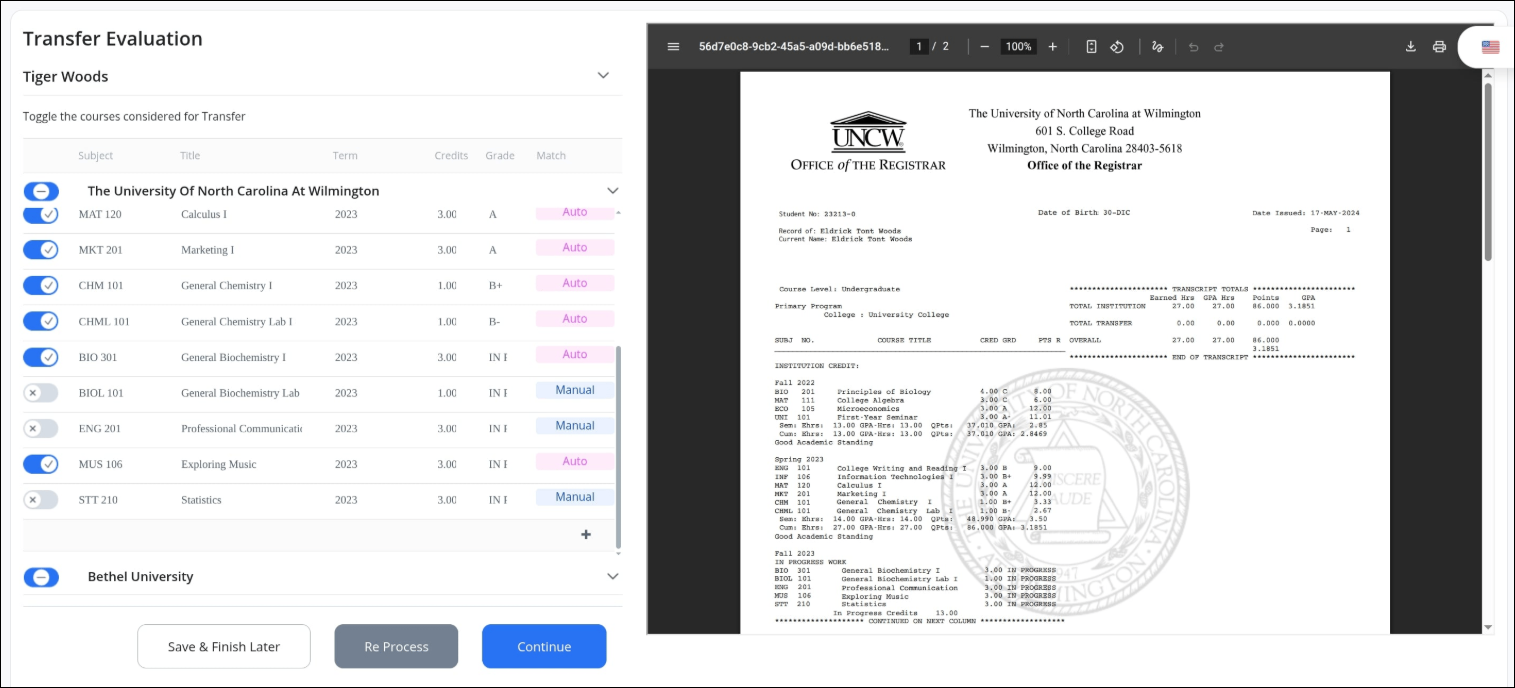
All eligible courses will be marked with these status:
Auto: Already matched to university equivalents and eligible for transfer.Manual: Not auto-matched and excluded by default.
Use the toggle to include or exclude a course from the application.
Use the + icon at the bottom of the course list to add more courses, if needed.
Click Continue to proceed.