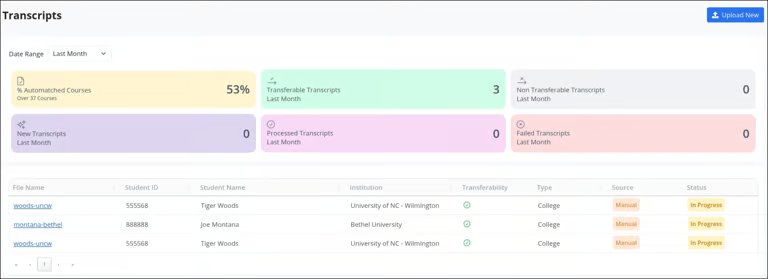
After a transcript is processed, review the extracted data and make any necessary edits. Follow these steps to manually edit a transcript:
Click on a transcript to view it.
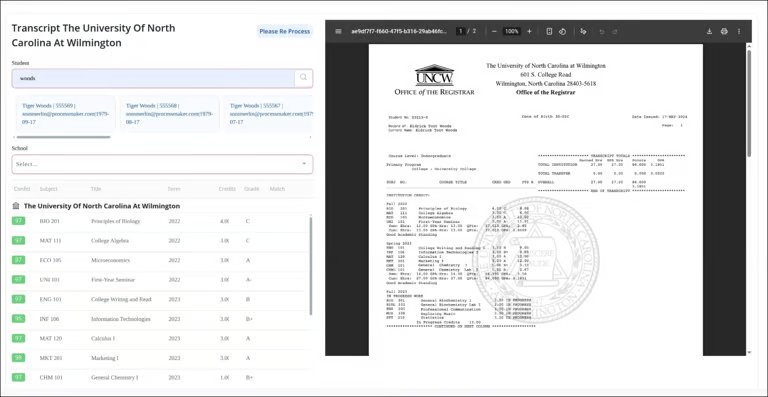
If the student is not automatically matched, enter their name and search for the correct record.
Select the student from the provided list.
If the school is not automatically matched, choose it from the provided list.
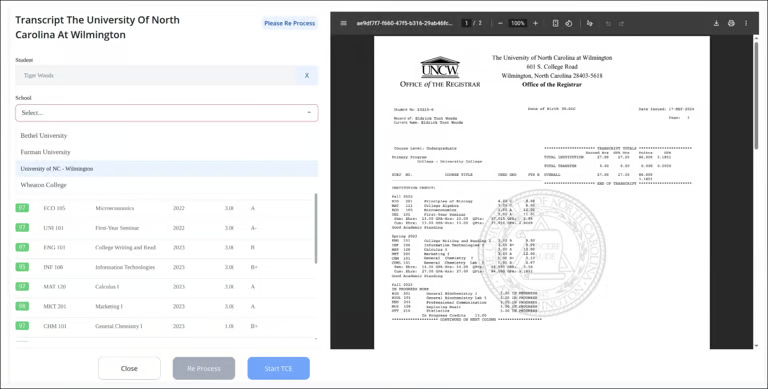
If no changes are needed in the extracted transcript data, click Start TCE to begin the credit evaluation.
To make changes, manually update any course details such as the course name, credit hours, or grade.
When all edits are complete, click Re-Process to apply the changes.
Once reprocessed, the transcript will display a green checkmark in the Transferability column, indicating it is marked as Transferable and ready for credit evaluation.