On the Course Articulation step, the right panel shows a summary of auto-matched and pending courses, while the left panel displays the status of all courses.
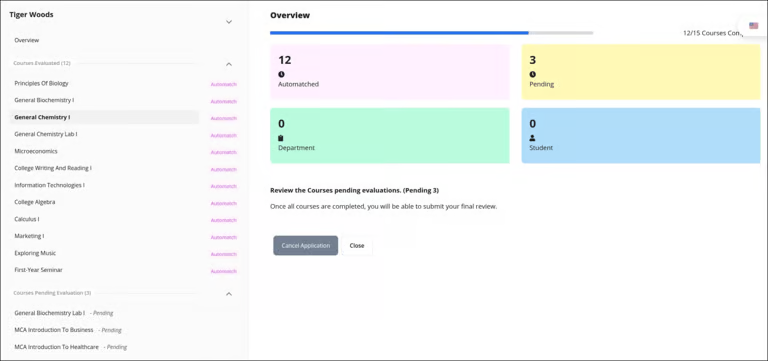
From this screen, Credit Officers can choose to:
Forward the application to the student for additional information,
Assign it to a department reviewer for evaluation, or
Complete the course articulation directly within the system.
Follow these steps to edit an existing articulation or create a new one:
Click an auto-matched course to view its details and equivalency.
No action is required unless you want to upload supporting documents.
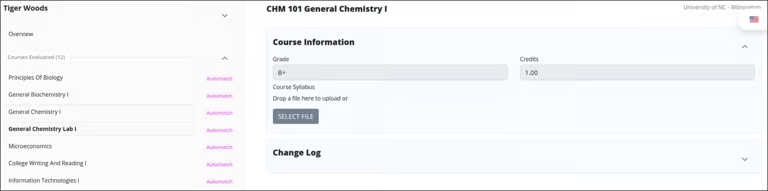
To articulate an unmatched course, select it from the pending courses list. Following actions can be performed on a pending course:
Direct Articulation
Expand the Articulation section.
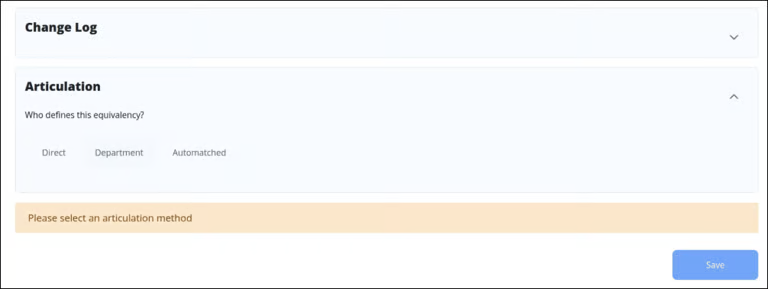
Select Direct to manually define the articulation yourself.
Select Transfer if this course is eligible for transfer, otherwise Select No Transfer.
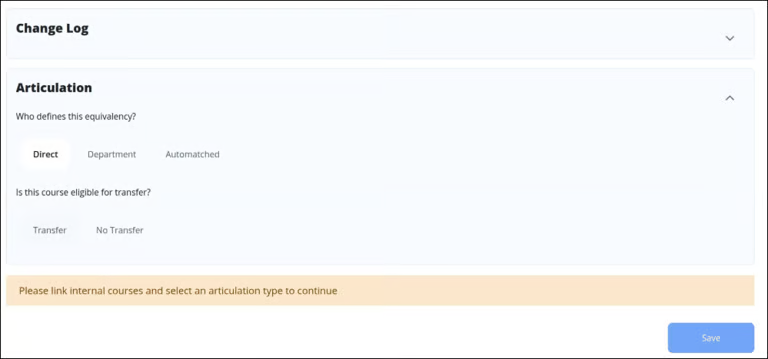
Choose how to map the course:
Single – Map to one equivalent course.
Multiple – Map to more than one equivalent course.
Select the target course(s) from the list.
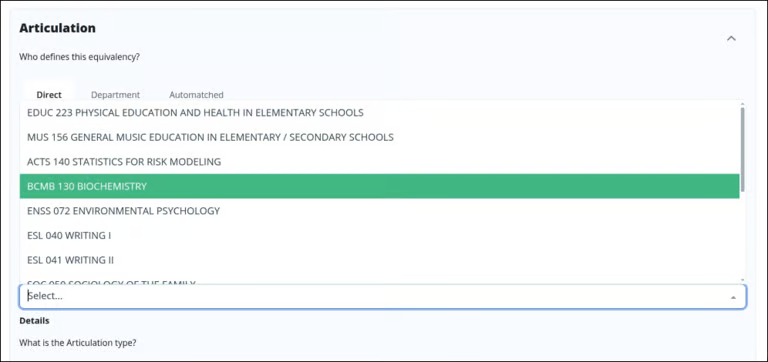
Click Save as Equivalency to finalize the articulation.
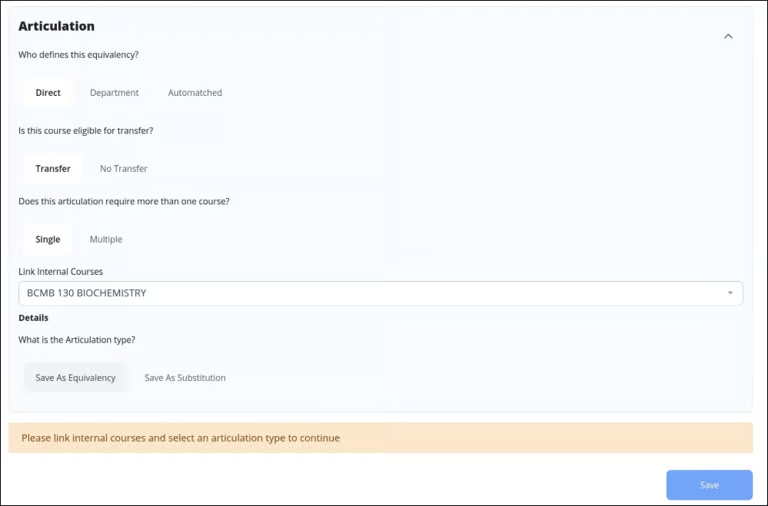
Click Save to apply all updates.
A summary of reviewed courses will appear for confirmation.
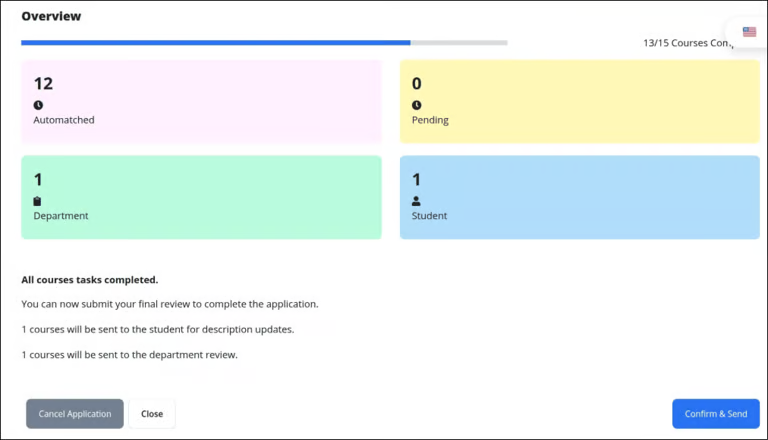
Click Confirm & Send to submit the evaluation.
Forward to Student
Follow these step to request additional information from the student:
Select Send to Student to request a course description or other input.
Click Select File to upload supporting documentation.
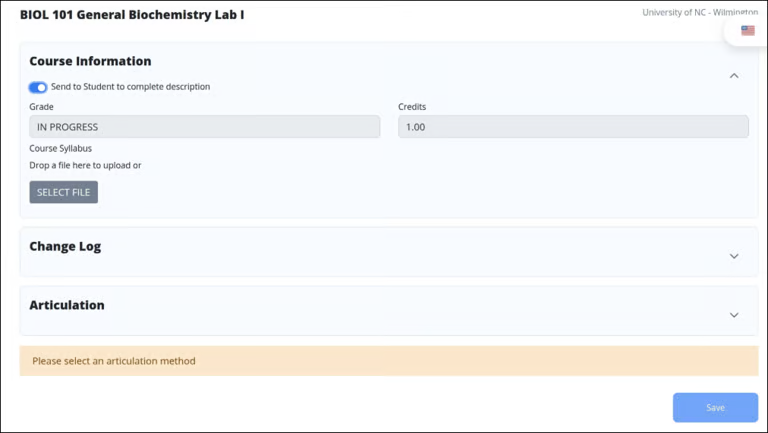
The student will receive an email with a link to submit the requested information. For detailed instructions, see the Student Input section.
Once the student submits the required information, the Credit Officer will receive an email to continue the application.
Assign to Department Reviewer
Follow these steps to assign the application to a department reviewer:
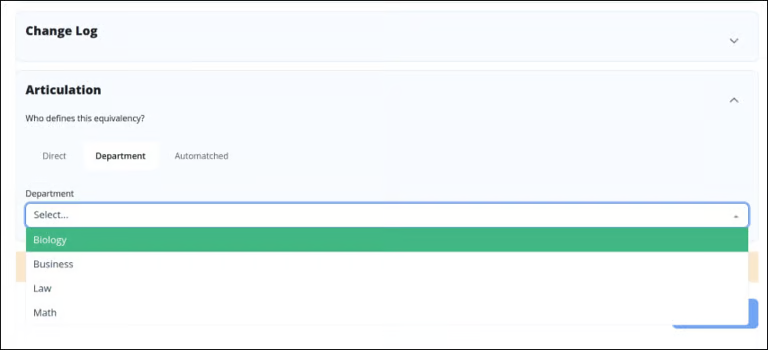
Expand the Articulation section.
Select Department to forward the course for departmental review.
From the dropdown list, select the appropriate reviewing department.
The departmental reviewer will receive an email with a link to submit the requested information. For detailed instructions, see the Deparmental Evaluaton section.
Once the reviewer submits the required information, the Credit Officer will receive an email to continue the application.