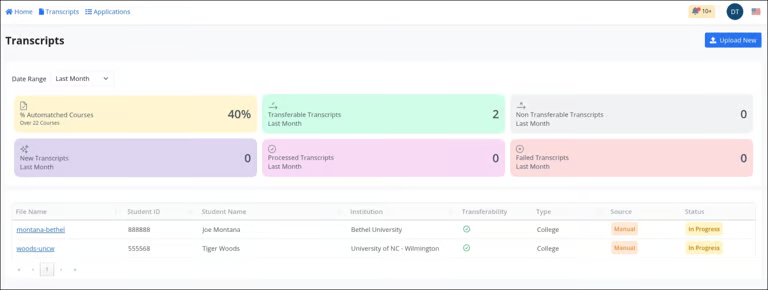
Student transcripts are automatically imported from your student records system. To upload a transcript manually, follow these steps:
From the main dashboard, locate and click the Upload New button in the top-right corner of the screen.
This action will open a new page where you can upload transcripts for credit evaluation.
To begin, select either College Model or High School, based on the transcript type you will be uploading.
Once you have selected the appropriate transcript type, press the Select File button.
Select the transcript file(s) that you would like to upload (supported formats include pdf, jpg, or png).
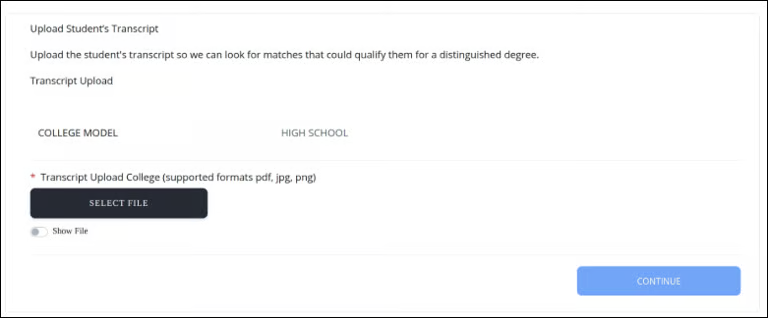
Click the Continue button to return to the Transcripts Dashboard, where you will see your newly uploaded file processing.