Once all courses have been matched and articulated, a final approval email will be sent to the Credit Officer to complete the transfer credit application. Follow these steps to complete the application:
Click the link in the email to access the application.
Select the application from the provided list.
The left panel displays all courses that have been approved for transfer. The right panel provides a summary of the approval status.
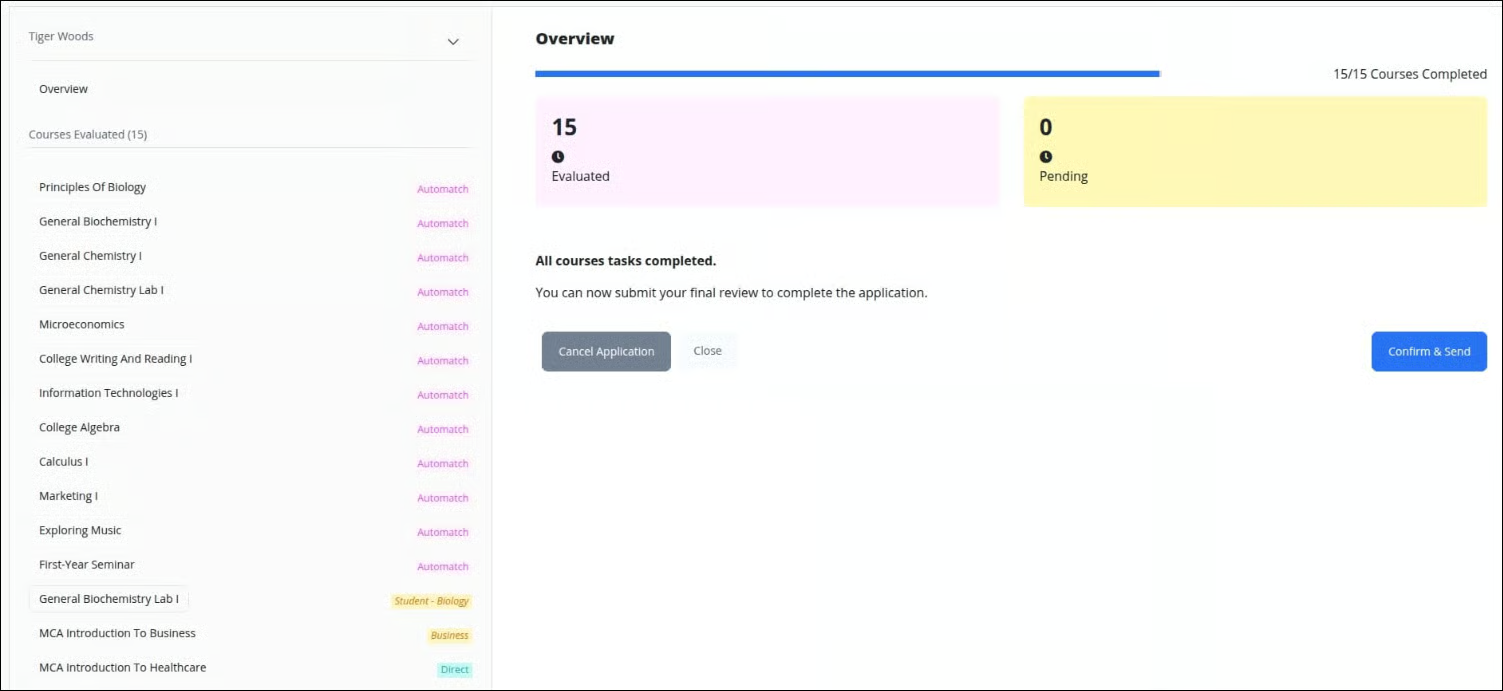
To re-evaluate a course, simply click on it to open and review its details.
To undo an articulation, click Revert.
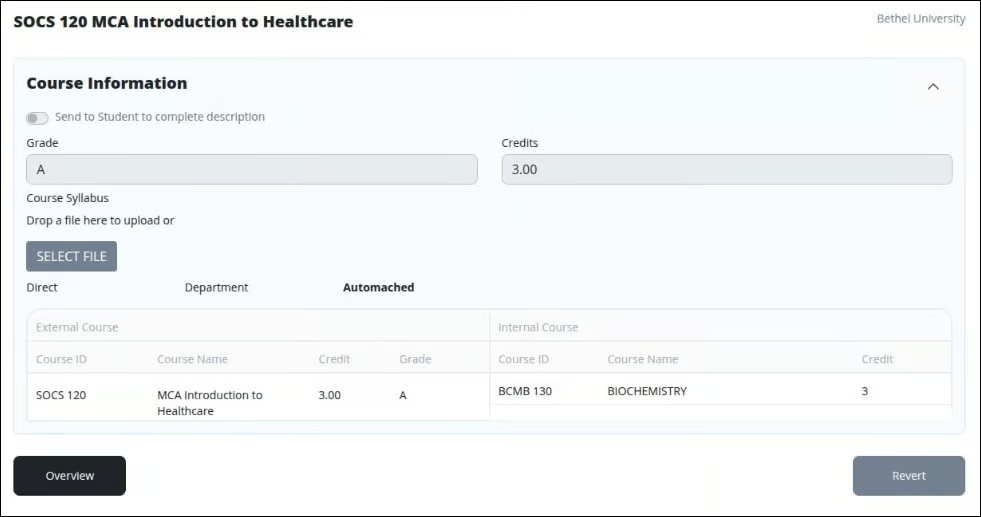
Click Overview to return to the summary screen.
Click Confirm & Send to finalize the application.
That’s it! The credit evaluation is complete, and the student will receive a confirmation email