As a student, you may be asked to provide additional information to support your transfer credit application. Follow these steps:
If the application is routed to you, you’ll receive an email notification with a request to review pending courses.
Click the link in the email to view and update the required information.
From the left menu, select a course from the list of pending items.
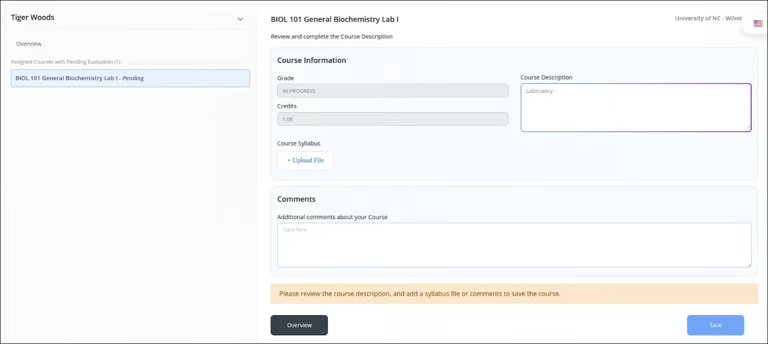
Add a Course Description to help with the evaluation.
Click Upload File to attach a syllabus or add any additional supporting documents.
Add any additional comments in the Comments section.
Click Save to save your updates.
Click Confirm & Send to submit your response and notify the institution.
Your information has been successfully submitted and will now be reviewed by Credit Officers.