Module Details |
|
| Core or Github Module | Core |
| Restart Required | No |
| Steps Exposed | None |
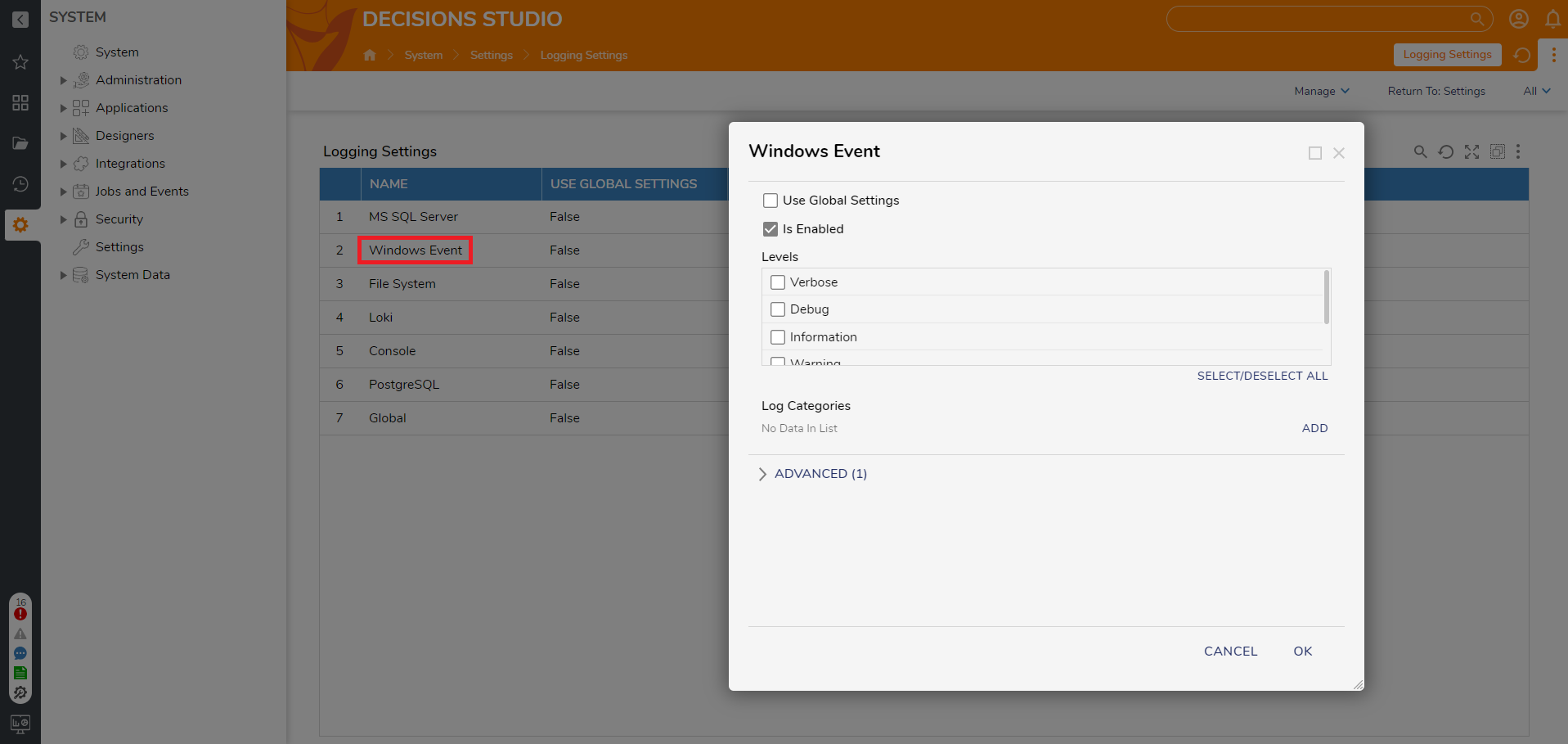
| Settings Location | System > Settings > Logging Settings > Windows Event |
| Prerequisites | None |
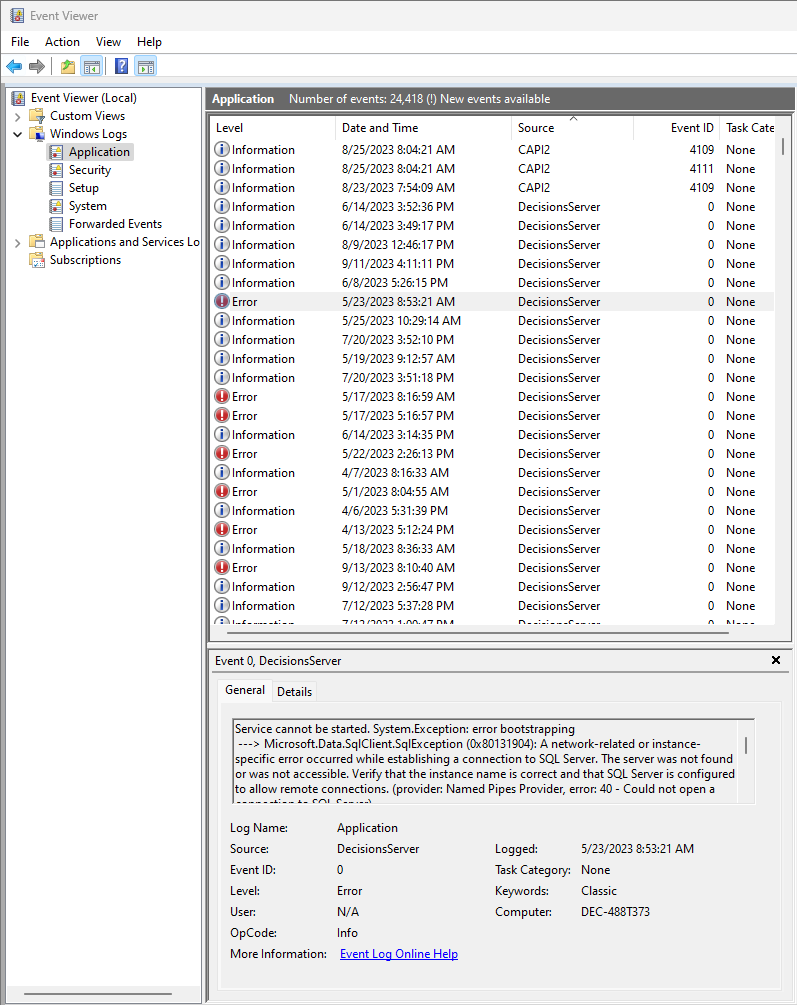
The Logging.WindowsEvent Module enables Windows Event Viewer to capture logs from Decisions.
Configuration/Properties
- Navigate to System > Settings > Logging Settings.
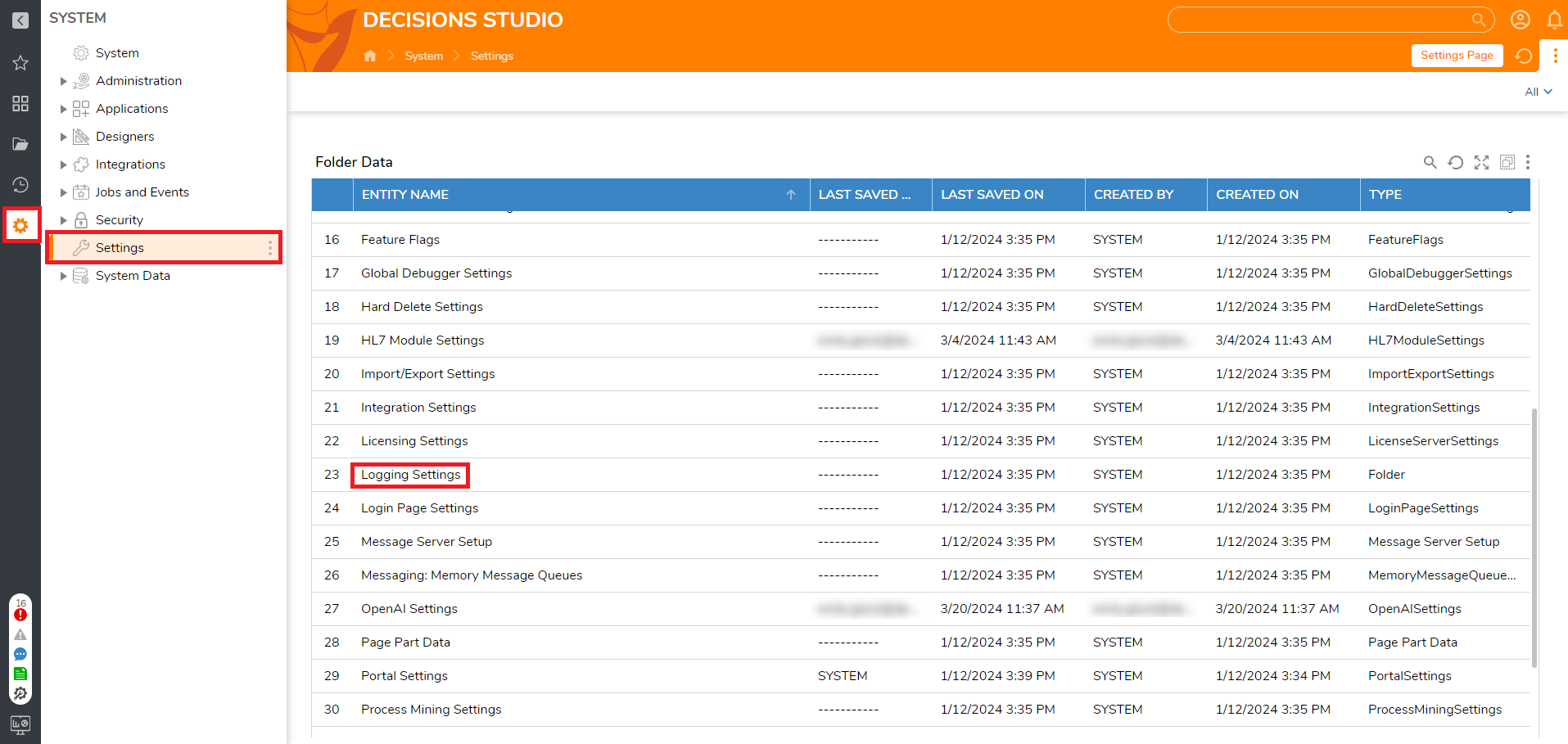
- Click on Windows Event. Here you can set the log levels for Windows Events, including creating custom ones. If you instead want to use the log levels currently in use by Decisions click Use Global Settings.
Viewing Logs
To view the logs, open Event Viewer in Windows. Select Application and sort to find Decisions related logs.
For further information on Modules, visit the Decisions Forum.