Overview
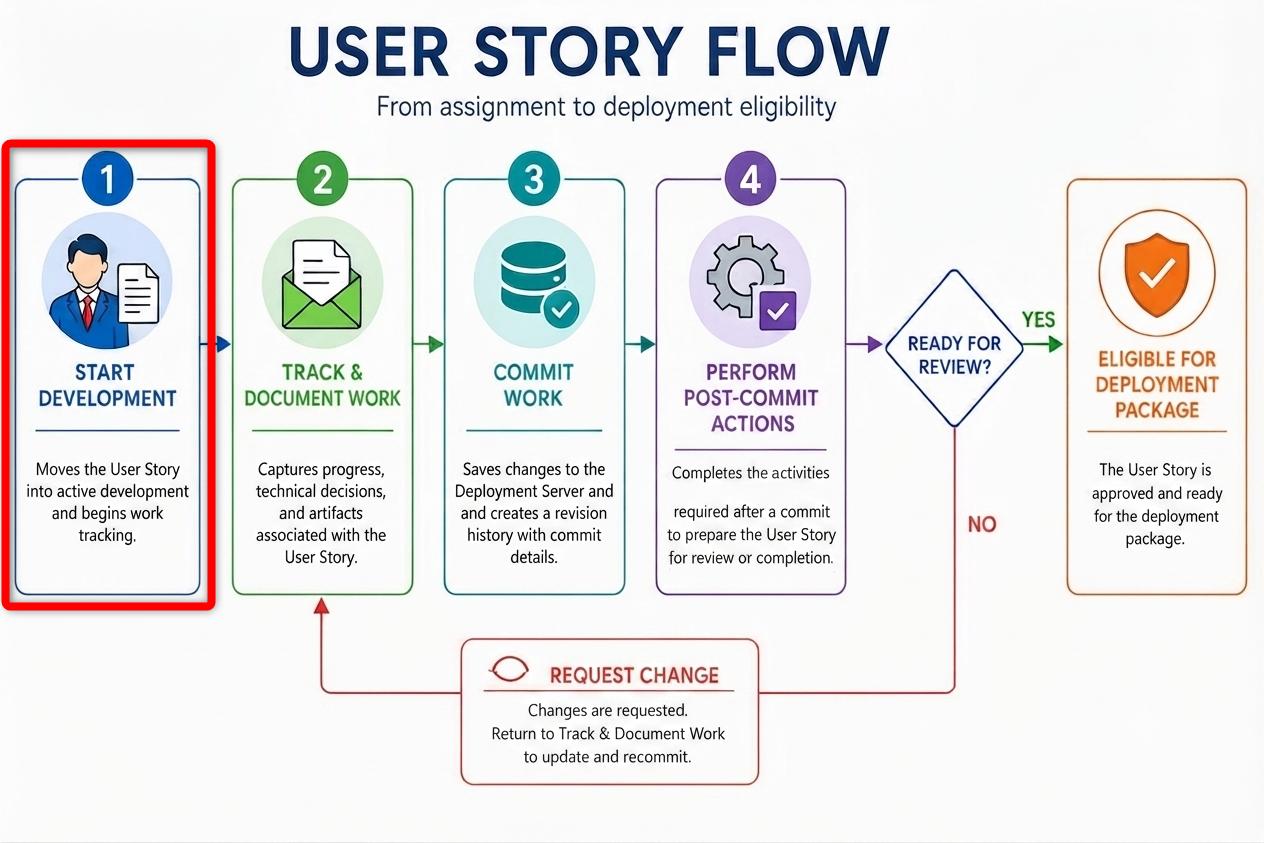
This article discusses the first step of the Executing User Stories Workflow process: Start Development. This step allows Developers to push a created User Story to the In Development state, enabling it to be further tracked and managed. For more information about executing User Stories, please refer to User Story Workflow (Developer Guide).
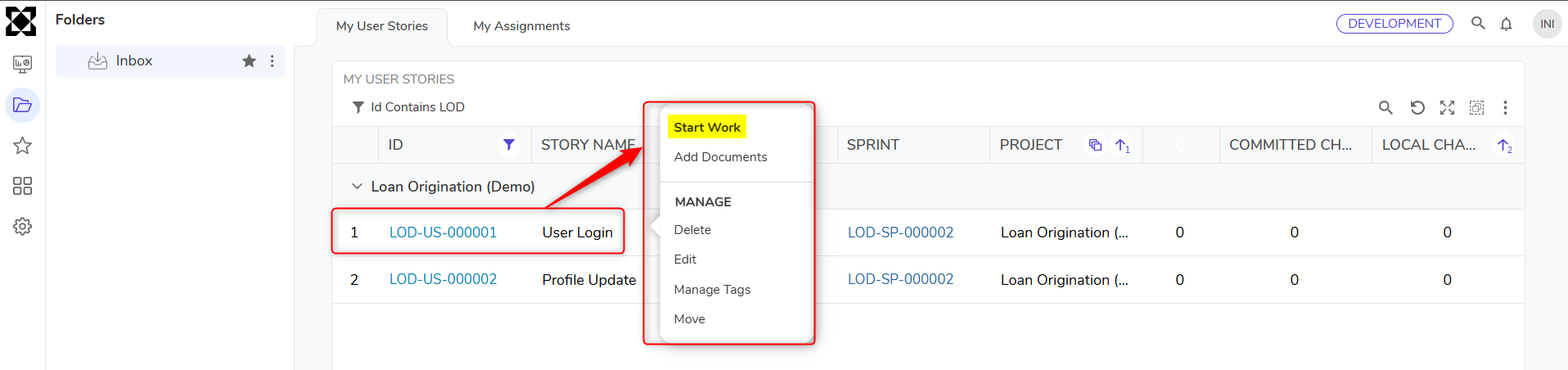
- Right-click on the assigned User Story and select Start Work from the context menu.
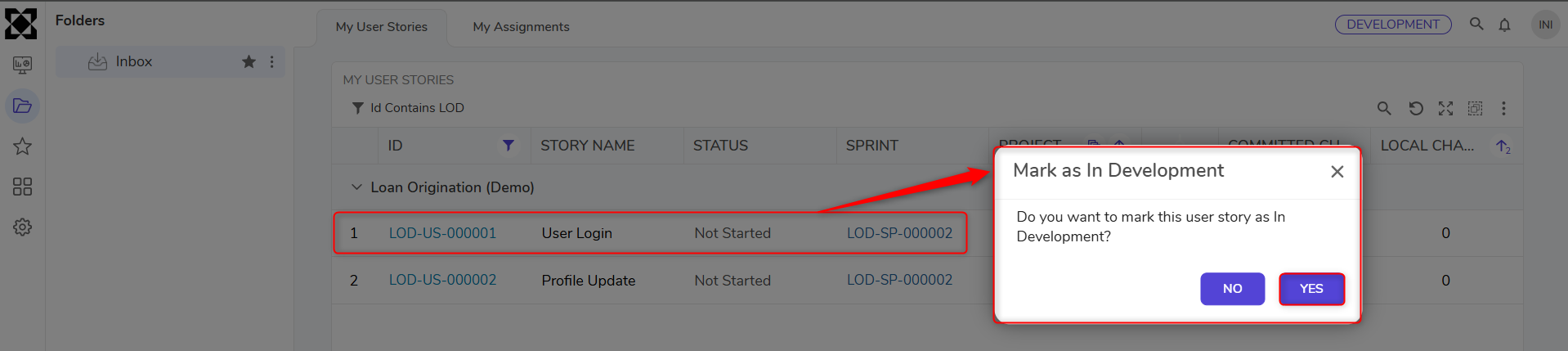
- This action opens a dialog to update the status of the User Story to In Development:
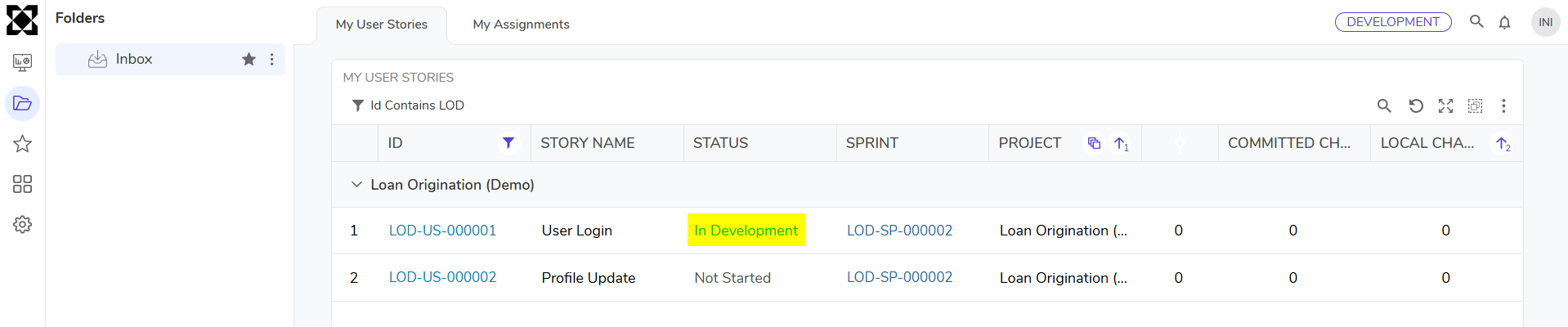
After a User Story reaches the In Development state, additional actions become available:
| Action Name | Description |
|---|---|
| Commit Changes | This action allows Users to push any changes to a User Story once the work is completed. |
| Mark As Complete | Marks a User Story as complete. |
| Add Document | Documents can be attached using the Add Document action on the User Story. Documents can also be added from the Activity panel to provide extra context for reviewers (functionality, intent, and logic). |
| Add Entity | Add Entity enables Users to link Flows, Forms, etc, to a User Story for traceability. |
| Mark as On Hold | This action enables Users to mark a User Story as "On Hold" |