Overview
Users can import external scripts to add additional functionality to the Platform, using the following Modules: PowerShell, Python, and R. Once at least one of the Modules has been installed, and a project dependency has been made, a new page will appear to manage scripts.
Security Risk
These add-on modules provide scripting capability. Administrators acknowledge and accept full responsibility for securing the environment ahead of installing and using it.
Scripting Page
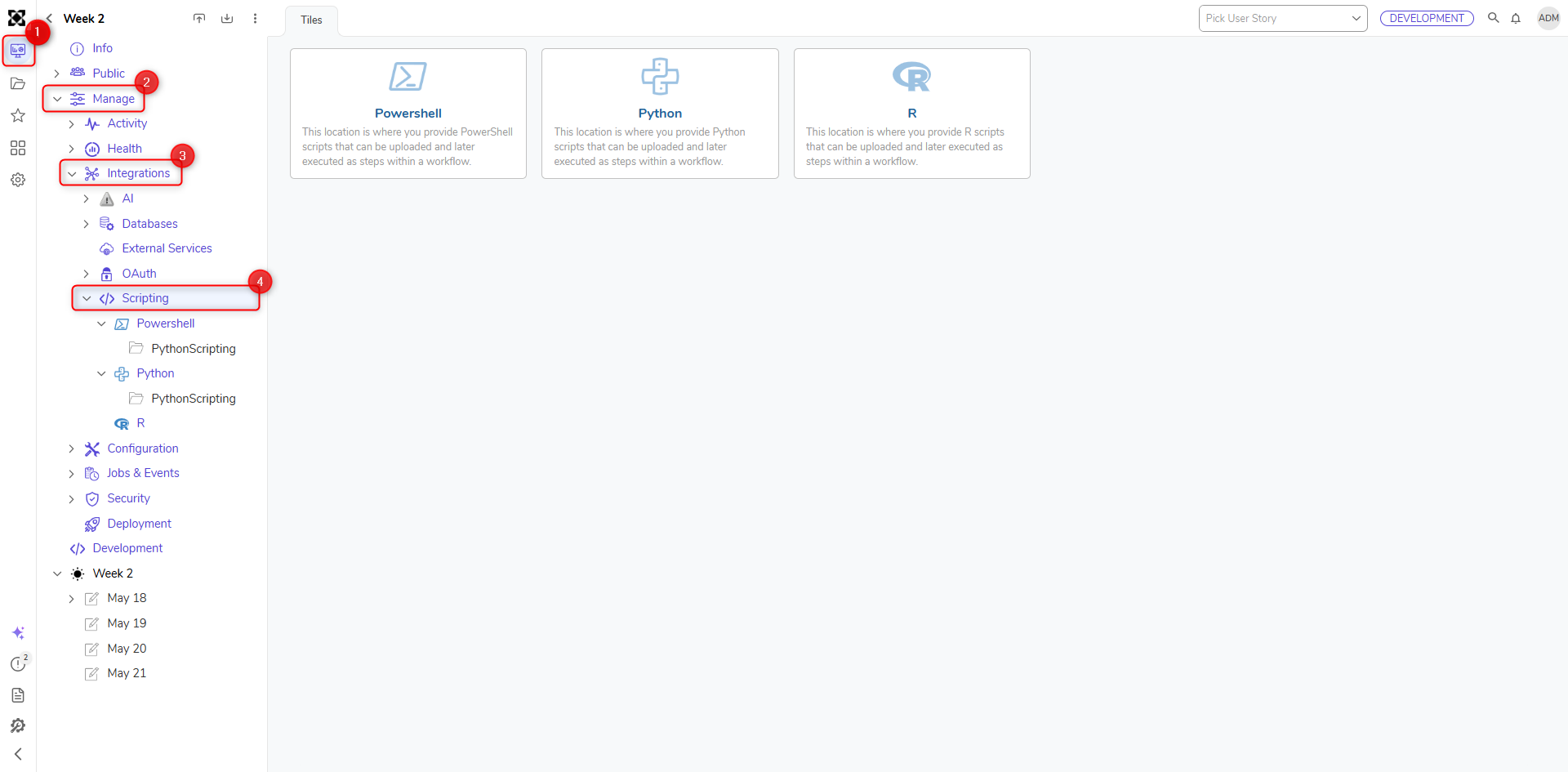
Found in Manage > Integration > Scripting, the Scripting Page shows all the available scripting modules that have been installed. Clicking on each tile will navigate to the main folder for the module.
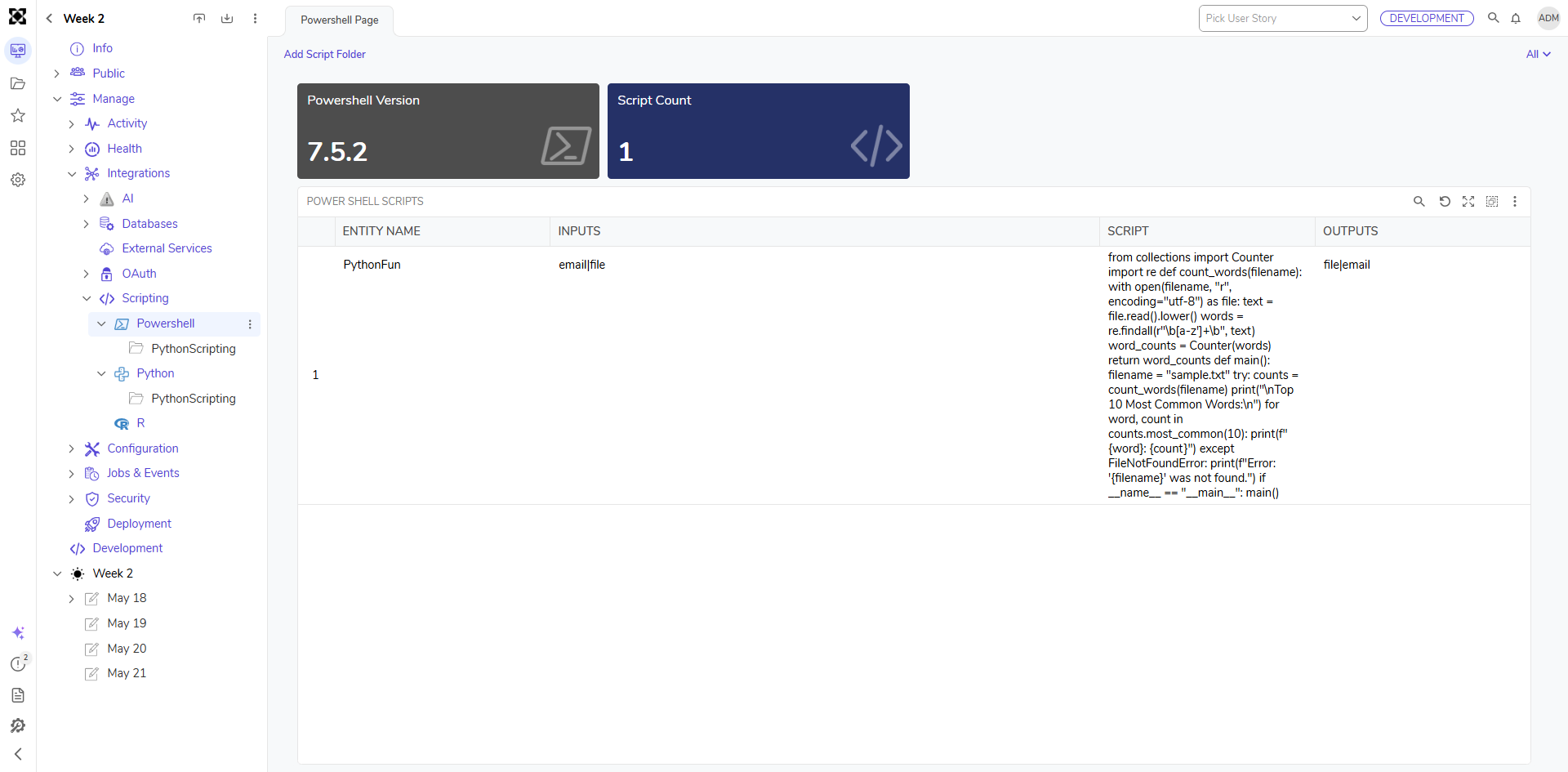
Inside the module folder, Users will find a report showing a list of all the available scripts. Scripts are project-specific and will need to be added manually before they can be used.
Users have the ADD SCRIPT FOLDER action that can be used to create subfolders for better organization of scripts. They will also see the version of the scripting software that has been installed on their environment. There is also a tile that shows the total number of scripts.
Feature Changes
| Description | Version | Release Date | Developer Task |
|---|---|---|---|
| Descriptions have been added to the Scripting and AI folders. | 9.23 | April 2026 | [DT-047199] |