Overview
Decisions allows users to enable encryption when using passwords.
If your environment is connected to the Deployment Server, manage centralized user accounts from the Deployment Server. Administrators can create accounts on the Deployment Server and assign them to connected environments to keep access consistent across Development, QA, and other connected servers.
After an account is assigned to an environment, the account information synchronizes with that environment. Permissions specific to projects, folders, or other security settings must still be configured directly in the target environment where the user will work.
For more information, see: Managing Accounts with the Deployment Server
Configuration
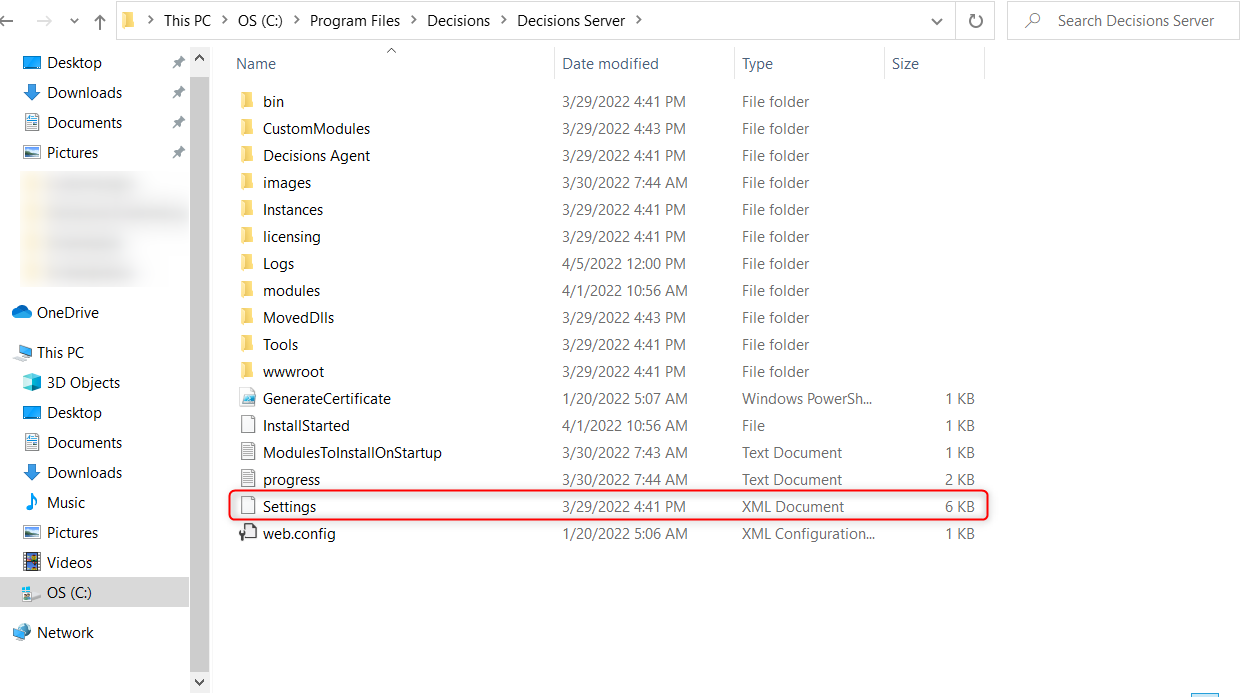
- Navigate to C:\Program Files\Decisions\Decisions Server and open the Settings.xml file.
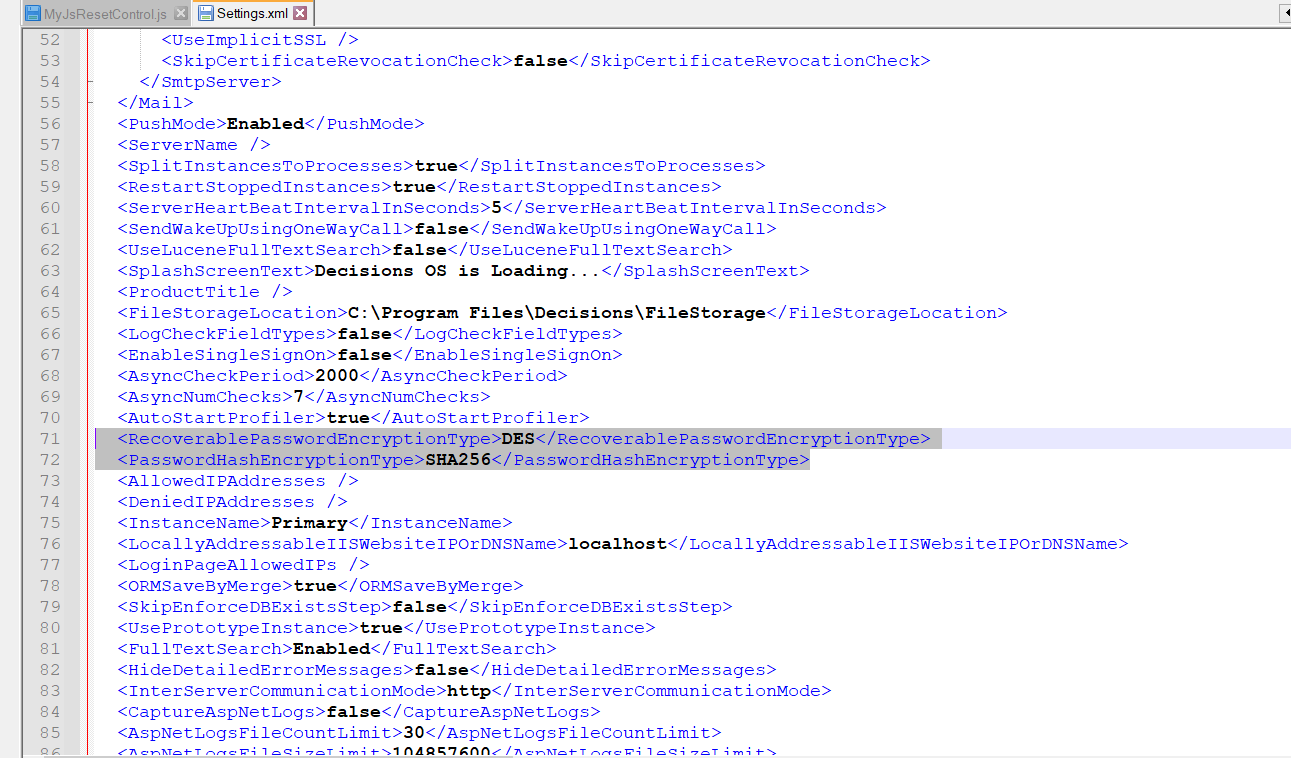
- In the Settings.xml file, locate the options <RecoverablePasswordEncryptionType></RecoverablePasswordEncryptionType> and <PasswordHashEncryptionType></PasswordHashEncryptionType>. Enter the desired encryption options.
- Save the file. Restart the Decisions Application for the changes to be applied.
Password Encryption Type
The RecoverablePasswordEncryptionType is configured to set the Encryption Type that handles two-way encryption, which is used when information that is encrypted needs to be decrypted again. This tag accepts the following options:
- DES
- TripleDES
- Rijndael
- RC2
- Aes
<RecoverablePasswordEncryptionType>Aes</RecoverablePasswordEncryptionType>Password Hash Encryption Type
The PasswordHashEncryptionType is configured to set the Encryption Type that handles one-way encryption, which is known as hashing. This process uses an algorithm to encrypt a piece of data with a method that cannot be reversed to assure that the data is not altered. The options allowed are:
- MD5
- SHA1
- SHA256
- SHA384
- SHA512
<PasswordHashEncryptionType>MD5</PasswordHashEncryptionType>