Overview
This document explains how to use the Generate Formula with AI functionality inside the platform. This feature allows users to generate a Formula with an AI Assisted Chat Experience.
Can/Cannot
Each of the AI features have capabilities that they can do and capabilities that they cannot do. As these features continue to improve the list below will change. As of v9.16 this is what the feature can and cannot do:
Can
- Use all functions available inside the Formula Designer
- Add Inputs
- Use If Statements
Cannot
- Enable Formula as an integration
- Iterate on existing Formulas
Generate From AI
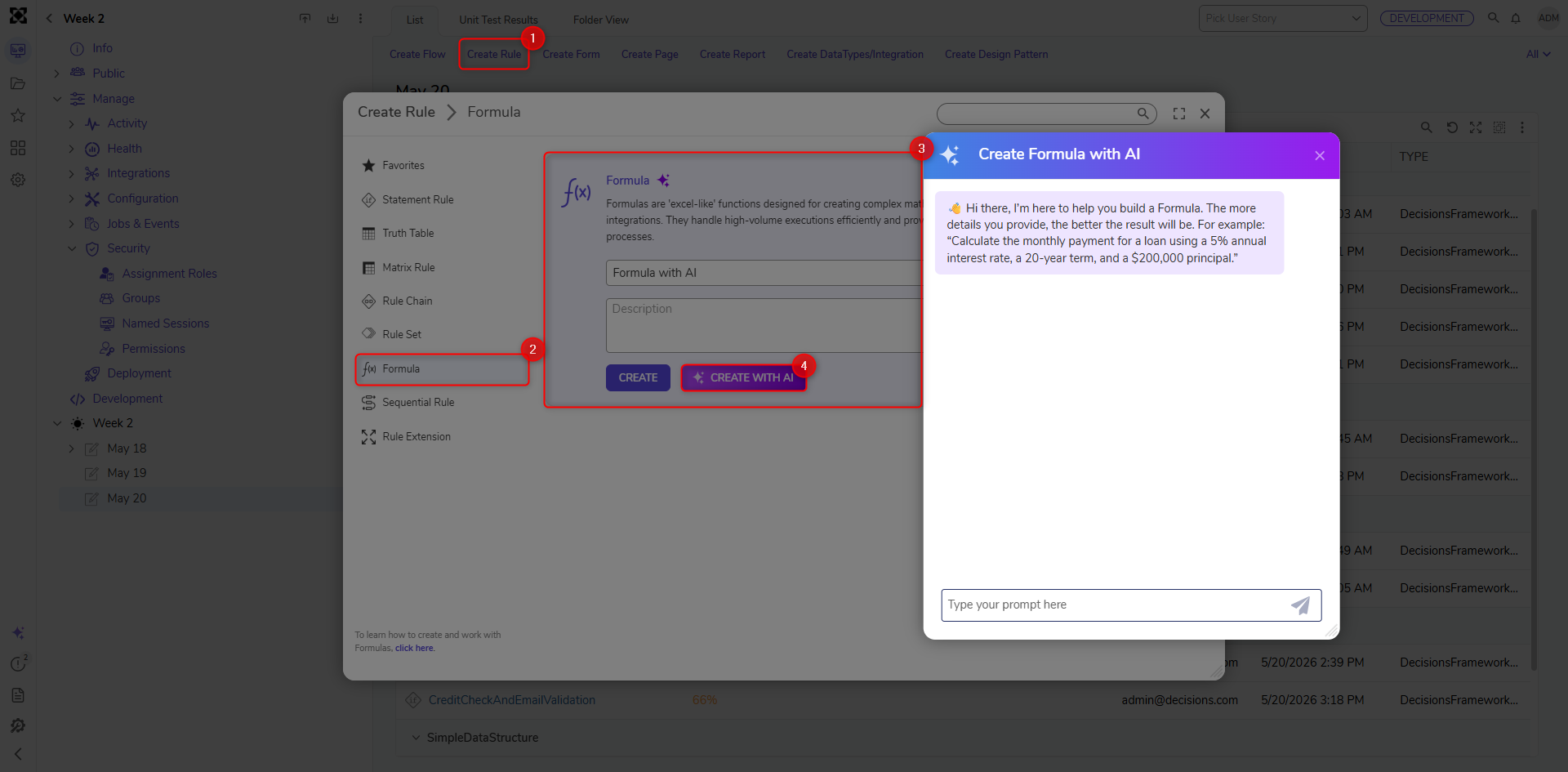
To use this feature, initiate the creation of a Rule. After selecting Formula, Users see a button called "Create With AI". Once clicked, a chat window will appear where users can request a Formula be created.
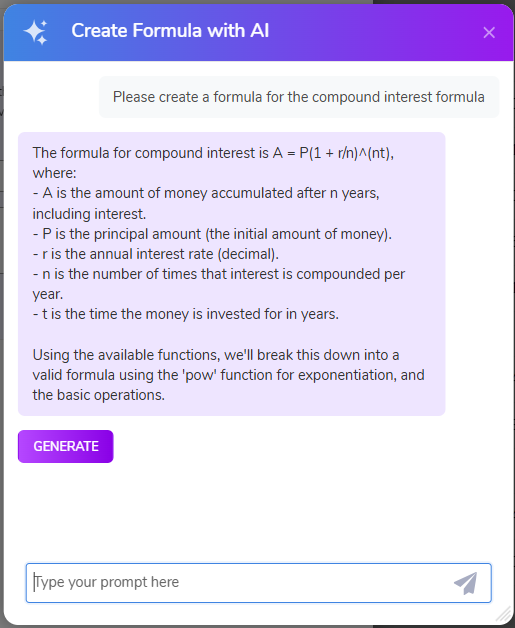
Once the Formula has been defined and all of the AI assistant's questions have been answered, click the "Generate" button to generate the Formula.
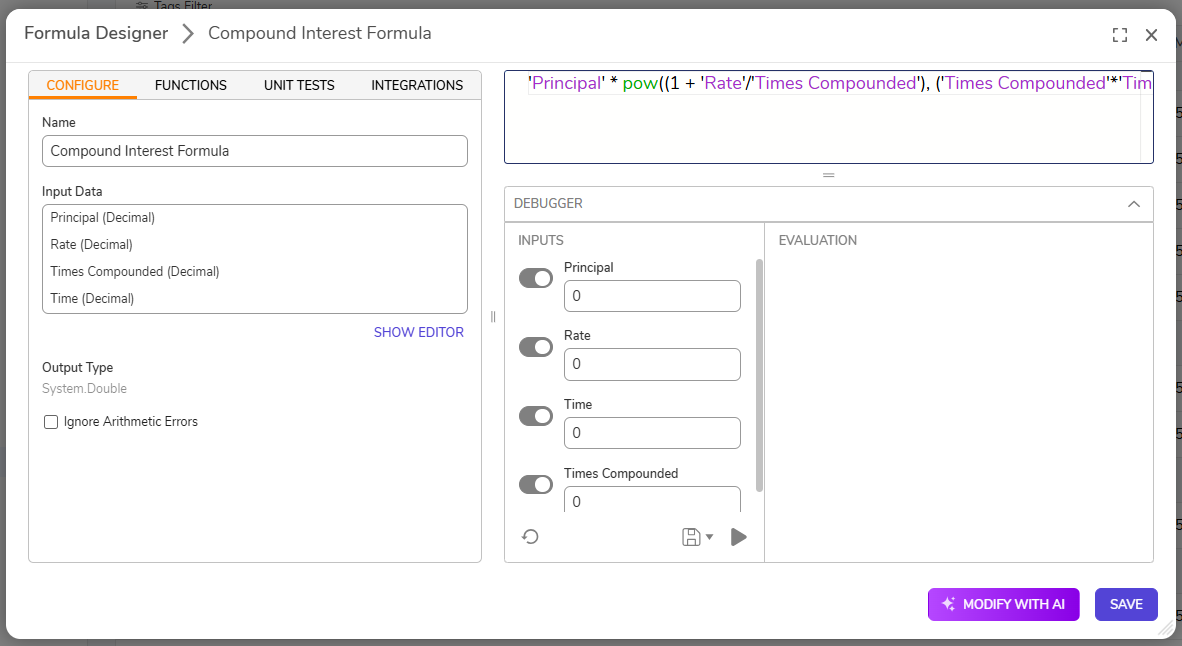
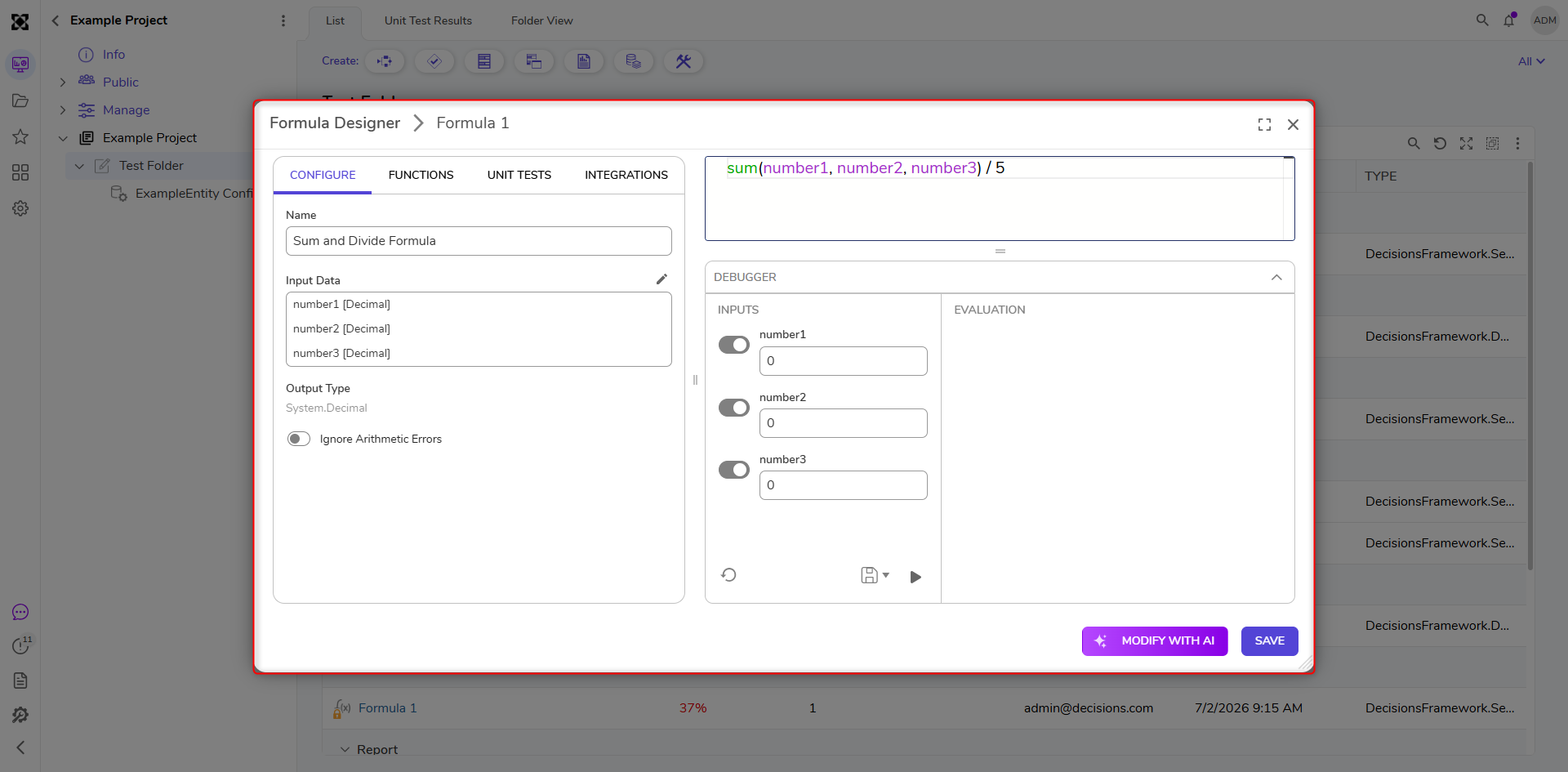
The Formula that is generated will look like the following:
Iterate From AI
In v9.24 and above, Users can use the Modify with AI button to iteratively update formulas while preserving the original formula structure.
- To utilize this feature, Users must first open an existing Formula.
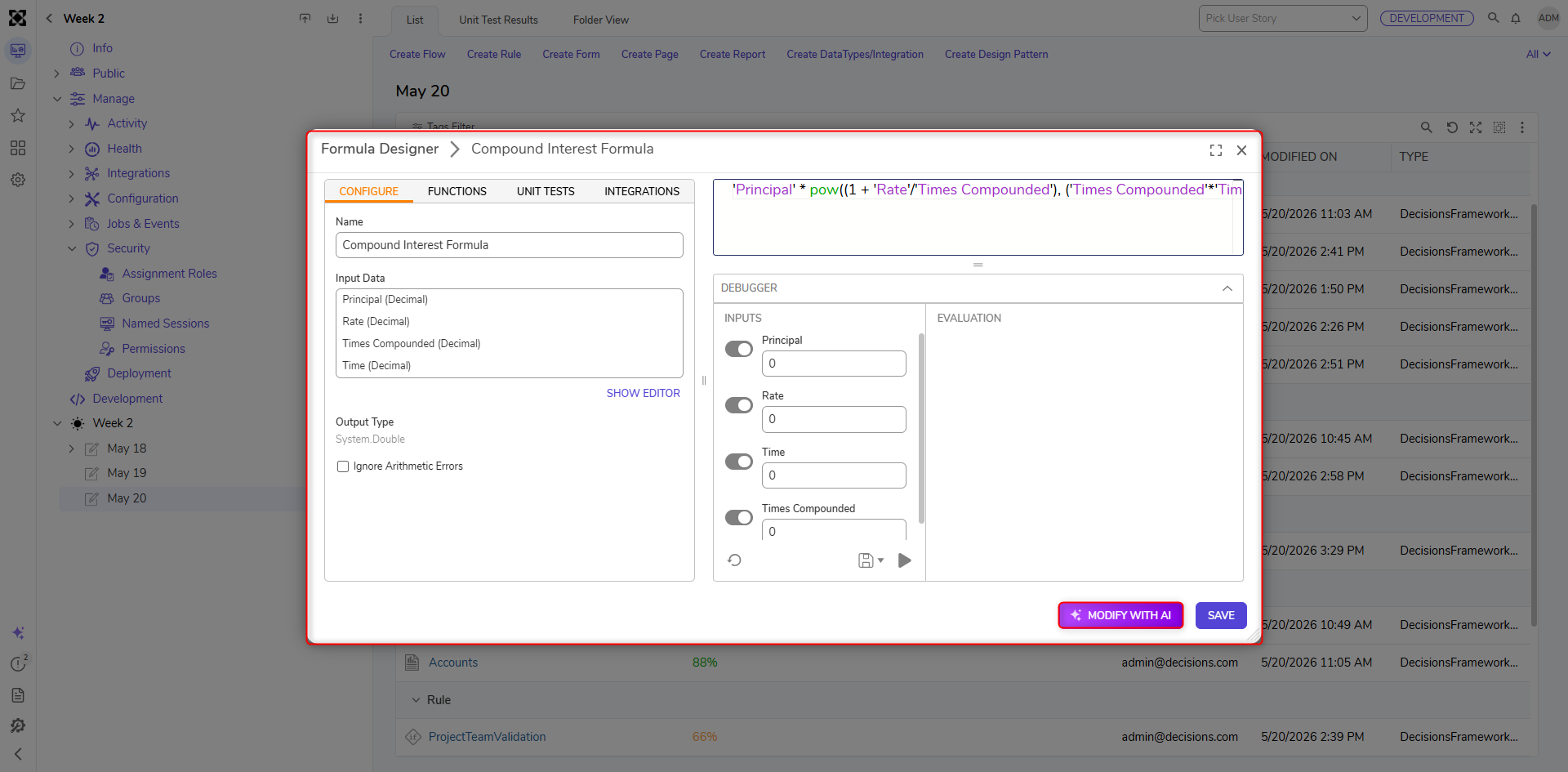
- From here, click the Modify With AI button.
- This action will display an AI chat window. Users can specify how the Formula should be modified by typing a response and sending it using the chat window. Once the prompt has been modified with the desired specifications, click Generate.
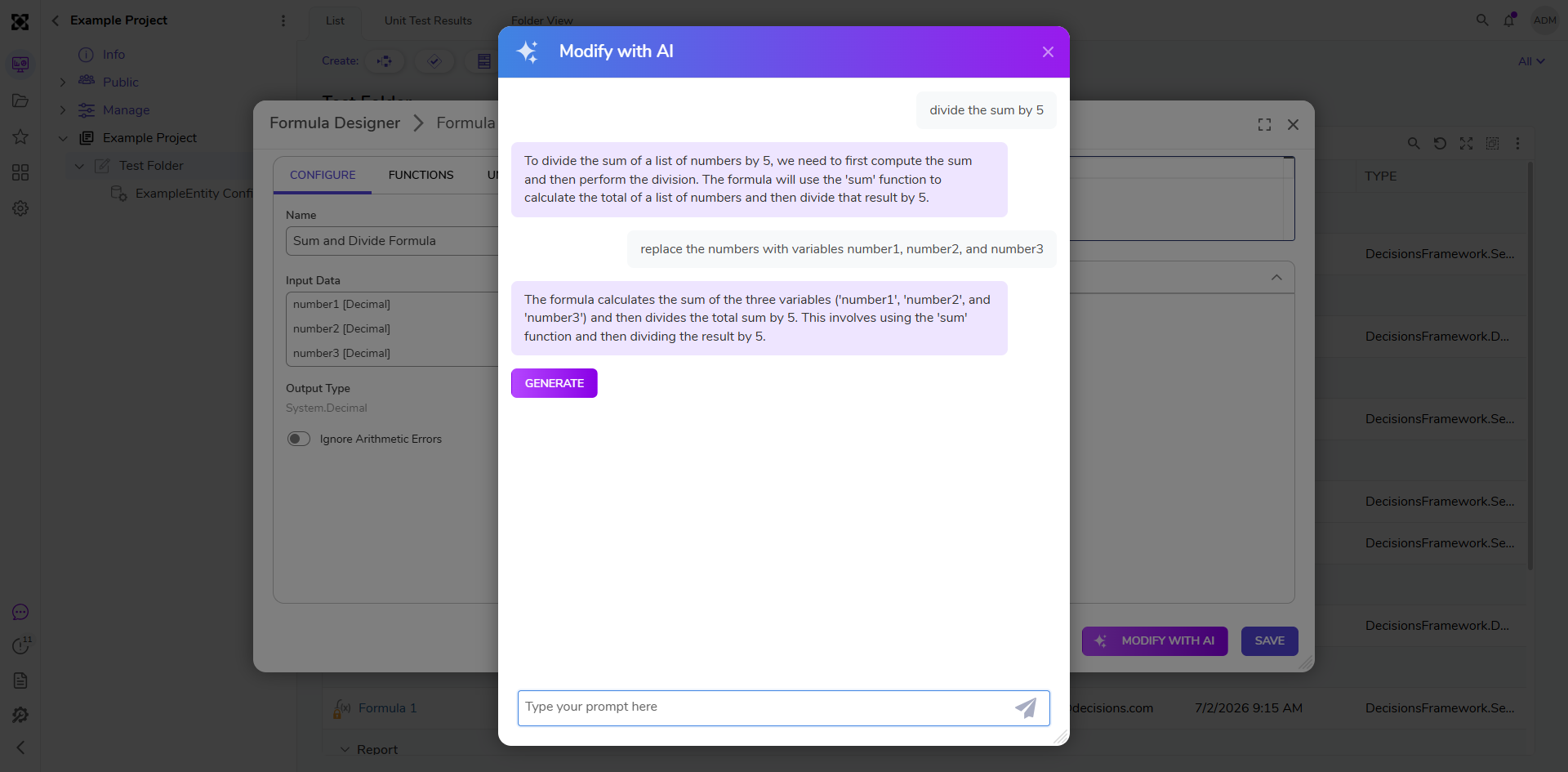
The Formula will be generated with the chosen specifications. Users can modify the formula as many times as desired before saving it.
Feature Changes
| Description | Version | Release Date | Developer Task |
|---|---|---|---|
| Users can now use Modify with AI to iteratively update formulas while preserving the original formula structure. | 9.24 | April 2026 | [DT-045911] |