Overview
In v10.2, the Deployment Tower will now display a button on select Reports when there is no data/no matching results after applying filters on some Deployment Tower Reports. This article contains information about this feature and will be continuously updated as new actions are released.
Deployment Tower Actions
Show Folder Actions When No Data is Available (v10.2+)
Certain Reports in the Deployment Tower (Organizations, Environment, Project, and Import Sprint Pages) will now display a button to create a new Organization, Environment, Project, or Import a Sprint. If configured, the action will be shown when the Report is blank. If the Report contains data, Folder actions will remain hidden. .gif)
Remove User Story from Package(v10.2+)
A Remove User Story from Package action has been added to the User Story Report at the Project Level. 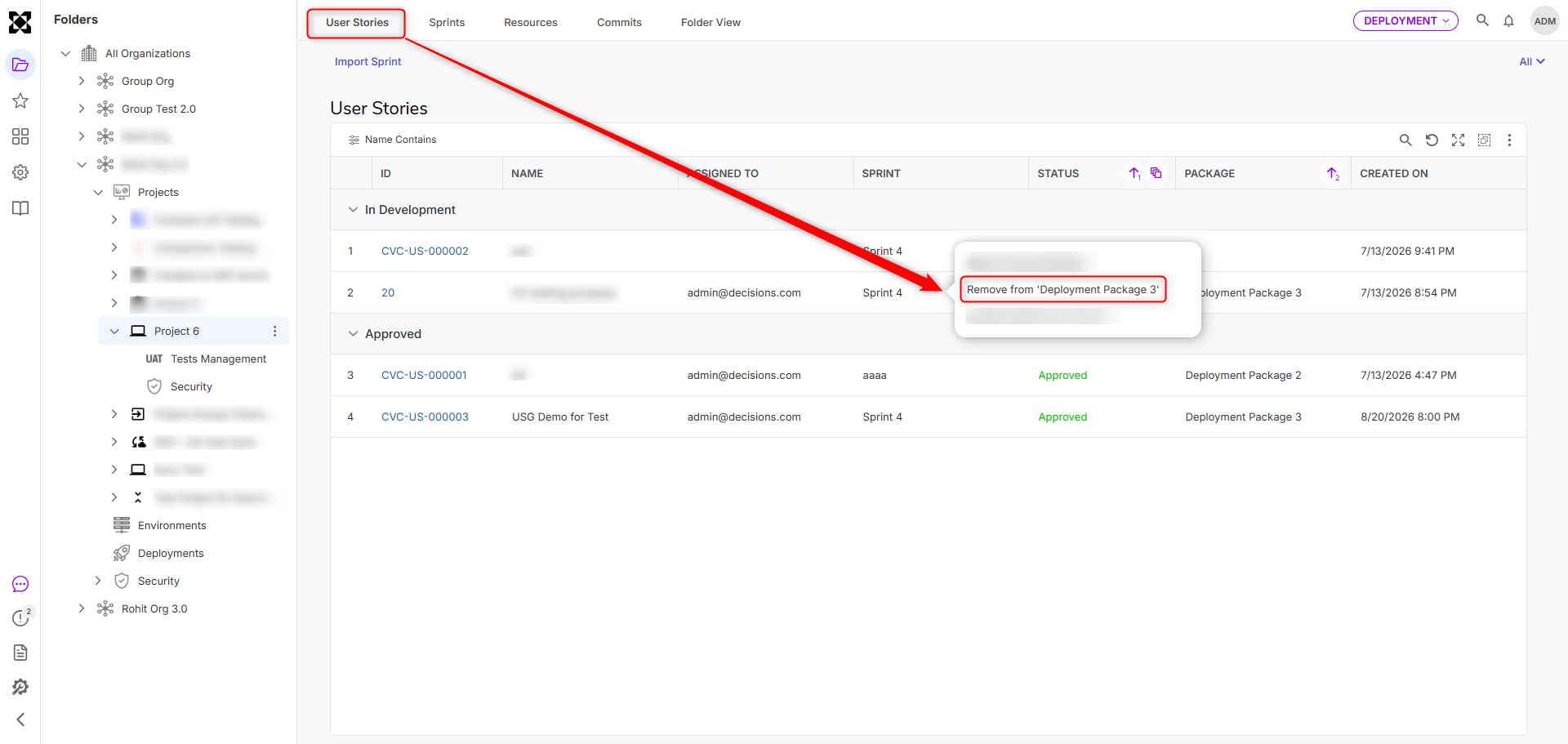
Feature Changes
| Description | Version | Release Date | Developer Tag |
|---|---|---|---|
| A button is now displayed when there is no data/no matching results after applying a filter to select Deployment Tower reports, i.e., Organization, Environment, Project, and Import Sprint. If data exists, these actions will be hidden. | 10.2 | September 2026 | [DT-047659] |
| A Remove from Package action has been added to the Project-level User Story Report. | 10.2 | September 2026 | [DT-047472] |