Overview
The password policy can be configured by a user in the Administrator group. The Administrator can make the password requirements more or less strict depending on selected settings.
If your environment is connected to the Deployment Server, manage centralized user accounts from the Deployment Server. Administrators can create accounts on the Deployment Server and assign them to connected environments to keep access consistent across Development, QA, and other connected servers.
After an account is assigned to an environment, the account information synchronizes with that environment. Permissions specific to projects, folders, or other security settings must still be configured directly in the target environment where the user will work.
For more information, see: Managing Accounts with the Deployment Server
Configuration
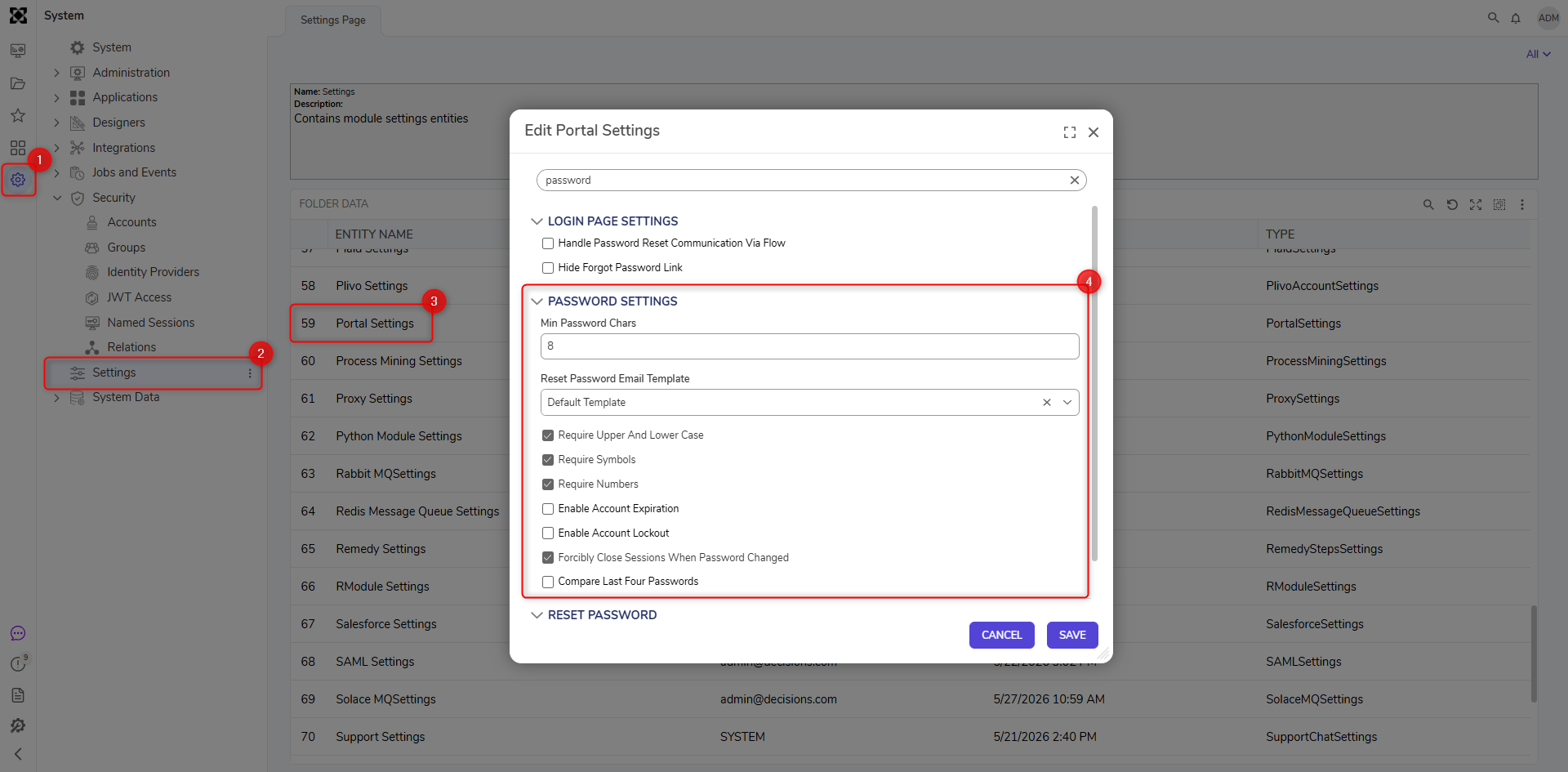
- To set up the password policy, navigate to System > Settings > Portal Settings.
- In the Edit Portal Settings > Password Settings section, the Administrator can make the password requirements more complex by enabling specific password settings.
- Click SAVE after completion.