Overview
Module Details | |
| Core or GitHub Module | Core module |
| Steps Exposed | Yes |
| Step Location | AI > Anthropic |
| Settings Location | N/A |
| Prerequisites |
|
The Anthropic module is designed to integrate with advanced AI models developed by Anthropic, such as the Claude family, providing access to cutting-edge language processing capabilities.
This module can be used to integrate Claude's chat completion capabilities into Decisions Flows and Rules.
Configuration/Properties
Installing the Anthropic Module also installs the AI Common module within the portal, populating one step in the Flow Designer. Users who wish to use the Anthropic module must also have access to Anthropic's API Key.
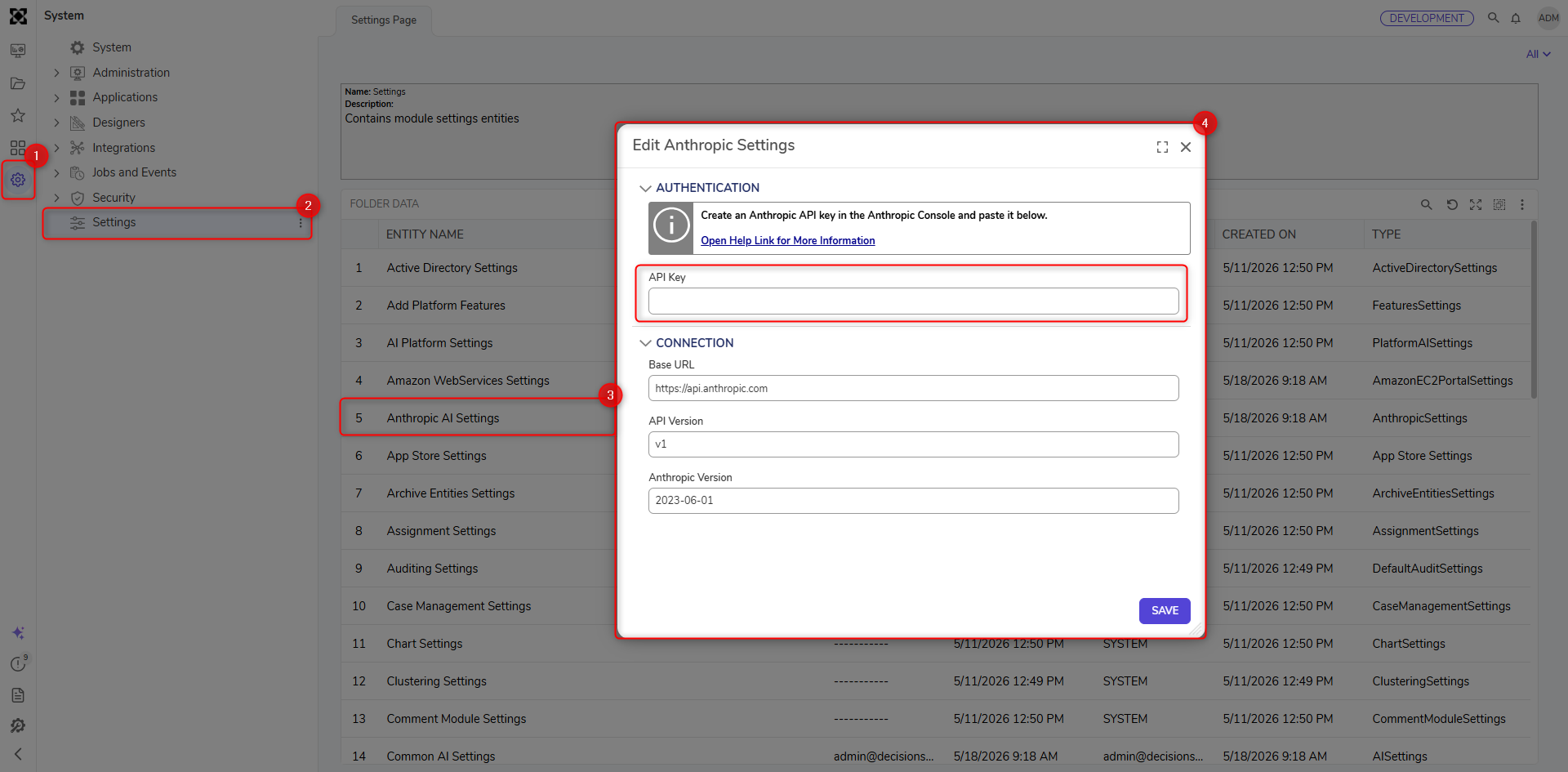
After you install the Anthropic module, you can add Anthropic's API key in the Anthropic AI Settings. To do this, navigate to System > Settings and right-click on Anthropic AI Settings. Then, enter the API key under Authentication > API Key.
Overriding Provider Settings for Gen AI Features
Users can now override the LLM provider for our generative AI features (Create Forms, Rules, Formulas, etc. from AI) and specify the desired LLM provider from a list of currently implemented LLMs. Users can also specify which model will be utilized. Authentication is performed by the corresponding LLM settings in Decisions. 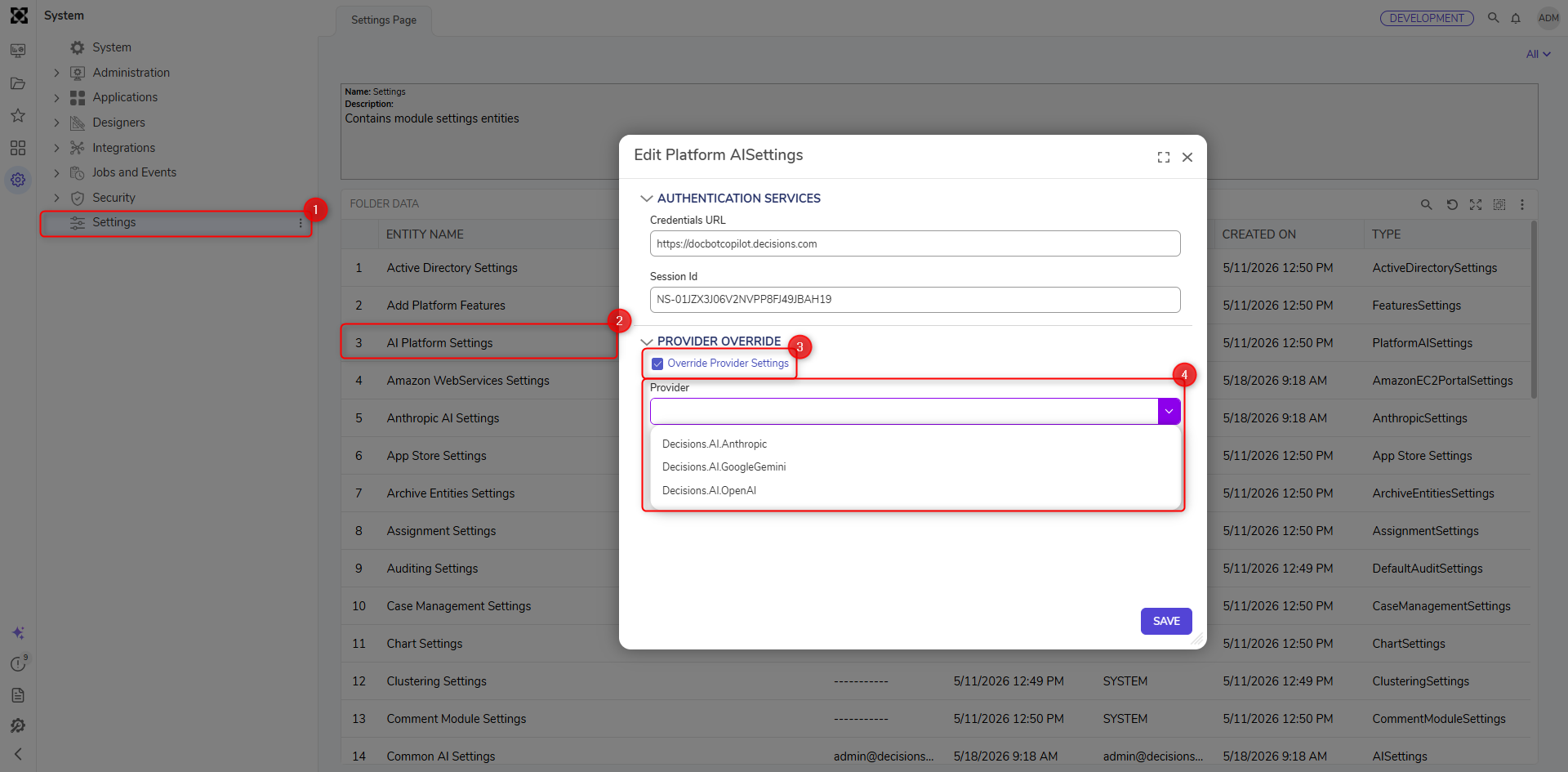
Available Steps
The table below provides a list of all the steps within the module.
| Step Name | Description |
|---|---|
| Chat Completion | This step generates text based on the prompts given to it. |
Feature Changes
| Description | Version | Release Date | Developer Task |
|---|---|---|---|
| Users can now override the LLM provider for our generative AI features: Create Form, Rule, Formula, etc., and select the desired LLM provider from the list of our currently implemented LLMs. Users can also specify which model will be used. | 9.22 | March 2026 | [DT-047084] |