| Feature Details | |
| Introduced in Version | -- |
| Modified in Version | 10.4 |
| Note | Document Viewer is now available for Simple Forms. |
Overview
Document Viewer is a type of Form Control that displays documents on Forms during runtime. The control is commonly used to view and interact with documents as part of a workflow.
| Supported File Extensions | Unsupported File Extensions |
|---|---|
| .txt | .docx/.doc |
| .HTML | .xlsx/.csv |
| .pptx | |
| .css | .exe |
| .png | .json |
| .jpg | .XML |
| .xps | |
| .tiff | |
| .ods |
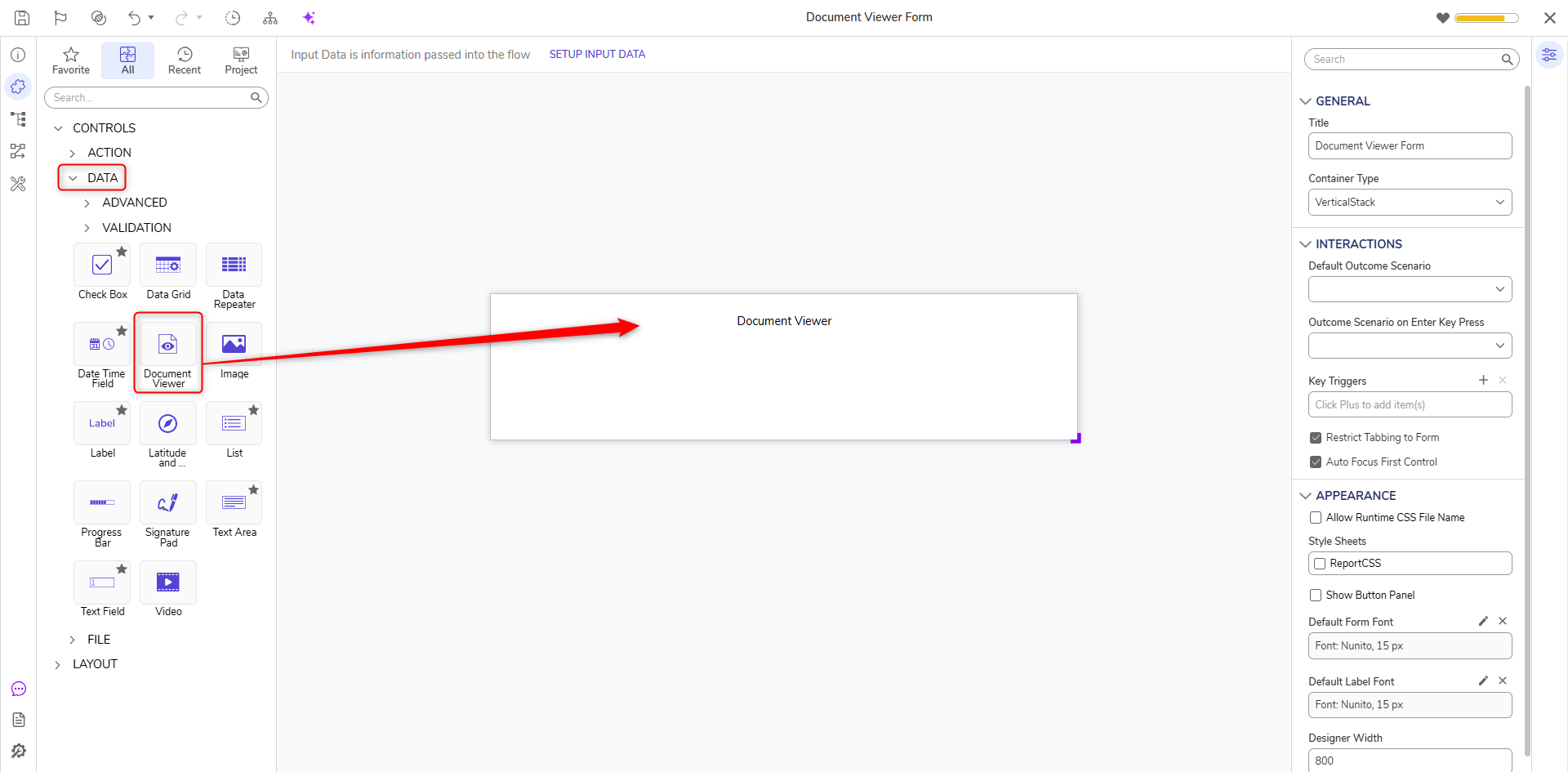
Document Viewer can be found by navigating to ToolBox > Controls > Data.
Configuration
Click on the Document Viewer control to open the Properties Panel from the right side of the screen.
| Common Properties | ||
| Name | Allows to set the name for the Control | |
| Input Type | Choose the type of input you wish to pass through Form Control. | |
| Document | Allows to enter the Document ID. Users can find the Document ID by right-clicking on the document > Manage > Get Document ID. | |
| FileData | Allows passing the FileData. For more information, refer to File Type Overview. | |
| FileReference | Allows passing the FileReference. For more information, refer to File References. | |
| Static Input | When enabled allows uploading a single static file or passing the Document ID to the control. | |
| Data Name | Allows to enter a user-specific Data Name. Data Name becomes an input parameter to the respective Form Control when the Form is used within a Flow. Users can map the Flow input to this parameter to pass the Input Type (Document ID/FileData/FileReference) dynamically. | |
| Specify URL Parameters | When enabled opens a new field to pass the URL parameters. | |
| URL parameters | Allows to pass the static URL Parameters, e.g., zoom=50. | |
| Specify URL Parameters From Data Name | When enabled allows passing URL parameters through Data Name. | |
| URL parameters Data Name | Provide a user-specific Nata Name. | |
| Default Page Number | Allows to open a specific page of the document when the Form loads. | |
| Page Number from Data Name | Allows passing Page Number through Data Name. | |
| Use Browser PDF Viewer (For v10.4+) | Allows Users to switch from the built-in PDF viewer, which includes tools such as Zoom, Page Navigation, and Print, back to the browser's native PDF viewing experience. | |
| Behavior | ||
| Initially VIsible Source | This feature allows choosing whether the Form control should be visible or remain hidden when the form loads. | |
| Constant Data > Initially VIsible | When enabled, the Form control (Document Viewer in this case) will be visible. If disabled, the control will be hidden. | |
| From Flow Data > Initially Visible Data | Allows configuring the Initially Visible Source through Data Name. | |
| View > CSS Class | Allows the selection of a CSS class to be applied to the control. | |
| Size and Tabs > Edit | Provides options to change the dimensions of the control and tab index. | |
Example
In the following example, a Form will be used in a Flow that will display a PDF Document.
- Create a Flow. Add a Form step to the Flow.
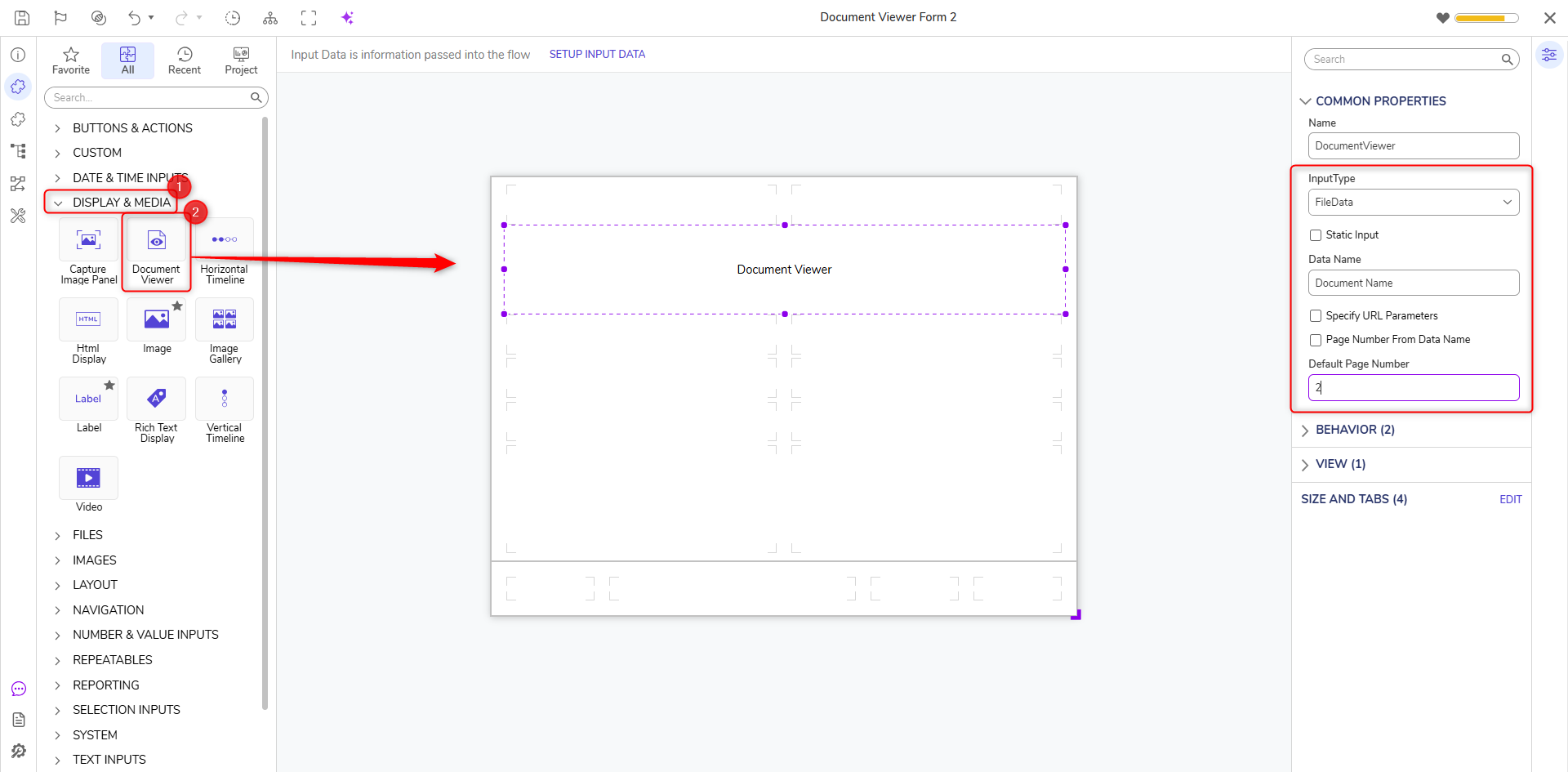
- In the Form Designer, add a Button for end users to submit the Form. Add the Document Viewer control from the Toolbox.
- Resize the Document Viewer control to provide a better view. Change its Input Type to FileData and give a Data Name. Set Default Page Number to 2.
- This completes the Form. Save the Form and close the Form Designer.
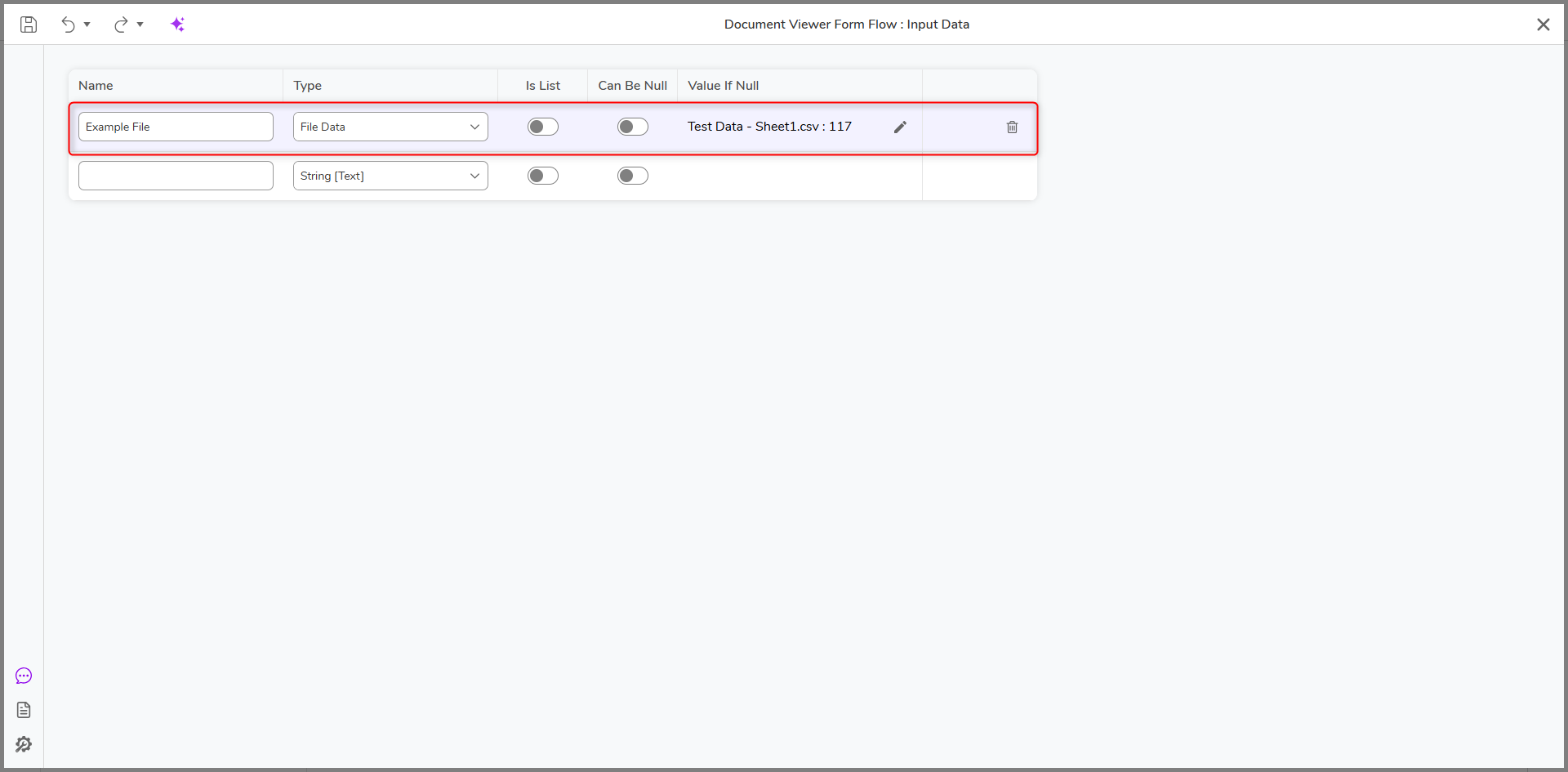
- In the Flow Designer, select SETUP INPUT DATA. Configure the input data type as File Data.
- Edit the Input and add a PDF file as constant to the Flow. Users can also upload a file while Debugging.
- Save and exit the Flow Input Data window.
- Click on the Form Step. On the Input of the Form, map the FileData value to the Input Defined.
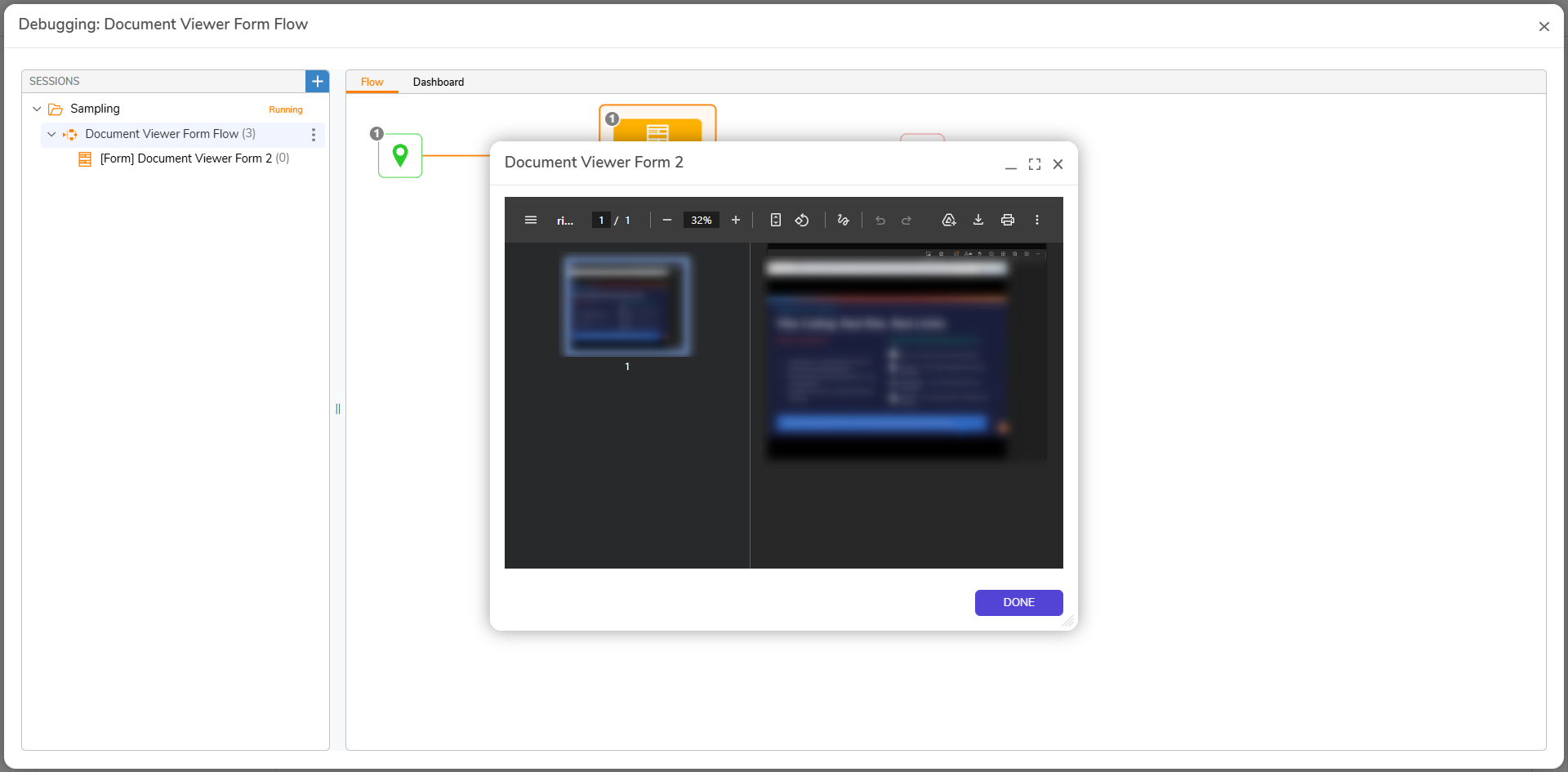
- Debug the Flow. The Form will open the PDF Document direct to Page number 2 as it was configured in Step Number 3.
Feature Changes
| Description | Version | Release Date | Developer Task |
|---|---|---|---|
| Added a new Use Browser PDF Viewer property to the Document Viewer control for Pages and Forms. This option allows users to switch from the built-in PDF viewer, which includes tools such as Zoom, Page Navigation, and Print, back to the browser's native PDF viewing experience. | 10.4 | October 2026 | [DT-048823] |