A Folder Extension allows users to create objects with folder behavior. Users are able to store additional objects (i.e. Entities, Assignments, etc) in the Portal visible folder.
Example
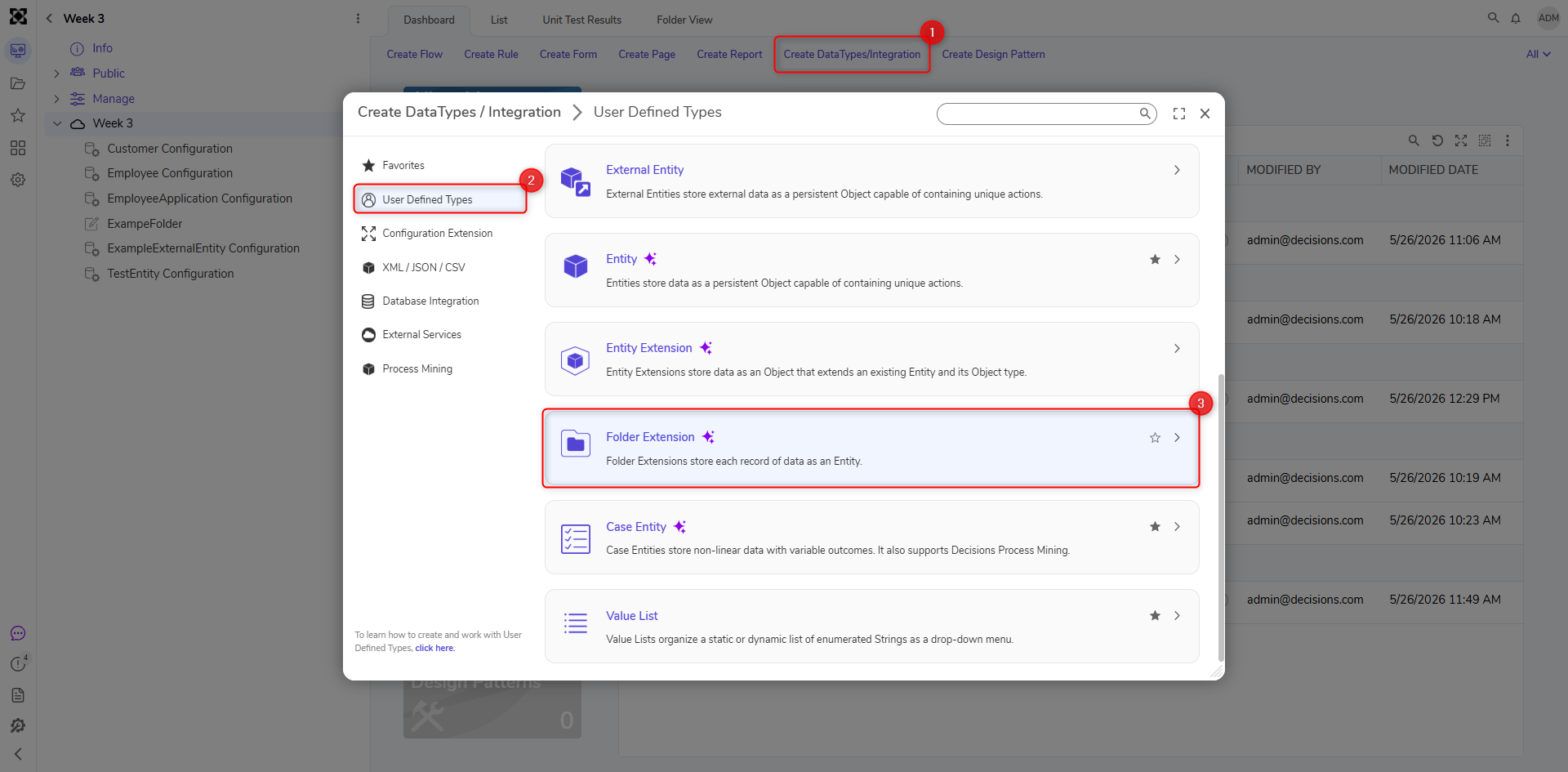
In a Designer Project, click CREATE DATATYPES/INTEGRATION,select User Defined Types, and select Folder Extension.
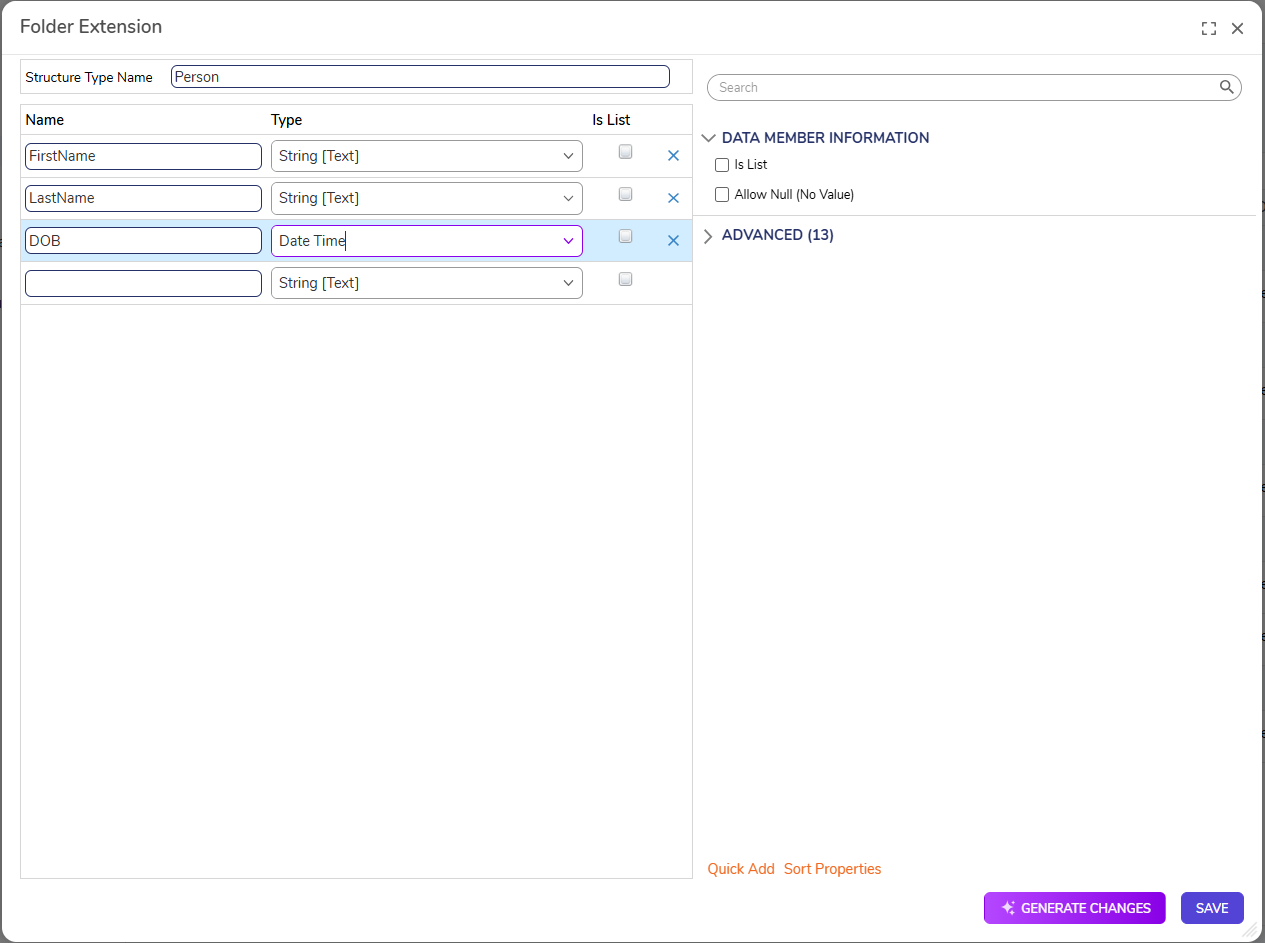
Name the Folder Extension Data Structure and define data field names and the types. Click SAVE.
Folder Extension Settings
Setting Name
Description
BEHAVIOR
Default Action Bar Visibility
Specifies how to action bar is displayed (Show, Collapse, Hide)
Lock Screen On Timeout
Locks the screen when the timeout period has started
Show Default Folder Pages
Displays the default folder
Show In Tree
Displays the Folder Extension in the Folder Tree
Define Default Page Name
Specifies the default page name
Can Be Set By User
Allows a user to control whether the Folder Type shows up in the Set Folder Behavior dialog
ADVANCED
Enable Caching
Enables the Entity to be loaded into the cache
Hide In Search
Hides the data type from appearing when being searched
Include ID In Flow Cache Key
Adds the GUID to the Cache Step Key for easier searching
Type Name Space
Creates the unique identifier for the Entity (namespace.typename) to generate the SQL table name for the Entity (namespace_typename)
Audit Changes
Saves changes to Entity data in the Audited Entities table. This option is used when data monitoring is required for this Entity
Category Order
Allows data field categories to be organized by the Designer
Include Type Name In Description
This enables or disables the visibility of the Type namespace