Breaking Changes
[DT-047519] AI.Common - AI Defaults - Add project-level defaults: AI Defaults can now be configured at the project level (this will override system-level AI defaults). If projects from previous versions are imported, users will need to Remove/Add the AI module dependency for the project AI Default folder to populate.
DT-047311] AI - Update entities to reference by ID: Tool flows are now referenced by ID instead of name for Internal MCP servers, Agents, and Chat completion steps. If Users attach tool flows directly to a chat completion step, they will need to follow these steps:
1. Open the Flow that contains the Chat Completion step.
2. Click on the Chat Completion step and wait for properties to load.
3. Save the Flow. This will enable Tool Flows to remain attached after renaming.
If these steps are not followed and Users attempt to rename a Tool Flow attached to a Chat Completion step, the Tool Flow will be disconnected. Tool Flows that are renamed will remain attached.
DT-047311] AI - Update entities to reference by ID: Tool flows are now referenced by ID instead of name for Internal MCP servers, Agents, and Chat completion steps. If Users attach tool flows directly to a chat completion step, they will need to follow these steps:
1. Open the Flow that contains the Chat Completion step.
2. Click on the Chat Completion step and wait for properties to load.
3. Save the Flow. This will enable Tool Flows to remain attached after renaming.
If these steps are not followed and Users attempt to rename a Tool Flow attached to a Chat Completion step, the Tool Flow will be disconnected. Tool Flows that are renamed will remain attached.
Feature Status Notice
It has been recently identified that the feature pictured below has inadvertently surfaced in the product. This feature is not yet complete and may not function as expected. 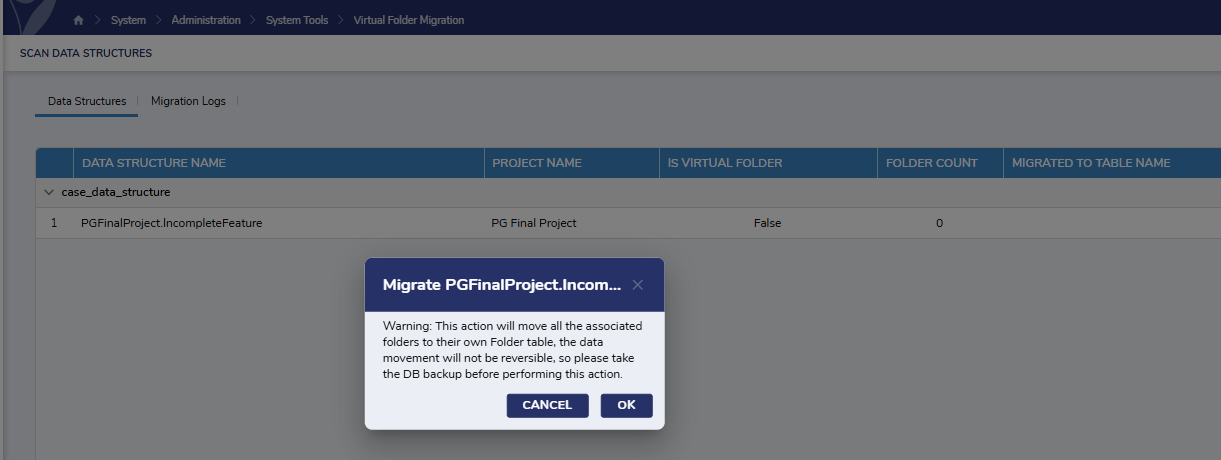
Enhancements (6/4/2026)
| Feature | Links | Description | Product Category | Screenshot |
|---|---|---|---|---|
| [DT-046761] Updated Chat Completion Step | Chat Completion | The UI of the properties panel for Chat Completion steps that are AI Common and module-specific, and the Get Embedding for Text for AI Common step has been updated. Overridden providers for Get Embedding for Text and AI Common Chat Completion steps will now only show providers that have been added as project dependencies. | Modules | 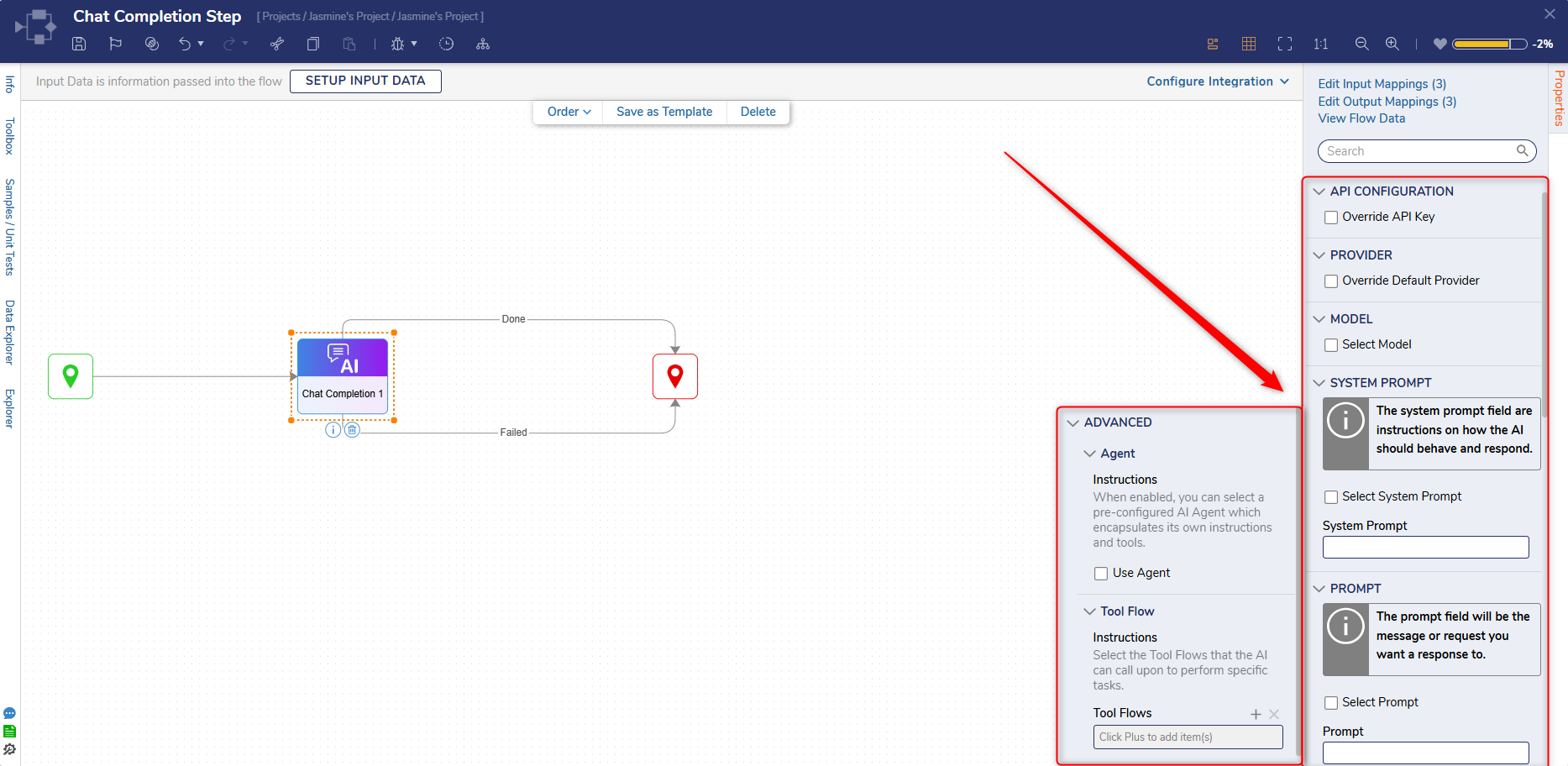 |
| [DT-047465] Need Forms backend to use h1-h6 heading tags per WCAG 2.1 guidelines | Header Container Layout | Header Container Attributes have been added to the View in the Header Container Properties panel. This allows Users to specify the attributes of the header container. | Forms | 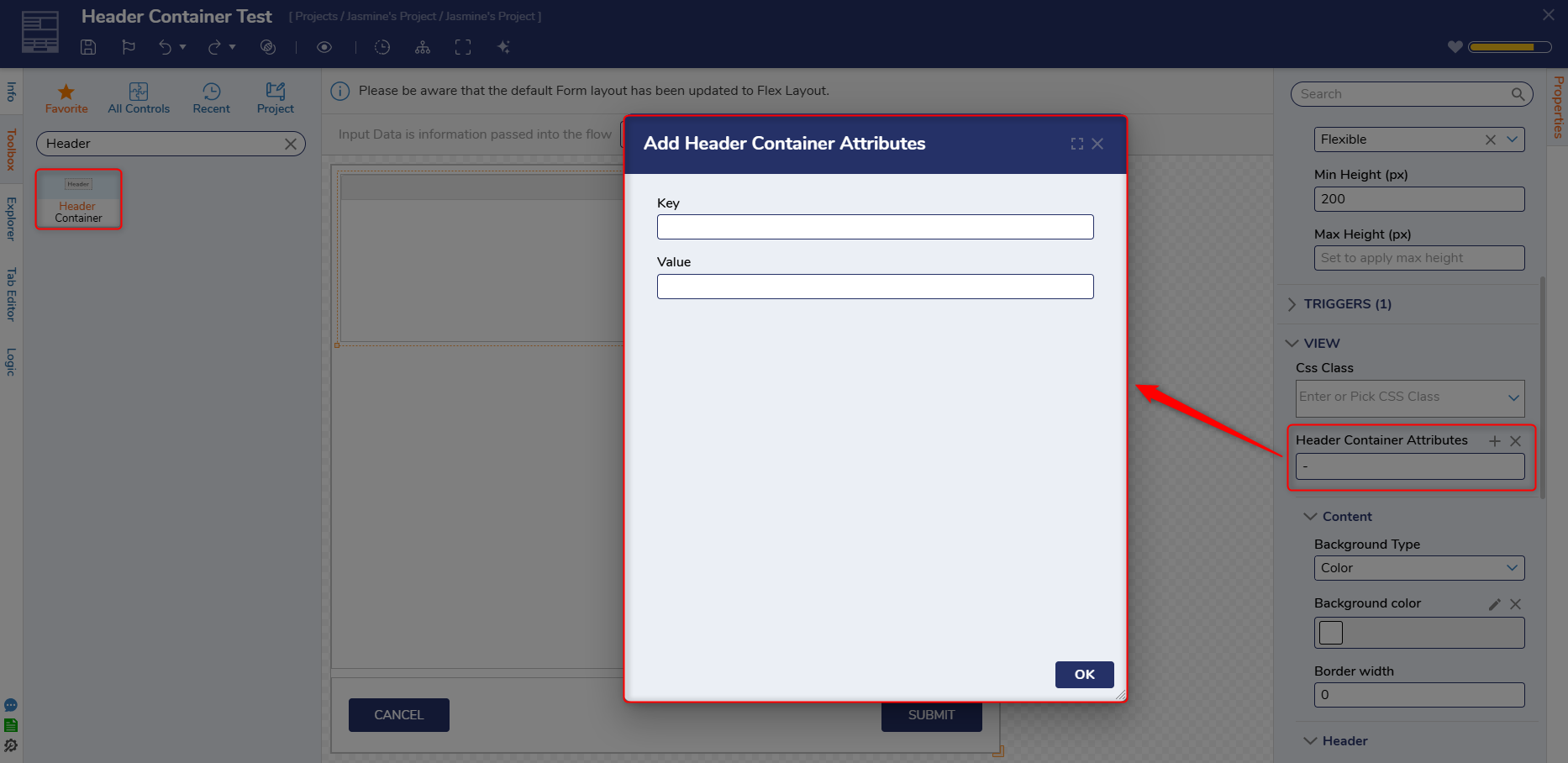 |
| [DT-047519] AI.Common - AI Defaults - Add project level defaults | Utilizing AI Modules in Decisions | AI Defaults can now be configured at project level (this will override system level AI defaults) | Modules | 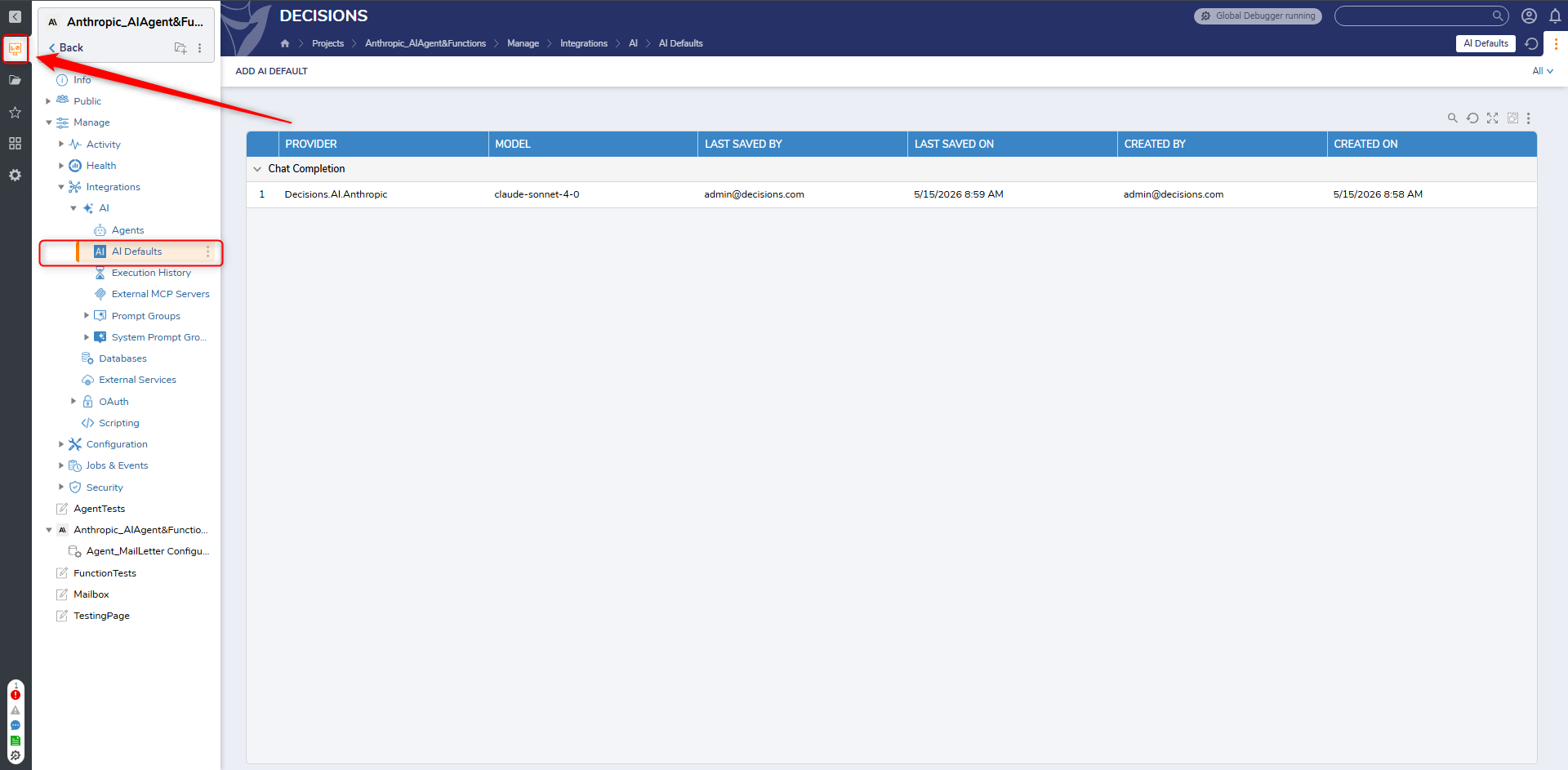 |
Fixes
Various security fixes have been made.
Modules
| DT Title | Description | Occurs In |
|---|---|---|
| [DT-046831] AI Agents: If a form in a flow is placed before a chat completion using an agent or functions, the tool flow executions don't show in the debugger | Users can now see tool execution in the debugger if a Form is placed before the chat completion or agent step. This affects internal MCP tools, tools attached to chat completion, and tools attached to agents. | 9.x |
| [DT-047214] Add SubAgent Indicator in the Debugger View | A subagent indicator has been added to the debugger to improve visibility when an Agent executes a tool flow. | 9.x |
| [DT-047294] AI Agent Designer - Remove Added Text and Set Default Value | LLM Provider names will no longer display Decisions.AI at the beginning. Only the name of the associated LLM will be displayed. | 9.x |
| [DT-047311] AI - Update entities to reference by ID | Tool flows are now referenced by ID instead of name for Internal MCP servers, Agents, and Chat completion steps. Tool Flows that are renamed will remain attached. | 9.x |
| [DT-047489] Validation for External MCP server tools should not be breaking | Validations can be saved regardless of whether tools are selected and will no longer experience issues on external MCP server tool flows. | 9.x |
| [DT-047501] Fix stat tracking for HL7 | Fixed an issue where the hl7_interface_stats table was not capturing data. | 9.x |
| [DT-047587] AI.Common - Agents should only list providers that are available to its project. | AI Agents and AI Defaults now display only providers included as module dependencies in the project, rather than all available providers. | 9.x |
Flows
| DT Title | Description | Occurs In |
|---|---|---|
| [DT-043467] Flow Designer- Toolbox: Flow steps generated from modules are not displayed in searched results. | Users can now search module-created steps in the flow toolbox. | 9.x |
| [DT-047693] Performance degradation related to DB steps | DB steps have been optimized and will no longer experience performance issues. |
System / Portal Administration
| DT Title | Description | Occurs In |
|---|---|---|
| [DT-047656] Console Error When Closing Scheduled Job Dialog Without Saving After Calendar Selection | Fixed a console error that occurred when selecting into a new scheduled job and closing the dialog. | 9.x |
Rules
| DT Title | Description | Occurs In |
|---|---|---|
| [DT-047620] Rule Set with Multiple Truth Tables Does Not Respect "Stop on First True" or "Stop on First False" Run Mode/Step Input Configuration | Fixed an issue where the property for stop on first true or stop on first false was not respected. | 9.25-9.26 |
Reports
| DT Title | Description | Occurs In |
|---|---|---|
| [DT-046940] Issue with state filter | Fixed an issue that caused the State Filter to not work with Relationship Data Sources in reports. The State Filter now works correctly with Relationship Data Sources in both PostgreSQL and MSSQL. | 9.20-9.26 |
Integrations
| DT Title | Description | Occurs In |
|---|---|---|
| [DT-047595] Upgrade Parquet.Net to the latest version | Updated Parquet.Net package to v6 | 9.x |