Overview
The Deployment Folder is a dedicated section within the Project Management folder used to manage and organize user stories that are being moved across different environments. It acts as the central location where all deployment-related activities are tracked, reviewed, and prepared for release.
The folder is closely tied to the deployment process, offering teams a clear structure to gather and package changes that are ready to move from one stage to another such as from development to testing or production. This enables a smoother and more transparent transition of work, ensuring everyone involved has visibility into what is being deployed and when.
Structure and Purpose
The Deployment Folder groups together work items that have been committed during a sprint. It provides a clear view of what has been modified, added, or removed, allowing teams to verify the changes before pushing them to the next environment. For example, modified items may be visually indicated in blue, while removed items appear in red, making it easy to track differences across deployments.
This structured approach supports more reliable deployments, reducing the chances of missed changes or confusion over what is included. It also helps streamline quality assurance steps, making it easier to catch and resolve issues early in the deployment process.
The Deployment Folder is available on both the Development and Deployment Servers. On the Development Server, it contains all the commits intended for deployment. On the Deployment Server, it holds the actual Deployment Packages.
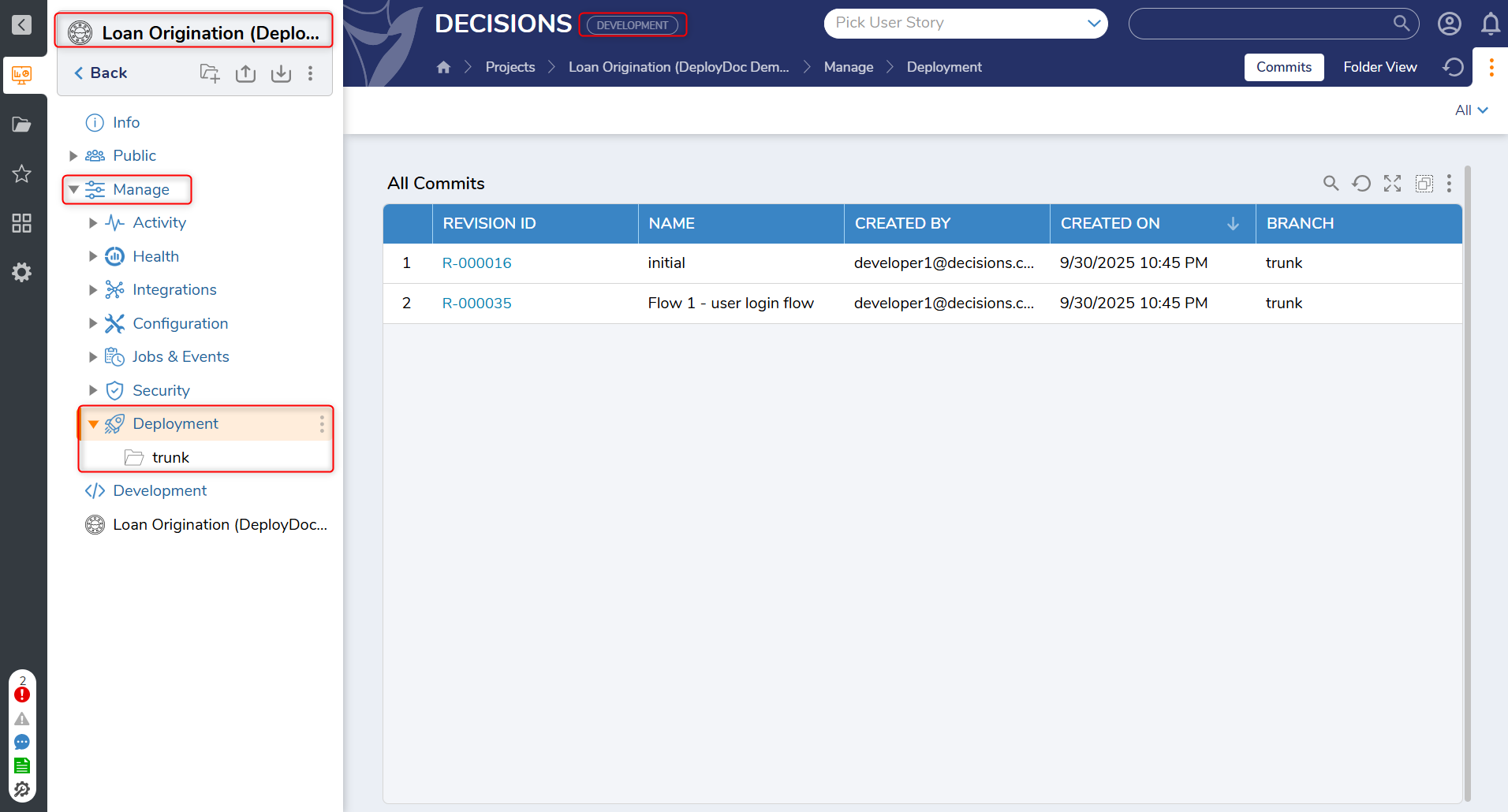 Deployment Folder in the Development Server
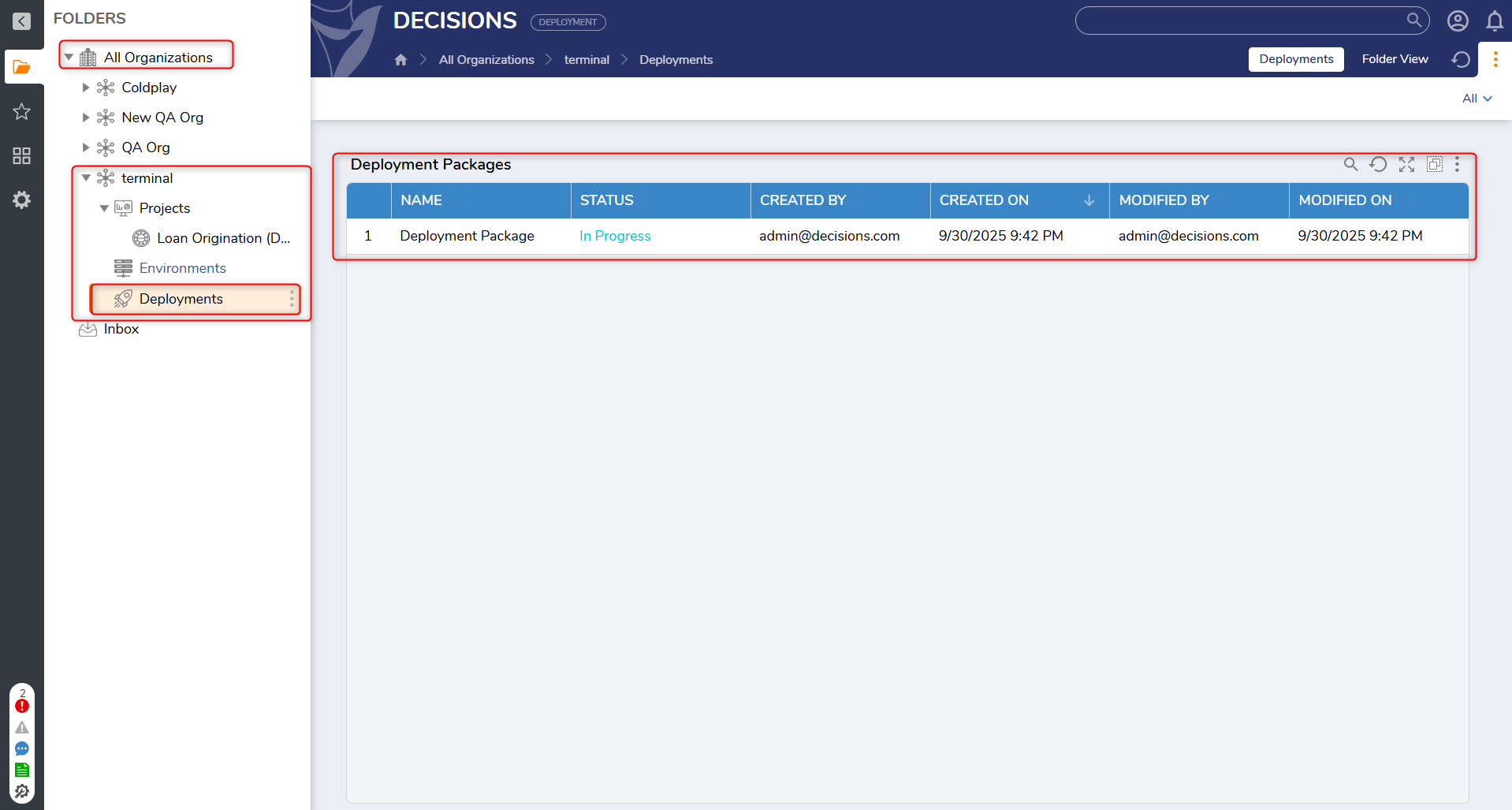 Deployment Folder in the Deployment Server
Integration with the Deployment Flow
The Deployment Folder plays an essential role in connecting planning activities like sprints and user stories with actual environment changes. It serves as a bridge between what teams are planning and what gets deployed, making the workflow more cohesive and easier to manage.
As part of the larger deployment process, the Deployment Folder helps teams track progress, gather feedback, and coordinate deployments in a controlled and consistent manner. It supports end-to-end visibility and creates a foundation for confident and accountable design or project delivery.