Set Column Background Color
- Published on Sep 28, 2026
| Step Details |
| Introduced in Version | 9.31 |
| Last Modified in Version | -- |
| Location | Data > Excel & CSV |
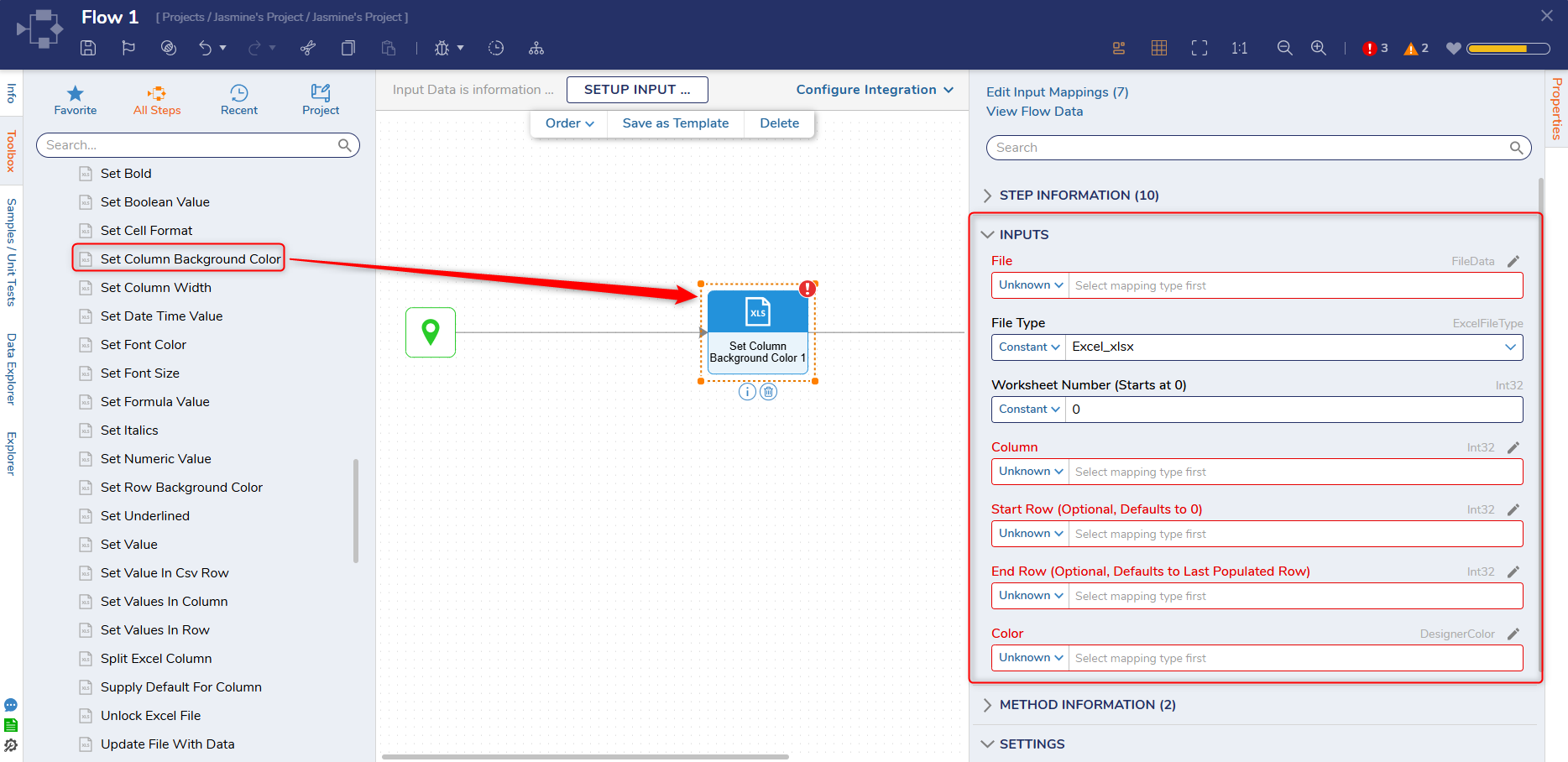
The Set Column Background Color step adds a background color to specific columns in an Excel sheet.
Properties
Inputs
| Property | Description | Data Type |
|---|
| File | The CSV or Excel file used as an input. | FileData |
| File Type | Defines the type of file used as input to the step; current options are Excel_xls, Excel_xlsx, and AutoSelect. | ExcelFileType |
| Worksheet Number (Starts at 0) | Determines the worksheet that will be edited. | Int32 |
| Column | The starting column where the values will be inserted. | Int32 |
| Start Row | The starting row where the values will be added to the Excel file or CSV. | Int32 |
| End Row | The ending row where the values will be added to the Excel file or CSV. | Int32 |
| Color | Choose the color to set for the background of the chosen field. | DesignerColor |
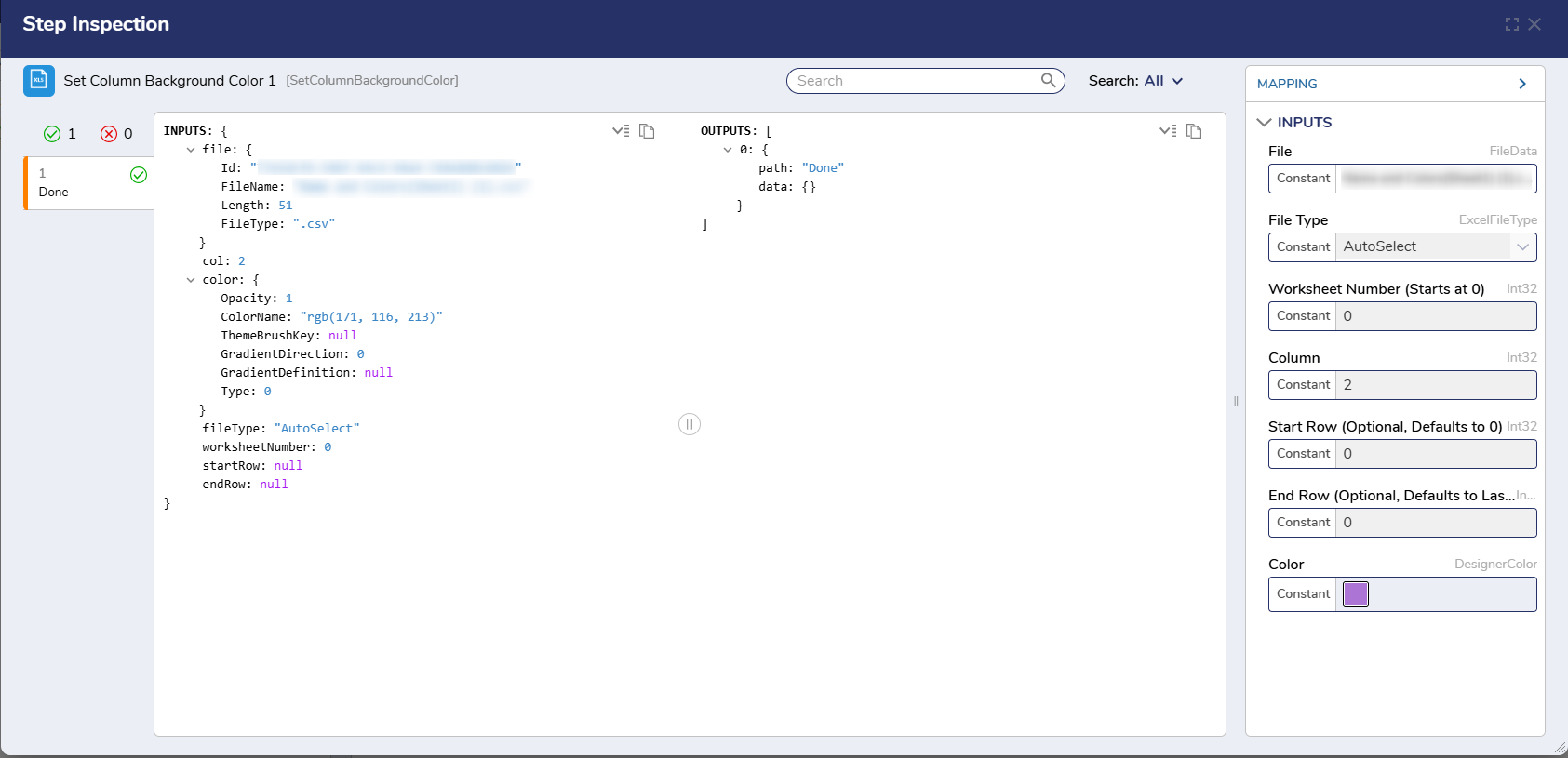
Example Inputs & Outputs
Inputs: {
Id:
FileName:
Length:
FileType:
}
col:
 color:
Opacity:
ColorName:
ThemeBrushKey:
GradientDirection:
GradientDefinition:
Type:
}
fileType: "AutoSelect"
worksheetNumber:
startRow:
endRow:

Outputs: [
0: {
path:
data: {}
Feature Changes
| Description | Version | Release Date | Developer Tag |
|---|
Added 2 new steps in Data > Excel & CSV:- Set Column Background Color
- Set Row Background Color
| 9.31 | September 2026 | [DT-044467]
|
Was this article helpful?