Step Details | |
| Introduced in Version | --- |
| Modified in Version | 9.18 |
| Location |
|
The Run Flows for List and Run Flows for List [Batch Processing] steps process a list of items from a defined data type and execute a distinct Flow for each item. This functionality is similar to the For Each step. However, in this case, it triggers a separate Flow for each item in the list. An example use case for these steps would be extracting a list of email addresses from the account data type and executing a specific action for each email address.
Note:
Run Flows for List and Run Flows for List [Batch Processing] steps exhibit identical behavior.
Properties
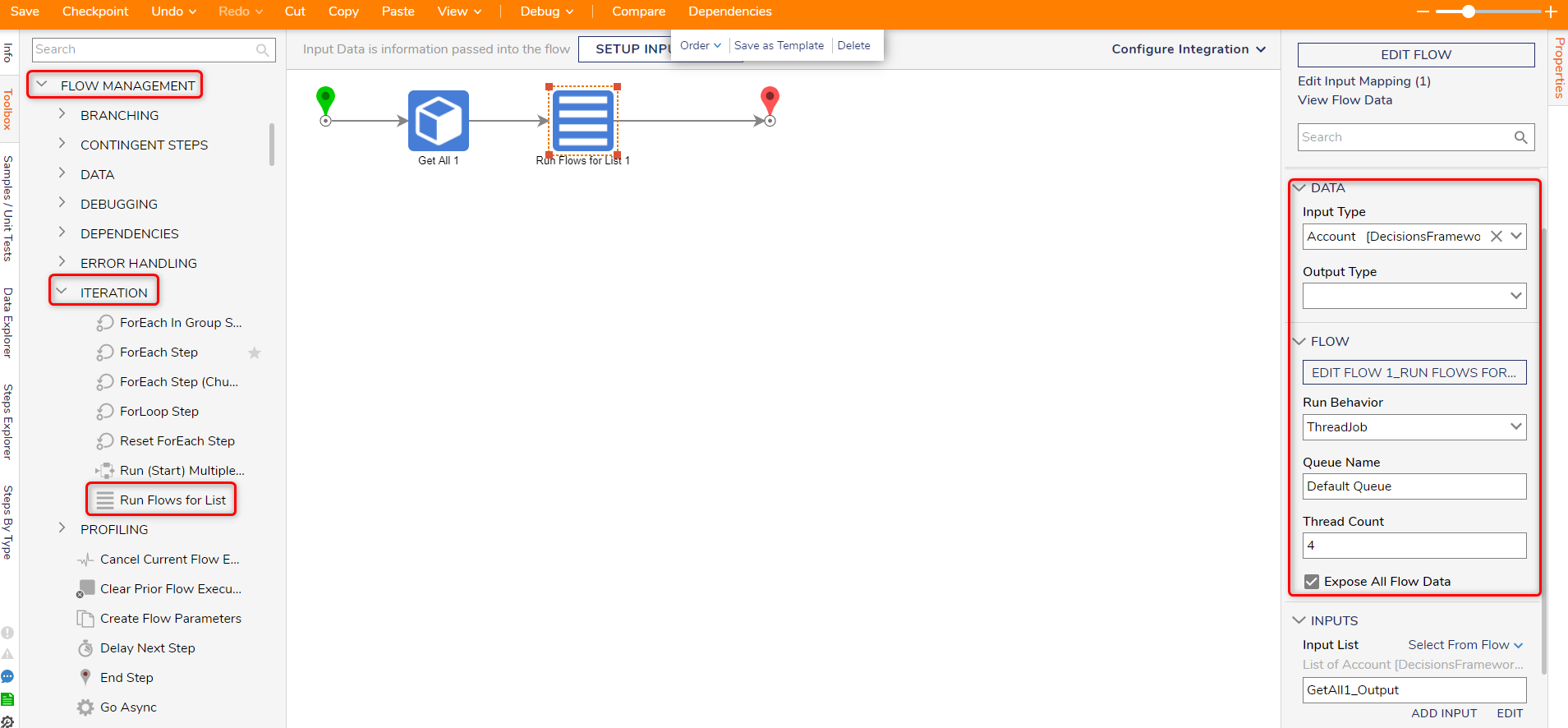
Data
| Property | Description | Data Type |
|---|---|---|
| Input Type | Allows Users to select the data type | --- |
| Output Type | Defines the output data type for the step. This will return the list of results received from the Flow. | --- |
Flow
| Property | Description | Data Type | |
|---|---|---|---|
| EDIT FLOW | Allows the User to edit the Flow for the step | --- | |
| Run Behavior | --- | ||
| Synchronous | Runs in real-time on the current Flow or Thread. Similar to how in-session forms display to the current user immediately. | --- | |
| ThreadJob | Runs synchronously but utilizes multiple threads on the machine to execute more efficiently. | --- | |
| WorkQueue | Runs the Flow across multiple queues. | --- | |
| ThreadJobAsync | Runs the Flow Async and doesn't wait for any return data. | --- | |
| AsyncAndWait | Runs the processes and pauses the parent Flow until the step has finished executing all of the items in a list. | --- | |
| System Threads | Runs the process through Threads that are outside of the Thread Job Queue. The work will be split evenly across all threads. | --- | |
| Queue Name | Defines the name of the queue. | String | |
| Thread Count | Defines the number of threads the step will utilize. | Int32 | |
| Dynamically Set Thread Count (v9.18+) | This setting enables Users to set the thread count dynamically. Users should note that each thread on the Run Flows for List step is a separate Flow process; running a high number may impact system performance. Users are advised to use a lower thread count (such as four) to test the impact of the step on the system. | Boolean | |
| Expose All Flow Data | Passes all Flow data from the Parent Flow to the Run Flow. *Users should note that multiple thread jobs modifying the same variable from the parent Flow concurrently may lead to inaccurate or inconsistent results, due to a race condition. | Boolean | |
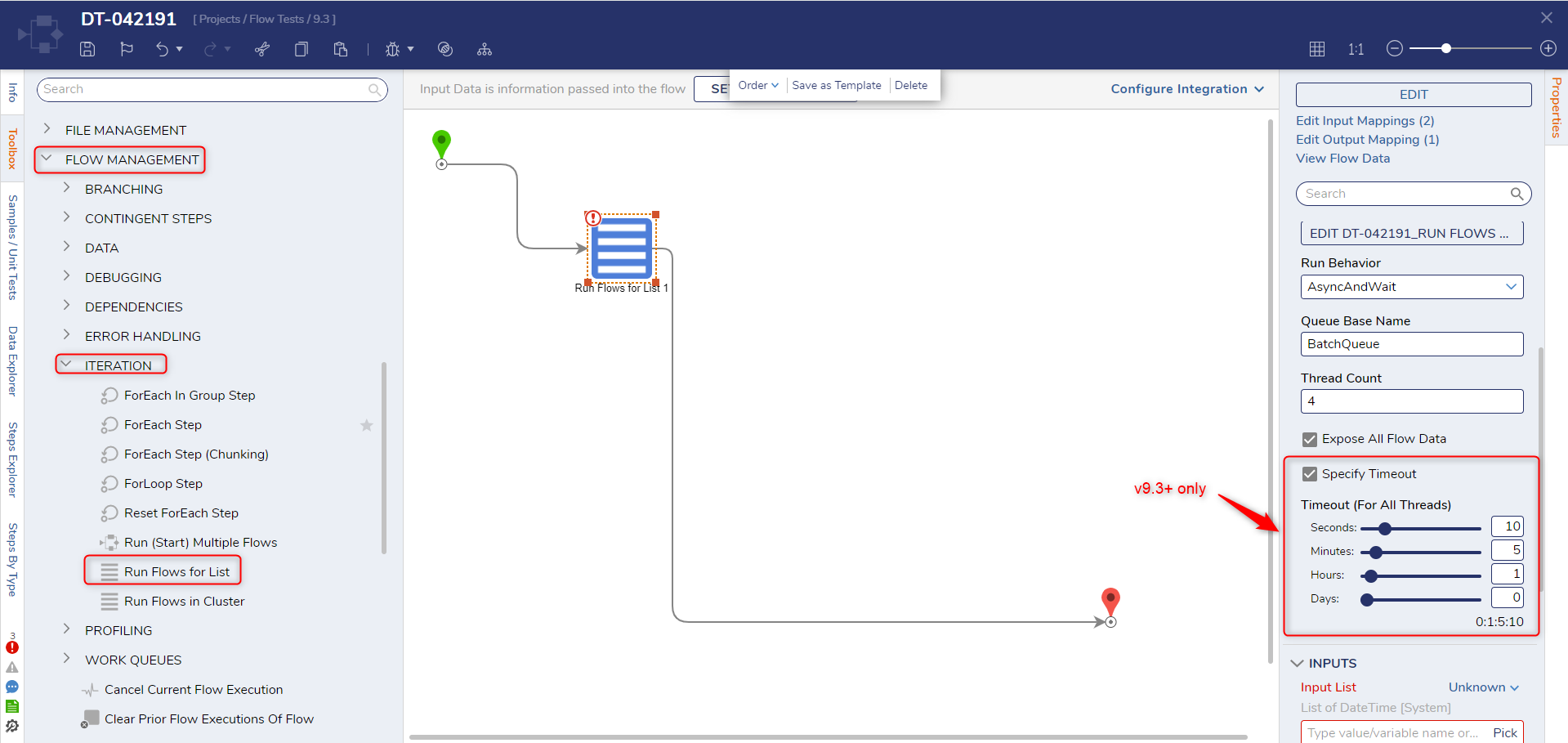
| Specify Timeout (v9.3+) | Allows the user to specify the amount of time after which the step will cease to function. This is useful to prevent situations where the step runs infinitely. This option is only available if the Run Behavior is set to ThreadJob or AsyncAndWait. | Boolean | |
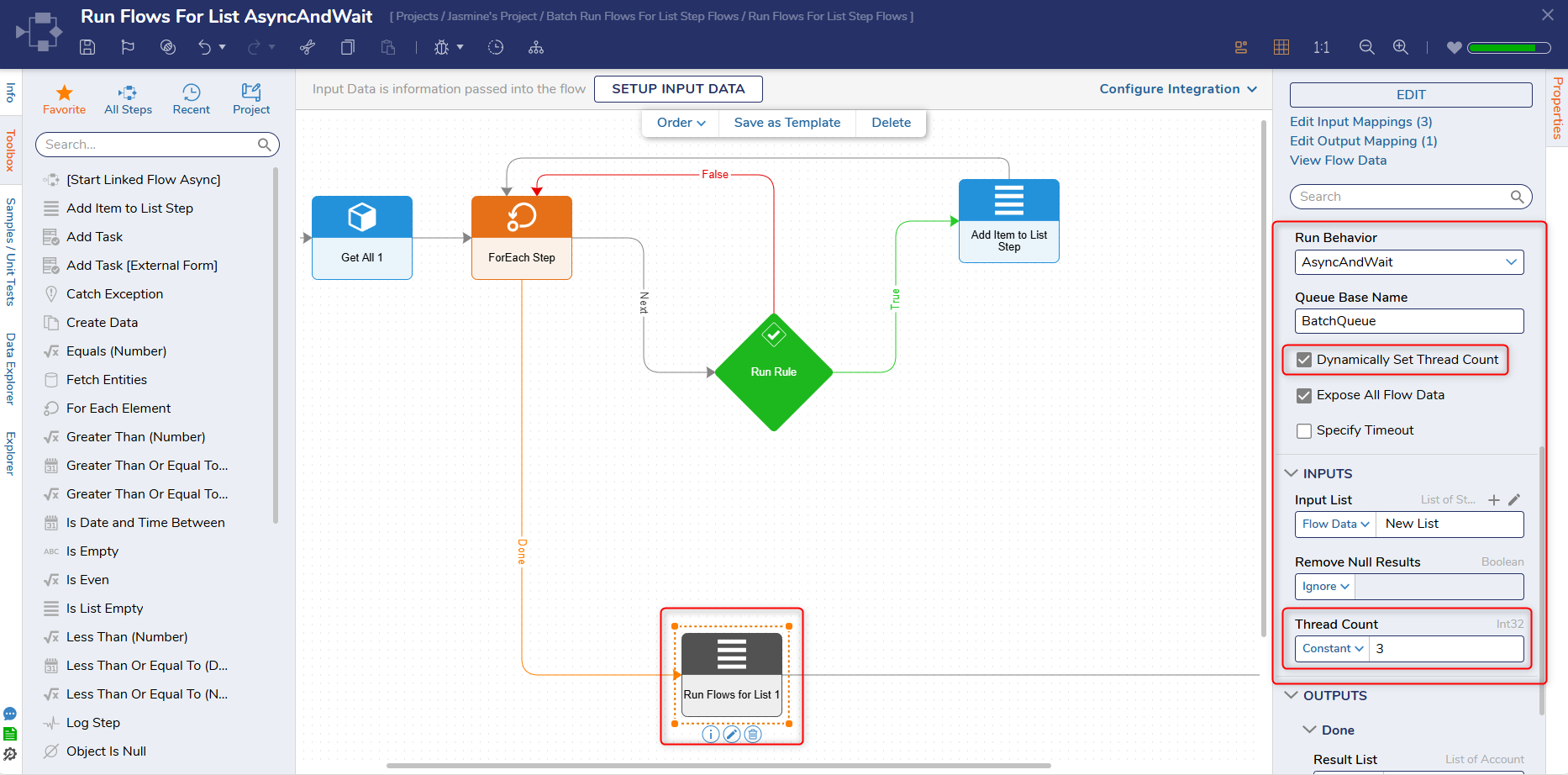 Dynamically Set Thread Count (for v9.18+)
Related Information
Forum Posts:
Using the 'Run Flows For List' Step
Debugging A Run Flows For List Step
Projects:
Running Steps Asynchronously with the Go Async Step
Feature Changes
| Description | Version | Release Date | Developer Task |
|---|---|---|---|
| Added in the "Specify Timeout" setting. | 9.3 | September 2024 | [DT-042191] |
| Added the Dynamically Set Thread Count setting. | 9.18 | December 2025 | [DT-046246] |