Step Details |
| Introduced in Version | 9.25.0 |
| Last Modified in Version | 9.25.0 |
| Location | Integration > Microsoft Teams |
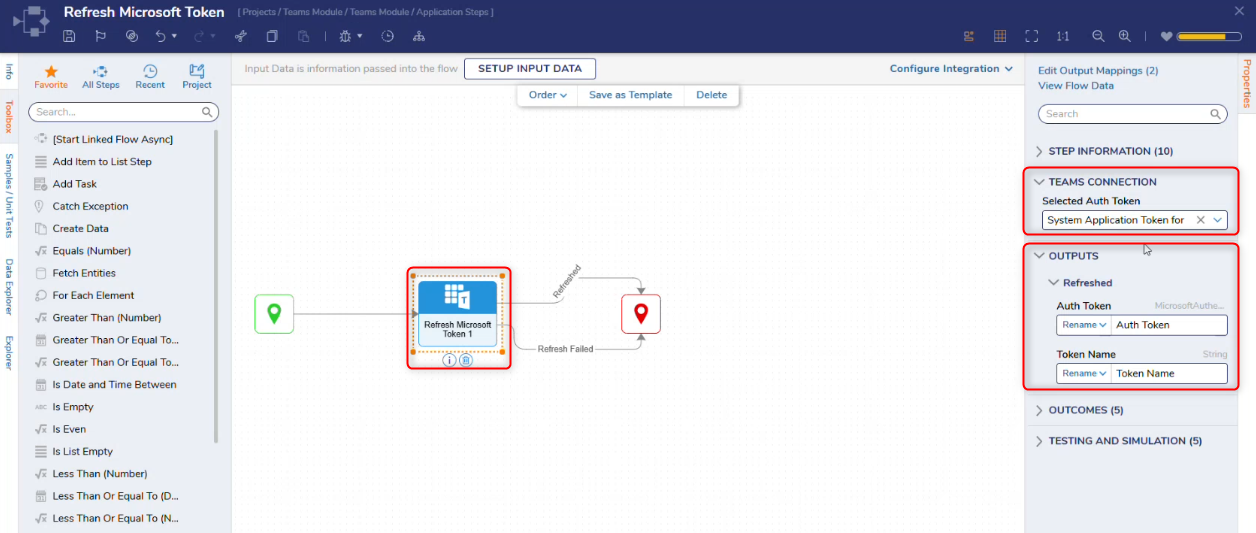
The Refresh Microsoft Token step refreshes an existing Microsoft 365 authentication token so that Microsoft Teams steps can continue to use a valid connection. This step is typically used when a token has expired or is nearing expiration.
Teams Connection
| Property | Description | Data Type |
|---|
| Selected Auth Token | Selects the Microsoft 365 authentication token configuration to be refreshed. The available options are based on configured tokens. | Dropdown |
| Use FlowData for Auth Token | When enabled, it allows the authentication configuration to be provided dynamically via Flow data rather than selecting a predefined token. | Boolean |
Outputs
| Property | Description | Data Type |
|---|
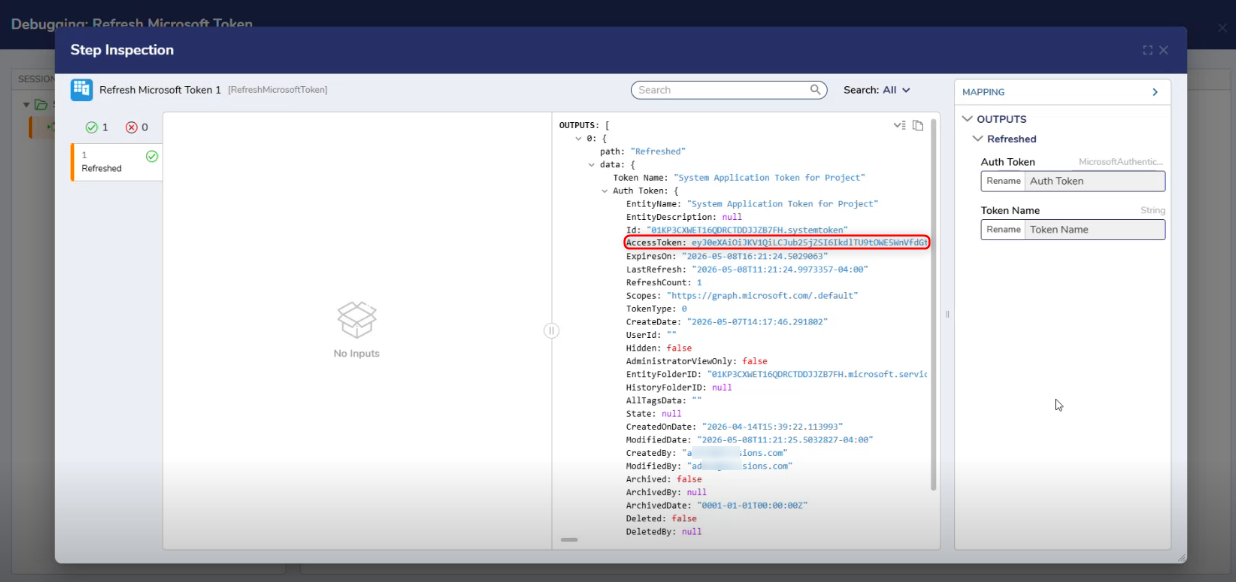
| Auth Token | Returns the refreshed Microsoft 365 access token. | MicrosoftAuthenticationToken |
| Token Name | Represents the name of the authentication token retrieved by the step, which can be used to map and pass the token to other steps within the flow. | String |
Step Changes
| Description | Version | Date | Developer Task |
|---|
| The Refresh Microsoft Token step was introduced. | 9.25 | May 2026 | DT-046397 |