Step Details |
| Introduced in Version | 9.25.0 |
| Last Modified in Version | 9.25.0 |
| Location | Integration > Microsoft Teams |
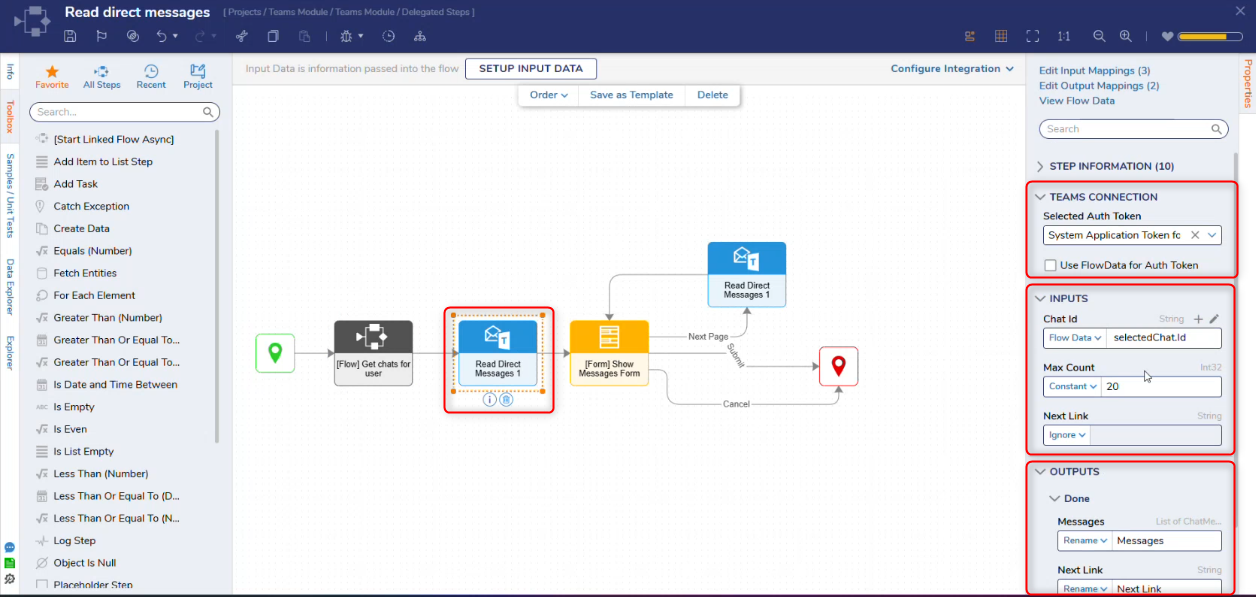
The Read Direct Messages step retrieves direct (one-on-one or group chat) messages available through the configured Microsoft Teams connection. The step uses the selected Microsoft 365 authentication token to access messages based on the permissions assigned in Azure.
Teams Connection
| Property | Description | Data Type |
|---|
| Selected Auth Token | Selects the Microsoft 365 authentication token used to connect to Microsoft Teams. The token must have permission to read chat messages. | Dropdown |
| Use FlowData for Auth Token | When enabled, it allows the authentication token to be provided dynamically via Flow data rather than selecting a predefined token. | Boolean |
Inputs
| Property | Description | Data Type |
|---|
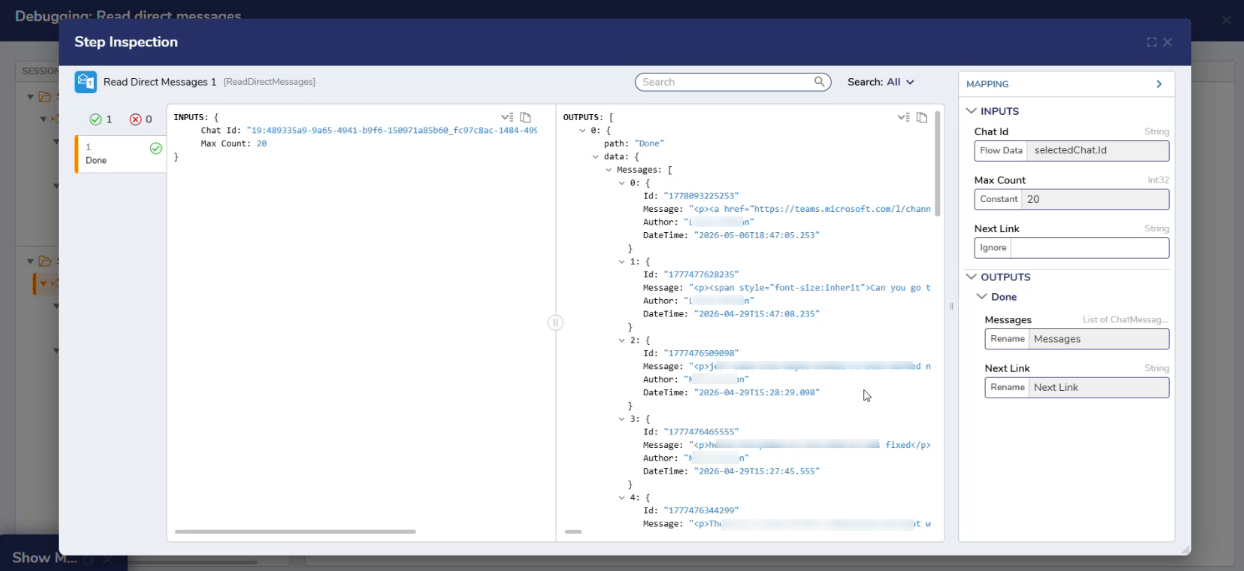
| Chat Id | Specifies the unique identifier of the chat from which direct messages will be retrieved. | String |
| Max Count | Specifies the maximum number of direct messages to retrieve in a single request. This helps control the volume of data returned and can be used alongside pagination to manage large result sets. | Int32 |
| Next Link | Indicates the URL or reference used to retrieve the next page of results when data is returned in multiple pages. | String |
Outputs
| Property | Description | Data Type |
|---|
| Messages | Returns direct messages accessible through the configured Microsoft Teams connection and token permissions. | List of ChatMessageSummary |
| Next Link | Indicates the URL or reference used to retrieve the next page of results when data is returned in multiple pages. | String |
Step Changes
| Description | Version | Date | Developer Task |
|---|
| The Read Direct Messages step was introduced. | 9.25 | May 2026 | DT-046397 |