| Step Details | |
| Introduced in Version | 9.28 |
| Modified in Version | -- |
| Location | Integration > FTP |
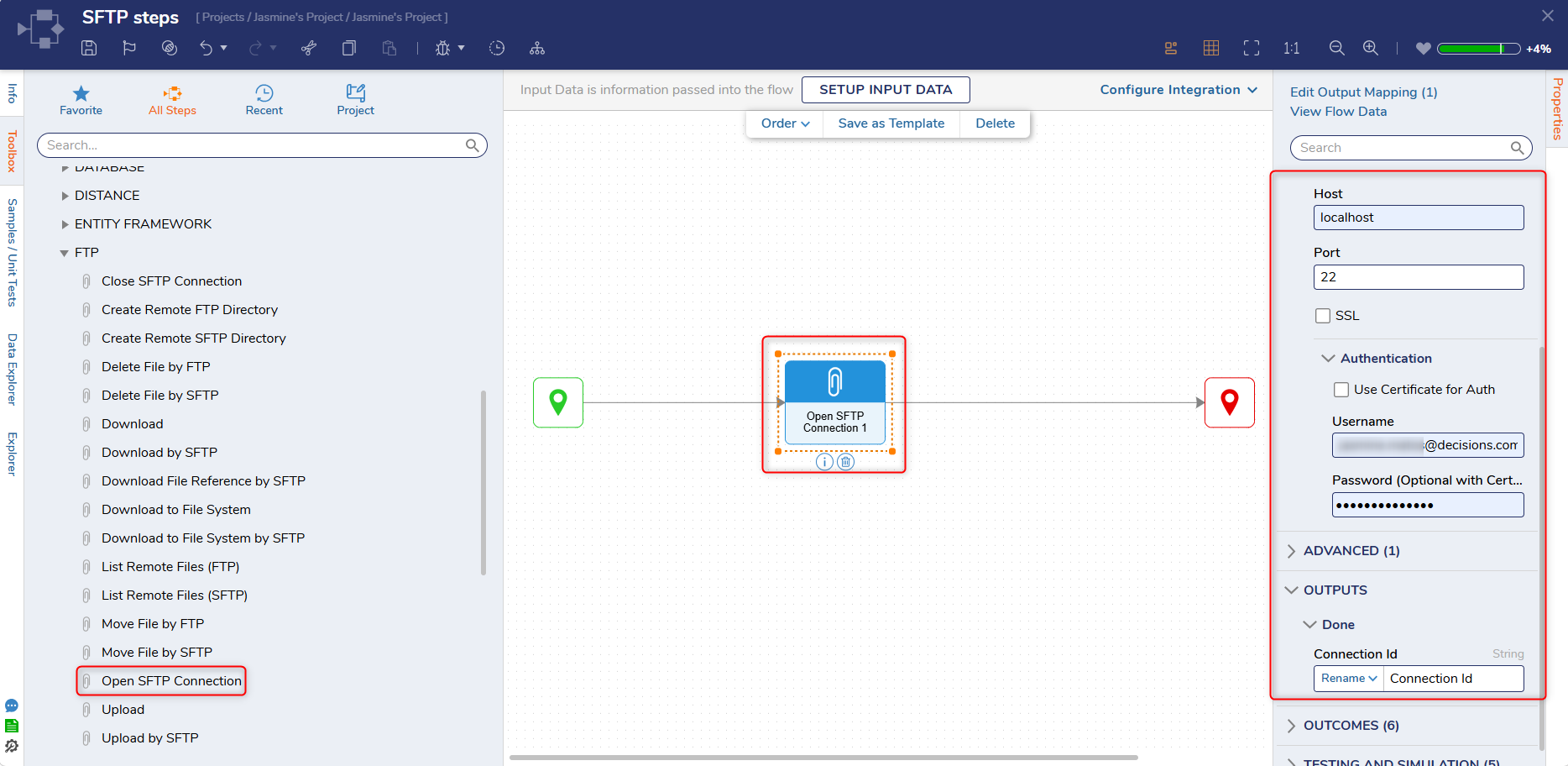
The Open SFTP Connection step opens an SFTP connection and outputs the connection ID.
Note: All Certificates and related information for FTP/SFTP steps are stored within the Flow Step and are not stored independently in the database or the server.
Properties
FTP/SFTP
| Property | Description | Data Type | ||||
|---|---|---|---|---|---|---|
| Get Configuration From Data | Allows the user to set the configuration as input fields | --- | ||||
| Server | ||||||
| Host | Host name of the SFTP server | --- | ||||
| Port | Port of the SFTP server | --- | ||||
| SSL | Enables user to select an SSL Security Type | --- | ||||
| SSL Security Type | Choose the security type as Explicit, Unsecure, Implicit, or Secure. | --- | ||||
| Authentication | ||||||
| Use Certificate for Auth | Enables users to use a Certificate and Certificate Password for authentication for SFTP. Users can use the following types of certificates - X.509, PFX/PKCS#12, and PEM. | --- | ||||
| Username | Username for the SFTP account | --- | ||||
| Password | Password for the SFTP account | --- | ||||
| Proxy | ||||||
| Type | Allows the user to select the Proxy type | --- | ||||
| Advanced | ||||||
| Enable Compression | Enables compression of the file being uploaded | --- | ||||
Outputs
| Property | Description | Data Type |
|---|---|---|
| Connection ID | String |
Step Changes
| DT Title | Description | Version | Date |
|---|---|---|---|
| [DT-047645] Add Batch SFTP Operations Step - Single SFTP Session Support | Added 2 SFTP steps called "Open SFTP Connection" and "Close SFTP Connection". All SFTP steps have also been updated to allow connections by ID | 9.28 | June 2026 |
Related Information
Video:
SFTP and FTP in Decisions
Forum Posts:
Certificate Format Of SFTP Steps
Moving Files Via Sftp
Video:
SFTP and FTP in Decisions
Forum Posts:
Certificate Format Of SFTP Steps
Moving Files Via Sftp