Overview
Step Details |
| Introduced in Version | 4.0.0 |
| Last Modified in Version | 9.3.0 |
| Location | Data > Excel and CSV |
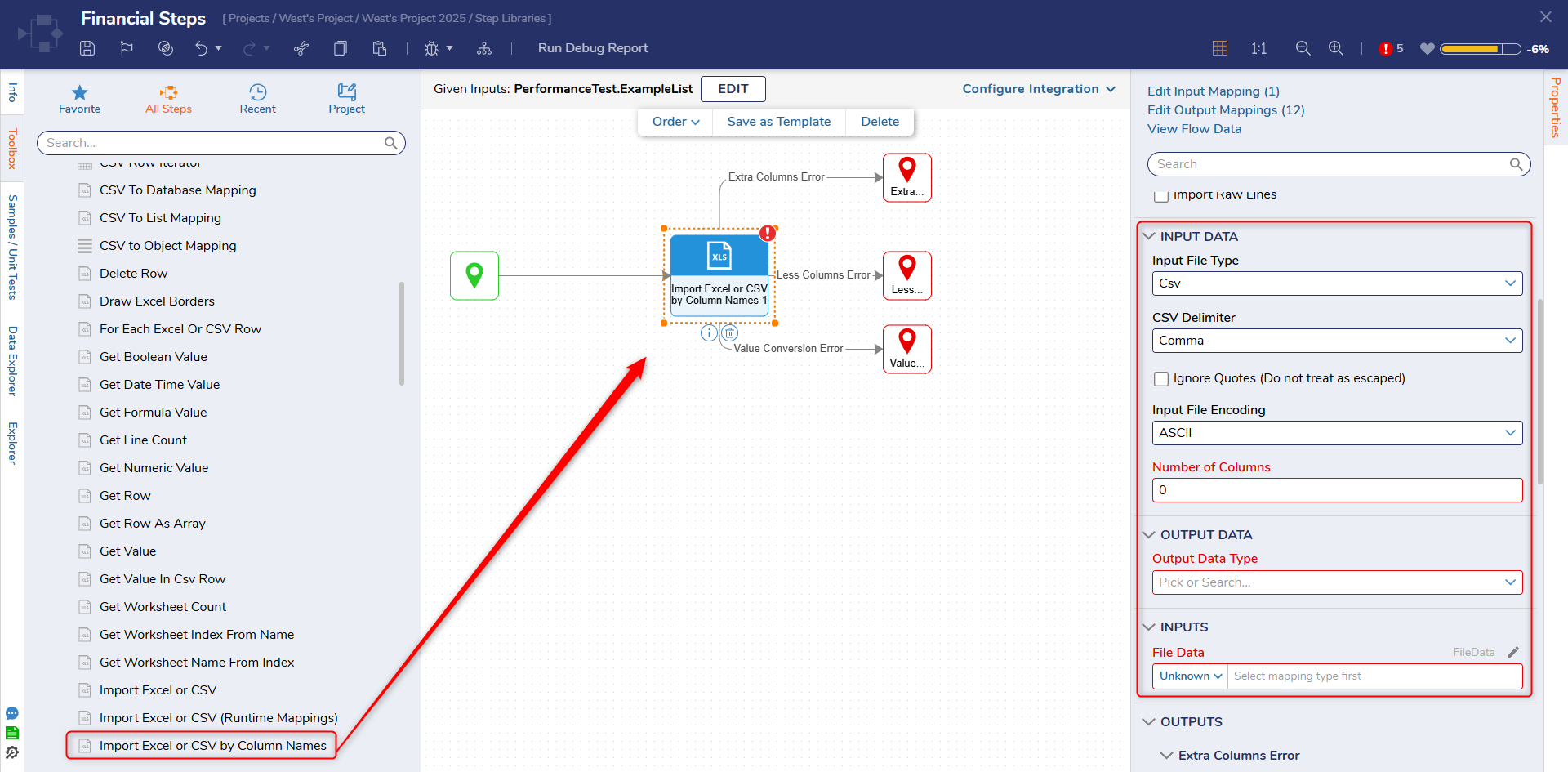
The Import Excel or CSV by Column Names step takes in a CSV/Excel file and maps the desired columns to an Object List dynamically at runtime.
Properties
Error Handling
| Property | Description | Data Type |
|---|
| Extra Columns in Input | Will provide an error if extra columns are found in the input (Add Outcome: provides an outcome path, Throw Exception: throws an exception on reaching error, Ignore and Continue: will add an outcome path and ignore the error) | --- |
| Less Columns in Input | Will provide an error if the columns found are less than expected (Add Outcome: provides an outcome path, Throw Exception: throws an exception on reaching an error, Ignore and Continue: adds an outcome path and ignores the error) | --- |
| Value Conversion Error | Will send an error if a value can not be converted (Add Outcome: provides an outcome path, Throw Exception: throws an exception on reaching error, Ignore and Continue: add an outcome path and ignore the error) | --- |
Import Raw Lines
| Property | Description | Data Type |
|---|
| Import Raw Lines | Adds data of the row into the specified field | --- |
| Into Property | Specify the mapped data field | --- |
Input Data
| Property | Description | Data Type |
|---|
| Input File Type | Defines the data type of the input file | --- |
| CSV Delimiter | Defines the delimiter specified in the CSV file | --- |
| Ignore Quotes (Do not treat as escaped) | Ignores column names that contain quotes | Boolean |
| Input File Encoding | Defines the encoding type | --- |
| Number of Columns | Specifies the number of columns that will be imported | Int32 |
| Import All Worksheets (Available in v9.3+) | This setting allows all worksheets of an Excel file to be imported at once. | Boolean |
Output Data
| Property | Description | Data Type |
|---|
| Output Data Type | Defines the output data type | --- |
Inputs
| Property | Description | Data Type |
|---|
| File Data | The CSV or Excel file | FileData |
| Column Mapping | Mapping data for columns | List of DynamicCSVMapping |
Outputs
| Property | Description | Data Type |
|---|
| Done |
| Imported Data | Returns the data that was successfully imported | List of [Data Type] |
| Extra Columns Error |
| Actual Columns Number | Returns the number of columns | Int32 |
| Input Line | Returns the input line or error | Int32 |
| Line Number | Returns the line number of an error | Int32 |
| Less Columns Error |
| Actual Columns Number | Returns the number of columns | Int32 |
| Input Line | Returns the input line or error | Int32 |
| Line Number | Returns the line number of an error | Int32 |
| Value Conversion Error |
| Column Number | Returns the column number of an error | Int32 |
| Error Message | Returns the error message | String |
| Input Line | Returns the input line or error | Int32 |
| Line Number | Returns the line number of an error | Int32 |
| Source Value | Returns what the source value is | String |
| Target Type | Returns the expected data type | String |
Common Errors
A specified column cannot be found and matched.
This error appears when configuring the Column Mapping > FileColumnName field for this step. The field is case sensitive and must exactly match the column name in the Excel or CSV file.
DecisionsFramework.Design.Flow.FlowStep.RunStepInternal(String flowTrackingID, String stepTrackingID, KeyValuePairDataStructure[] stepRunDataValues, AbstractFlowTrackingData trackingData)
   at DecisionsFramework.Design.Flow.FlowStep.Start(String flowTrackingID, String stepTrackingID, FlowStateData data, AbstractFlowTrackingData trackingData, RunningStepData currentStepData)
Feature Changes
| Description | Version | Date | Developer Task |
|---|
Select Import Excel or CSV steps (excluding Runtime Mappings) now include a setting that allows all worksheets in an Excel file to be imported at once.
| 9.3 | October 2024 | [DT-041664] |