Step Details
|
| Introduced in Version | 8.17.0 |
| Last Modified in Version | 9.13.0 |
| Location | AI > Google Vertex |
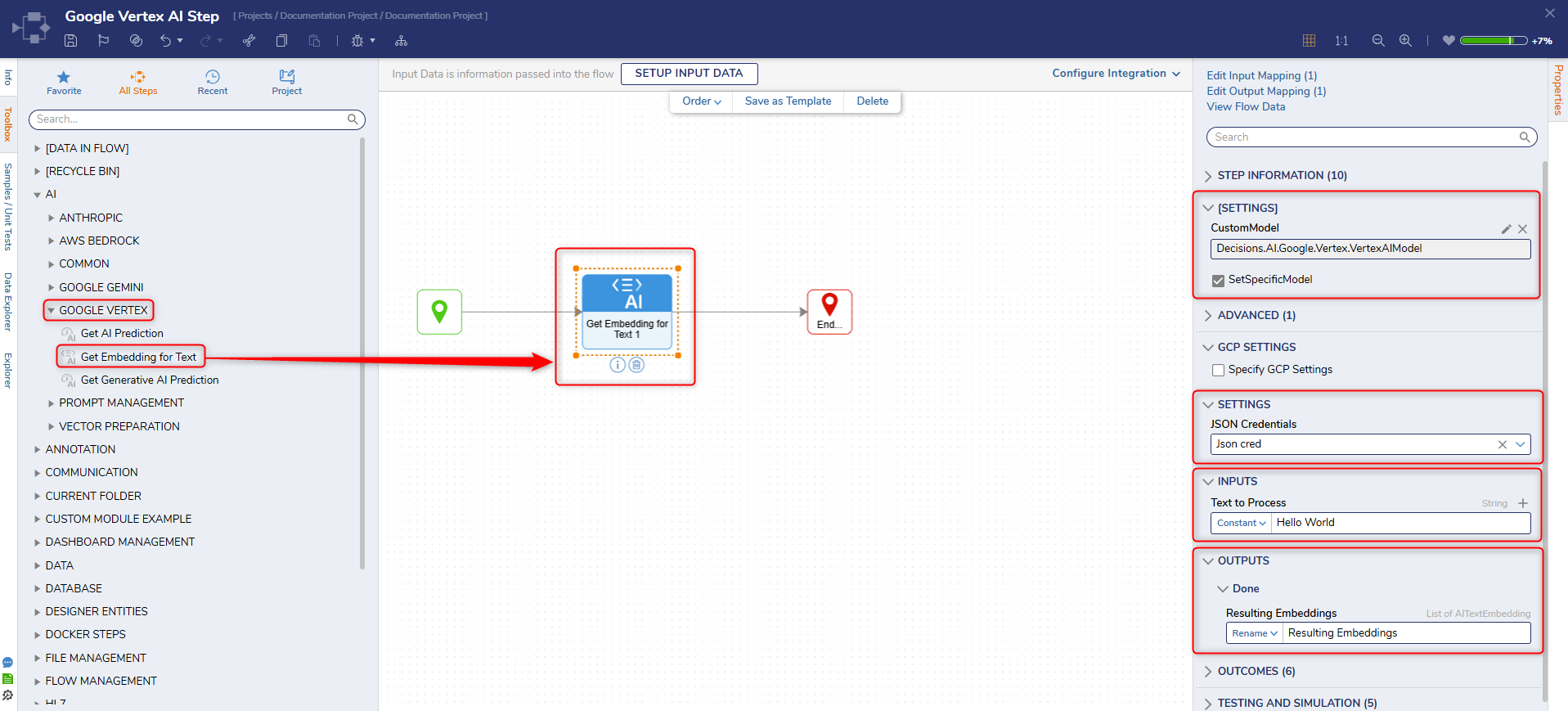
The Get Embedding for Text step obtains numerical vector representations (embeddings) for text data. Text embeddings represent the semantic meaning of text, enabling various downstream natural language processing (NLP) tasks, such as text classification, clustering, or similarity analysis.
Prerequisites
Refer to Google Vertex AI for setup instructions before using the step.
Additionally, ensure that the Google Cloud module dependency is installed, as it is required for this step to function.
Users on v9 will need to create a Project dependency.
Properties
[Settings]
| Property | Description | Data Type |
|---|
| OverridePredictionParameters | When enabled, overrides default prediction parameters permitting custom parameters to be created. | Boolean |
| ModelName | Specifies the Vertex AI embedding model to use when generating text embeddings. This is a free-text field where users must enter a valid embedding model identifier (e.g., text-embedding-004). The model must be available in the configured GCP project and region. | String |
| SetSpecificModel | When enabled, creates a new textbox allowing the selection of a specified AI model. | Boolean |
GCP Settings
| Property | Description | Data Type |
|---|
| Specify GCP Settings | When enabled, creates a new box that, when edited, permits specific GCP selection. | Boolean |
Settings
| Property | Description | Data Type |
|---|
| JSON Credentials | If there have been predefined JSON credentials established, those may be selected here | String |
Inputs
| Property | Description | Data Type |
|---|
| Text to Process | The text that needs to be represented as vector embeddings. | String |
Outputs
| Property | Description | Data Type |
|---|
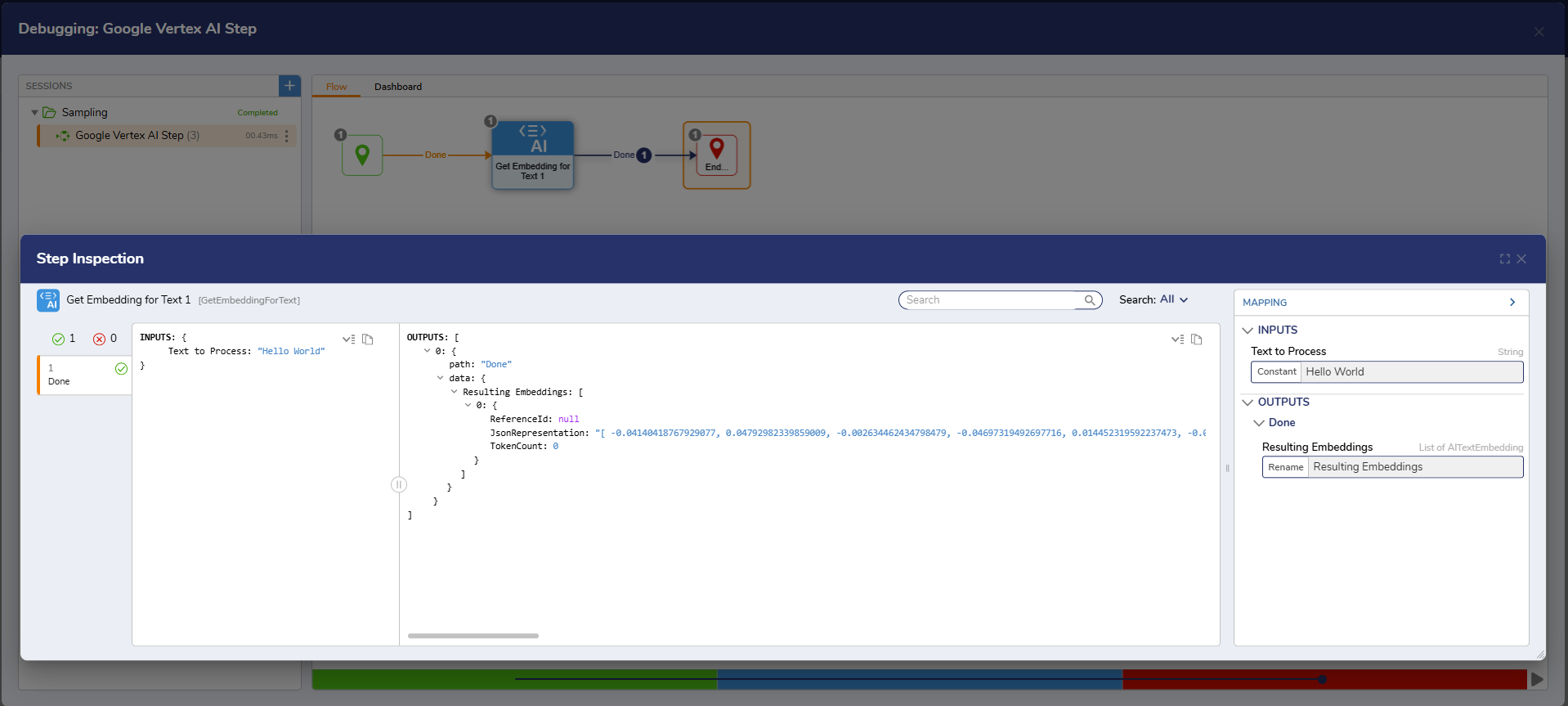
| Resulting Embeddings | Numerical vector representations (embeddings) of the input text. | String |
Example Inputs and Outputs