Step Details
|
| Introduced in Version | 9.14.0 |
| Last Modified in Version | 9.14.0 |
| Location | AI > Google Vertex |
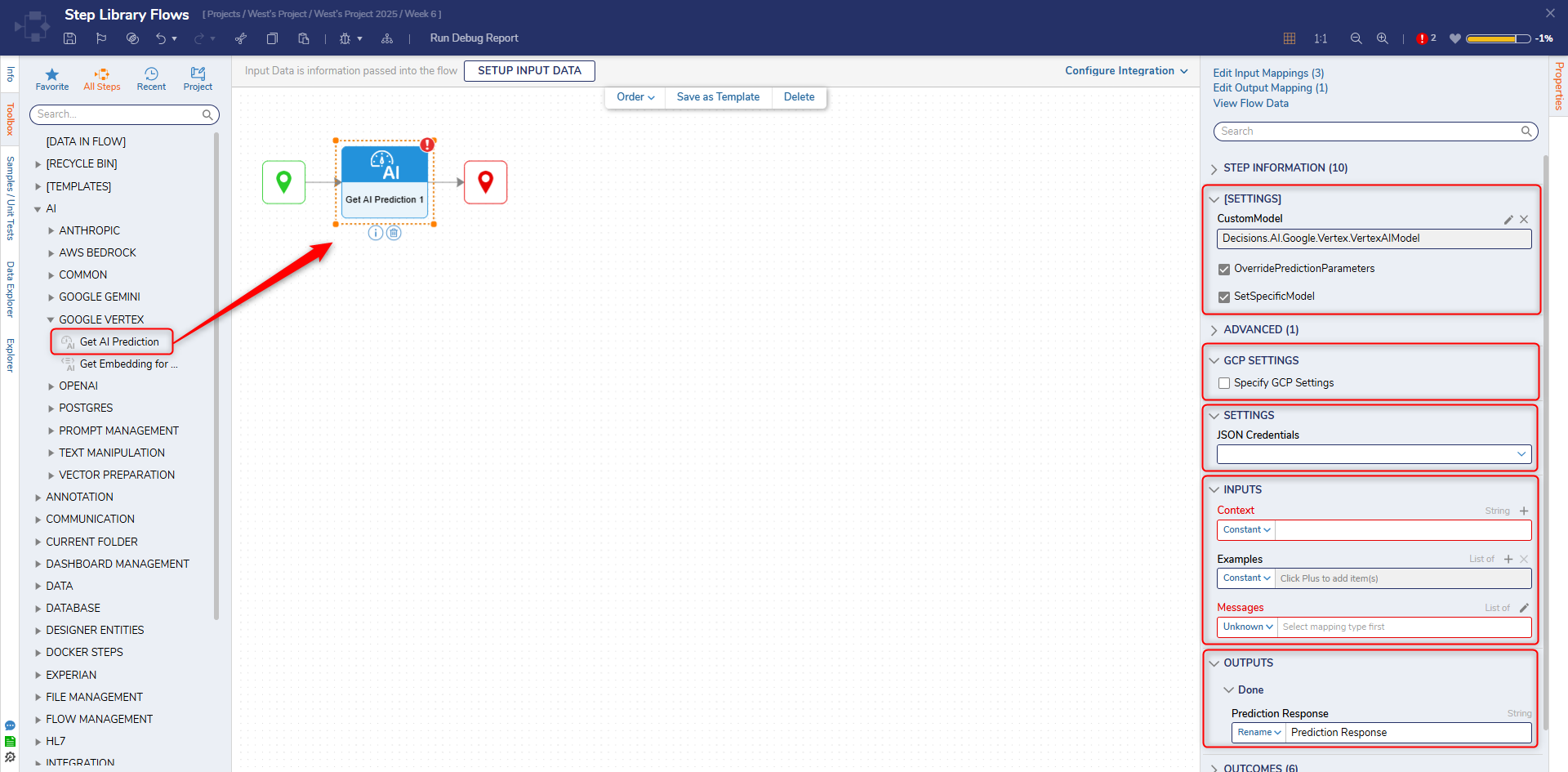
The Get AI Prediction step provides predictions or inferences from a trained machine learning model deployed on the Google Vertex AI platform. It allows you to submit input data to the deployed model and receive predictions as output.
Prerequisites
Refer to Google Vertex AI for setup instructions before using the step.
A Project dependency is also a requirement.
Properties
[Settings]
| Property | Description | Data Type |
|---|
| OverridePredictionParameters | When enabled, overrides default prediction parameters permitting custom parameters to be created. | Boolean |
ModelName
| Specifies the Vertex AI model to use for the prediction request. This field is a free-text input where users must enter a valid model identifier (e.g., gemini-1.5-pro). The model must exist and be accessible in the configured GCP project and region. | String |
| SetSpecificModel | When enabled, creates a new textbox allowing the selection of a specified AI model. | Boolean |
GCP Settings
| Property | Description | Data Type |
|---|
| Specify GCP Settings | When enabled, creates a new box that, when edited, permits specific GCP selection. | Boolean |
Settings
| Property | Description | Data Type |
|---|
| JSON Credentials | If there have been predefined JSON credentials established, those may be selected here | String |
Inputs
| Property | Description | Data Type |
|---|
| Context | Optional background information that helps the model generate a more accurate prediction. | String |
| Examples | A list of input–output example pairs that demonstrate the desired behavior. These help the model understand how it should respond by providing structured reference patterns. | List |
| Messages | A list of conversational messages sent to the model. Each message contains an author (e.g., User, System, Assistant) and content. The model generates predictions based on these messages. | List |
Outputs
| Property | Description | Data Type |
|---|
| Prediction Response | Model output | String |