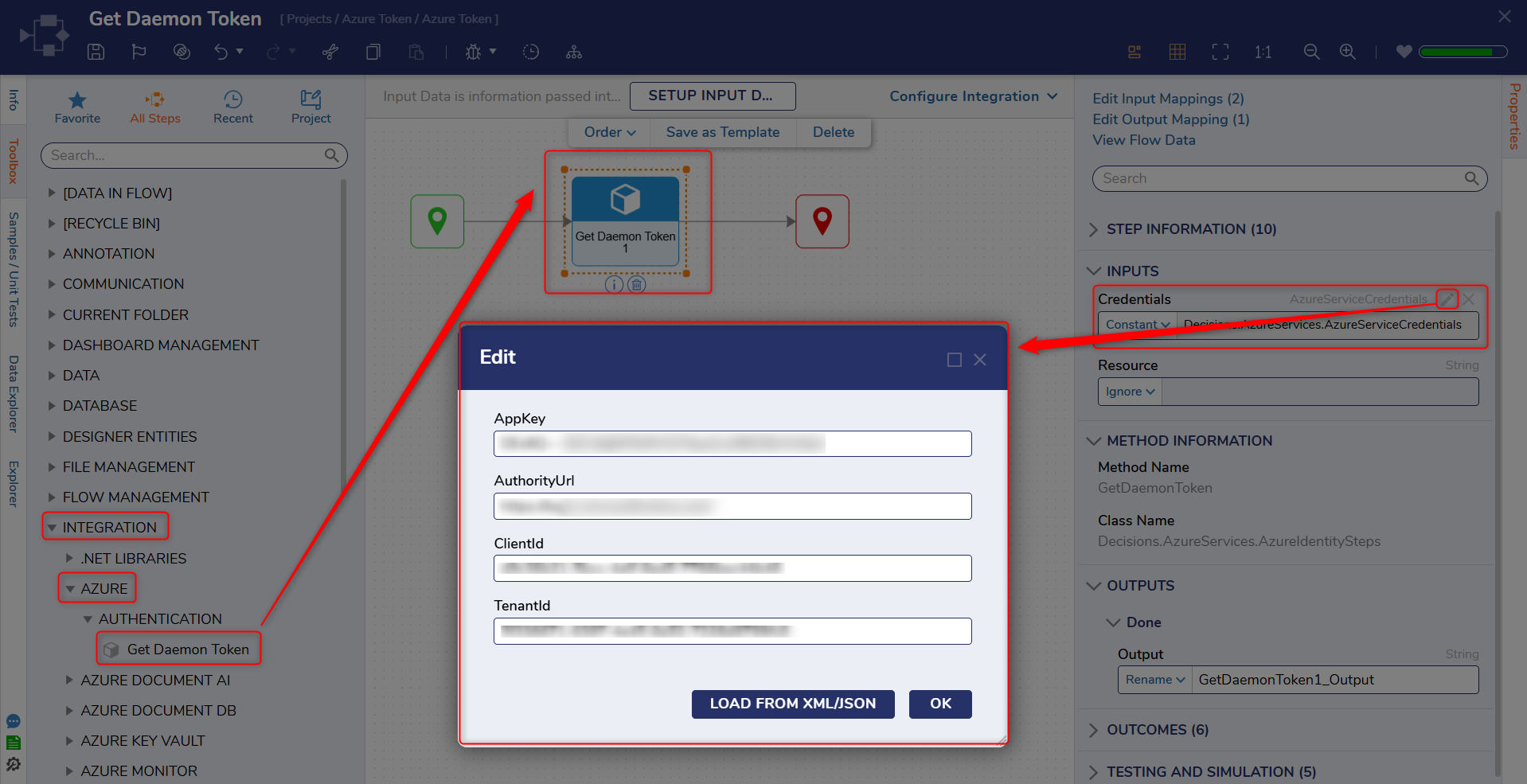
| Step Details | |
| Introduced in Version | 9.6.0 |
| Last Modified in Version | 9.20.0 |
| Location | Integration > Azure |
The Get Daemon Token step generates an OAuth access token using an application (daemon) identity. The token can be used by Azure Services steps that authenticate through OAuth.
Breaking Change (Upgrade to 9.20)
When upgrading to 9.20, Flows that use Get Daemon Token require the step to be remapped to the updated step version. In earlier versions, the tenant id was appended to the end of the Auth URL. In 9.20+, the tenant id is provided through the Tenant Id input.
Inputs
| Input | Type | Description | |
|---|---|---|---|
| Credentials | --- | ||
| Tenant Id | String | Azure AD tenant identifier used for token generation. In 9.20+, the tenant id is provided through this input instead of being appended to the authorization URL. | |
| Client Id | String | Application (client) identifier used for daemon authentication. | |
| AppKey | String | A secret key associated with the application registration. | |
| AuthorityUrl | String | The authorization endpoint used to request the token. For 9.20+, the tenant id is not expected to be appended to the end of this URL. | |
| Resource | String | Defines the permissions/audience for the requested token (varies by Azure configuration). | |
Outputs
| Output | Type | Description |
|---|---|---|
| GetDaemonToken1_Output | String | OAuth bearer token returned by the authorization server. |
Example
- Configure Azure Services Credentials settings.
- Add the Get Daemon Token step and provide Tenant Id, Client Id, App Key, and the appropriate Authority URL.