Step Details |
| Introduced in Version | 4.0.0 |
| Last Modified in Version | 5.12.0 |
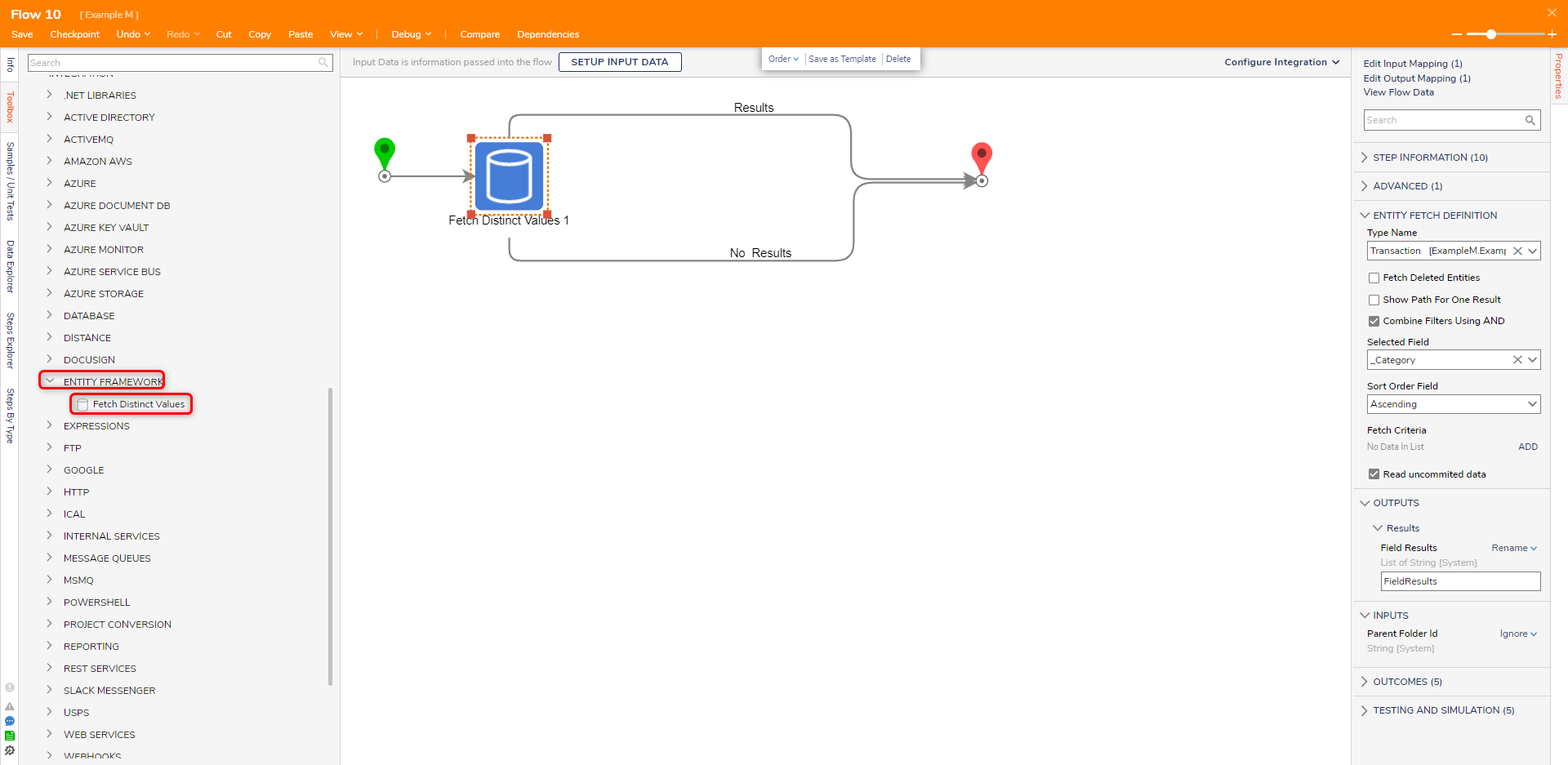
| Location | Integration > Entity Framework |
The Fetch Distinct Values step will get the distinct values in a Data Structure.
Properties
Inputs
| Property | Description | Data Type |
|---|
| Type Name | Define which Type is being fetched by the step. | --- |
| Fetch Deleted Entities | Will fetch entities that were deleted | --- |
| Show Path For One Result | Will add an outcome path for a single result | --- |
| Combine Filters Using AND | This setting will combine the filters set up in the Fetch Criteria section using AND | --- |
| Selected Field | The desired field to get values from | --- |
| Sort Order Field | Defines how the values are sorted | --- |
| Fetch Criteria | Allows the user to add new Fetch Criteria by using the Field Name to construct a query-like statement for Decisions to interpret automatically within the step. More than one Fetch Criteria can be configured. | --- |
| Read uncommitted data | Enabling this feature allows Decisions to read entities in a database that have been changed but not saved. | --- |
| Respect Permissions | If enabled, the step will not fetch entities until the user has the minimum 'CanUse' permission for that folder. | --- |
Outputs
| Property | Description | Data Type |
|---|
| Field Results | Values fetched from the Data Structure | List of [Data Type] |
Example Inputs and Outputs
| Type Name | Selected Field | Output |
|---|
| Transaction | _Category | "Expenses", "Finance" |
| Null | Empty | EXCEPTION MESSAGE |
Common Errors
Value cannot be null
If the Selected FIeld value is not selected, an error will occur.
To correct this, ensure that a field from the data type is selected.
Exception Message:
Exception Stack Trace: DecisionsFramework.Design.Flow.ErrorRunningFlowStep: Error running step Fetch Distinct Values 1[FetchDistinctValues] in flow [Flow 10]: not found, please fix the mapping.
 ---> DecisionsFramework.LoggedException: not found, please fix the mapping. at DecisionsFramework.Design.Flow.CoreSteps.DataBase.AbstractTypeStep.GetFieldName(String ormFieldName
 at DecisionsFramework.Design.Flow.CoreSteps.DataBase.FetchDistinctValues.Run(StepStartData data
 at DecisionsFramework.Design.Flow.FlowStep.RunStepInternal(String flowTrackingID, String stepTrackingID, KeyValuePairDataStructure[] stepRunDataValues, AbstractFlowTrackingData trackingData
 at DecisionsFramework.Design.Flow.FlowStep.Start(String flowTrackingID, String stepTrackingID, FlowStateData data, AbstractFlowTrackingData trackingData, RunningStepData currentStepData)
   --- End of inner exception stack trace ---
Step Changes
| Description | Version | Developer Task |
|---|
| Added the "Respect Permissions" setting to the Fetch Entities, Get Count, Fetch Distinct Values, Delete Entities, and Update Entities steps. | 8.16 | [DT-033517] |