| Step Details | |
| Introduced in Version | 9.25 |
| Last Modified in Version | 9.32, 10.3 |
| Location | AI > AWS Bedrock |
The Prompt AI step is used to generate a Chat Response and is available for use across several AI Modules. The step enables Users to input Model and AI Prompt information to output a Chat Response. In v9.25, this functionality has been added to the AWS Bedrock Module. The step functions similarly to other AI Modules with additional settings, such as Override AWS Credentials.
Prerequisites
This step requires installing the AI.Common, and AI.AWS.Bedrock Modules and adding their dependencies to the Project before they are available in the toolbox.
When overriding providers, only providers that are added as dependencies to the Project will be available for selection.
Properties
AWS Settings
| Property | Description | Data Type |
|---|---|---|
| AWS Settings | Allows Users to specify AWS Credentials. | Boolean |
Bedrock Settings
| Property | Description | Data Type |
|---|---|---|
| Max Tokens | Maximum number of tokens allowed in the input string | Int32 |
Settings
| Property | Description | Data Type |
|---|---|---|
| Select Model | Checkbox to enable the Model selection in settings. | Boolean |
| Select Prompt | Enables access to prompts stored in the AI Prompt Manager through the "Select Prompt" property. When checked, this disables the direct Prompt input option. | Boolean |
| Prompt | Input prompt for the LLM. | String |
| Select System Prompt | Enables Users to select a system prompt. Selecting this option displays the following list of options:
| Boolean |
| Use Agent | Allows Users to select and utilize an Agent. | --- |
| Tool Flows | If a Tool Flow exists in the platform. This setting enables Users to select and utilize it within the step. | Boolean |
Inputs
| Property | Description | Data Type |
|---|---|---|
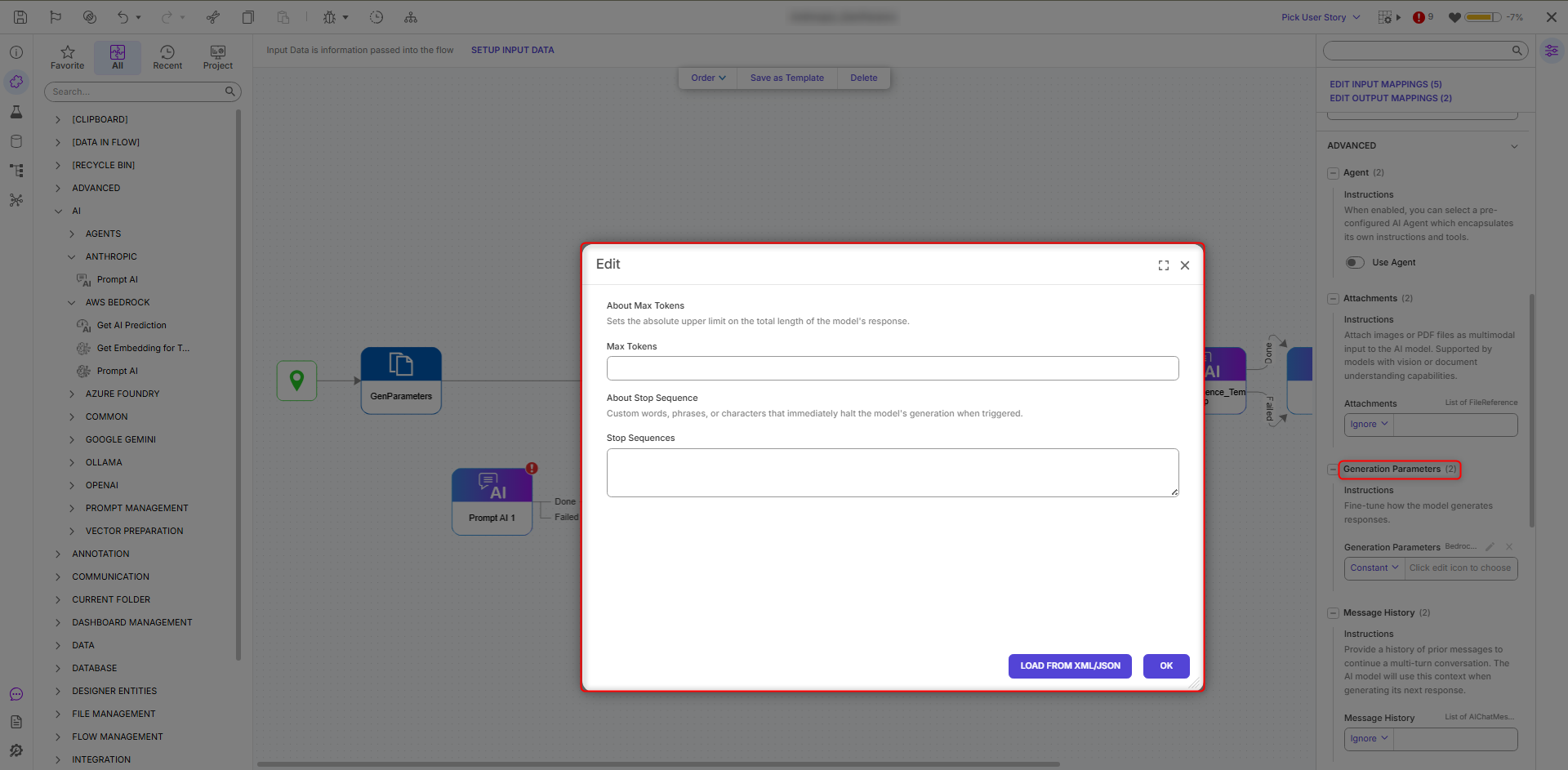
| Generation Parameters (v9.32, v10.3+) | Allows Users to edit/specify Max Tokens and Stop Sequences. | -- |
| Message History | Provides prior conversation context to help the LLM generate accurate and coherent responses. | String |
| Override Variables | Allows Users to specify whether the step should include Override Variables. | -- |
| Response Schema | Defines the structured JSON format that the LLM must follow when generating its output. By specifying the expected fields and data types, the Response Schema ensures the model returns consistent, machine-readable data that can be accurately mapped into the workflow. | -- |
Outputs
| Property | Description | Data Type |
|---|---|---|
| Chat Response | Response from the specified model based on the input prompt. | String |
.png)
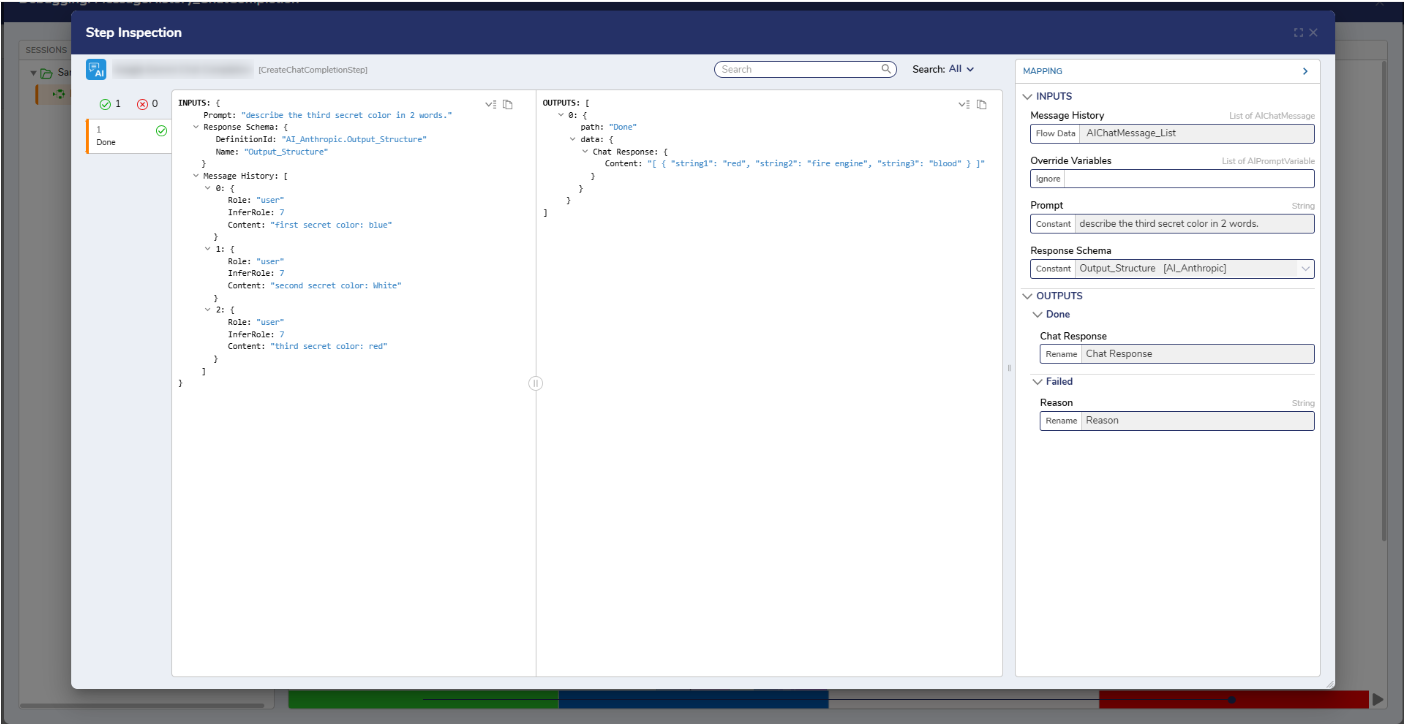
Chat Response Structure
The Chat Response returned from the Chat completion step consists of four components: ID, prompt, model, and completion. The completion component holds the model’s output and follows the structure defined by the Response Schema. When a schema, such as AI_StructuredOutput, is provided, the completion field returns a structured JSON object that matches the object defined by that schema.
For example:{ "StringValue": "Sky color", "StringValue2": "Ocean hue", "IntegerValue": 0, "IntegerValue2": 255, "BooleanValue": false, "BooleanValue2": true, "DecimalValue": 0.0, "DecimalValue2": 1.0 }
This ensures the output is predictable, machine-readable, and can be reliably passed to subsequent steps within the Flow.
Step Changes
| Description | Version | Release Date | Developer Task |
|---|---|---|---|
| Updated Properties panel UI and restricted provider selection to only show providers added as project dependencies. | 9.27 | June 2026 | [DT-046761] |
| The Chat Completion Step has been renamed to "Prompt AI". | 10.2 | August 2026 | [DT-047769] |
Added Generation Parameters for Prompt AI steps.
| 9.32, 10.3 | October 2026 | [DT-044659] |