While Ellucian Ethos is the recommended integration approach for Ellucian Banner, it is not uncommon for Ethos to be unavailable. In these situations, ProcessMaker TCE can integrate directly with Ellucian Banner database tables.
The following sections describe the database tables and fields that ProcessMaker TCE requires access to. This information can be used to create a dedicated database user profile with restricted permissions that align with organizational security and compliance requirements.
Authentication
The following settings and credentials are required to access the Ellucian Banner database. These credentials ensure secure and authorized interaction with the API, enabling seamless data exchange and integration with third-party systems (here, ProcessMaker TCE).
| Parameter | Description |
|---|---|
| Database Host | The Ellucian Banner database hostname, URL, or IP address. |
| Database Port | The Ellucian Database listener port. If not modified, this typically uses the Oracle default port of 1521. |
| Listener/Service Name | The Ellucian Database listener or service name. |
| Username | The username created for ProcessMaker TCE. |
| Password | The password created for ProcessMaker TCE. |
Required Tables and Fields
Student Management
| Table | Description | Purpose |
|---|---|---|
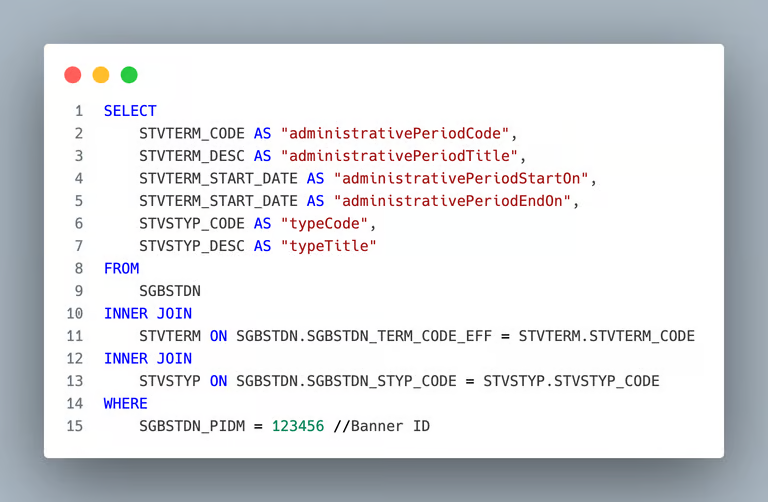
| SPRIDEN | Person records registered in Ellucian Banner | Retrieve person information such as first name, last name, and Banner ID |
| SGBSTDN | Student records registered in Ellucian Banner | Validate whether a person is a student |
| GOREMAL | Email addresses by person | Retrieve student email addresses |
| STVTERM | Administrative periods associated with students | Query administrative periods for students |
| STVSTYP | Student types | Resolve student type information |
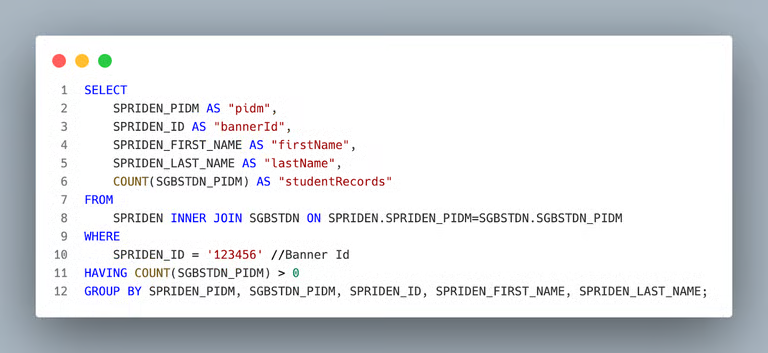
Query — Retrieve Student by Banner ID
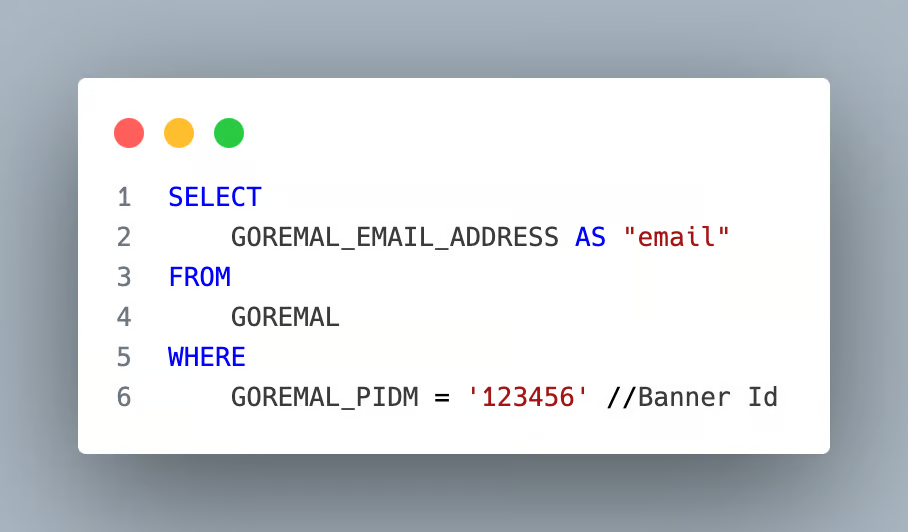
Query — Retrieve Student Email
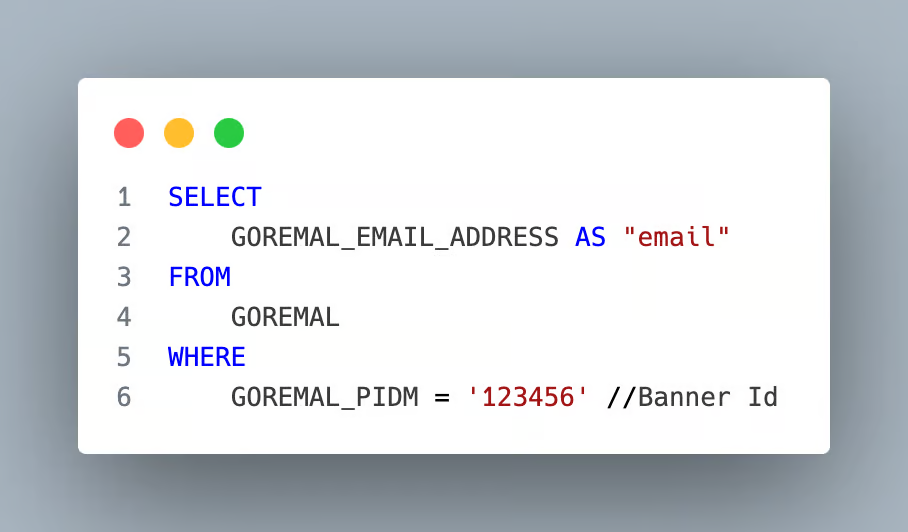
Query — Retrieve Student by Email Address
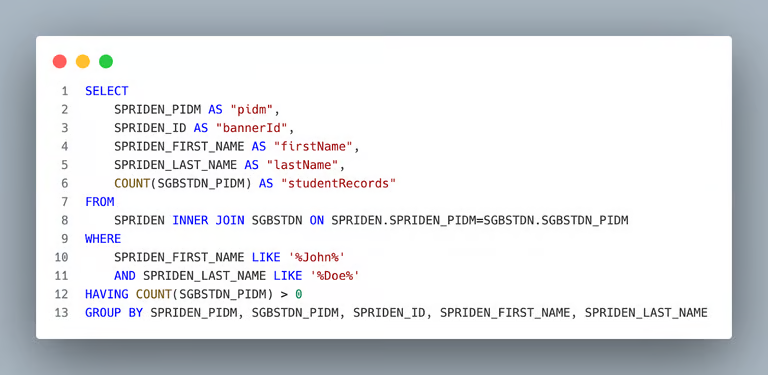
Query — Retrieve Student by Name
Query — Retrieve Attached Administrative Periods
Course Management
| Table | Description | Purpose |
|---|---|---|
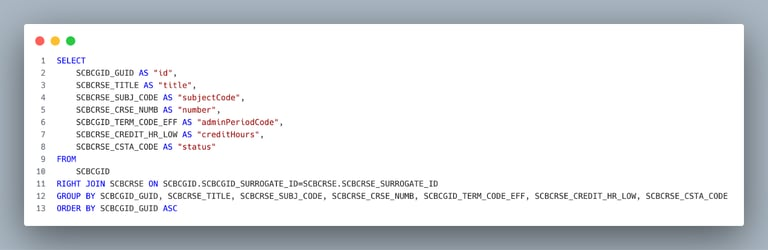
| SCBCGID | Course UUIDs | Retrieve UUID information for courses |
| SCBCRSE | Courses registered in Ellucian Banner | Retrieve course records |
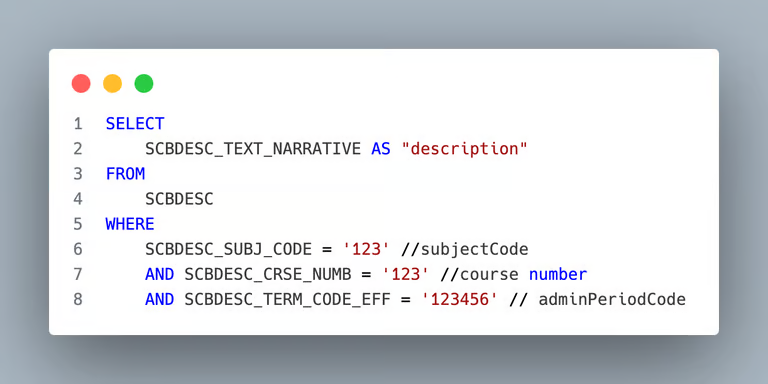
| SCBDESC | Course descriptions | Retrieve detailed course descriptions |
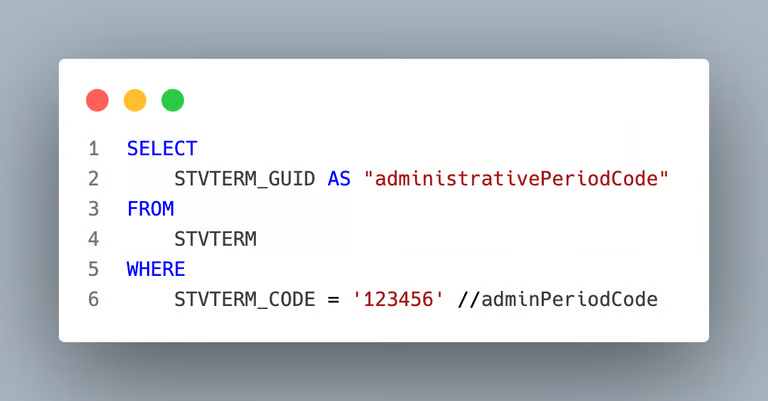
| STVTERM | Course administrative periods | Query course administrative periods |
Query — Retrieve the List of Courses
Query — Retrieve Course Description
Query — Retrieve Administrative Periods per Course
Administrative Periods
| Table | Description | Purpose |
|---|---|---|
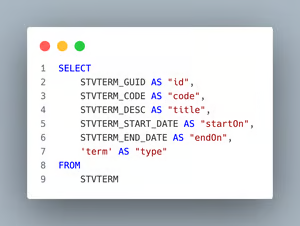
| STVTERM | Administrative periods registered in Ellucian Banner | Retrieve administrative periods |
Query — Retrieve Administrative Periods
External Institutions
| Table | Description | Purpose |
|---|---|---|
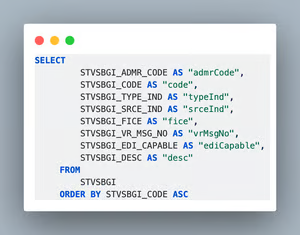
| STVSBGI | External institutions registered in Ellucian Banner | Retrieve external institution records |
Query — Retrieve External Institutions
Course Equivalency
| Table | Description | Purpose |
|---|---|---|
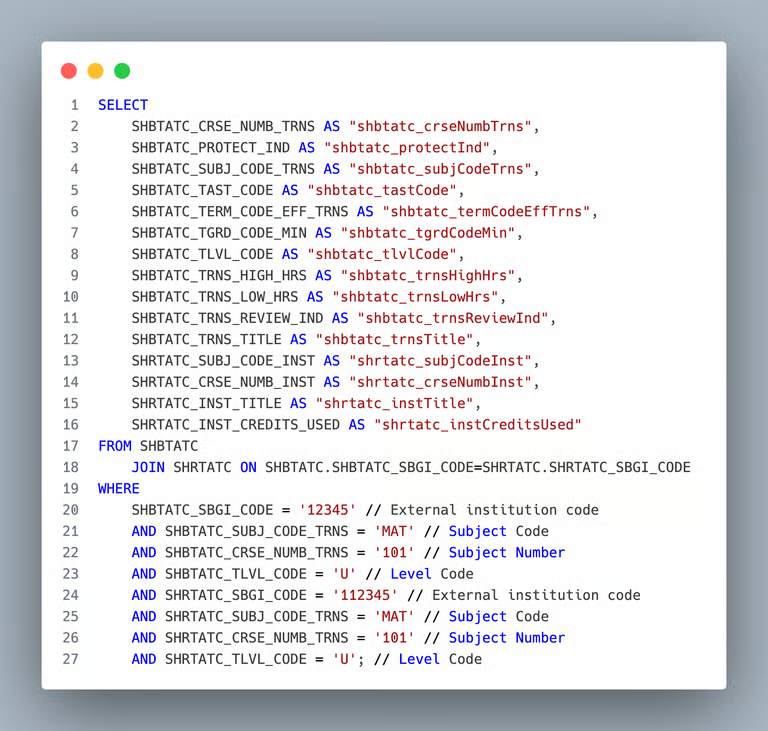
| SHBTATC | External courses | Retrieve external course records |
| SHRTATC | Internal courses | Retrieve internal course records |
Query — Retrieve Courses
Course Articulation
| Table | Description | Purpose |
|---|---|---|
| SHRTRIT | Transfer Institution Number | Retrieve transfer institution information |
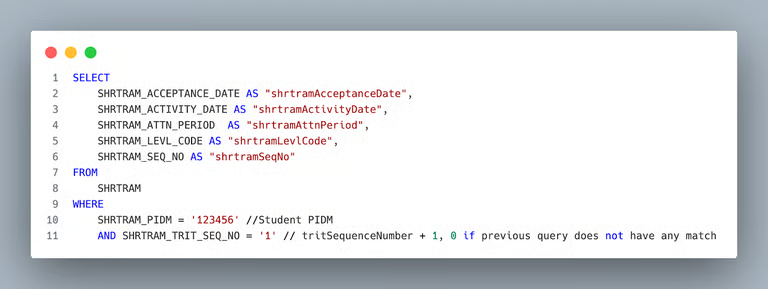
| SHRTRAM | Attendance Period | Retrieve attendance period information |
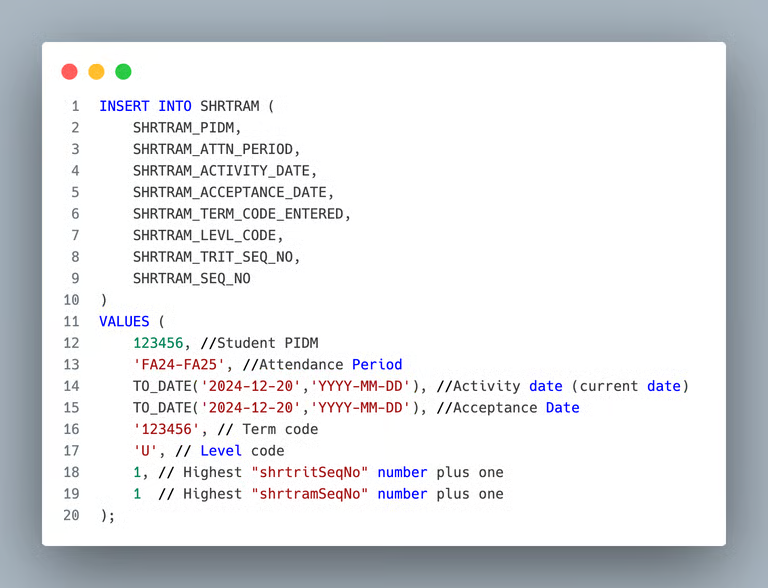
| SHRTRAM | Transfer Maintenance | Create transfer maintenance records (write access required) |
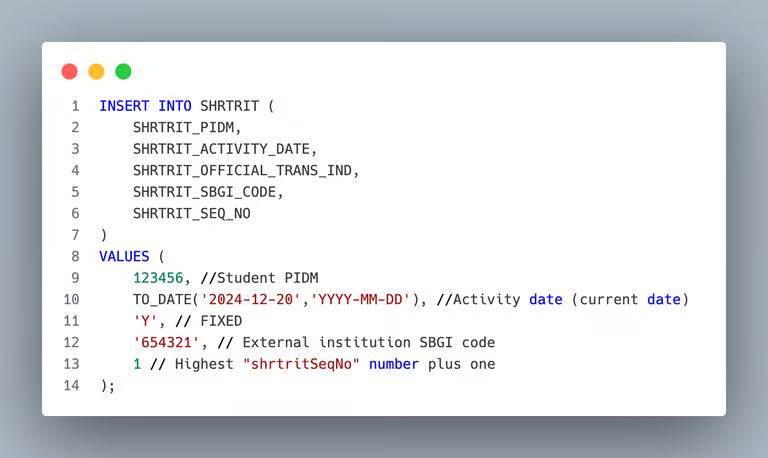
| SHRTRIT | External Institution Records | Create external institution records (write access required) |
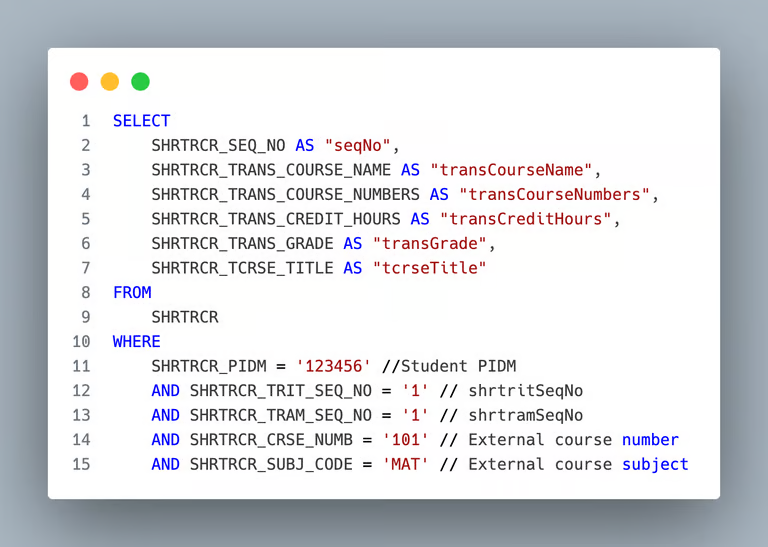
| SHRTRCR | External Course Articulations | Retrieve and save external articulations (write access required) |
| SHRTRCE | Internal Course Articulations | Retrieve and save internal articulations (write access required) |
Query — Transfer Institution Number By Student PIDM and Sequence Number
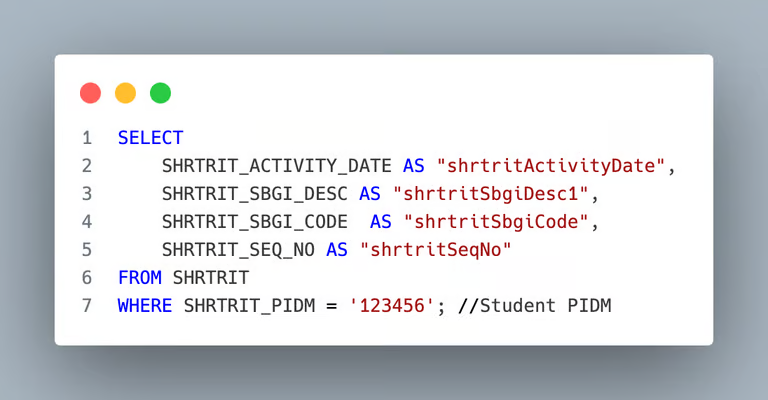
Query — Attendance Period By Student PIDM and Sequence Number
Query — Create Transfer Maintenance
Query — Create an external institution record
Query — Get previous articulations (external)
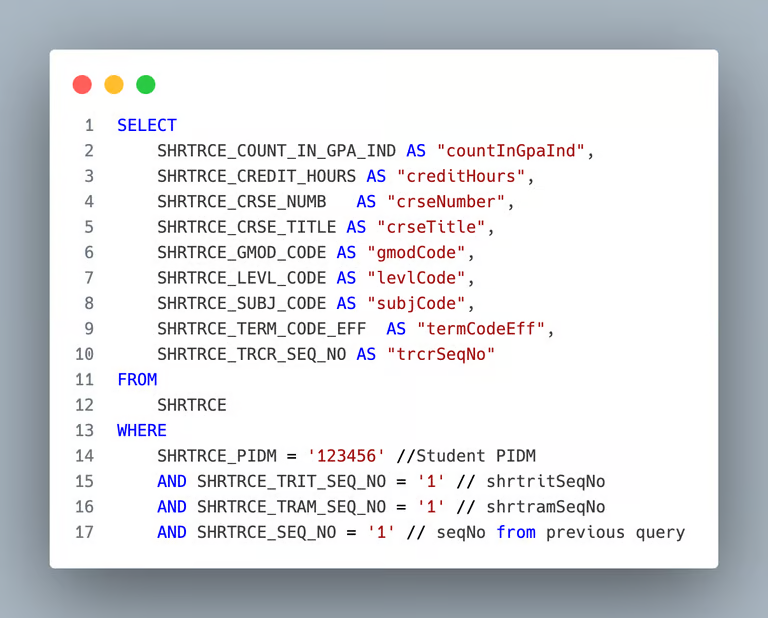
Query — Get previous articulations (internal)
Query — Save external course articulation
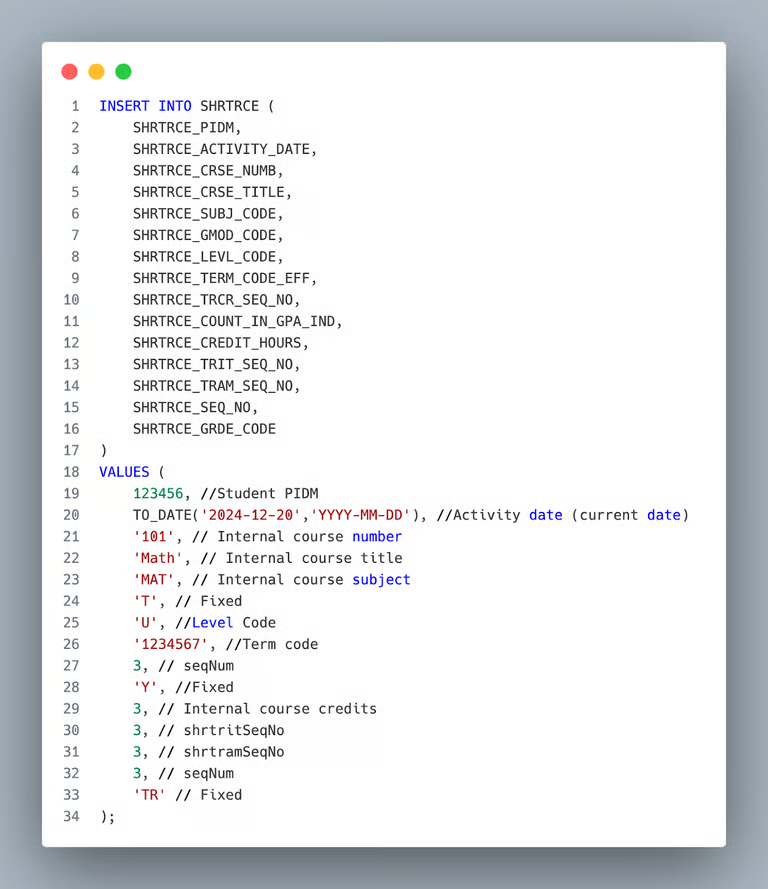
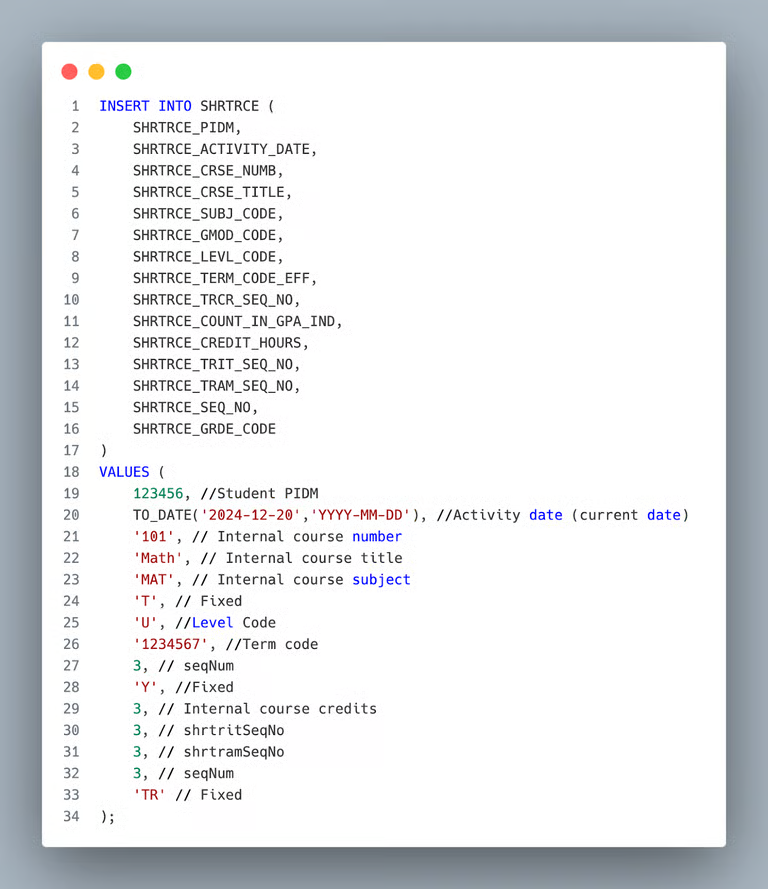
Query — Save internal course articulation
Checklist
The following checklist includes all information and actions required to set up the ProcessMaker TCE and Ellucian Banner integration.
Ellucian Banner without Ethos
☐ Provide the Ellucian Banner database hostname, URL, or IP address.
☐ Provide the Ellucian Database listener port.
☐ Provide the Ellucian Database listener/service name.
☐ Perform firewall and database security modifications-
☐ Whitelist the ProcessMaker development and production environment IP addresses.
☐ Create a ProcessMaker-specific database user.
☐ Assign permissions to all required tables listed above.
☐ Provide the database username and password.