Configure ProcessMaker Process Intelligence to export process data into ARIS Process Mining using the ARIS Data Ingestion API.
Introduction
The ARIS Integration allows ProcessMaker Process Intelligence to send process data to ARIS tables for process mining analysis. To configure the integration, create API credentials in ARIS, configure a data set and connection, then store the ARIS credentials in ProcessMaker Process Intelligence.
The configuration process consists of four main phases:
Create a Data Ingestion API Integration in ARIS
Follow these steps to create the client credentials required to connect ProcessMaker Process Intelligence to ARIS:
Log in to ARIS.
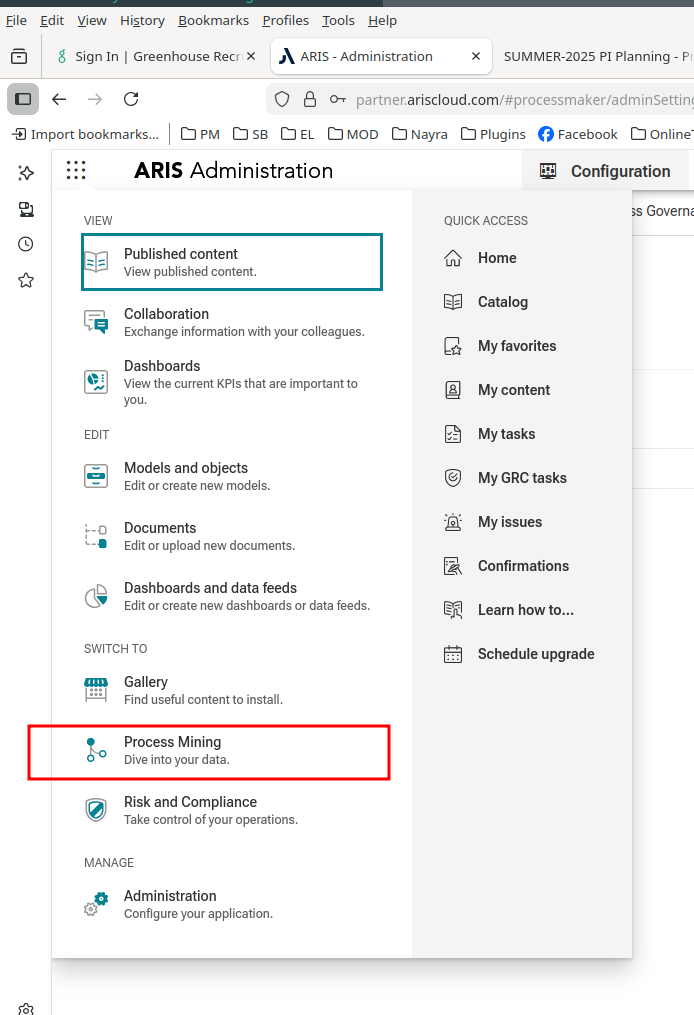
Open the ARIS main menu.
Select Process Mining.
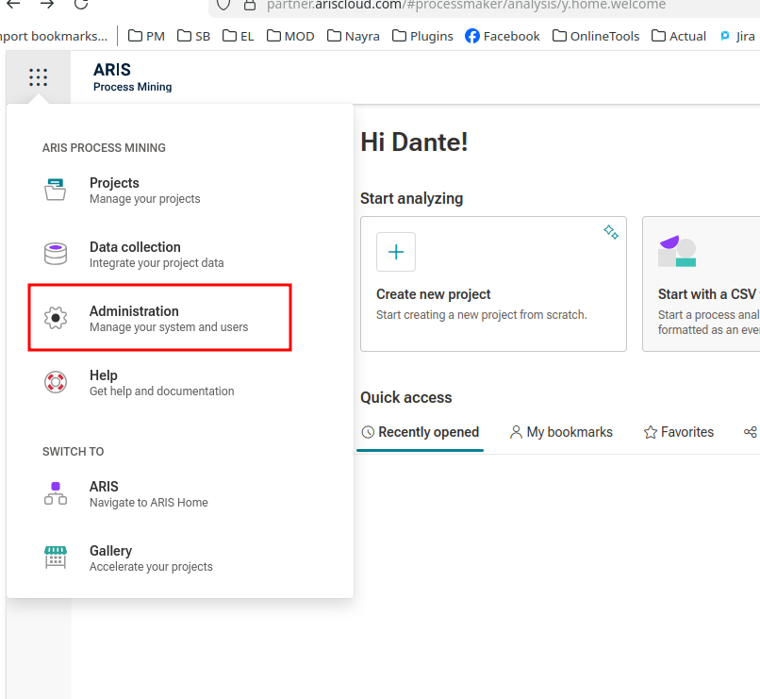
From the Process Mining menu, select Administration.
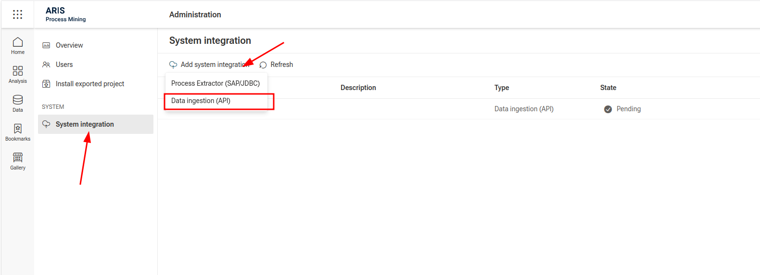
Select System Integration.
Click Add System Integration.
Select Data Ingestion (API).
In the Add data ingestion (API) integration window, configure the following fields:
Name: Enter a name for the integration.
Description: Optionally, enter a description for the integration.
Grant type: Select Client credentials.
Client credentials is the supported grant type for this integration.
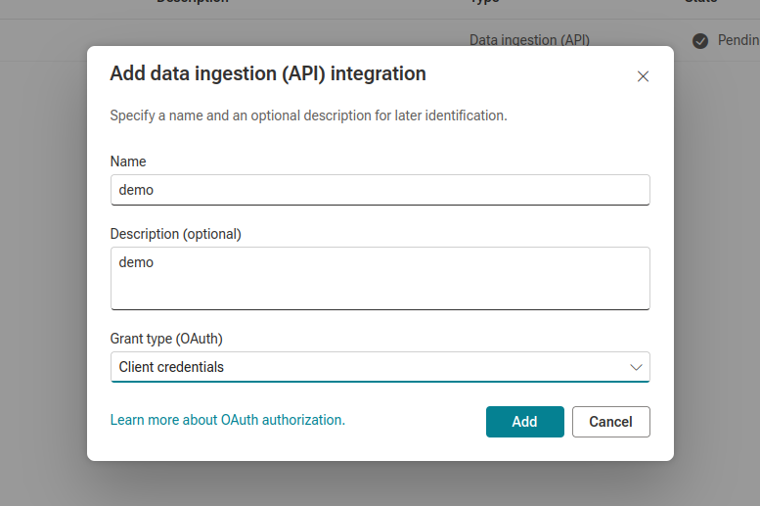
Click Add.
Copy and store the generated credentials:
Client ID
Client Secret
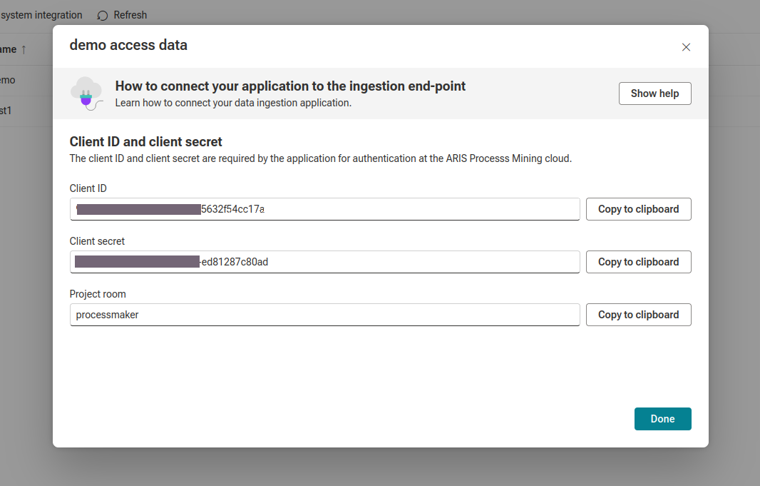
These credentials are required later when configuring the ARIS Integration in ProcessMaker Process Intelligence.
Configure a Data Set in ARIS
A data set in ARIS is a group of tables handled as logically related entities. ProcessMaker Process Intelligence uses the data set to export data into ARIS.
Follow these steps to create a data set:
In ARIS Process Mining, go to Data.
Select Data Sets.
Click New Data Set.
Enter the data set name.
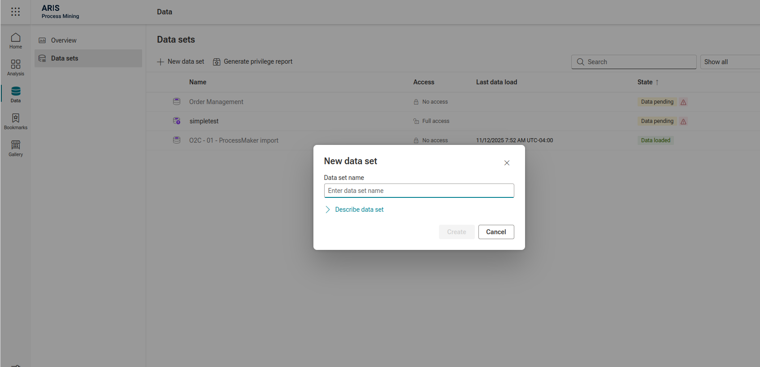
Create the data set.
Grant Access to the Data Set
After creating the data set, grant access to it using the Data Ingestion API integration credentials.
Follow these steps:
Open the data set.
In the menu, go to Connections.
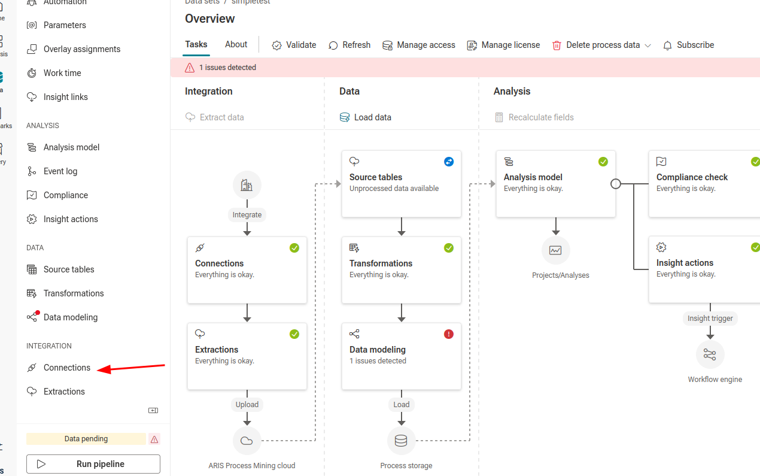
Click Add Connection.
Enter a name for the connection.
Select the system integration created earlier.
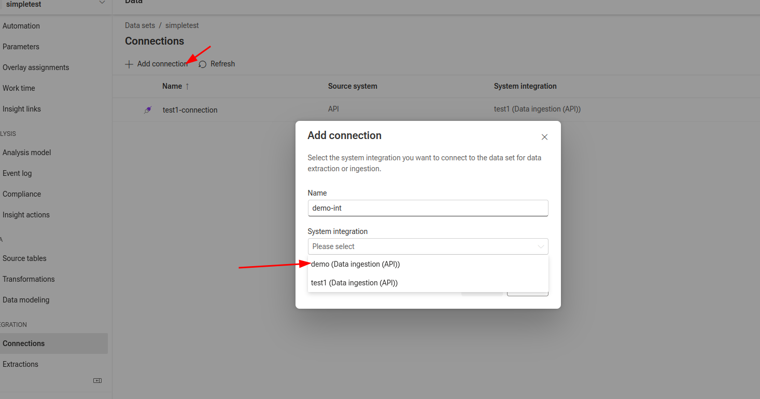
Save the connection.
The connection may display a Pending status. This is expected behavior in ARIS for active connections.
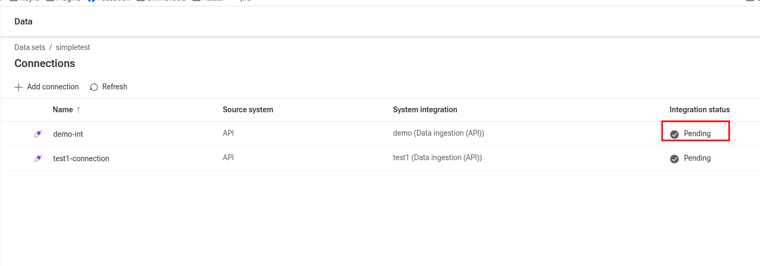
Review Source Tables in ARIS
After the connection is created, open Source Tables from the ARIS menu.
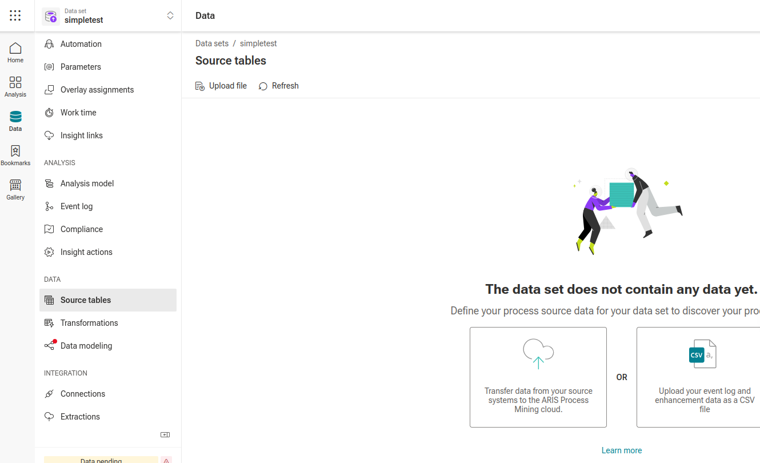
For a new data set, the source tables list is empty until ProcessMaker Process Intelligence sends data through the ARIS Data Ingestion API. After the data ingestion runs, the created tables are displayed in this section.
Configure ARIS Integration in ProcessMaker Process Intelligence
After creating the ARIS credentials and data set, configure the integration in ProcessMaker Process Intelligence.
Follow these steps:
Open ProcessMaker Process Intelligence.
Go to Admin Panel.
Select ARIS Integration.
Enter the following information:
Tenant URL: Enter the ARIS tenant URL. This is the URL visible in the browser address bar when logged in to ARIS.
Client ID: Enter the Client ID generated in ARIS.
Client Secret: Enter the Client Secret generated in ARIS.
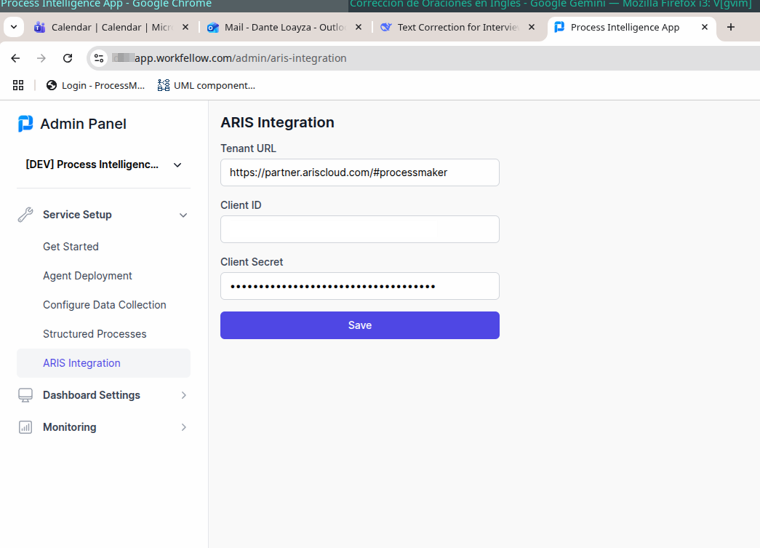
Click Save.
Enable ARIS Data Ingestion for a Process
After configuring the ARIS credentials, enable data ingestion for each process that should export data to ARIS.
Follow these steps:
Go to the list of processes in ProcessMaker Process Intelligence.
Select the process to configure.
Open Structured Process.
In the configuration window, select ARIS Data Ingestion API.
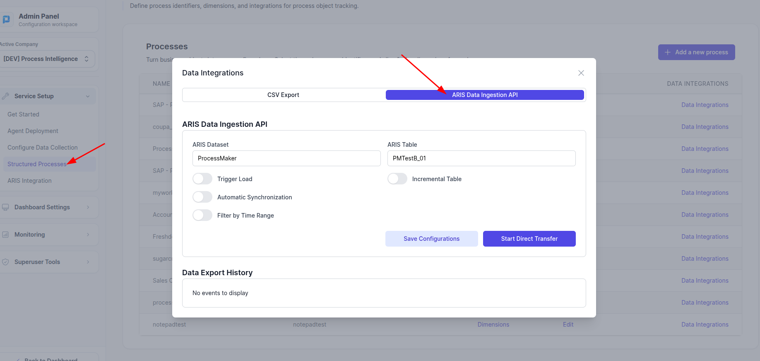
Enter the ARIS data set name.
Enter the ARIS table name where the process data will be stored.
Configure the optional settings as needed:
Trigger Load: Sends a flag to ARIS so that an event is activated after the data is successfully loaded.
Incremental Table: Controls how data is written to the ARIS table.
Enabled: Adds new rows to the existing ARIS table.
Disabled: Recreates the table and inserts all data again.
Automatic Synchronization: Runs the synchronization automatically every night at midnight.
Filter by Time Range: Exports ProcessMaker event data for a specific date or time range.
Click Start Direct Transfer to start the data ingestion.
Optionally, click Save Configurations to save the configuration parameters without starting the transfer.
Result
ProcessMaker Process Intelligence sends process data to the configured ARIS data set and table. After the transfer is complete, the generated tables are available in ARIS under Source Tables for process mining analysis.